Incubator-superset: Jinja macro url_params is not working from the dashboard
URL filters are not working as expected. I created a query with the URL parameter and created a chart out of it. The chart won't work by itself unless the user explicitly passes the URL filter to the chart. Generated a chart view with by proving the URL parameter to the chart and saved it to a new dashboard. Now I am passing the URL parameter to the dashboard and it is not working. It will refresh and display the cache irrespective of the filter value
 rsdpyenugula
All 18 comments
@kristw please find the step to reproduce it and let me know if you need more information
Susperset Version Info
Superset 0.28.1
Flask 0.12.4
Python 3.6.6 |Anaconda, Inc.| (default, Jun 28 2018, 11:07:29)
[GCC 4.2.1 Compatible Clang 4.0.1 (tags/RELEASE_401/final)]
Steps
- Create a query with the URL filter
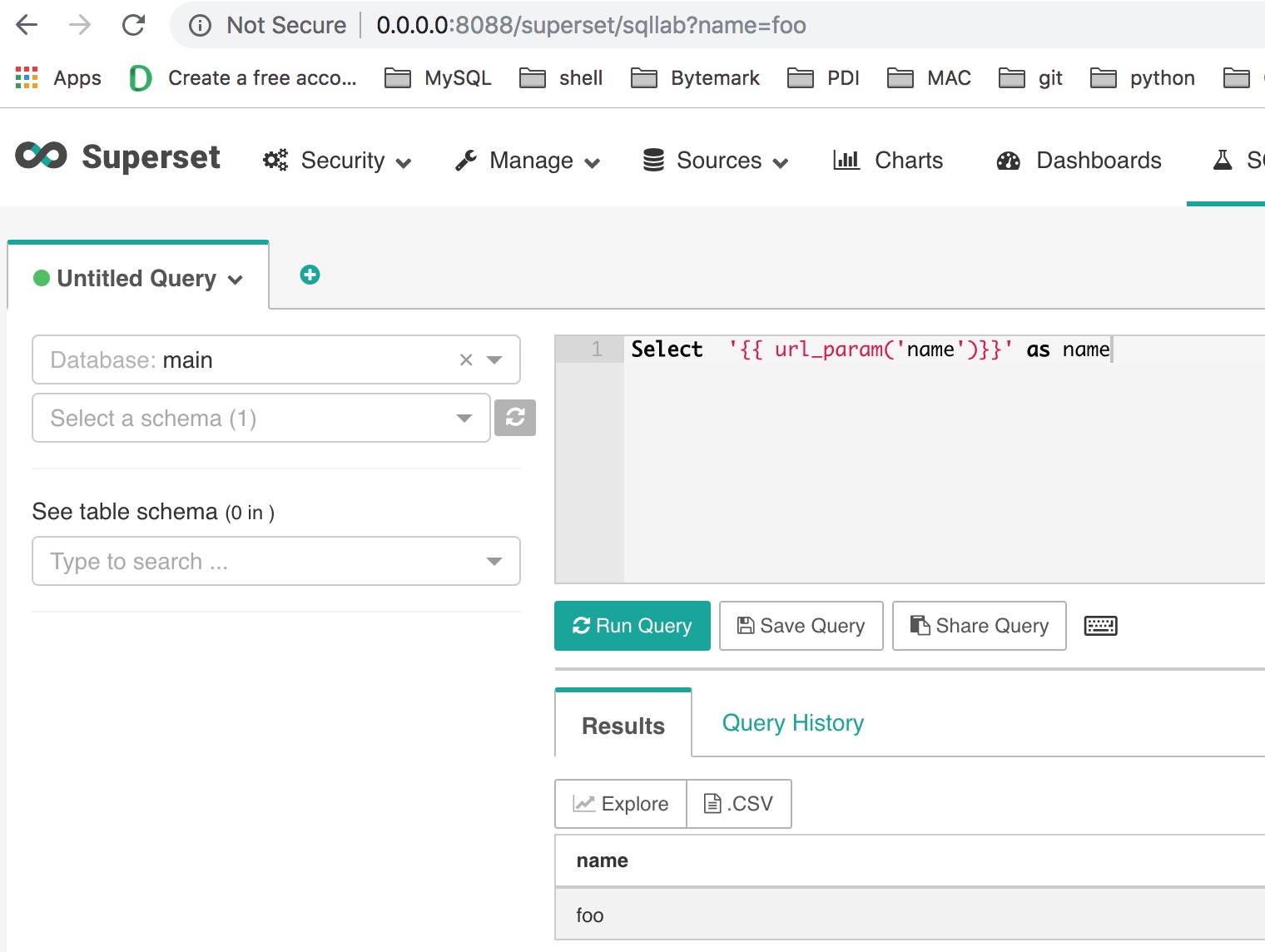
- Explore it
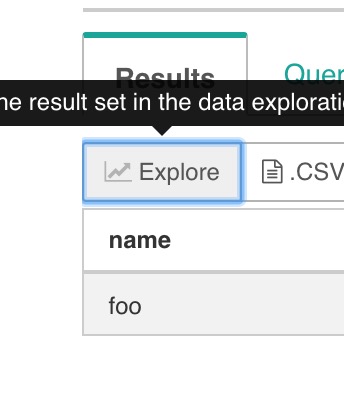
The explore will throw an error by default
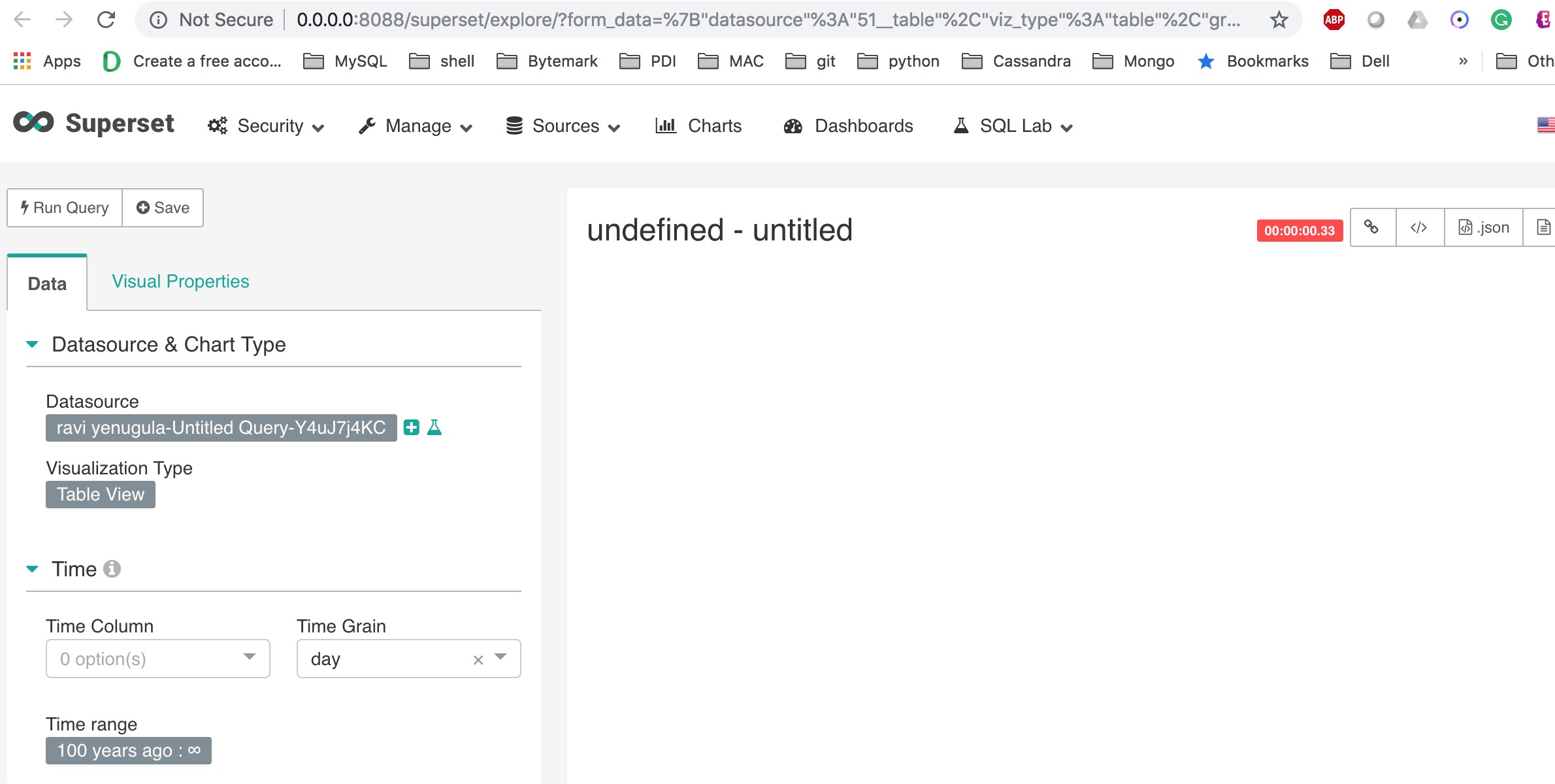
- Pass the filter to the URL and run the chart
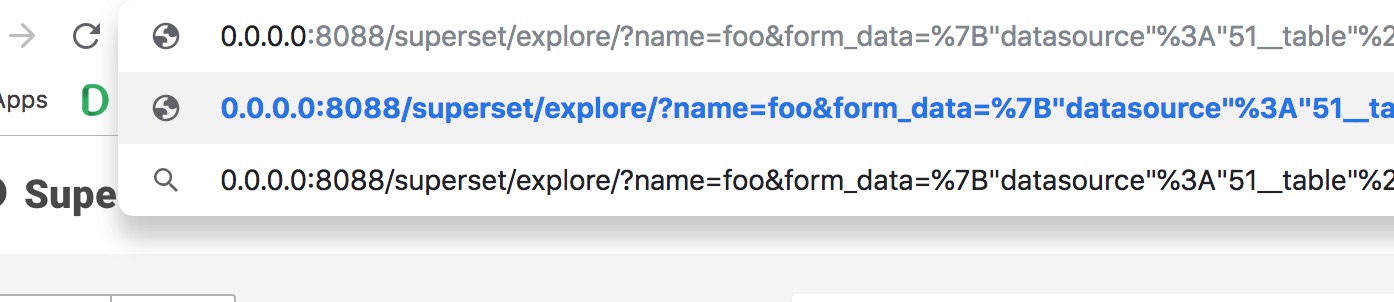
It will work fine
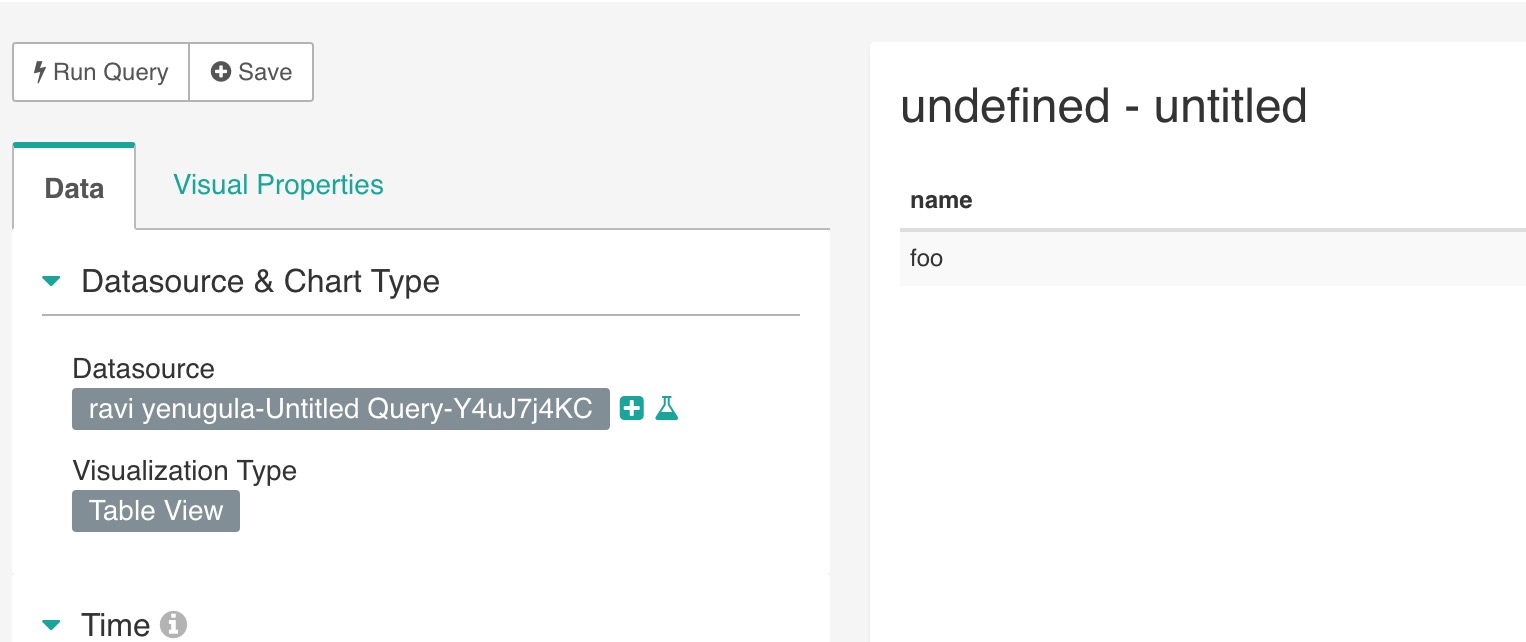
- Now save the chart and add it to a dashboard
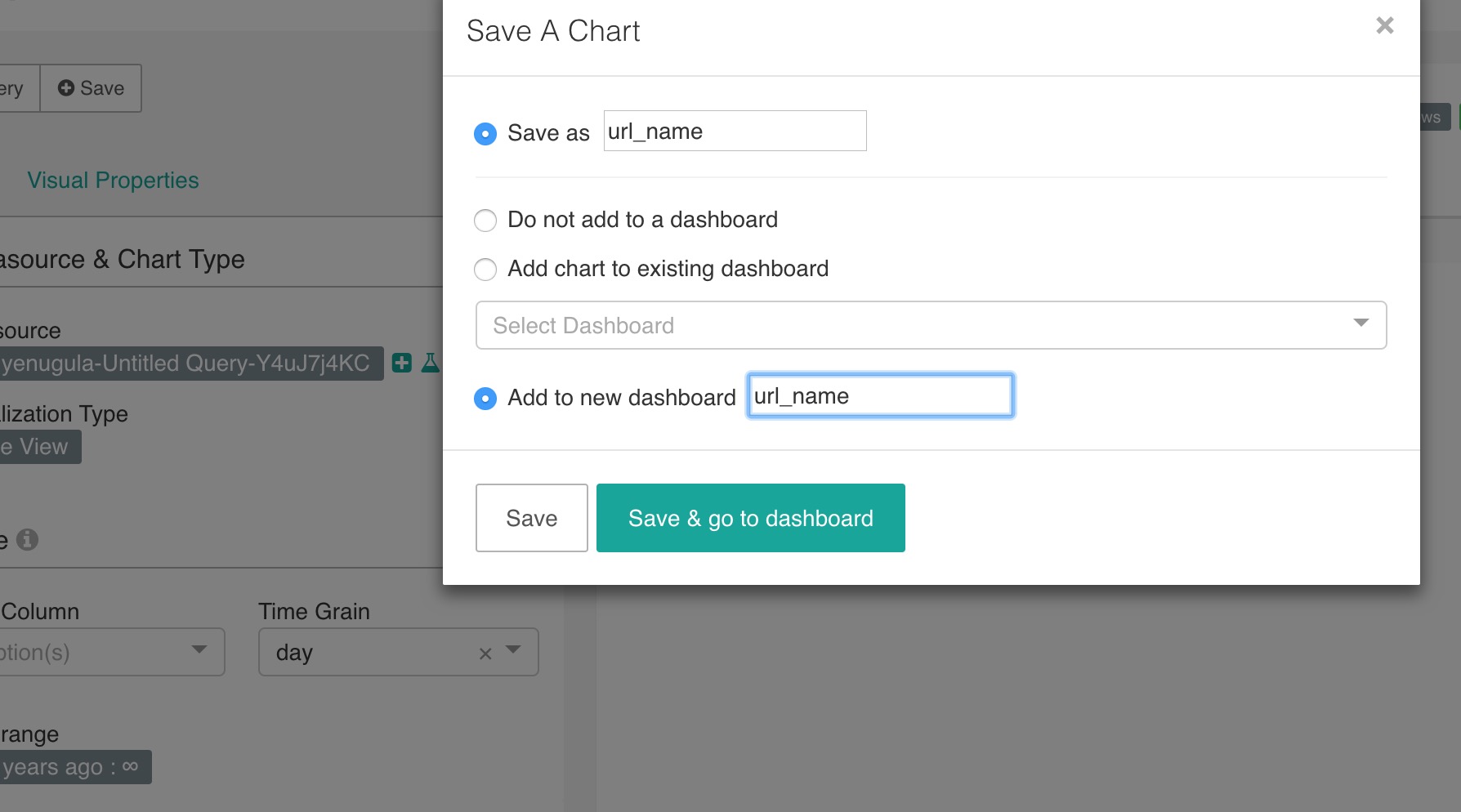
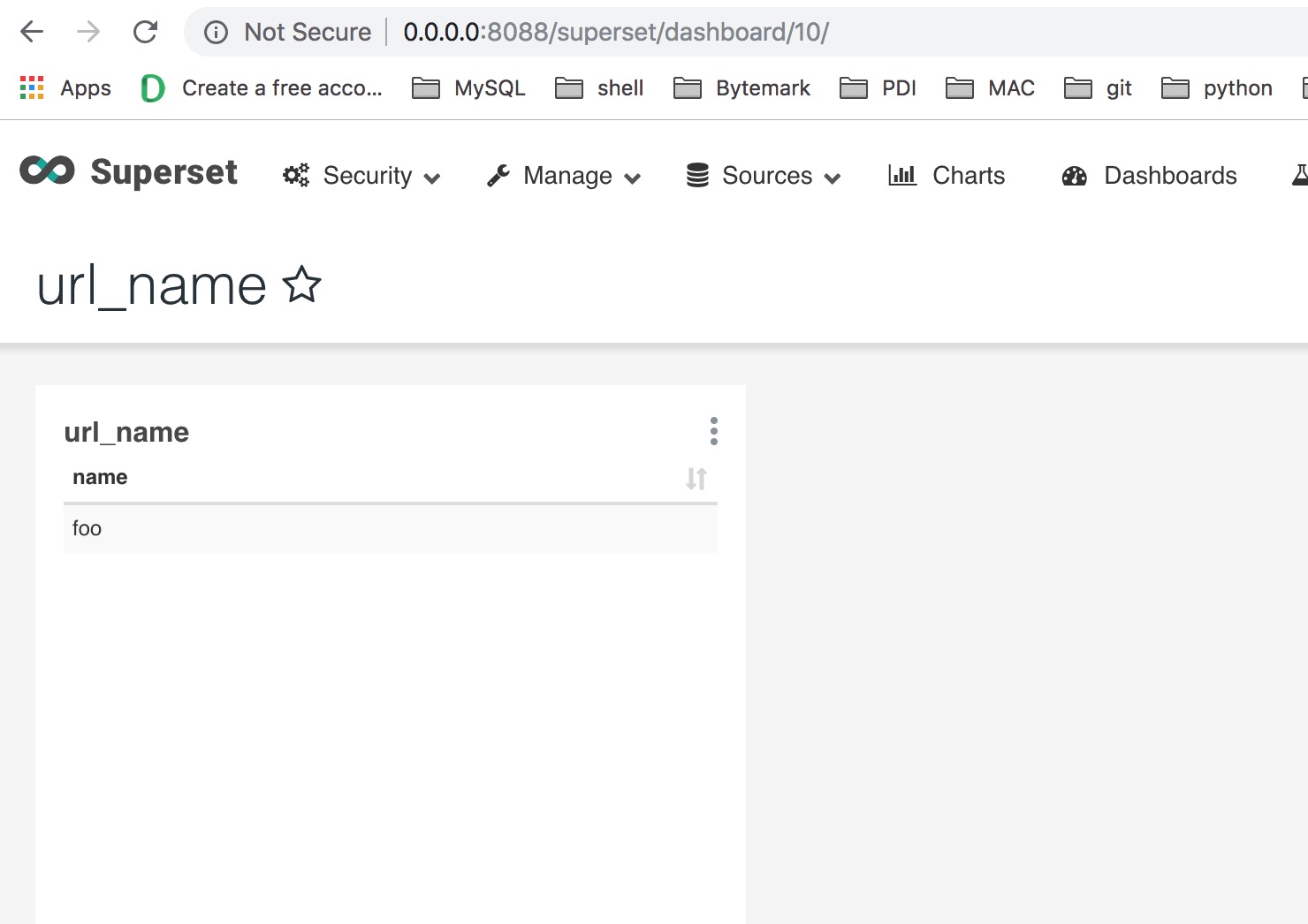
Now let's try to pass different values to the dashboard
i. Value as Superset
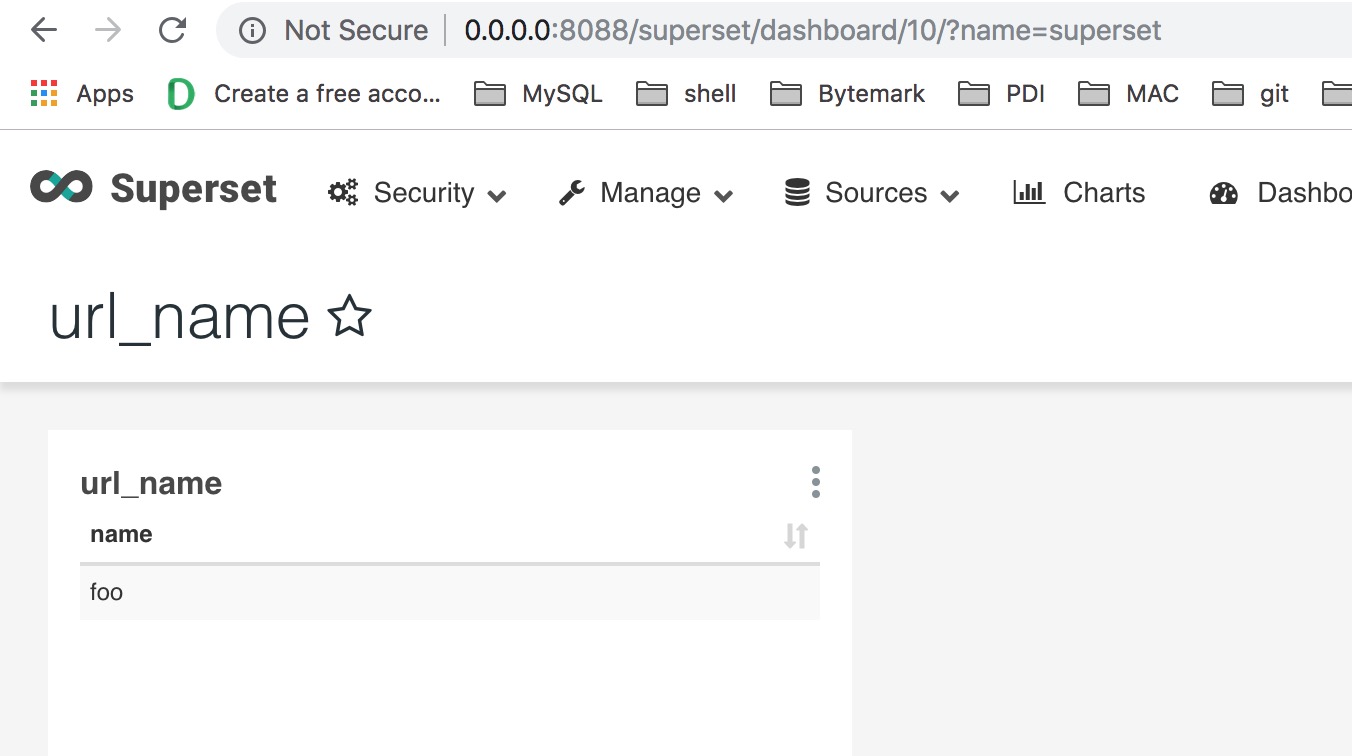
The Dashboard failed to run the chart with the value as "superset" and it still shows the previously cached value
ii. Let's do it one more time with the value as "test"
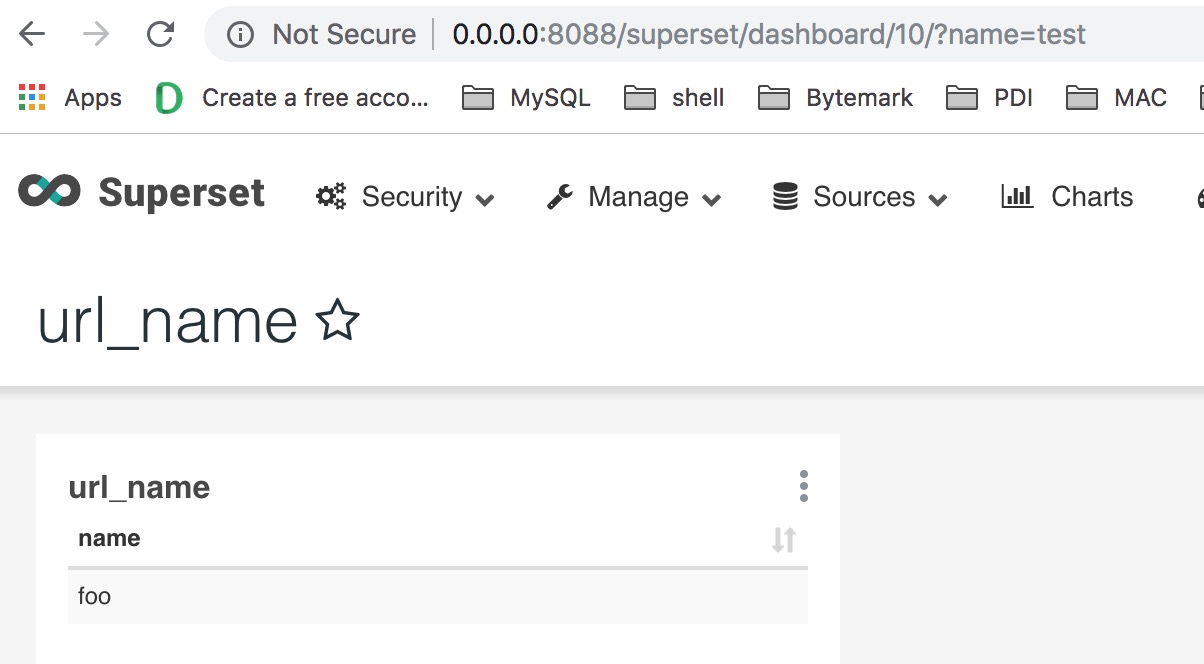
Still, the same thing. It failed to run the dashboard with the URL parameters.
Console log
2019-01-17 13:30:03,496:DEBUG:root:[stats_logger] (incr) dashboard
2019-01-17 13:30:03,515:INFO:root:Database.get_sqla_engine(). Masked URL: sqlite:////Users/ravi/.superset/superset.db
2019-01-17 13:30:03,563:INFO:werkzeug:127.0.0.1 - - [17/Jan/2019 13:30:03] "GET /superset/dashboard/10/?name=test HTTP/1.1" 200 -
2019-01-17 13:30:04,195:INFO:werkzeug:127.0.0.1 - - [17/Jan/2019 13:30:04] "GET /superset/csrf_token/ HTTP/1.1" 200 -
2019-01-17 13:30:04,224:INFO:werkzeug:127.0.0.1 - - [17/Jan/2019 13:30:04] "GET /csstemplateasyncmodelview/api/read HTTP/1.1" 200 -
2019-01-17 13:30:04,276:INFO:werkzeug:127.0.0.1 - - [17/Jan/2019 13:30:04] "GET /superset/favstar/Dashboard/10/count/ HTTP/1.1" 200 -
2019-01-17 13:30:04,613:DEBUG:root:[stats_logger] (incr) explore_json
2019-01-17 13:30:04,652:INFO:root:Cache key: 0da9ec696f2af366a051fe0914aaa257
2019-01-17 13:30:04,656:INFO:root:Database.get_sqla_engine(). Masked URL: sqlite:////Users/ravi/.superset/superset.db
2019-01-17 13:30:04,657:INFO:root:SELECT name AS name
FROM (Select  'foo' as name) AS expr_qry
 LIMIT 1000 OFFSET 0
2019-01-17 13:30:04,664:DEBUG:root:[stats_logger] (incr) loaded_from_source
2019-01-17 13:30:04,670:INFO:werkzeug:127.0.0.1 - - [17/Jan/2019 13:30:04] "POST /superset/explore_json/?form_data=%7B%22slice_id%22%3A159%7D HTTP/1.1" 200 -
2019-01-17 13:30:04,698:DEBUG:root:[stats_logger] (incr) log
2019-01-17 13:30:04,701:INFO:werkzeug:127.0.0.1 - - [17/Jan/2019 13:30:04] "POST /superset/log/?dashboard_id=10 HTTP/1.1" 200 -
rsdpyenugula
on 17 Jan 2019
@kristw bump
rsdpyenugula
on 18 Jan 2019
This issue has been automatically marked as stale because it has not had recent activity. It will be closed if no further activity occurs. Thank you for your contributions.
![stale[bot] picture](https://avatars3.githubusercontent.com/in/1724?v=4&s=40) stale[bot]
on 10 Apr 2019
stale[bot]
on 10 Apr 2019
bump
rsdpyenugula
on 15 Apr 2019
This issue has been automatically marked as stale because it has not had recent activity. It will be closed if no further activity occurs. Thank you for your contributions. For admin, please label this issue .pinned to prevent stale bot from closing the issue.
stale[bot]
on 14 Jun 2019
bump
 jimhorng
on 12 Aug 2019
jimhorng
on 12 Aug 2019
bump
 ZSMJ2014
on 14 Oct 2019
ZSMJ2014
on 14 Oct 2019
Hi, this ticket was created long back not sure in the current version it's fixed or not. I provided the screenshot of the issue please refer it. You can see the URL parameter was not injected into the dashboard.
rsdpyenugula
on 25 Oct 2019
@kristw please find the step to reproduce it and let me know if you need more information
Susperset Version Info
Superset 0.28.1
Flask 0.12.4
Python 3.6.6 |Anaconda, Inc.| (default, Jun 28 2018, 11:07:29)
[GCC 4.2.1 Compatible Clang 4.0.1 (tags/RELEASE_401/final)]Steps
- Create a query with the URL filter
- Explore it
The explore will throw an error by default
- Pass the filter to the URL and run the chart
It will work fine
- Now save the chart and add it to a dashboard
- Now let's try to pass different values to the dashboard
i. Value as Superset
The Dashboard failed to run the chart with the value as "superset" and it still shows the previously cached valueii. Let's do it one more time with the value as "test"
Still, the same thing. It failed to run the dashboard with the URL parameters.
Console log
2019-01-17 13:30:03,496:DEBUG:root:[stats_logger] (incr) dashboard
2019-01-17 13:30:03,515:INFO:root:Database.get_sqla_engine(). Masked URL: sqlite:////Users/ravi/.superset/superset.db
2019-01-17 13:30:03,563:INFO:werkzeug:127.0.0.1 - - [17/Jan/2019 13:30:03] "GET /superset/dashboard/10/?name=test HTTP/1.1" 200 -
2019-01-17 13:30:04,195:INFO:werkzeug:127.0.0.1 - - [17/Jan/2019 13:30:04] "GET /superset/csrf_token/ HTTP/1.1" 200 -
2019-01-17 13:30:04,224:INFO:werkzeug:127.0.0.1 - - [17/Jan/2019 13:30:04] "GET /csstemplateasyncmodelview/api/read HTTP/1.1" 200 -
2019-01-17 13:30:04,276:INFO:werkzeug:127.0.0.1 - - [17/Jan/2019 13:30:04] "GET /superset/favstar/Dashboard/10/count/ HTTP/1.1" 200 -
2019-01-17 13:30:04,613:DEBUG:root:[stats_logger] (incr) explore_json2019-01-17 13:30:04,652:INFO:root:Cache key: 0da9ec696f2af366a051fe0914aaa257 2019-01-17 13:30:04,656:INFO:root:Database.get_sqla_engine(). Masked URL: sqlite:////Users/ravi/.superset/superset.db 2019-01-17 13:30:04,657:INFO:root:SELECT name AS name FROM (Select 'foo' as name) AS expr_qry LIMIT 1000 OFFSET 02019-01-17 13:30:04,664:DEBUG:root:[stats_logger] (incr) loaded_from_source
2019-01-17 13:30:04,670:INFO:werkzeug:127.0.0.1 - - [17/Jan/2019 13:30:04] "POST /superset/explore_json/?form_data=%7B%22slice_id%22%3A159%7D HTTP/1.1" 200 -
2019-01-17 13:30:04,698:DEBUG:root:[stats_logger] (incr) log
2019-01-17 13:30:04,701:INFO:werkzeug:127.0.0.1 - - [17/Jan/2019 13:30:04] "POST /superset/log/?dashboard_id=10 HTTP/1.1" 200 -
Please the see the url parameter in the scrrenshot and the value in the dashbaord
rsdpyenugula
on 25 Oct 2019
I assume you're using redis? Please put cache_key_wrapper(url_param("foo")) where you currently have url_param("foo") to make sure the cache includes the param in the cache key. Docs:
https://superset.apache.org/sqllab.html#superset.jinja_context.CacheKeyWrapper.cache_key_wrapper
 villebro
on 25 Oct 2019
villebro
on 25 Oct 2019
@villebro I'm running into the same issue. I've tried your fix and it's insufficient. I can get it working in the explore view, but it changes the ... chart? Slice? Not sure what the correct terminology is. Clicking the yellow 'Altered' bubble shows it altering the URL Parameters property. (The new URL does not include the parameter I added at the top level, but puts it in the URL-encoded form_data parameter.
This does not work on a dashboard view. Saving the chart alters the dashboard, and fixes it to that one value I provide in the explore view. My desired result is a URL-parameterized dashboard I can embed via iframe, that displays different data for different (non-superset) users, on-demand.
Any help with this issue would be greatly appreciated!
cc: @graceguo-supercat @mistercrunch
 bkudria
on 31 Oct 2019
bkudria
on 31 Oct 2019
Thanks for trying out the proposed fix @bkudria , I will try to replicate the problem during the weekend.
villebro
on 31 Oct 2019
I can confirm that this is not working properly. Crafting a fix will take some planning, as I believe some things need to be refactored at the same time. Will try to work out a fix proposal for this in the coming weeks.
villebro
on 4 Nov 2019
I solved this issue that I added this code to def dashboard (**kwargs ) in core.py
I used what i need parameters name in this code, you should change with your needs
if request.args.get('foo'):
slice_count = 0
for sss in dash.slices:
dashboard_data['slices'][slice_count]['form_data']['url_params'] = {'foo':request.args.get('foo')}
slice_count += 1
 senturkayhan
on 4 Nov 2019
senturkayhan
on 4 Nov 2019
@senturkayhan , As you are working on this I would suggest doing with security. This is the thing I would recommend to be implemented
Safe parameters
Developed/admin has the ability to set the dashboard parameter to a constant value for a user in that way the end-user won't have the ability to pass a different value to the dashboard.
My Idea of implications would be
1) An option for creating a global dictionary for the parameter with a key (check Airflow for ref)
2) An option to import the parameter key into the dashboard and charts
3) The main part. When logs into his account I am sure you will only display his / her charts or dashboards then pass this default parameter to it.
Her is the example of the parameter
{'Sales':{'roal':{'a':'value1','b':'value2},'users':{'c':'value3'},'exclude_users':(d,e,f) }}
Let's say I have a sales dashboard and employees should be able to see their regional information
only. Then we can have a parameter and values as per the above example and set them dynamically at the user login and the dashboard should not run with different values for that user.
rsdpyenugula
on 9 Nov 2019
@rsdpyenugula Of course, you are right when you say it. I wrote it by combining the example with which the problem was described. these are not the parameters I use.
Thanks for your suggestion, very good idea and information for those who read this problem
after all, i'm not pyhton developer and admin, but as you mentioned, i've set up a structure where customers can only see their own information and the public_role_like_gamma parameter is valid and i need to take all security precautions.
only those logged in to the system where the reports are published can display data on this set. It is not possible to access any data set even if it is accessed from outside.
In fact, another issue that you need to pay attention to security: superset is moving your query to the front, it will be a good measure for security to prevent your query information from being moved to the front.
senturkayhan
on 9 Nov 2019
Thanks for the feedback, good pointers here. I think this has several parallels with Row Level Security, and probably should be done in several steps to avoid overcomplicating things for now. To keeps things simple I'm thinking we should first make sure url_params passed to the dashboard flow through to the chart like they do in the Explore view, and once that's done start introducing additional layers of security. I'm still planning on doing a PR for this, but if someone else wants to take the lead I'm happy to help as needed.
villebro
on 9 Nov 2019
@villebro Ok. Let me know if you need any help.
rsdpyenugula
on 9 Nov 2019
Related issues
 gbrian
·
3Comments
gbrian
·
3Comments
 sashank
·
3Comments
sashank
·
3Comments
 ylkjick532428
·
3Comments
ylkjick532428
·
3Comments
 XiaodiKong
·
3Comments
XiaodiKong
·
3Comments
 josephtyler
·
3Comments
josephtyler
·
3Comments
Most helpful comment
@kristw bump