Incubator-superset: Bypassing the login for Supreset using iframe
Make sure these boxes are checked before submitting your issue - thank you!
- [x] I have checked the superset logs for python stacktraces and included it here as text if any
- [x] I have reproduced the issue with at least the latest released version of superset
- [x] I have checked the issue tracker for the same issue and I haven't found one similar
I am using Superset version 0.22.1. I create a slice and use its iframe to embed into my webpage. When I do so, it directs me to superset login on the webpage. Is there a way I can pass the username and credentials using iframe as a parameter if yes please let me know the iframe parameter name for that?
Superset version
0.22.1
Expected results
bypass authentication
Actual results
asking for authentication
 goldymanikoth
All 11 comments
I think you might need to leverage the Public role to allow others to see this slice/chart without logging in. Checkout this doc http://superset.apache.org/security.html#public for more information.
 hughhhh
on 11 Feb 2018
hughhhh
on 11 Feb 2018
Thanks for your response , I could see from the documentation (http://superset.apache.org/security.html#public ) that
"_Public- It’s possible to allow logged out users to access some Superset features. By setting PUBLIC_ROLE_LIKE_GAMMA = True in your superset_config.py_"
So my next set of doubts --
- Where is this superset_config.py location? Can I create this file and add this to export PYTHONPATH="/home/user/superset/:$PYTHONPATH" ... please help
- Also struggling to find the superset installation location?
goldymanikoth
on 12 Feb 2018
pip/setuptools/python manages your pypi packages, no need to worry about that. superset_config.py can live anywhere, but you need to export PYTHONPATH=/wherever/your/superset_config/lives. As you fire up the superset command, you should see something like:
Loaded your LOCAL configuration at [/wherever/your/superset_config/lives/superset_config.pyc]
 mistercrunch
on 12 Feb 2018
mistercrunch
on 12 Feb 2018
I got some reference to locate the superset install path and I figure out the location and updated the superset/config.py and edited the "PUBLIC_ROLE_LIKE_GAMMA = True" and add the data sources to the role manually to bypass the user login, it is working now , thanks for the support.
goldymanikoth
on 13 Feb 2018
You probably want to avoid changing superset/config.py (which means you're modifying the Superset package) and use superset_config.py which is intended to be the way to override the defaults in the configuration.
mistercrunch
on 13 Feb 2018
got it, I will do that. Thanks
goldymanikoth
on 13 Feb 2018
Hi @goldymanikoth and @mistercrunch , I have been into the same issue i modified "PUBLIC_ROLE_LIKE_GAMMA = True" in both superset/config.py and superset_config.py . Added the datasource to PUBLIC as per the link suggested.But still getting the AUTH login page while accessing the iframe .Can anyone explain me in more detail please.And also the following are my screenshots
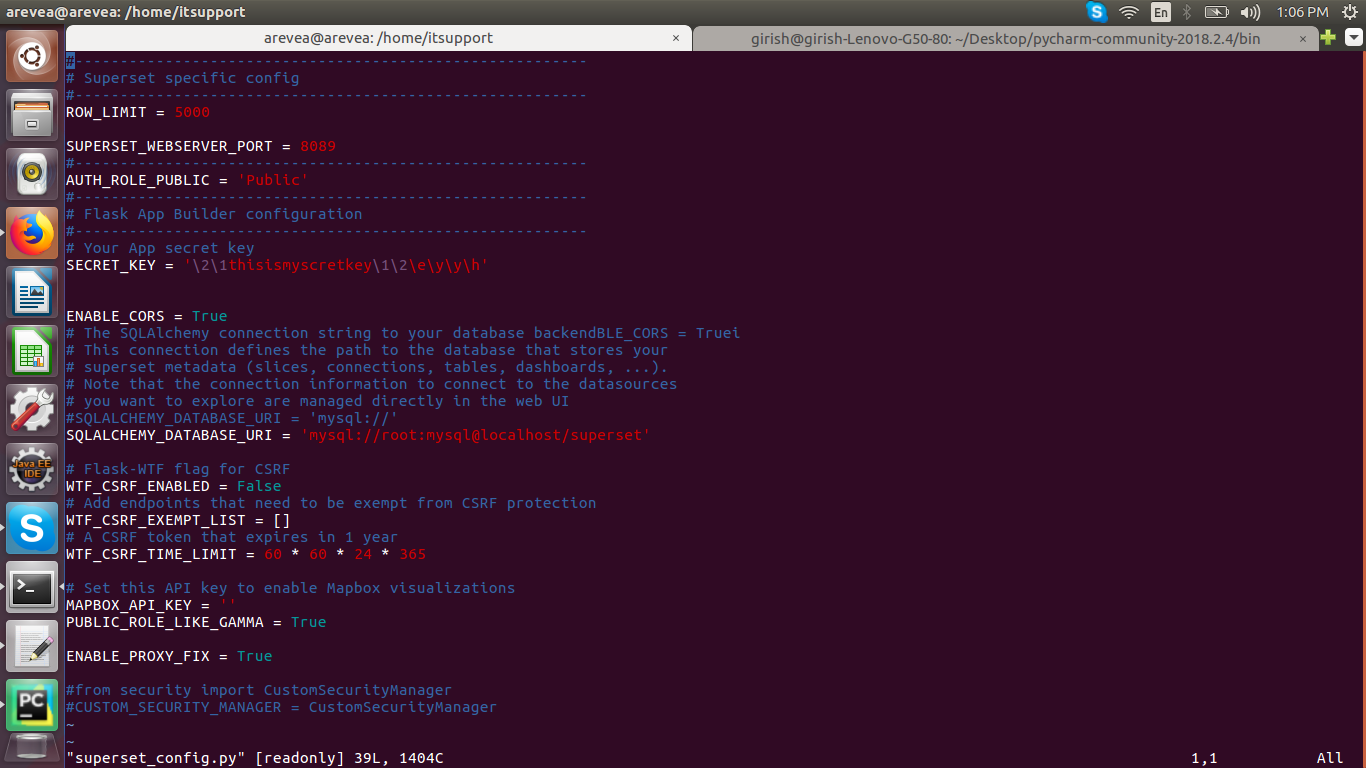
config.py -

Add roles page -
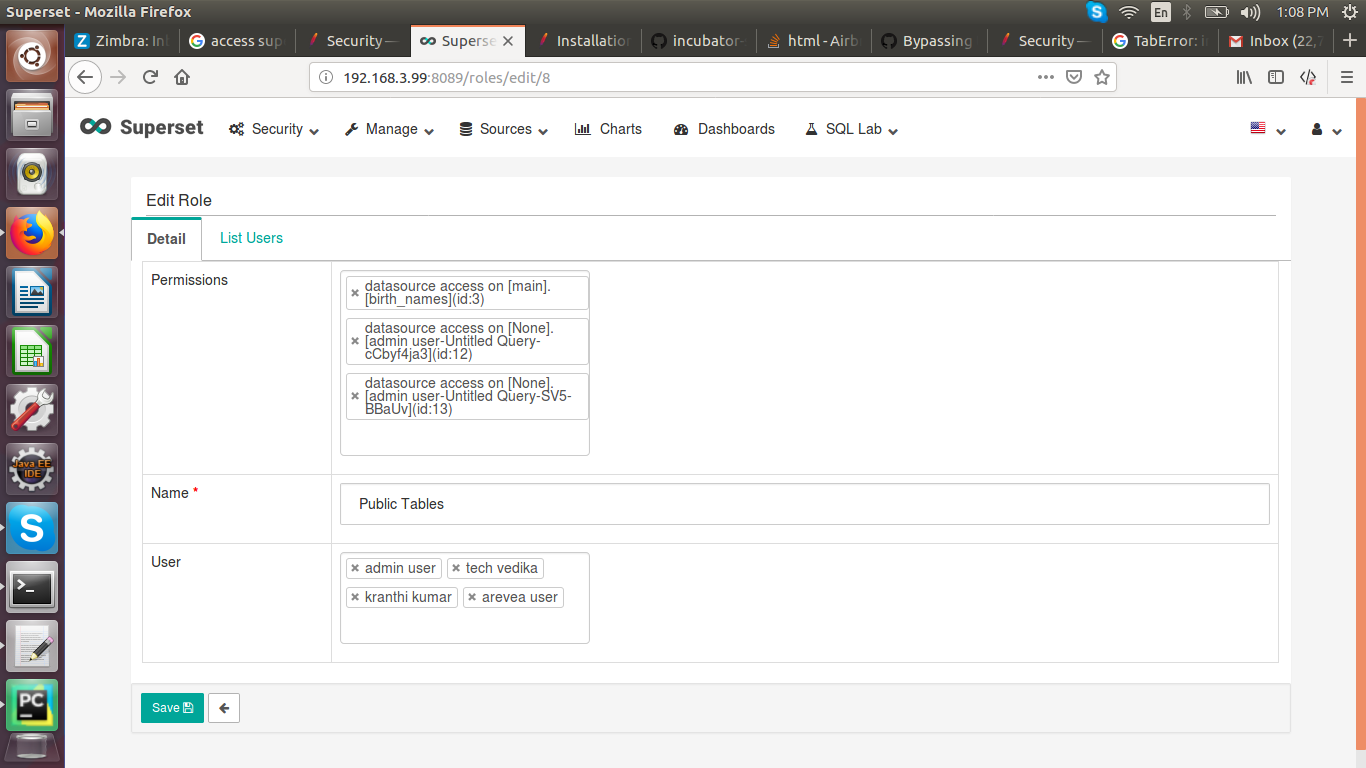
 girishteja
on 16 Nov 2018
girishteja
on 16 Nov 2018
did you run superset init ? Public should then be like Gamma, to which you can start adding tables / databases
mistercrunch
on 17 Nov 2018
Thank you so much @mistercrunch , superset init command did the magic we want!I could able to access the chart without authentication prompt now.
girishteja
on 19 Nov 2018
This issue has been automatically marked as stale because it has not had recent activity. It will be closed if no further activity occurs. Thank you for your contributions.
![stale[bot] picture](https://avatars3.githubusercontent.com/in/1724?v=4&s=40) stale[bot]
on 10 Apr 2019
stale[bot]
on 10 Apr 2019
I am facing the same issue. But in my case Superset is installed via HDP. I am not able to find the superset location (config.py). And I am not sure where is it.? Help is very much appreciated.
 raoofnaushad
on 1 Jul 2020
raoofnaushad
on 1 Jul 2020
Related issues
 eliab
·
3Comments
eliab
·
3Comments
 vylc
·
3Comments
vylc
·
3Comments
 john-bodley
·
3Comments
john-bodley
·
3Comments
 fly-high-bj
·
3Comments
fly-high-bj
·
3Comments
 ylkjick532428
·
3Comments
ylkjick532428
·
3Comments
Most helpful comment
did you run
superset init?Publicshould then be like Gamma, to which you can start adding tables / databases