Incubator-superset: Feature: export dashboard/slices to PDF, Word and image
- [x] I have checked the issue tracker for the same issue and I haven't found one similar
Will this be a possible feature to be added in the future? I've also done small research on my own but there doesn't seem to be a convenient way of converting react components to the three forms I described in the title.
 fufjvnvnf
All 9 comments
Export what?
 xrmx
on 20 Jun 2017
xrmx
on 20 Jun 2017
@xrmx export dashboards and/or slices
fufjvnvnf
on 20 Jun 2017
I don't think there is a way to convert react components into an image but I did find an npm module which converts d3 charts to .svg files here. As it turns out turning the charts into an .svg file is not trivial because the svg elements in the DOM are modified by external CSS. Converting the elements manually was a headache so luckily this module exists.
This feature is very useful to me so I went ahead an implemented it. If anyone wants to be able to turn a chart into an .svg file from the explore page, you can look at my branch. I can make a pull request if you think that's a good idea @xrmx.
@fufjvnvnf This won't convert an entire dashboard but this will do the trick for a slice. You can probably write a script to add the svg file to word or pdf. Converting a dashboard into any of those formats and even converting a slice into word or pdf formats raises a lot of issues. How should the slices be organized on the page? Should they be the same size or different sizes?
 SalehHindi
on 20 Jun 2017
SalehHindi
on 20 Jun 2017
@SalehHindi I'm a front-end noob and I really appreciate your insight on converting d3 charts to svg! As for the rest, I've been suggested by my front-end colleague to look at [Html2Canvas](http://html2canvas.hertzen.com). I've no idea what Promise is but this module is supposed render browser-side "screenshot", and should in theory convert anything to pictures. I was planning to implement this first and then stack those images into a pdf. I'm looking forward to your insight on this!
fufjvnvnf
on 20 Jun 2017
You can print to pdf...
 SpyderRivera
on 1 Sep 2017
SpyderRivera
on 1 Sep 2017
Hello @mistercrunch and mr @SalehHindi
Just to clarify, mr @SalehHindi you implemented this feature by adding the export button in :
superset/assets/javascripts/explore/components/ExploreActionButtons.jsx
So to add this feature i did the same thing,
- Installed d3-save-svg
- Modified the file
/usr/lib/python2.7/site-packages/superset/static/assets/javascripts/explore/components/ExploreActionButtons.jsx
but when i restart superset, and create a D3 chart, like so :
I don't see the button.
Of course I wasn't expecting a miracle :smile: but i feel that there needs only a small tweak for this to work.
Could you help me out ?
Thank you for your time, it is greatly appreciated !
 nam147
on 27 Oct 2017
nam147
on 27 Oct 2017
Was there any more progress on this? @SalehHindi could you provide a bit more info on how you got this working?
 xeijin
on 7 Dec 2017
xeijin
on 7 Dec 2017
Hey @xeijin @nam147 I updated my branch to get to a more stable state. Now when you click on the export to SVG button in the slice view, it'll redirect you to the image as SVG. Take a look at this commit if you want to see the changes: https://github.com/SalehHindi/superset/commit/b7e39c9a5e16c0c1e2f8cc7653898fd68d0899c9
Note that the redirect doesn't work in Chrome but it doesn't matter because I think the idea will be to use Selenium to go to the slice view page, export and download the SVG, and then serve it to the user when the user visits, say, /superset/export_slice/<slice_id>. That way the user can have more programmatic control over what they export. I'll be working on this after work. I've used selenium before so this shouldn't be hard.
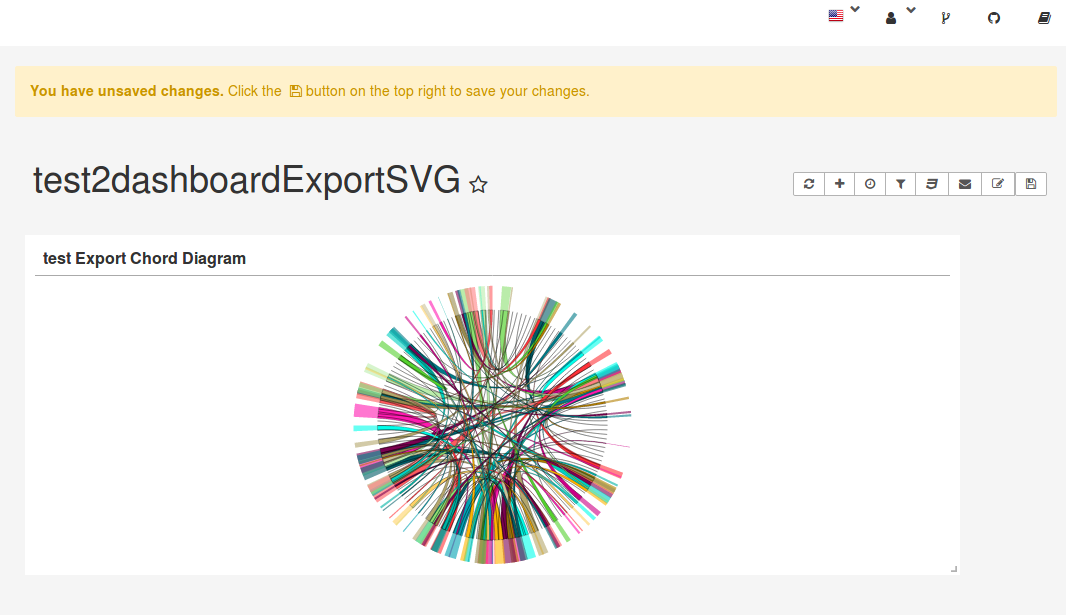
As you pointed out @nam147 the styles that come from external style sheets aren't being exported properly because the code relies on a hacky way to export rendered HTML to SVG as described in this post. After getting selenium to serve the funky looking SVG I'd like to properly pull in the styles which will involve traversing all the nodes in visualization.html(), grabbing the styles, and then appending them to each node as inline styles so they get exported to the canvas. The styling work is parallelizable to the selenium work because you can just click the Export to SVG button in Firefox to see if it works.
And then finally there is the issue of tests. I'm still thinking through how to test this properly once the feature is finished. I'm open to any suggestions : )
SalehHindi
on 11 Dec 2017
This issue has been automatically marked as stale because it has not had recent activity. It will be closed if no further activity occurs. Thank you for your contributions. For admin, please label this issue .pinned to prevent stale bot from closing the issue.
![stale[bot] picture](https://avatars3.githubusercontent.com/in/1724?v=4&s=40) stale[bot]
on 11 Apr 2019
stale[bot]
on 11 Apr 2019
Related issues
 ylkjick532428
·
3Comments
ylkjick532428
·
3Comments
 tmccartan
·
3Comments
tmccartan
·
3Comments
 vylc
·
3Comments
vylc
·
3Comments
 kalimuthu123
·
3Comments
kalimuthu123
·
3Comments
 gbrian
·
3Comments
gbrian
·
3Comments
Most helpful comment
Hey @xeijin @nam147 I updated my branch to get to a more stable state. Now when you click on the export to SVG button in the slice view, it'll redirect you to the image as SVG. Take a look at this commit if you want to see the changes: https://github.com/SalehHindi/superset/commit/b7e39c9a5e16c0c1e2f8cc7653898fd68d0899c9
Note that the redirect doesn't work in Chrome but it doesn't matter because I think the idea will be to use Selenium to go to the slice view page, export and download the SVG, and then serve it to the user when the user visits, say,
/superset/export_slice/<slice_id>. That way the user can have more programmatic control over what they export. I'll be working on this after work. I've used selenium before so this shouldn't be hard.As you pointed out @nam147 the styles that come from external style sheets aren't being exported properly because the code relies on a hacky way to export rendered HTML to SVG as described in this post. After getting selenium to serve the funky looking SVG I'd like to properly pull in the styles which will involve traversing all the nodes in
visualization.html(), grabbing the styles, and then appending them to each node as inline styles so they get exported to the canvas. The styling work is parallelizable to the selenium work because you can just click the Export to SVG button in Firefox to see if it works.And then finally there is the issue of tests. I'm still thinking through how to test this properly once the feature is finished. I'm open to any suggestions : )