Incubator-superset: No permissions to access default examples after install
Make sure these boxes are checked before submitting your issue - thank you!
- [Y] I have checked the superset logs for python stacktraces and included it here as text if any
- [Y] I have reproduced the issue with at least the latest released version of superset
- [Y] I have checked the issue tracker for the same issue and I haven't found one similar
Superset version
superset-0.15.1
Expected results
Should have been granted permissions to access the example dashboards.
Actual results
Permissions were denied
Steps to reproduce
Just follow instructions on http://airbnb.io/superset/installation.html and install on a Ubuntu 16.04 machine. Note that my preference is for using Conda instead of Virtualenv, so I created a python 3.5 conda environment, and did the pip install superset in that conda environment.
The problem I'm facing is after finishing the installation and running the app server, visiting the dashboards for all of the 3 examples, I get permission denied. For example, accessing the second dataset "Births", I get the error: This endpoint requires the datasource birth_names, database orall_datasource_accesspermission. I'm not sure why this is the case. It appears that issue #1799 was asking about a similar problem, but nothing from that post is helping me so that's why I am posting here.
Thank you.
 kohaugustine
All 16 comments
Could you please try latest master?
 xrmx
on 16 Jan 2017
xrmx
on 16 Jan 2017
Ok I've just cloned the latest master and re-installed Superset, by using pip install -e ~/superset (I cloned superset into my home dir). So now I do not get permission errors, but somehow the dashboards are not displaying properly. Clicking on them, I get brought to a page that just shows nothing, like what I've attached here:
[dashboard] Misc Charts.pdf
At the same time, when this is happening, I get flask errors like
/sqlalchemy/sql/compiler.py:575: SAWarning: Can't resolve label reference 'username asc'; converting to text() (this warning may be suppressed after 10 occurrences)
  util.ellipses_string(element.element))
and /flask_appbuilder/forms.py:245: FlaskWTFDeprecationWarning: "flask_wtf.Form" has been renamed to "FlaskForm" and will be removed in 1.0. form = self(obj=obj). What is happening now?
kohaugustine
on 16 Jan 2017
If you install from source to have to build the assets like documented here http://airbnb.io/superset/installation.html#making-your-own-build
xrmx
on 16 Jan 2017
Ah I see. From the instructions on that link, it looks like building from source would mean I would be installing Superset within my machine's global environment. Is there anyway that I can do this in a Conda environment?
kohaugustine
on 16 Jan 2017
You can do it within a conda environment fine. Npm will install the assets
locally fine. If you're asking about conda, I'm guessing you're on Windows
where I've found it more painless to run in either vagrant or virtual box.
On Mon, 16 Jan 2017, 15:03 Augustine Koh, notifications@github.com wrote:
Ah I see. From the instructions on that link, it looks like building from
source would mean I would be installing Superset within my machine's global
environment. Is there anyway that I can do this in a Conda environment?—
You are receiving this because you are subscribed to this thread.
Reply to this email directly, view it on GitHub
https://github.com/airbnb/superset/issues/1987#issuecomment-272885178,
or mute the thread
https://github.com/notifications/unsubscribe-auth/AEdFuETtx9Tkcj2As4dMQtV9hvcMeB2Dks5rS4awgaJpZM4LkJbt
.>
Alan Cruickshank
E: [email protected]
T: +44 770 6851825
 alanmcruickshank
on 17 Jan 2017
alanmcruickshank
on 17 Jan 2017
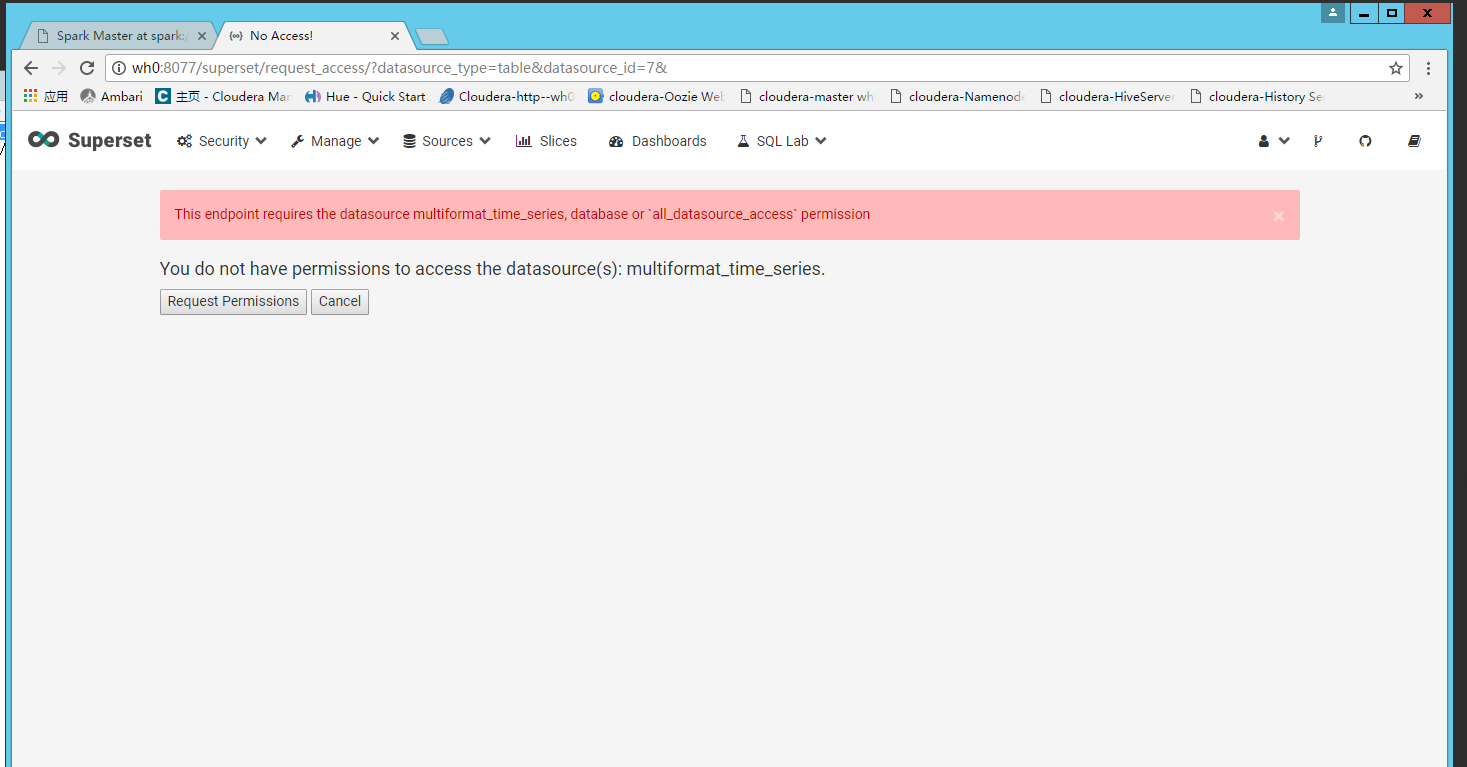
@xrmx , i am running into exactly same issue, any other way to fix other than manually rebuild master?
centos 6.6, python 3.4, superset 0.18.4
 bronzels
on 14 Jun 2017
bronzels
on 14 Jun 2017
run these:
file=airflow.cfg
cp $file $file.bk
sed -i 's#load_examples = True#load_examples = False#g' $file
bin/airflow resetdb
bin/airflow initdb
restart your airflow, you should be good without examples.
Thank you!
BR,
Alex
发件人: Wei Hai notifications@github.com
发送时间: 2017年6月29日 2:38
收件人: ApacheInfra/superset
抄送: bronzels; Comment
主题: Re: [ApacheInfra/superset] No permissions to access default examples after install (#1987)
I got exactly the same issue after installing it on Mac OS X.
―
You are receiving this because you commented.
Reply to this email directly, view it on GitHubhttps://github.com/ApacheInfra/superset/issues/1987#issuecomment-311749336, or mute the threadhttps://github.com/notifications/unsubscribe-auth/AAQMA-NKCdfrGJM0nmMPDcpJPOhC4d6vks5sIp2WgaJpZM4LkJbt.
bronzels
on 30 Jun 2017
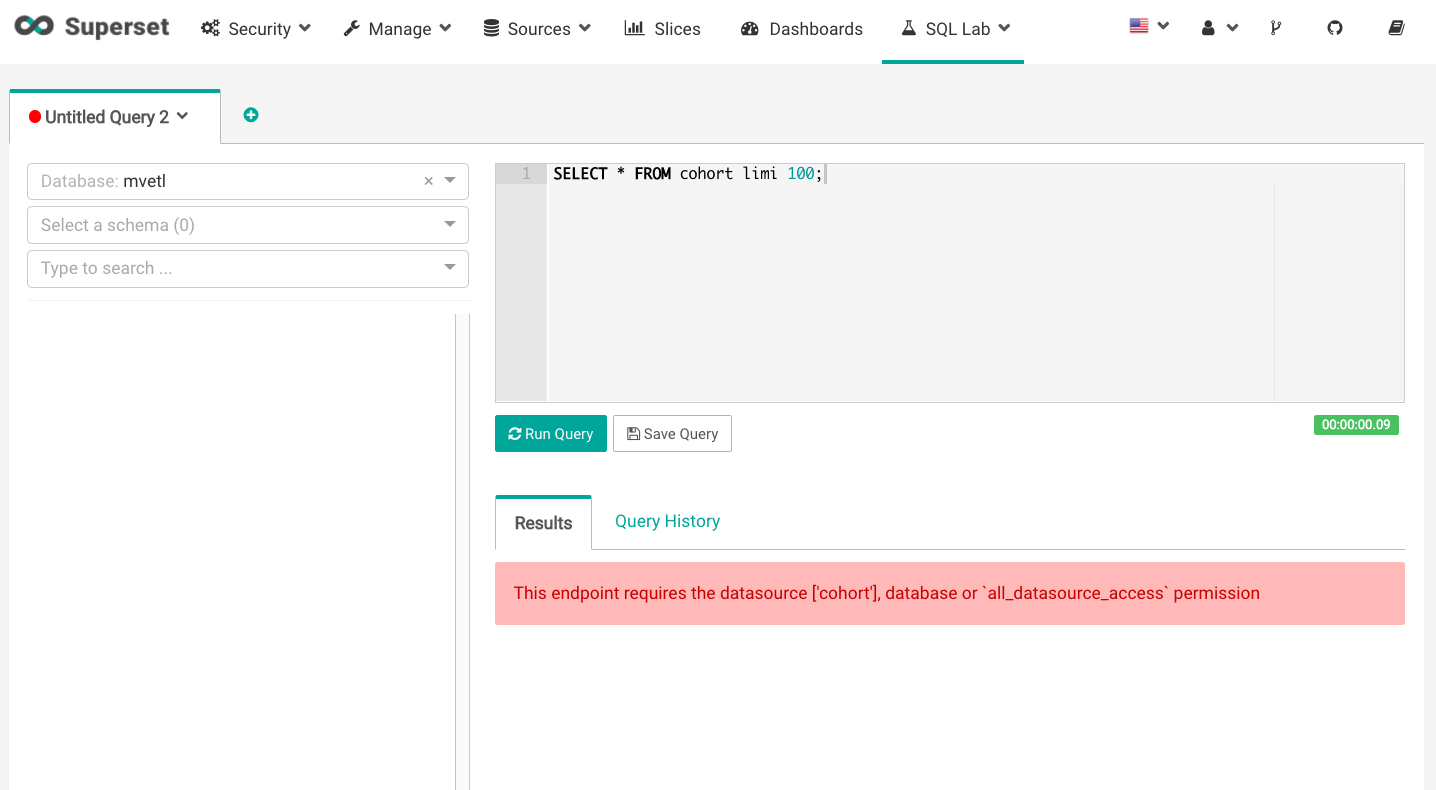
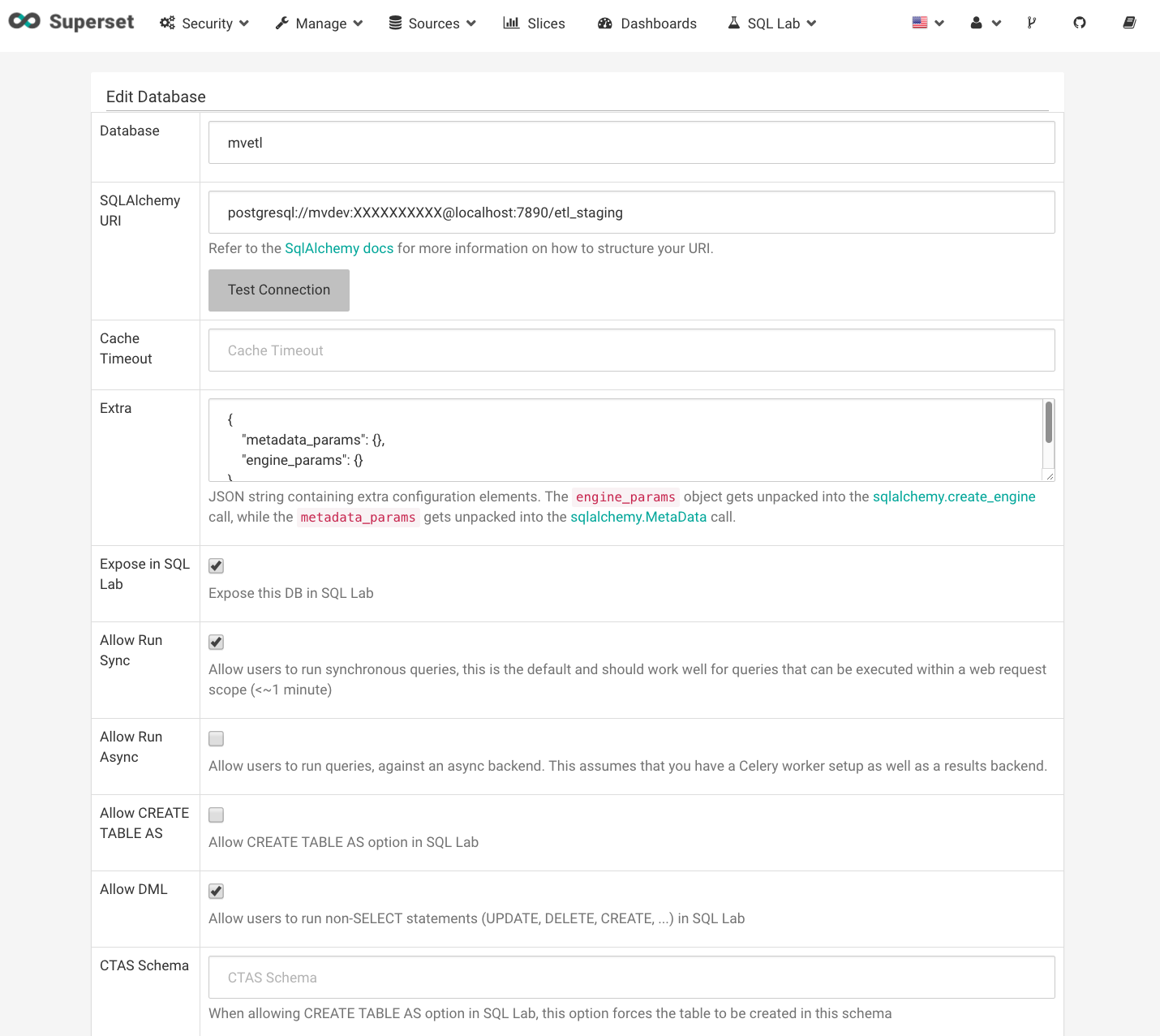
Hello all, running into a similar frustration here:
MacOS: 10.11.6
Superset: 18.5
Some help or a point in the right direction to poke around in the source would be greatly appreciated.
 aaronmyatt
on 4 Jul 2017
aaronmyatt
on 4 Jul 2017
Does the user you're logged in as have either of the permissions listed in
the red error message? You can find out which roles your user has, and
which permissions that role has in the security tab.
On Tue, 4 Jul 2017, 18:32 Aaron Myatt, notifications@github.com wrote:
Hello all, running into a similar frustration here:
MacOS: 10.11.6
Superset: 18.5[image: screen shot 2017-07-05 at 01 28 53]
https://user-images.githubusercontent.com/11920225/27839137-98200c2a-6121-11e7-91fb-6c61a0ef064e.png
[image: screen shot 2017-07-05 at 01 29 24]
https://user-images.githubusercontent.com/11920225/27839138-98254ca8-6121-11e7-9c20-f1635a839548.pngSome help or a point in the right direction to poke around in the source
would be greatly appreciated.—
You are receiving this because you commented.
Reply to this email directly, view it on GitHub
https://github.com/ApacheInfra/superset/issues/1987#issuecomment-312923922,
or mute the thread
https://github.com/notifications/unsubscribe-auth/AEdFuHT0jl-X7yuPa3zjLJC5Wyaz6xppks5sKncPgaJpZM4LkJbt
.>
Alan Cruickshank
E: [email protected]
T: +44 770 6851825
alanmcruickshank
on 4 Jul 2017
@alanmcruickshank You were right, I had never needed to add explicit permissions using the default admin user in previous versions I installed. Thanks for clearing this up.
aaronmyatt
on 5 Jul 2017
Notice: this issue has been closed because it has been inactive for 292 days. Feel free to comment and request for this issue to be reopened.
 mistercrunch
on 23 Apr 2018
mistercrunch
on 23 Apr 2018
A note for future readers:
Although permission errors may be an issue for some, I was having the same errors above when connecting to tables in my postgres database and the solution was to specify that i was accessing the public schema, where my tables were stored.
So, in SQL lab I put select * from public.tbl_nm and in the tables pages, I specified public as the schema.
 eoglethorpe
on 11 May 2018
eoglethorpe
on 11 May 2018
I have faced same issue ,then ran superset init : which created all default permissions
 snehilp
on 5 Oct 2018
snehilp
on 5 Oct 2018
superset init solved my problem. thank you @snehilp
 ker2x
on 29 Nov 2018
ker2x
on 29 Nov 2018
@snehilp thx!
 xxf09th
on 8 Jan 2019
xxf09th
on 8 Jan 2019
How to execute superset init when using Docker?
 yanickrochon
on 9 Jun 2020
yanickrochon
on 9 Jun 2020
Related issues
 deity-bram
·
3Comments
deity-bram
·
3Comments
 gbrian
·
3Comments
gbrian
·
3Comments
 thoralf-gutierrez
·
3Comments
thoralf-gutierrez
·
3Comments
 amien90
·
3Comments
amien90
·
3Comments
 ylkjick532428
·
3Comments
ylkjick532428
·
3Comments