Imgui: Gallery: Post your screenshots / code here (PART 12)
This is Part 12, I am splitting issues to reduce loading times and avoid github collapsing messages.
Screenshots Part 1 #123
Screenshots Part 2 #539
Screenshots Part 3 #772
Screenshots Part 4 #973
Screenshots Part 5 #1269
Screenshots Part 6 #1607
Screenshots Part 7 #1902
Screenshots Part 8 #2265
Screenshots Part 9 #2529
Screenshots Part 10 #2847
Screenshots Part 11 #3075
Screenshots Part 12 #3488
Also see: Software using dear imgui (you can help complete the list!)
You can post your screenshots here!
 ocornut
All 47 comments
I have been using Dear ImGui to develop a simple user interface for xemu, an Original Xbox Emulator. The most interesting pieces of this UI so far are probably the dynamic controller configuration dialog and the "About" dialog, which mix in some OpenGL-rendered elements for custom widgets. I have plans to build on this further, but I'm happy with the interface so far and I highly recommend Dear ImGui for similar projects.


Thank you Dear ImGui developers!
P.S. Along the way I also had to solve file navigation. For this I decided to leverage native file selection interfaces and ended up picking this simple library.
 mborgerson
on 25 Sep 2020
mborgerson
on 25 Sep 2020
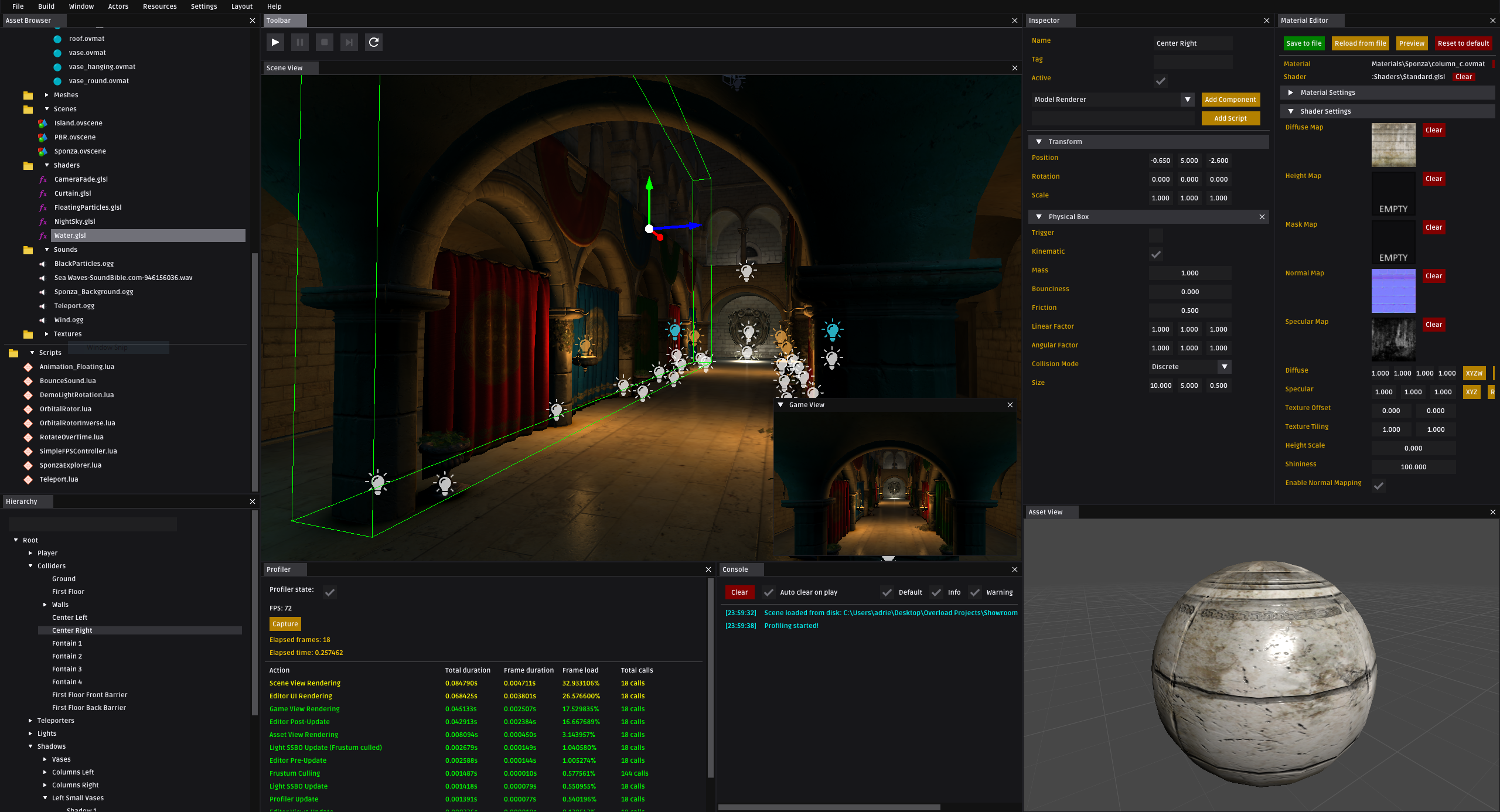
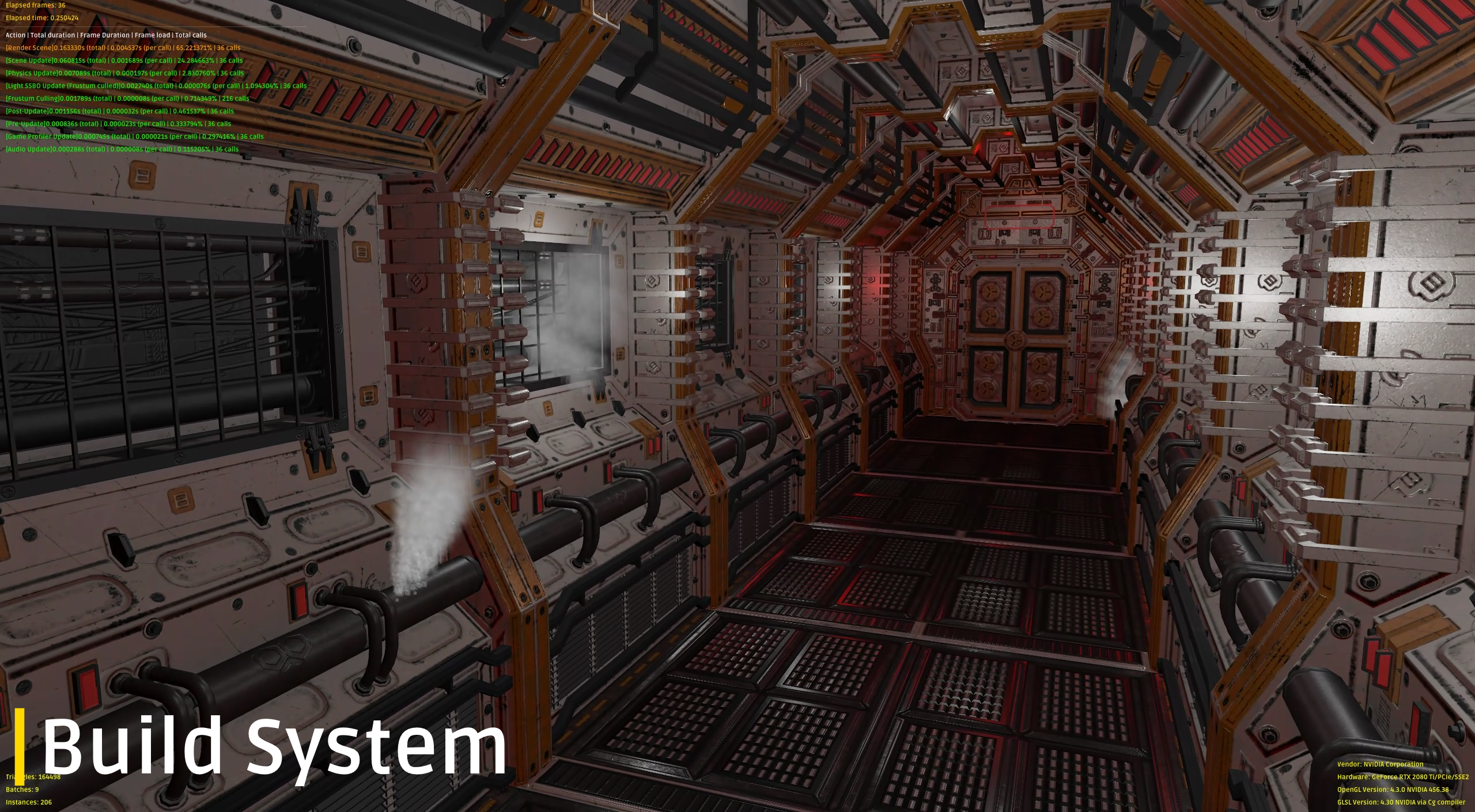
About a year and a half using ImGUI for the Overload 3D Game Engine!
A whole event-based UI module has been built on top of ImGUI:
// Simple window with a button printing "Hello World" when clicked
class MyWindow : PanelWindow
{
public:
    MyWindow()
    {
        auto& button = CreateWidget<OvUI::Widgets::Buttons::Button>("SayHello");
        button->ClickedEvent += []() { Debug.Log("Hello World!"); };
    }
};
```c++
// Keeps elementCount up-to-date with the elementCountField
class MyWindow : PanelWindow
{
public:
MyWindow()
{
int elementCount = 0;
auto& elementCountField = CreateWidget
auto& elementCountDispatcher = elementCountField.AddPlugin
elementCountDispatcher.RegisterReference(elementCount);
}
};
```c++
// A simple text with a custom contextual menu (On right click)
class MySuperContextualMenu : public OvUI::Plugins::ContextualMenu
{
public:
    MySuperContextualMenu() = default;
    virtual void CreateList()
    {
        auto& open = CreateWidget<OvUI::Widgets::Menu::MenuItem>("Open");
        auto& edit = CreateWidget<OvUI::Widgets::Menu::MenuItem>("Edit");
        auto& properties = CreateWidget<OvUI::Widgets::Menu::MenuItem>("Properties");

        open.ClickedEvent += []() { DoStuff(); };
        edit.ClickedEvent += []() { DoOtherStuff(); };
        properties.ClickedEvent += []() { SoSomething(); };
    }
};

class MyWindow : PanelWindow
{
public:
    MyWindow()
    {
        auto& text = CreateWidget<OvUI::Widgets::Texts::Text>("Right-click me please!");
        text.AddPlugin<MySuperContextualMenu>();
    }
};
Editor UI

In-game debug UI
 adriengivry
on 29 Sep 2020
adriengivry
on 29 Sep 2020
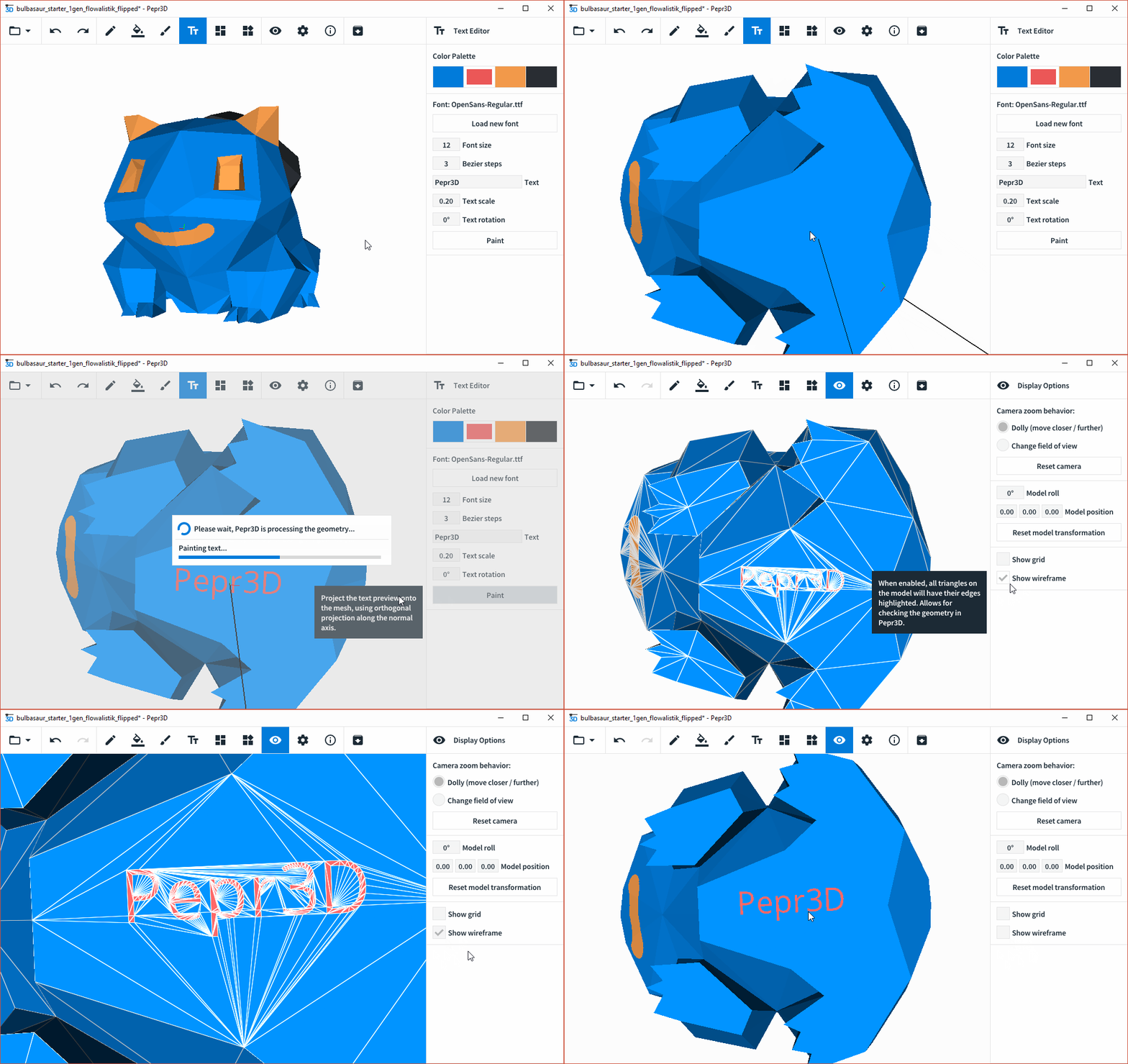
Hello! A bit over 1 year ago, we finished our student project called Pepr3D for 3D printing. Even though the project is not maintained anymore, I wanted to showcase our usage of ImGui here.
Essentially everything UI related in Pepr3D is using ImGui, even though it was heavily customized. We made a lot of use of functions like PushStyleVar, PushStyleColor, ButtonBehavior, CalcTextSize, RenderTextClipped, etc., which would otherwise take ages to implement ourselves. If anyone is curious, you can have a look into our /src/ui folder for source codes, especially SidePane and Toolbar.
Overall, I was really excited how easy it was to use ImGui and its API to create a completely new user interface that looks exactly as I wanted. It was a really great help that ImGui also implemented advanced functionalities like drag & dropping and color picking, which I used in our color palette management.

Here are a couple of gifs to showcase the UI. :-)


And showcasing the individual tools:
| Model import | Triangle painter |
|:-------------------------:|:-------------------------:|
| |
| |
|
| Paint bucket | Brush |
|:-------------------------:|:-------------------------:|
| |
| |
|
| Text editor | Export assistant |
|:-------------------------:|:-------------------------:|
| |
| |
|
 tomasiser
on 2 Oct 2020
tomasiser
on 2 Oct 2020
Hello!
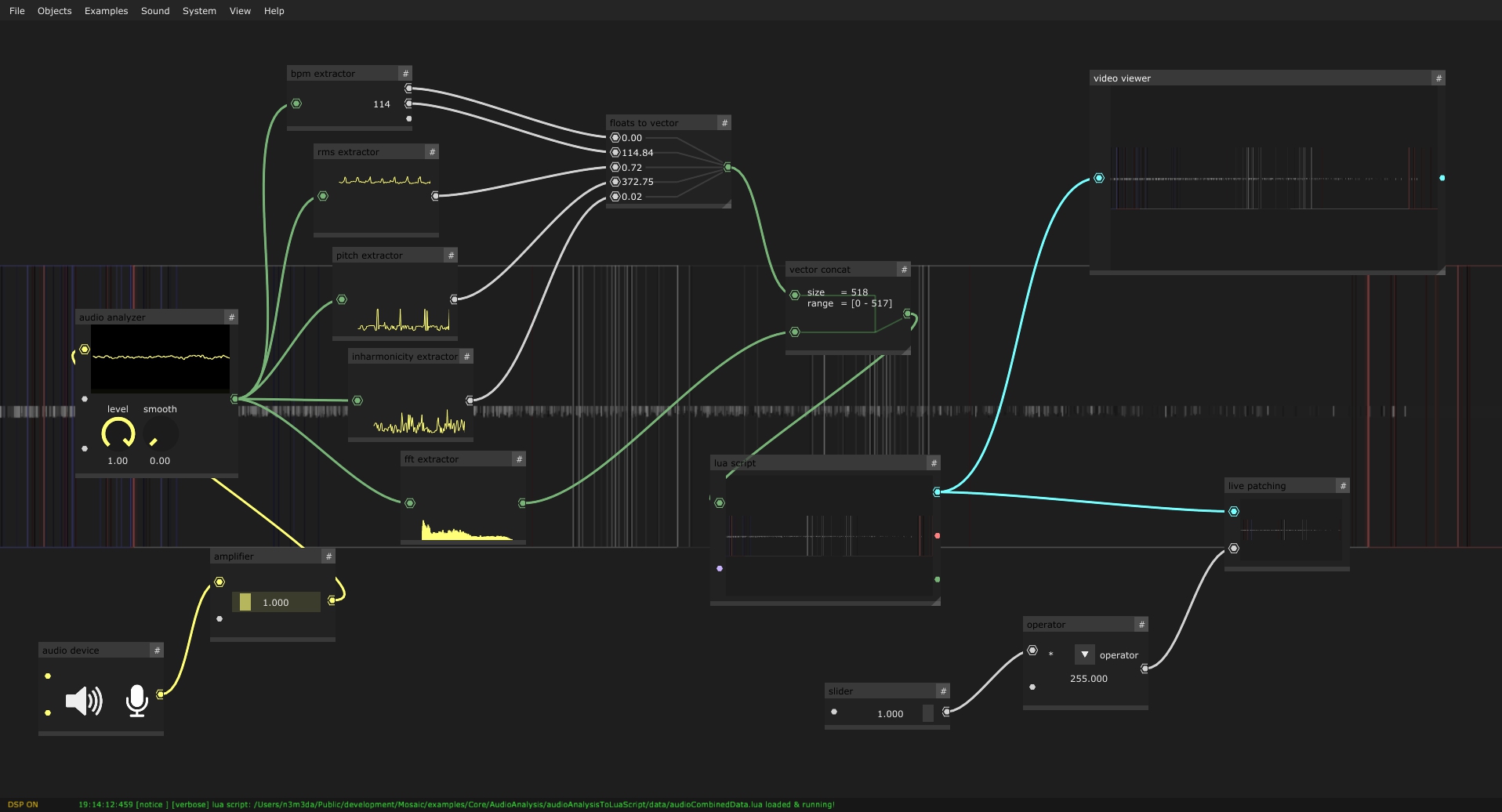
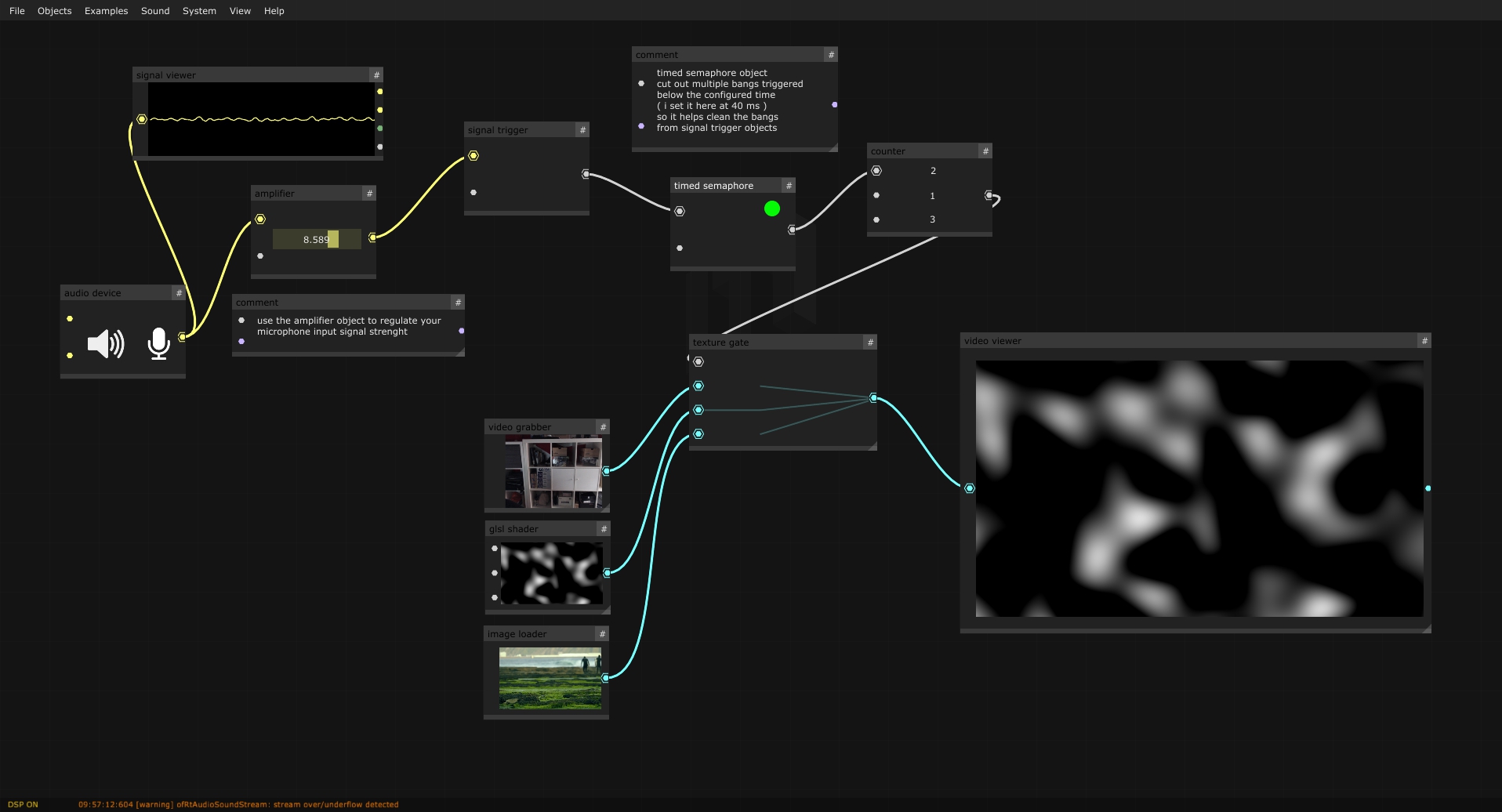
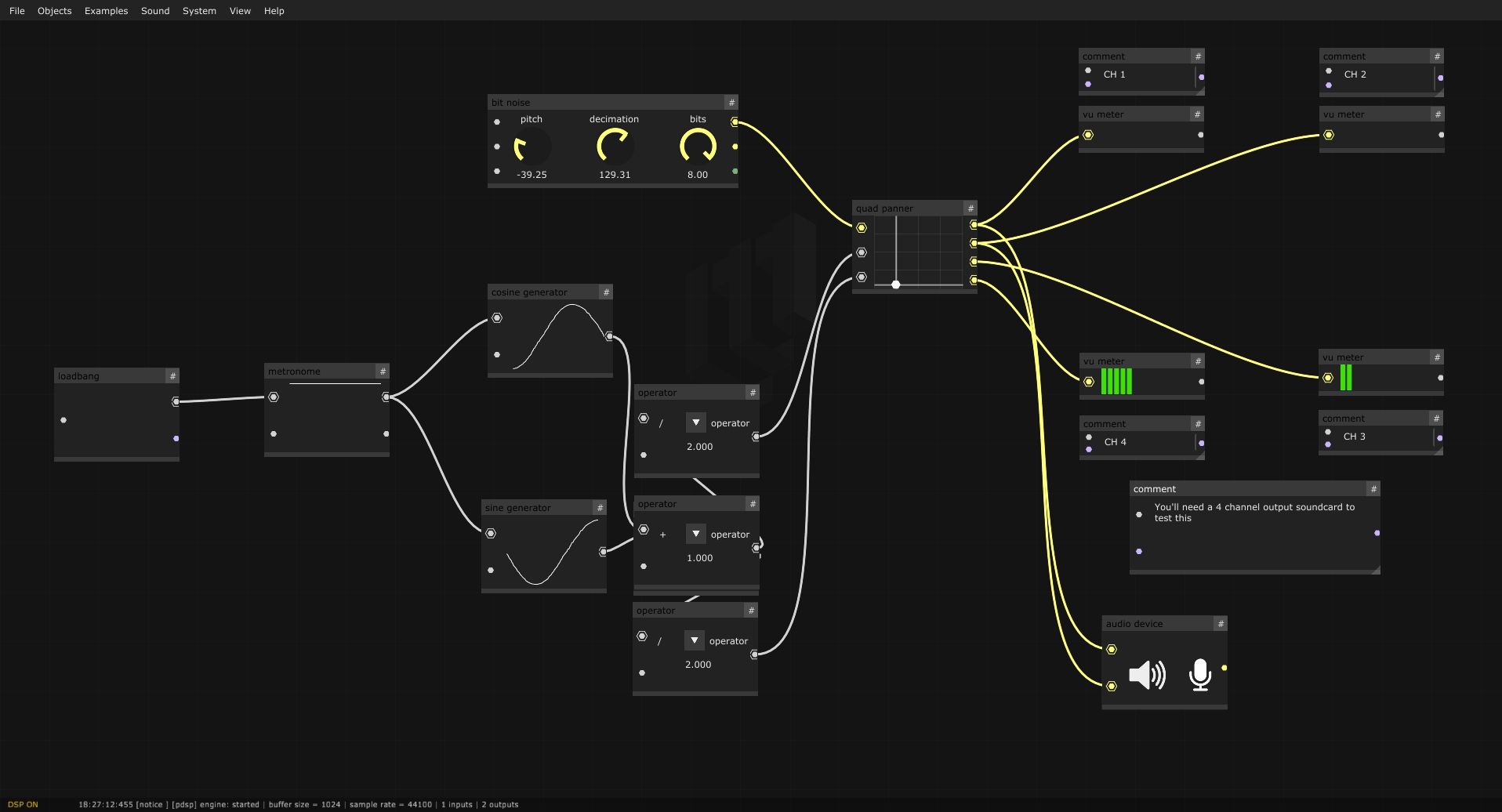
here goes a project of mine in current development ( beta stage now ), called Mosaic, a livecoding programming/patching environment for creating real-time audio-visual compositions. It's principally designed for live needs, as can be teaching in class, live performing in an algorave, or running a generative audio-visual installation in a museum.
It aims to empower artists, creative coders, scenographers and other creative technologists in their creative workflow.
It's a FLOSS, Free/Libre and Open Source Software with multi-platform support, and it's written in C++, offering high performance.
His GUI ( node canvas, nodes, links, menus and everything ) is completely builded with the amazing Dear ImGui, coupled with openFrameworks for texture drawing.
Mosaic is shipped with an internal code editor, non-blocking system dialogs, a programmable non-linear interactive timeline, an included patch video exporter with subtitler for easy tutorial creation, lua/python/glsl/bash live-coding and pure data live-patching capability, a good selection of audio synthesis modules, multiple fullscreen output windows capabilities ( as many as your system can have ) with an independent warping for each window, a map-map style integrated mapping module, and an easy to use osc sending/receiving objects/nodes for network communication.
The idea behind Mosaic is to facilitate human-machine communication, to amplify imagination and to speed up the creative workflow, without sacrificing the spectrum of possibilities. To achieve this, it bundles together various creative-coding tools, acting as an interactive bridge between them.
It includes a collection of audio-visual objects that can be easily connected together using a nodal-based graphical interface, defining a custom dataflow.
Mosaic is mainly based on two frameworks : OpenFrameworks and ImGui. OpenFrameworks is an open source C++ toolkit for creative coding.
Dear ImGui is a bloat-free graphical user interface for C++ with minimal dependencies.
Together with the latter ones, Mosaic bundles comes with other 3rd party libraries such as PureData Vanilla and numerous ofxAddons.
It also embeds various programing languages for live-coding purposes : Lua with OF-bindings, Python 2.7 scripting interpreter, live compiling of GLSL shaders and editing/execute Bash scripts (macOS & linux) capabilities.
Mosaic is extendable : you can easily add custom objects.
While this involves writing and compiling code, requiring some C++ knowledge, we aim to make this process as easy as possible. Thus, Mosaic is flexible and devoted to grow over time.
For example, any Openframeworks project can be easily ported to Mosaic Objects, exposing them to the live-patching environment. This way, working with OF becomes way more modular, and you can make run-time adjustments. Possibilities are endless.
Once created, plugins can either be statically compiled into Mosaic, or if you wish, there's also support for dynamically loading them, making it easy to share and distribute your objects with others.
Mosaic is still under development and in Beta release, but has been already successfully used for 2 years at the Fine Arts faculty of the UPV university, Valencia, Spain. It has been deployed in multiple student projects presentations, and in some interactive installation in public cultural spaces.
Today, Mosaic has sufficiently grown to be tested by a wider group of people.
If you're curious, please try out Mosaic and don't hesitate to get in touch.
Mosaic is open to anybody, contributions of any kind are welcome.
Mosaic development team is composed by Emanuele Mazza [https://github.com/d3cod3] Daan de Lange [https://daandelange.com/] and Maria José Martínez de Pisón
More information can be found here:
- Mosaic's official webpage
- Mosaic's github repo
- Core visual programming addon
- Mosaic installer ( linux | windows )
And some screenshots here:



 d3cod3
on 4 Oct 2020
d3cod3
on 4 Oct 2020
Kanteran: _"This is a code-block editor for education using dear imgui"_

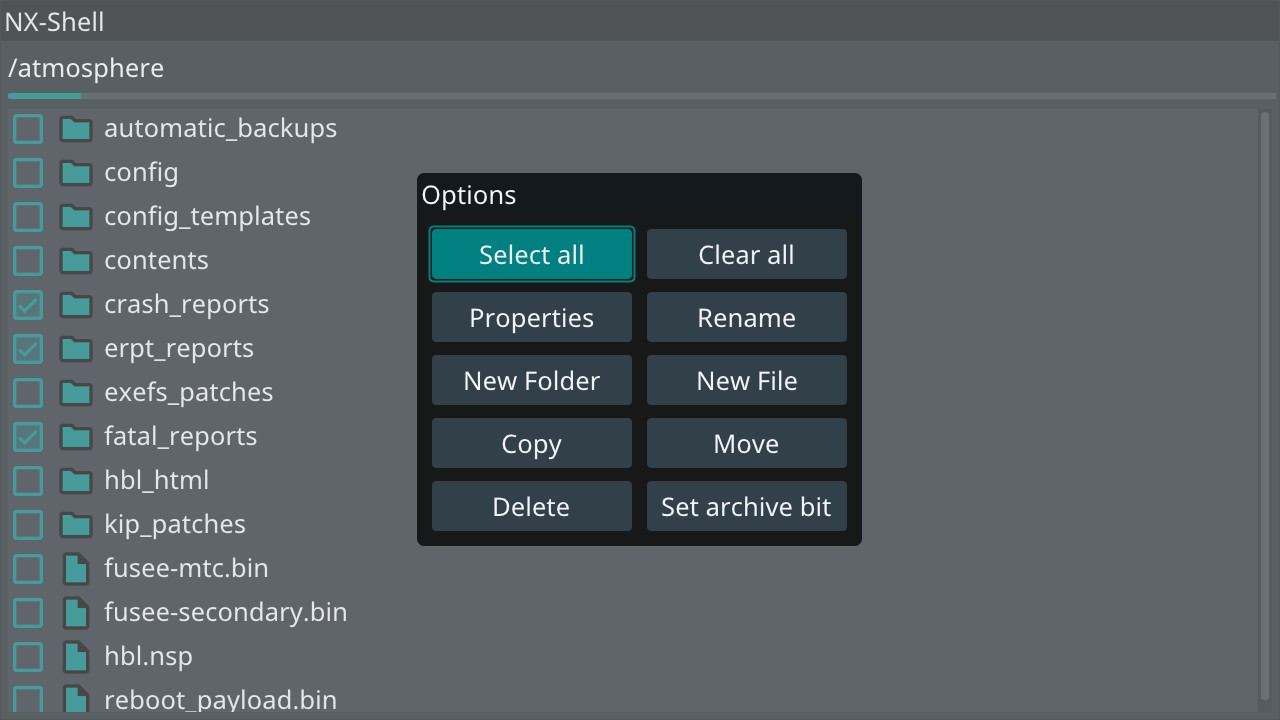
Joel16: _"I'm developing a file manager on the Nintendo Switch which uses Dear ImGui."_
@thedmd: _" I'm developing more concrete blueprint example for node editor. This one does real job behind the nodes.
It will land on main branch as an example when I decide it is decent enough. You can look at the code right now on https://github.com/thedmd/imgui-node-editor/tree/develop branch. Code is in flux so a lot can change yet."_

@kudaba _"That's pretty much what I have in my node system (users can very easily describe new nodes and graphs in c++ with the graphs able to compile into efficient run-time)"_

ocornut
on 8 Oct 2020

Dear ImGUI is so cool that I put imgui into a layered child window.
Say goodbye to MFC, emWin, ucGUI, microWindows, Kivy, Qt, RIP!
Thank you! Dear ImGUI.
 symfund
on 11 Oct 2020
symfund
on 11 Oct 2020
A ffmpeg-based video encoding tool built with imgui.


 Nicify
on 11 Oct 2020
Nicify
on 11 Oct 2020
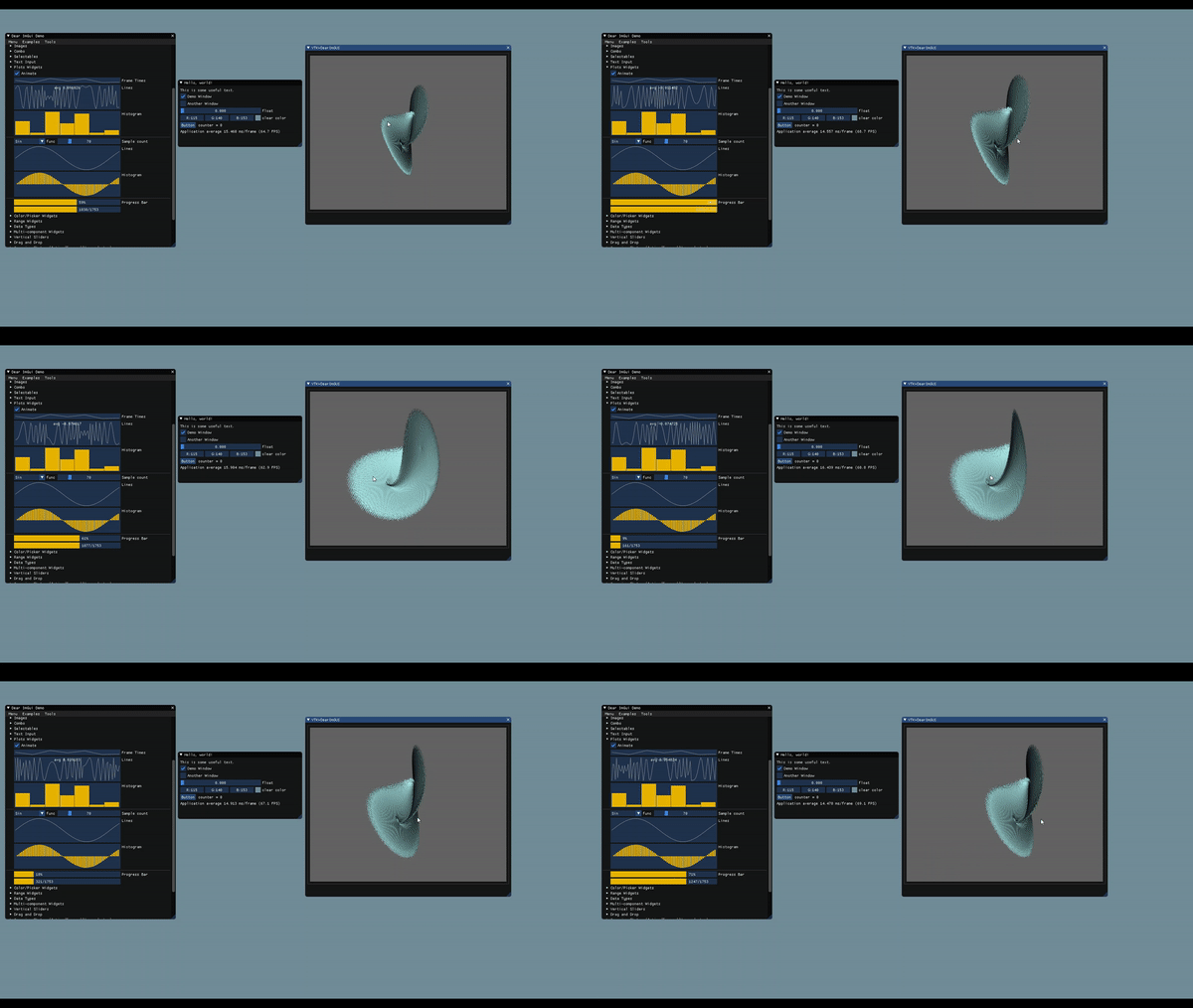
I set up an initial implementation to render VTK's display frame buffer into an ImGUI window (with ImGui::Image). Nothing fancy, but pretty cool. Now all of VTK's dataset manipulation/visualization capabilities can be realized in a project that uses DearImGUI for its UI. Note: Until now VTK was restricted to QT/MFC.
Supported VTK version >= 9.0.0
Source: Repo
Usage is straightforward for DearImGUI users:
Platform init
renderer backend init
ImGui_ImplVTK_Init()
ImGui_ImplVTK_AddActor(..)
while(!terminate)
{
  ImGui::NewFrame()
  ...
  ImGui_ImplVTK_Render()
  ImGui::Render()
  ImGui_ImplXXXX_RenderDrawData(ImGui::GetDrawData());
}
Demo:
VTK forums link
 jaswantp
on 15 Oct 2020
jaswantp
on 15 Oct 2020
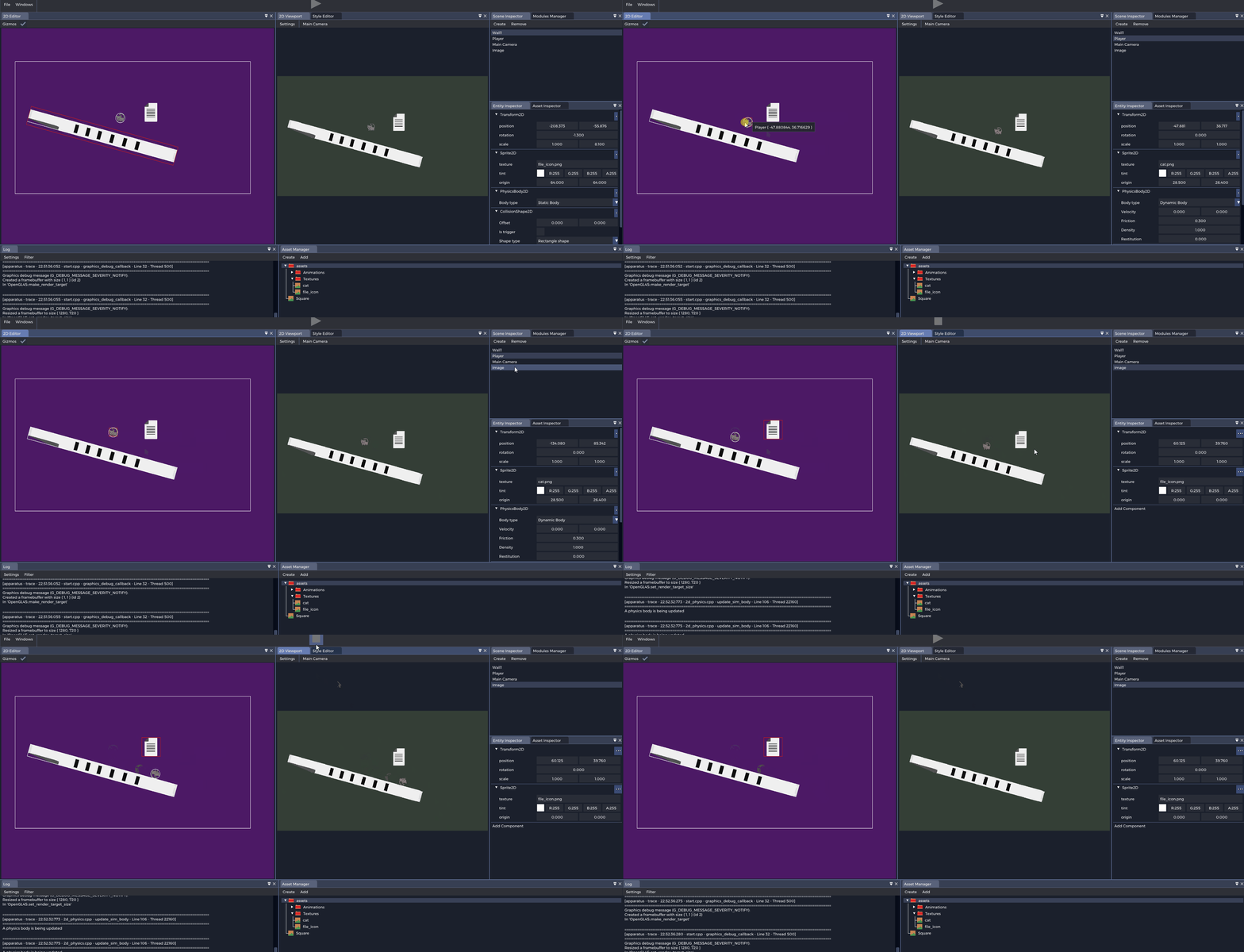
 asbott
on 15 Oct 2020
asbott
on 15 Oct 2020
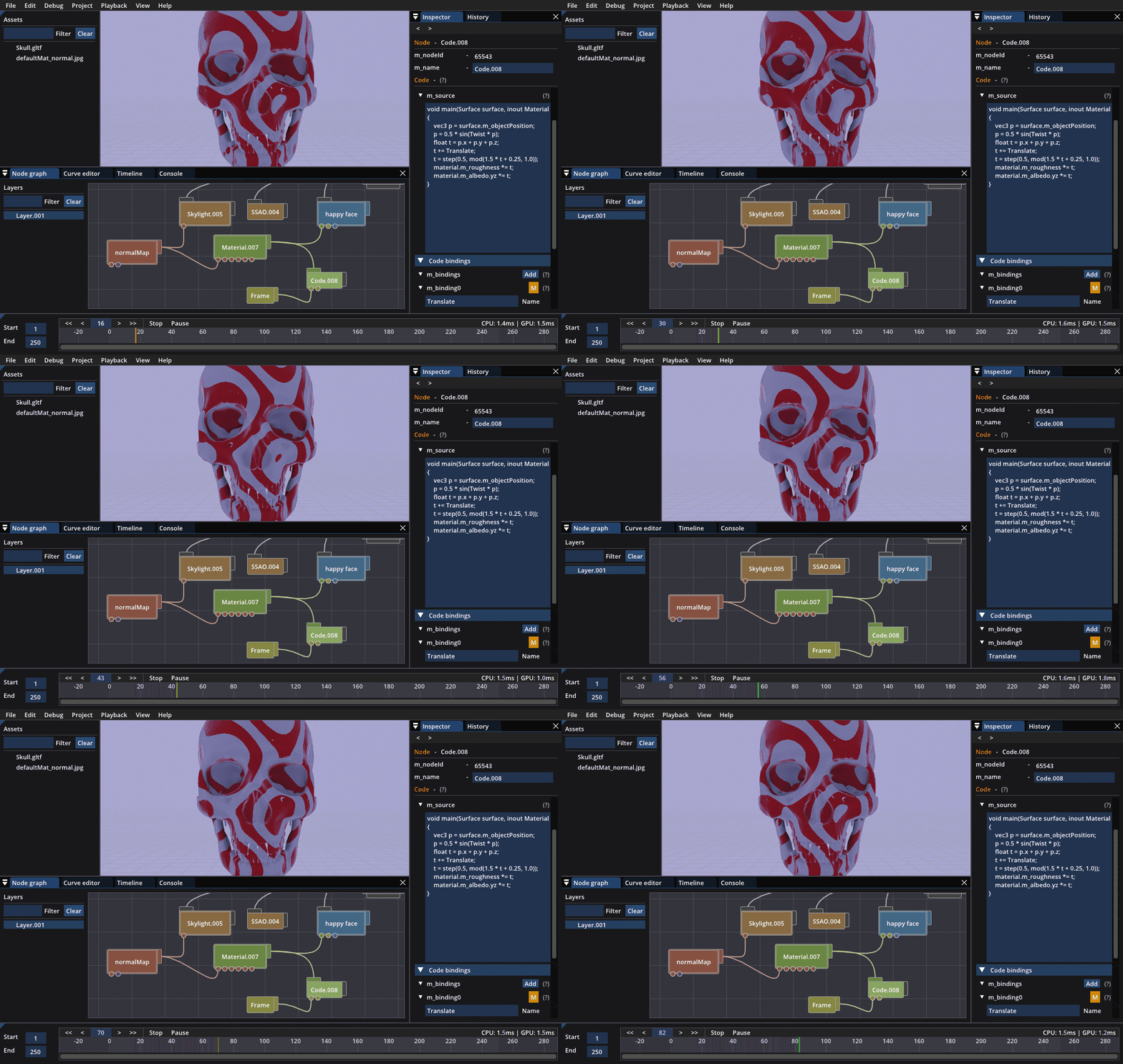
Visual node graph + creative coding with ImGui :)
 gboisse
on 19 Oct 2020
gboisse
on 19 Oct 2020
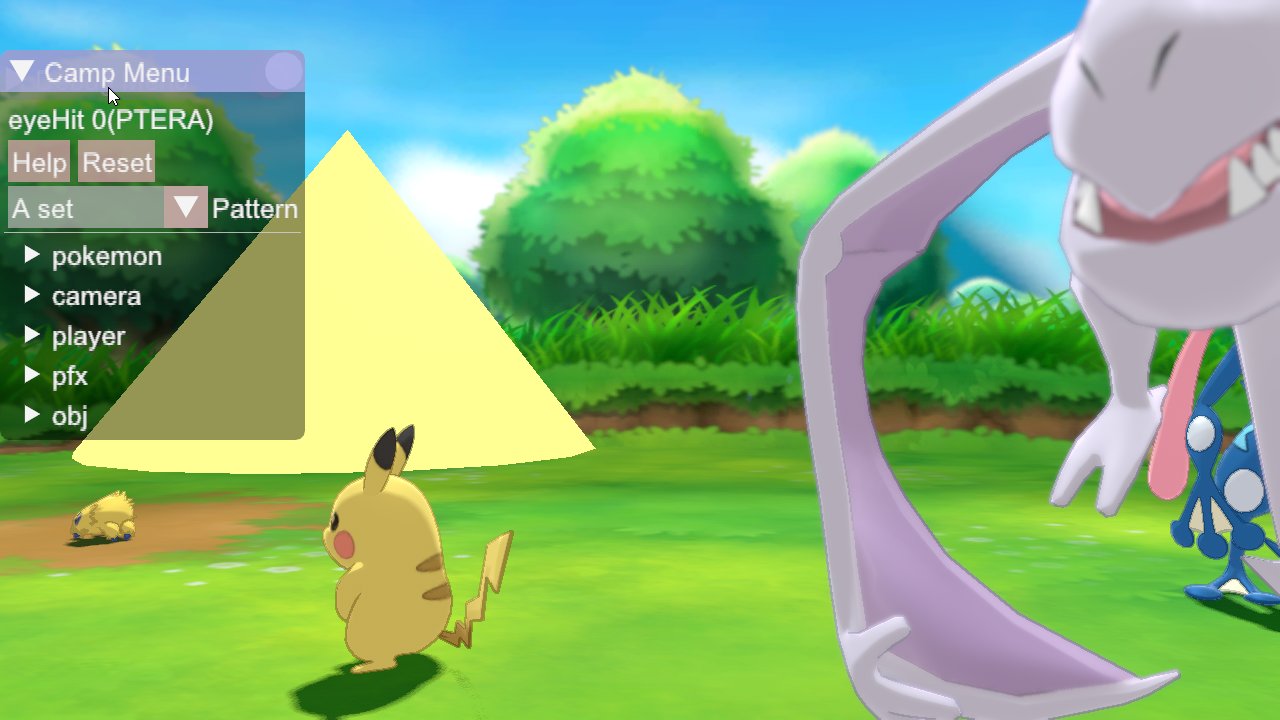
pokemon sword and shield. seen here. more in this thread
 unknowndevice
on 22 Oct 2020
unknowndevice
on 22 Oct 2020
I am using an in-house modified version of dear imgui for my custom game engine!
Lina Engine

 inanevin
on 24 Oct 2020
inanevin
on 24 Oct 2020

A fully functional Terminal Emulator widget for ImGui
 FredrikAleksander
on 26 Oct 2020
FredrikAleksander
on 26 Oct 2020
A GUI control tool for a lab RF device QA rig:

Plots are rendered on a Matplotlib surface with ImGUI datascience.
Being designed to work over an independent GL scene, Dear ImGui does not fit this kind of use case too well, but it's so easy to use and looks very cool =)
 igrekus
on 29 Oct 2020
igrekus
on 29 Oct 2020
Memory watcher for my GBA emulator
It's very WIP and I'm trying to make it look better :P
The reason for me making it from scratch is that the memory watcher extension for ImGui dies when feeding him with address spaces that are larger than 24 bit (IIRC, at least that's what has happened to me and some other emulator developers), and since the GBA has an address space that ranges from 28 to 32 bit, here I am :3

 simuuz
on 1 Nov 2020
simuuz
on 1 Nov 2020


More screenshots of the Terminal Emulator imgui widget. It's almost complete, and I plan on releasing it as a library that may be used to get the ability to run a terminal in a application (for a shell, repl etc). It should work on Windows, Linux, *BSD, and it may be combined with WSL, docker or SSH etc. It's been working great since the last time i posted a screenshot, I've been developing the rest of it inside of with Neovim
FredrikAleksander
on 2 Nov 2020
The reason for me making it from scratch is that the memory watcher extension for ImGui dies when feeding him with address spaces that are larger than 24 bit (IIRC, at least that's what has happened to me and some other emulator developers), and since the GBA has an address space that ranges from 28 to 32 bit, here I am :3
Why not trying to fix it instead?
I haven't tried but I am assuming that there'll be an issue with floating point precision with large scroll amount. I don't know how you'd intend to solve it but whatever the solution (maybe implementing custom scroll bar + virtualizing position) it would be worth implementing it in the existing memory editor..
(let's resume this discussion in imgui_club issue tracker)
ocornut
on 2 Nov 2020
The reason for me making it from scratch is that the memory watcher extension for ImGui dies when feeding him with address spaces that are larger than 24 bit (IIRC, at least that's what has happened to me and some other emulator developers), and since the GBA has an address space that ranges from 28 to 32 bit, here I am :3
Why not trying to fix it instead?
I haven't tried but I am assuming that there'll be an issue with floating point precision with large scroll amount. I don't know how you'd intend to solve it but whatever the solution (maybe implementing custom scroll bar + virtualizing position) it would be worth implementing it in the existing memory editor..
(let's resume this discussion in imgui_club issue tracker)
Eh, I actually don't know what exactly is causing the issue, so opening an issue thread in the imgui_club repository seems like bothering to me. I'll open up one once I find out the precise reason 👍
simuuz
on 3 Nov 2020
Currently playing with Dear ImGui to see how it could fulfill my styling hopes
Here is a heavily tweaked modal:

I play here
https://github.com/phicore/ImGuiStylingTricks/wiki/Custom-MessageBox
maybe it could help some beginners...
 phicore
on 4 Nov 2020
phicore
on 4 Nov 2020
Bitty Engine is an itty bitty game engine, with built-in editors, programmable in Lua.
Available for Early Access now on Steam.

 paladin-t
on 5 Nov 2020
paladin-t
on 5 Nov 2020
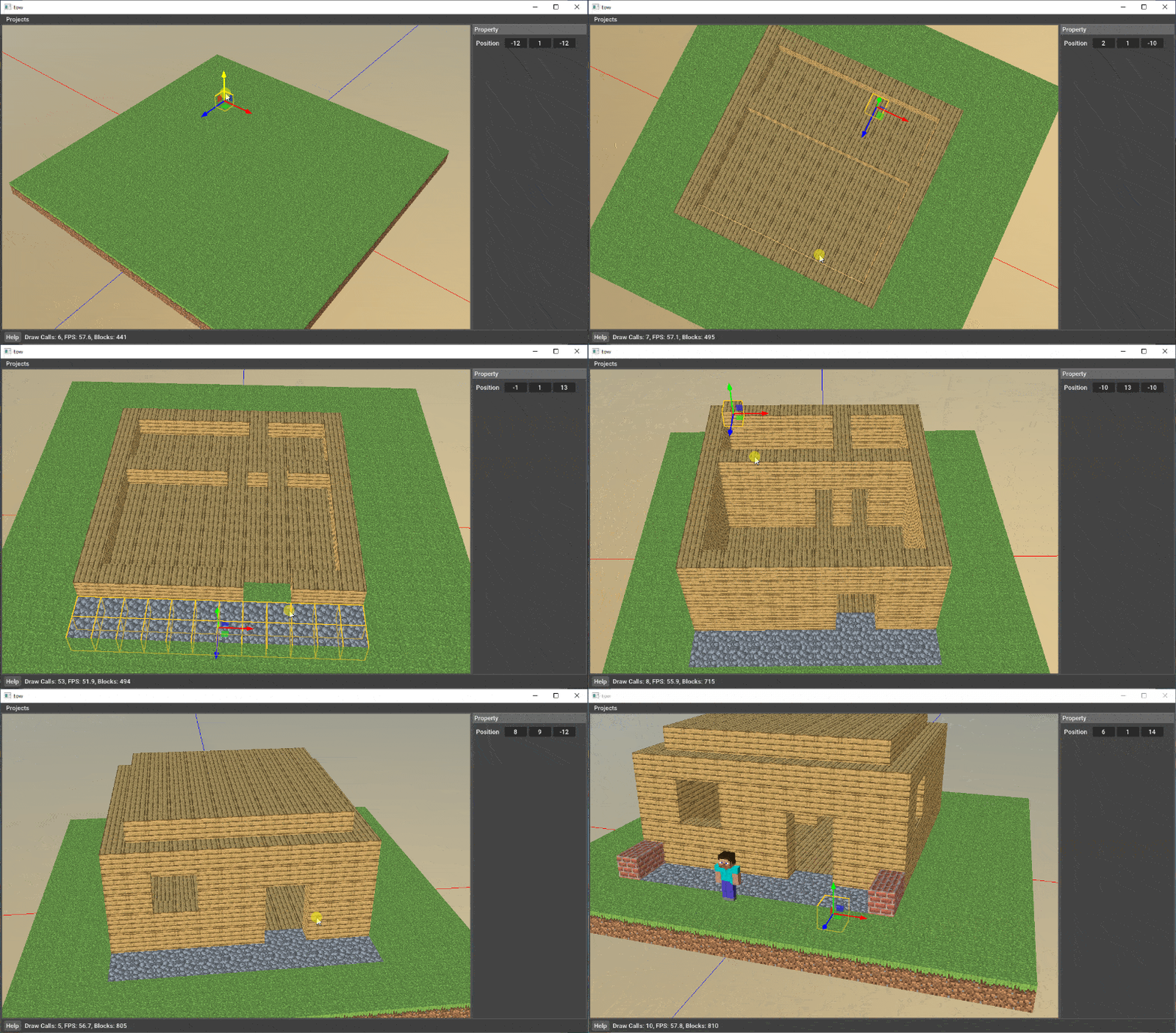
Some hobby projects I developed with Dear ImGui.


 czq1989
on 13 Nov 2020
czq1989
on 13 Nov 2020
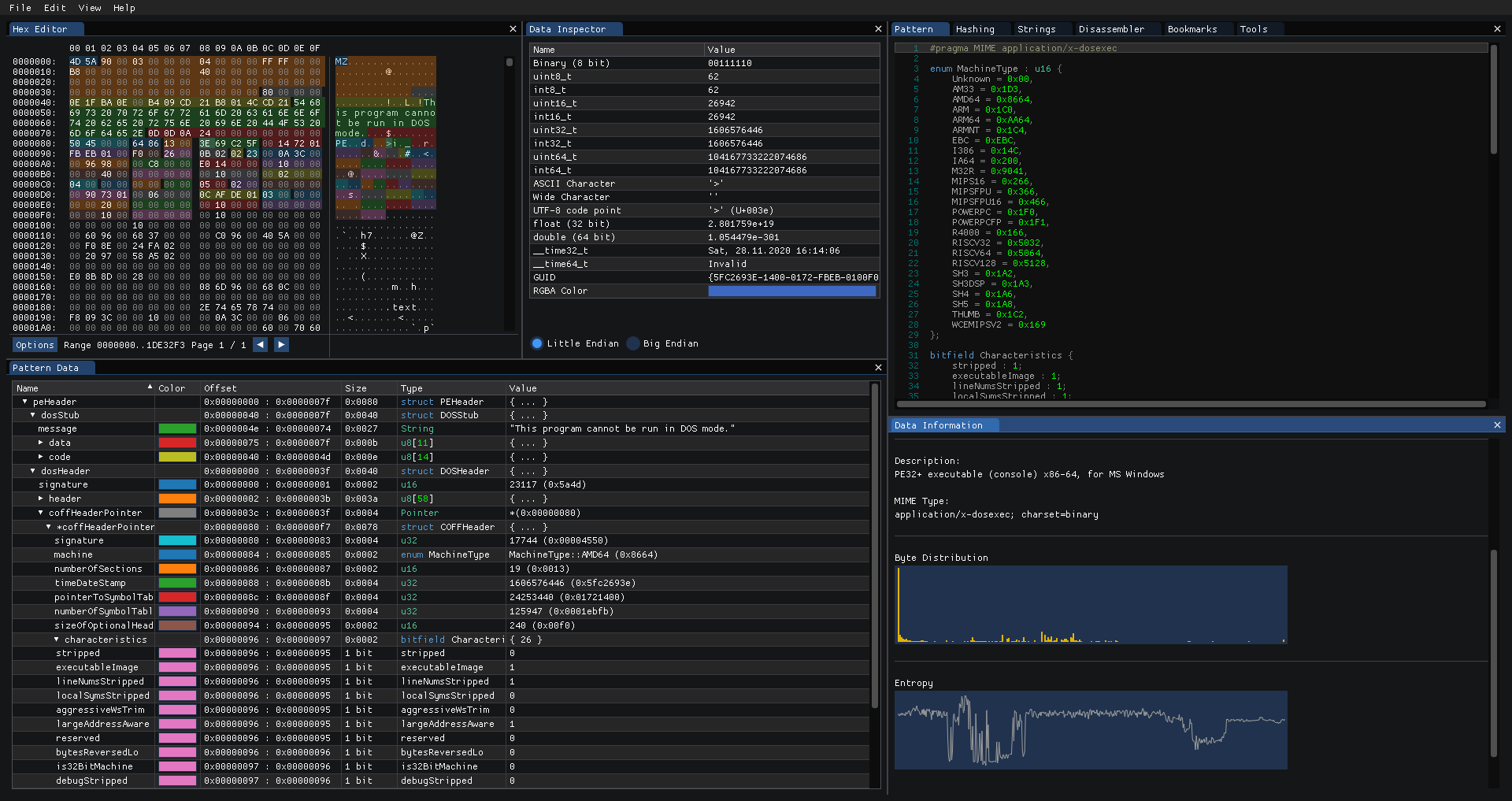
I'm currently working on a hex editor suitable for reverse engineering binaries using ImGui as the UI library.
It features patterns to highlight bytes and extract data from the file, strings searching, file type detection based on magic values, hashing tools and a bunch of quality of life tools :)
GitHub Page: https://github.com/WerWolv/ImHex

 WerWolv
on 17 Nov 2020
WerWolv
on 17 Nov 2020
mwgeditor, a level editor for a space cooking mobile game.

 alexozer
on 24 Nov 2020
alexozer
on 24 Nov 2020
Using nlohmann::json and imgui to create a visual representation of a JSON file with editable fields and keys for labels.
Supports all nlohmann::json types (int64, uint64, bool, double, array, object...) although only text is in screenshot.

Code: https://github.com/DomRe/galaxy/blob/dev/supercluster/src/widgets/JsonEditor.cpp
Relevant functions are:
parse_and_display()
do_object()
do_array()
Note:
I did use the C++ imgui addon from the official (this) repo and also a togglebutton widget I found in the wiki.
 DomRe
on 25 Nov 2020
DomRe
on 25 Nov 2020
I just made a very simple and funny game named "Meme Killer" using Dear ImGui
You should kill the memes in it (lol)
https://www.youtube.com/watch?v=r_2xL6kNvIY
 NimaBastani
on 29 Nov 2020
NimaBastani
on 29 Nov 2020

A simple profiler. A poor-man's Tracy. I found having it built in and always available makes it into a really useful debug tool.
Code: https://github.com/Rezonality/mutils/blob/master/src/time/profiler.cpp
Based on Initial prototypes from:
https://gist.github.com/CedricGuillemet/fc82e7a9b2f703ff1ebf
https://github.com/arnaud-jamin/imgui/blob/master/profiler.cpp
This one is better at spans that cover frame boundaries (so all events don't need to happen between the frames). It uses C++ standard libraries, no OS specific timer/thread stuff.
No claims made about performance, but in practice has been very useful in finding bugs - just as a parallel thread viewer it is really useful.
Has a 2-row summary view and support for zoom/pan, CTRL+select range or click in the summary. I use it for GUI and Audio Thread navigation.
The profile macros can pick a unique/nice color for a given name
There is a LOCK_GUARD wrapper around a mutex, for tracking lock times.
 cmaughan
on 30 Nov 2020
cmaughan
on 30 Nov 2020
Remote Behaviour Tree Debugging
Code at: https://github.com/mgerhardy/engine/tree/master/src/tools/aidebug


 mgerhardy
on 1 Dec 2020
mgerhardy
on 1 Dec 2020
Stumbled on this:
A Hex Editor for Reverse Engineers, Programmers and people that value their eye sight when working at 3 AM.
https://github.com/WerWolv/ImHex

ocornut
on 3 Dec 2020
ImHex was already shown in this very same thread...
phicore
on 4 Dec 2020
@ocornut Hi, do you think would be interesting to open a Github "Discussions" for ImGUI so all these interesting demos and extra widgets could be archived + would help a bit in separating code issues from Q&A?.
 Matheus-Garbelini
on 9 Dec 2020
Matheus-Garbelini
on 9 Dec 2020
Yes this is the plan, I will investigate the new GitHub Discussions feature soon.
ocornut
on 9 Dec 2020
I'm using Dear ImGui for the options menu in RigelEngine, a reverse engineered reimplementation of an old DOS game (Duke Nukem II) for modern systems. Most of the original in-game UI is replicated unchanged in my version. But the options menu is quite heavily extended compared to its original incarnation, so I decided to create a completely new UI for it.


I'm particularly happy with how the keyboard bindings UI turned out:

The animation is done like this:
const auto color = static_cast<float>(
  std::abs(std::sin(mElapsedTimeEditingBinding / 0.25) / 2.0) + 0.3);

ImGui::PushStyleColor(ImGuiCol_Button, ImVec4(color, 0, 0, 1.0f));
ImGui::PushStyleColor(ImGuiCol_ButtonHovered, ImVec4(color, 0, 0, 1.0f));
ImGui::PushStyleColor(ImGuiCol_ButtonActive, ImVec4(color, 0, 0, 1.0f));

if (ImGui::Button("- Press desired key -", buttonSize)) {
  endRebinding();
}

ImGui::PopStyleColor(3);
To intercept key events in order to detect the desired key pressed by the user, I temporarily disable ImGui's keyboard navigation, and then handle the event myself.
 lethal-guitar
on 11 Dec 2020
lethal-guitar
on 11 Dec 2020
Nice! Nikolai for added fun and style you may consider using a very-small chunky pixelated bitmap font and render everything at appropriate low resolution. This way you’ll get a pixelated dear imgui look.
See:
https://user-images.githubusercontent.com/8225057/51138578-be877500-1841-11e9-8e5b-a0aae8f4278c.gif
Or
https://github.com/ocornut/imgui/issues/1902#issuecomment-427665678
ocornut
on 11 Dec 2020
@ocornut oh nice! I'll check it out, thanks!!
lethal-guitar
on 11 Dec 2020
BeamNG.drive uses imgui for there map editor.

 MoneyWasted
on 14 Dec 2020
MoneyWasted
on 14 Dec 2020
Quick and eficient
My game needed a launcher , thanks for imgui :)

You can find the game in steam by searching for Structura.
 aiafrasinei
on 16 Dec 2020
aiafrasinei
on 16 Dec 2020
"NVIDIA Omniverse" got into open-beta, it seemingly does many things so I'm not entirely sure what myself, but the Omnivers Kit client is written in dear imgui:
https://blogs.nvidia.com/blog/2020/12/15/omniverse-open-beta-available/
https://www.nvidia.com/en-us/design-visualization/omniverse/
https://developer.nvidia.com/nvidia-omniverse-platform
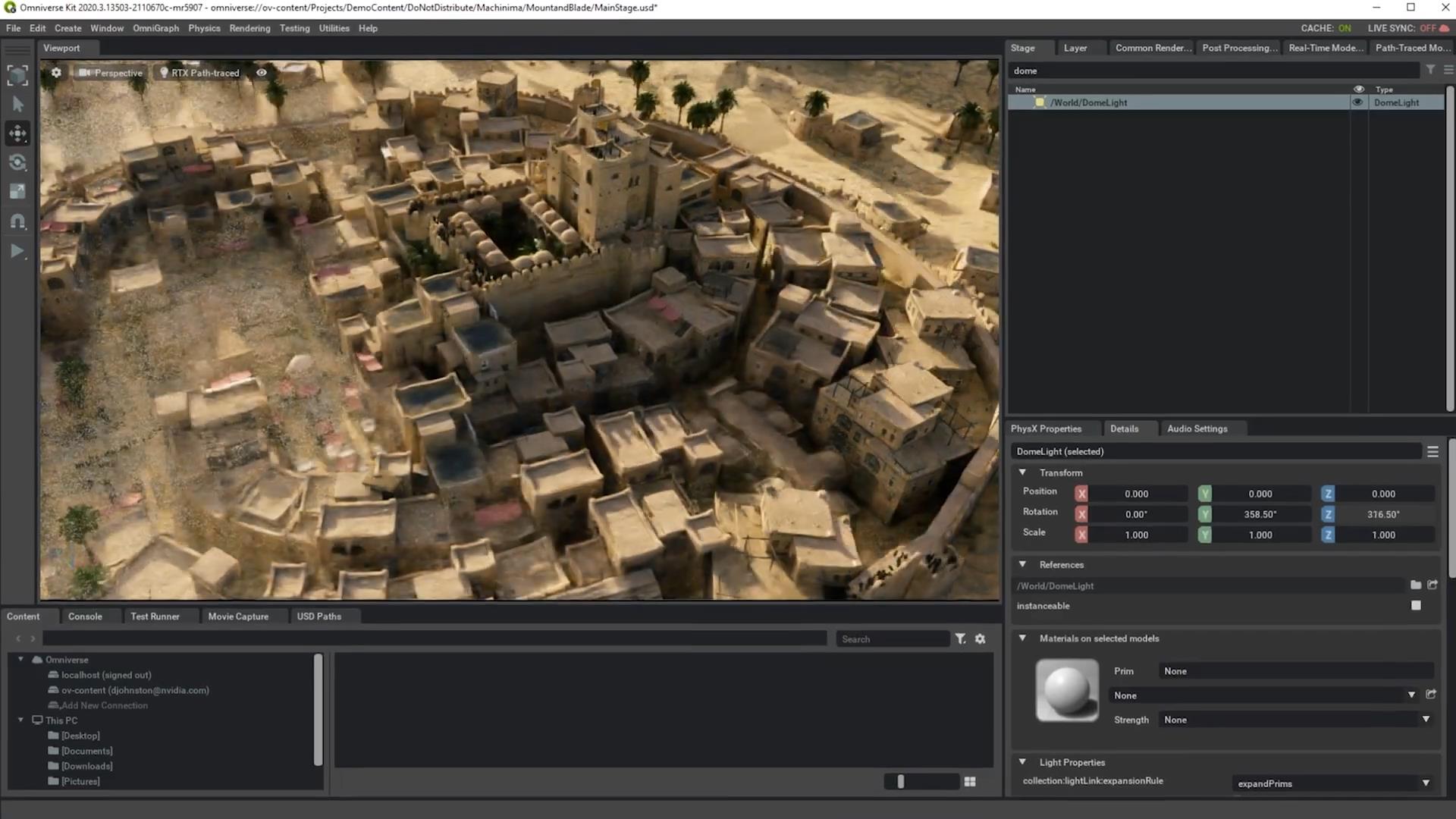
Omniverse UI framework has a retained component over dear imgui, exposed to end-user for plugins:

ocornut
on 16 Dec 2020
I'm just watching ...😲😲😲😲 and crying ... 😭😭😭😭😭😭
 fellahi-ali
on 17 Dec 2020
fellahi-ali
on 17 Dec 2020
The UI for my bot leveler for an online game
I use the ImGui api to render the map
ImGui is perfect to write desktop app, tiny exe, you don't need to learn cryptic bloated UI api, simple and extensible
I just wish it was easier to theme it, and layouting things is often very hard, can't wait for Stack Layout to get merged, it'll make life easier

 ryuukk
on 27 Dec 2020
ryuukk
on 27 Dec 2020
I am using ImGui to make a hack for GTA V.
I wrote a bitfield implementation, because I was tired of copying the addresses between ReClass.NET and my logs. It dynamically sizes and displays any type field as a bitfield using templating. https://bitbucket.org/gir489/bigbasev2-fix/src/master/BigBaseV2/src/imguibitfield.h
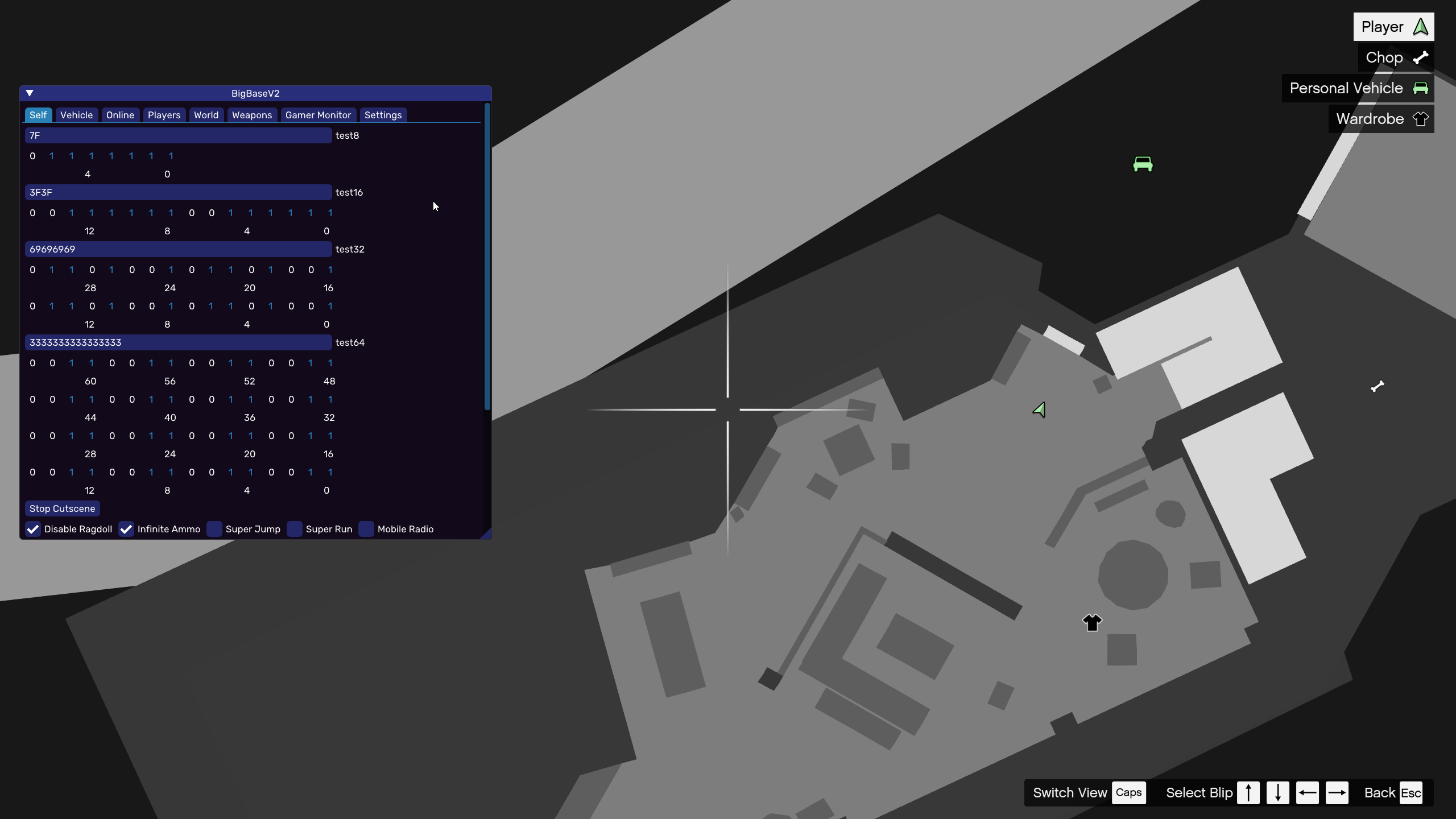
I (obviously) stole the formatting from the Windows calculator.
If you would like to see the hack in action, here is a small clip: https://youtu.be/KPI5d0P3IPQ
 gir489
on 27 Dec 2020
gir489
on 27 Dec 2020
New feature on ImGuiFileDialog
the Ability to display a dialog to prevent user from overwriting an existing file

 aiekick
on 3 Jan 2021
aiekick
on 3 Jan 2021
New feature in ImGuiFontStudio
The ability to generate a "Card" of the font. Who will show you Glyph and Corresponding Label.
So, when you not have in mind, the visual of an icon in your header file, no need to reopen ImGuiFontStudio,
you can just check the "Card" file
see this tweet for a video : https://twitter.com/aiekick/status/1346005440954585088
and here a sample Card of the whole font icon Forkawesome

aiekick
on 4 Jan 2021
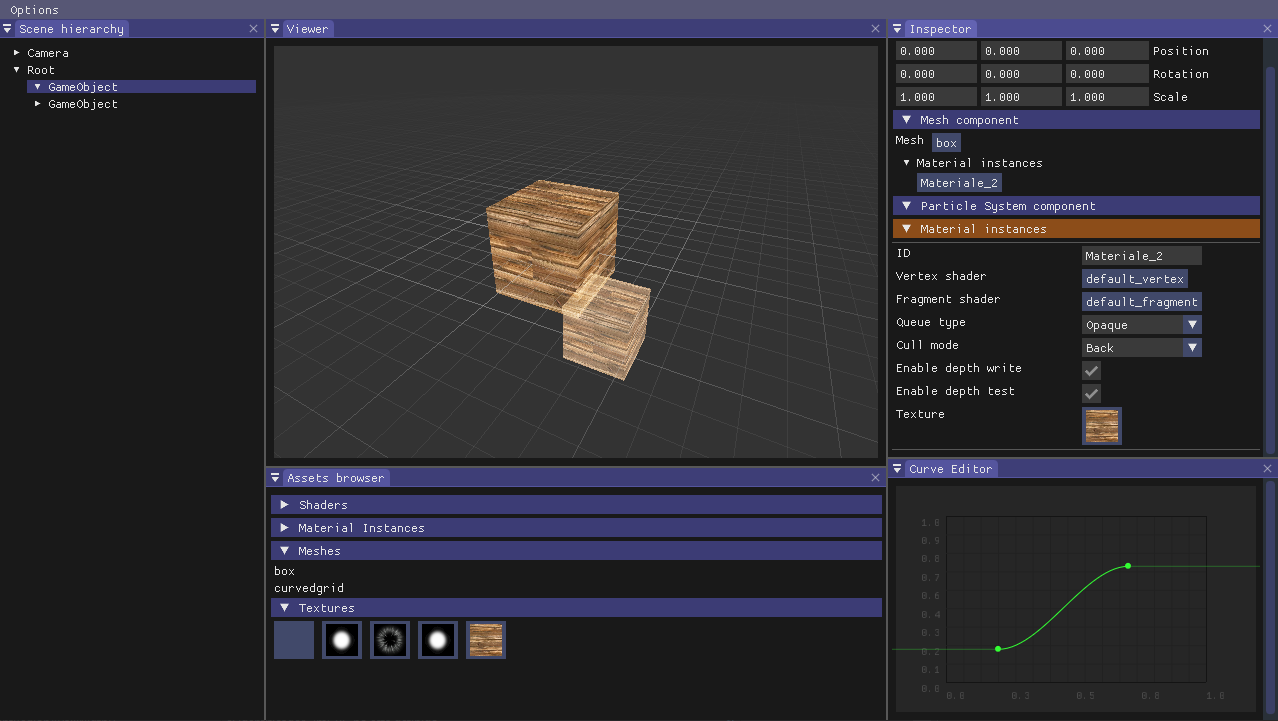
Here a little VFX playground I'm working as side project in winter break. ImGui is awesome.
 josemorval
on 4 Jan 2021
josemorval
on 4 Jan 2021
During the lockdown we had for months in Melbourne, I started to rewrite the entire GUI portion of the custom software we use to Create Interactive Installations. Not a small task, but it brings a breath of fresh air to our software, and moves the software to have a multi-platform Editor Environment, instead of being stuck to windows.

 AdamENESS
on 6 Jan 2021
AdamENESS
on 6 Jan 2021
I'm still in the process to migration from turbobadger to dear imgui - but this is a screenshot of my voxel editor using dear imgui.
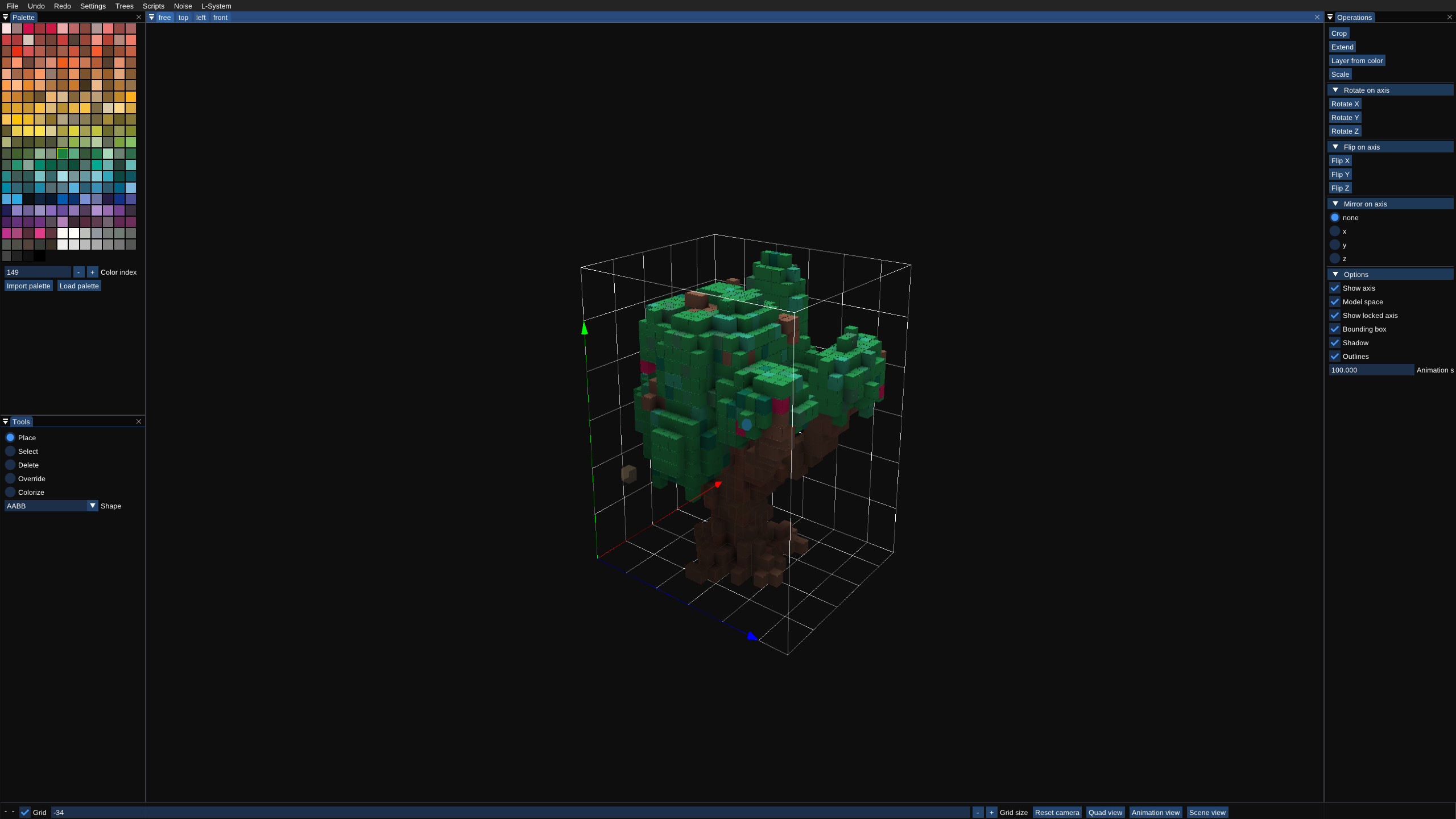
(https://twitter.com/MartinGerhardy/status/1346839512694071299)
Find the code at https://github.com/mgerhardy/engine/tree/master/src/tools/voxedit - it's using the docking branch and a first attempt to auto-configure the workspace.
mgerhardy
on 6 Jan 2021
Soprano - Build and visualize Minecraft chat components

Minecraft has a system of _"chat components"_, which is essentially used to serialize rich-text into JSON, in order to network it to clients to render. All the more detailed aspects of this are out of the scope of this thread, but the dear imgui editor certainly isn't.
https://www.youtube.com/watch?v=fwx7Q3TCccU
This shows the use of a live editor, where the changes you make are displayed directly to you. This helps facilitate the manual creation of these chat components, which can be used for a multitude of reasons.
Another interesting point to discuss is the window -- it's a dear imgui decorated window, with no visible platform window. I spoke about wanting to do this in #3680, and this was the result of the suggestions from @\rokups. Truly a very weird use-case, but I personally believe it came out looking incredible.
The only problem currently is text wrapping being incorrect. TextWrapped is called for each component (each JSON object with the text property), and ImGui::SameLine(0.0f, 0.0f) is used to keep all the text next to each other. However, if the text wraps, it will wrap under the start of that individual TextWrapped call, instead of the very first one -- which is the parent. I'm not sure if dear imgui has a simple solution to let me specify text wrapping coordinates/offsets...
Broken text wrapping

 drunderscore
on 7 Jan 2021
drunderscore
on 7 Jan 2021
A quick little toy I put together while working on some DSP algorithms. Using ImGui and ImPlot.
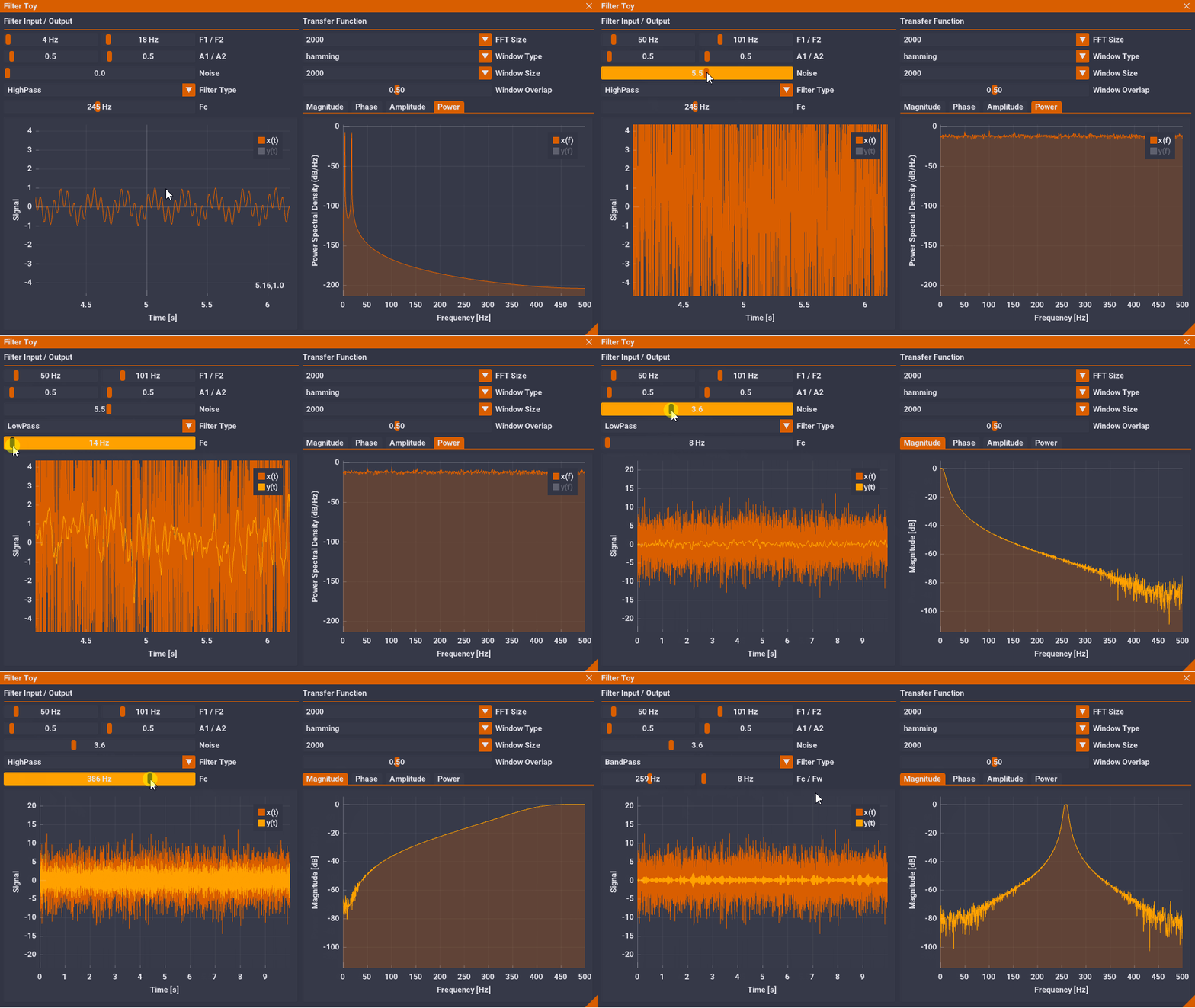
 epezent
on 12 Jan 2021
epezent
on 12 Jan 2021
Related issues
 Folling
·
3Comments
Folling
·
3Comments
 mkanakis
·
3Comments
mkanakis
·
3Comments
 SlNPacifist
·
3Comments
SlNPacifist
·
3Comments
 namuda
·
3Comments
namuda
·
3Comments
 inflex
·
3Comments
inflex
·
3Comments
Most helpful comment
Hello!
here goes a project of mine in current development ( beta stage now ), called Mosaic, a livecoding programming/patching environment for creating real-time audio-visual compositions. It's principally designed for live needs, as can be teaching in class, live performing in an algorave, or running a generative audio-visual installation in a museum.
It aims to empower artists, creative coders, scenographers and other creative technologists in their creative workflow.
It's a FLOSS, Free/Libre and Open Source Software with multi-platform support, and it's written in C++, offering high performance.
His GUI ( node canvas, nodes, links, menus and everything ) is completely builded with the amazing Dear ImGui, coupled with openFrameworks for texture drawing.
Mosaic is shipped with an internal code editor, non-blocking system dialogs, a programmable non-linear interactive timeline, an included patch video exporter with subtitler for easy tutorial creation, lua/python/glsl/bash live-coding and pure data live-patching capability, a good selection of audio synthesis modules, multiple fullscreen output windows capabilities ( as many as your system can have ) with an independent warping for each window, a map-map style integrated mapping module, and an easy to use osc sending/receiving objects/nodes for network communication.
The idea behind Mosaic is to facilitate human-machine communication, to amplify imagination and to speed up the creative workflow, without sacrificing the spectrum of possibilities. To achieve this, it bundles together various creative-coding tools, acting as an interactive bridge between them.
It includes a collection of audio-visual objects that can be easily connected together using a nodal-based graphical interface, defining a custom dataflow.
Mosaic is mainly based on two frameworks : OpenFrameworks and ImGui. OpenFrameworks is an open source C++ toolkit for creative coding.
Dear ImGui is a bloat-free graphical user interface for C++ with minimal dependencies.
Together with the latter ones, Mosaic bundles comes with other 3rd party libraries such as PureData Vanilla and numerous ofxAddons.
It also embeds various programing languages for live-coding purposes : Lua with OF-bindings, Python 2.7 scripting interpreter, live compiling of GLSL shaders and editing/execute Bash scripts (macOS & linux) capabilities.
Mosaic is extendable : you can easily add custom objects.
While this involves writing and compiling code, requiring some C++ knowledge, we aim to make this process as easy as possible. Thus, Mosaic is flexible and devoted to grow over time.
For example, any Openframeworks project can be easily ported to Mosaic Objects, exposing them to the live-patching environment. This way, working with OF becomes way more modular, and you can make run-time adjustments. Possibilities are endless.
Once created, plugins can either be statically compiled into Mosaic, or if you wish, there's also support for dynamically loading them, making it easy to share and distribute your objects with others.
Mosaic is still under development and in Beta release, but has been already successfully used for 2 years at the Fine Arts faculty of the UPV university, Valencia, Spain. It has been deployed in multiple student projects presentations, and in some interactive installation in public cultural spaces.
Today, Mosaic has sufficiently grown to be tested by a wider group of people.
If you're curious, please try out Mosaic and don't hesitate to get in touch.
Mosaic is open to anybody, contributions of any kind are welcome.
Mosaic development team is composed by Emanuele Mazza [https://github.com/d3cod3] Daan de Lange [https://daandelange.com/] and Maria José Martínez de Pisón
More information can be found here:
A small video here and here
And some screenshots here: