Imgui: Create child window which fills parent window completely
Version: Latest
Branch: Docking
Back-ends: imgui_impl_opengl3.cpp + imgui_impl_glfw.cpp
Compiler: VS2019
Operating System: Windows 10
I am trying to create a child window which fills its parent completely. No border or padding. I tried pushing all border sizes and paddings with zero value. I also tried to force it to always use window padding with the window flags. No success either.
For some context. I have a window on a secondary viewport and I would like to create a menu, dockspace, other window (fixed height), and status bar. While in the main window I can control the individual sizes using the viewport this all fails on the secondary window.
Thanks!
 dgregorius
All 3 comments
Hello Dick,
Your question is ambiguous.
For a start I cannot see a single reason for having a child fill its parent completely, if you have two overlapping windows, why not just have one? therefore I don't think your request is formulated adequately. I can't understand the second paragraph either.
Secondly you are not specifying what you have tried so I can't tell what your mistake is and I can't find out if I'm understanding your request properly.
Thirdly this is working just fine for me:
ImGui::PushStyleVar(ImGuiStyleVar_WindowPadding, ImVec2(0, 0));
ImGui::Begin("Test 3226");
ImGui::PopStyleVar();
ImGui::BeginChild("blah");
ImGui::EndChild();
ImGui::End();

ImGui::PushStyleVar(ImGuiStyleVar_WindowPadding, ImVec2(0, 0));
ImGui::Begin("Test 3226");
ImGui::PopStyleVar();
ImGui::BeginChild("blah");
ImGui::EndChild();
ImGui::End();
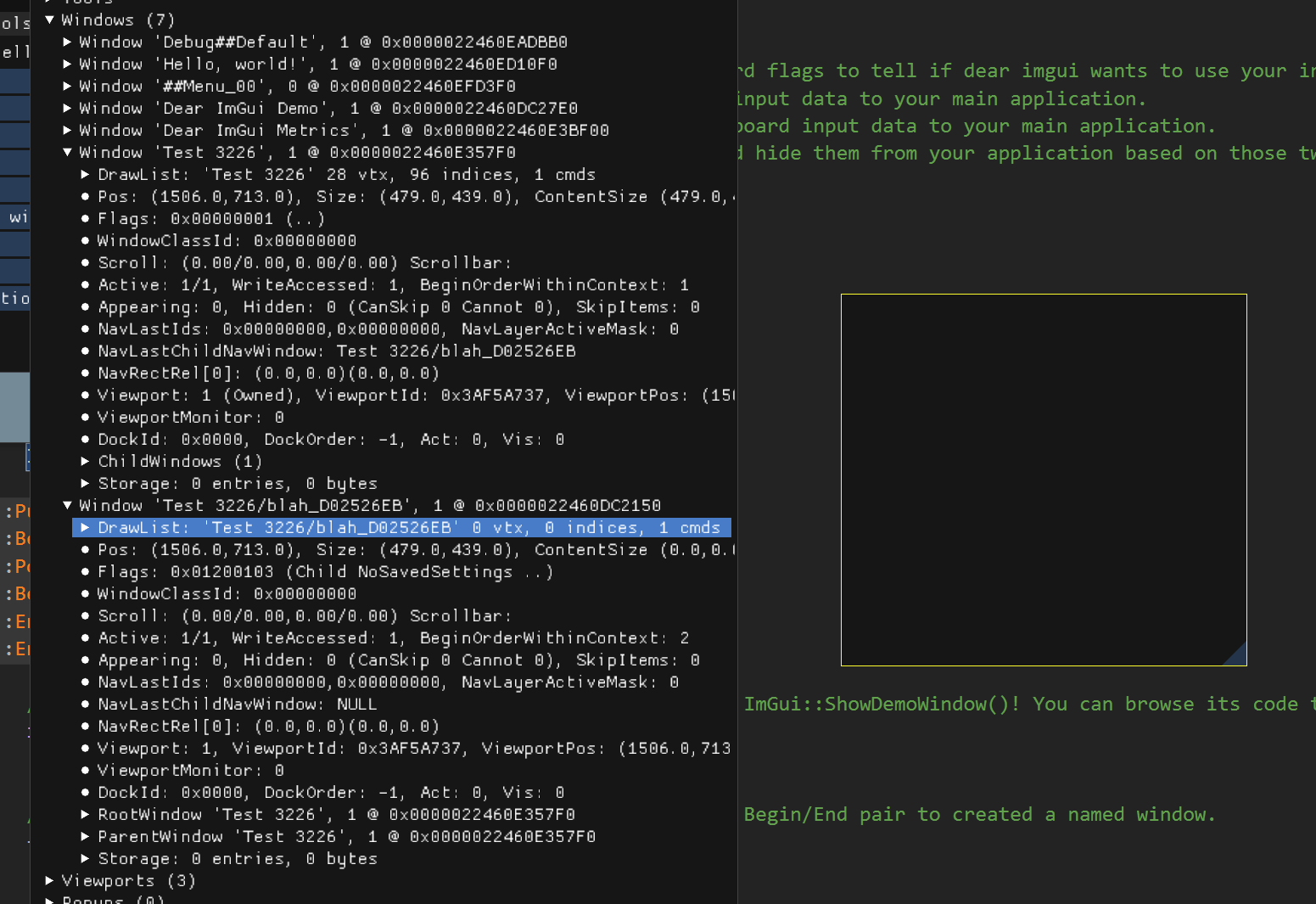
So please take the time to be more explicit. thank you!
 ocornut
on 14 May 2020
ocornut
on 14 May 2020
I am writing an animation graph editor to try out some ideas for animation and ragdoll coupling. The editor is mostly done and it was an ease to develop it with ImGui. This is how it basically looks like right now:
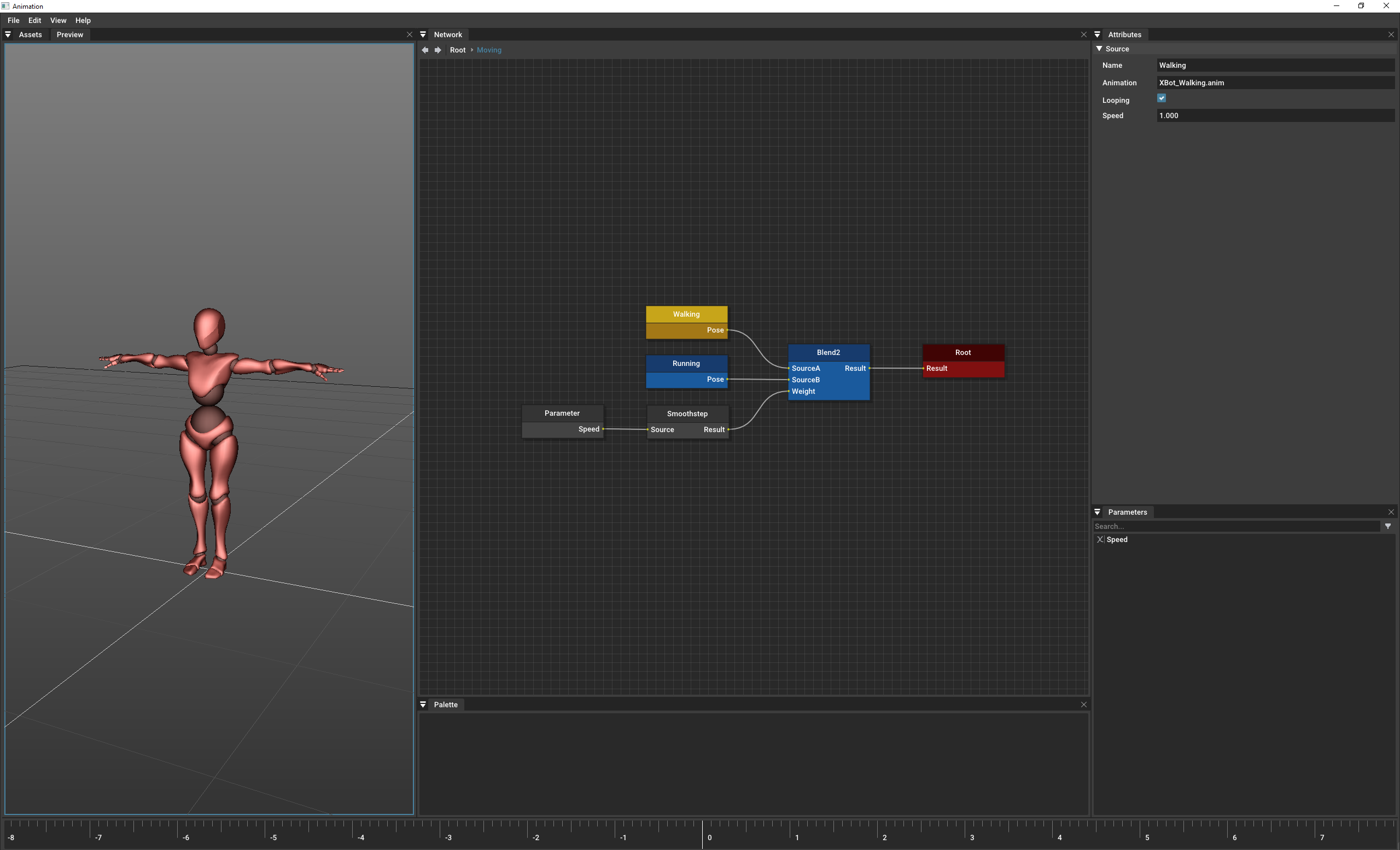
The timeline widget at the bottom of the main window is currently a dock window. I want the timeline to be size constrained and from my tests and what I have read here on the forum from you on this topic, size constraints don't really make sense for dock widgets. To work around this I tried to to limit the size of the dock node and this had no effect. Basically:
ImGuiID NodeId = ImGui::DockBuilderAddNode( DockspaceID );
ImGui::DockBuilderSetNodeSize( NodeId, ImVec2( Width, Height ) );
To work around this limitation/bug I tried to create a 'dummy' child window for the dockspace. This works conceptually and creates the extra space at the bottom (green), but I could not get rid of the border/padding (e.g. upper left corner red arrow).
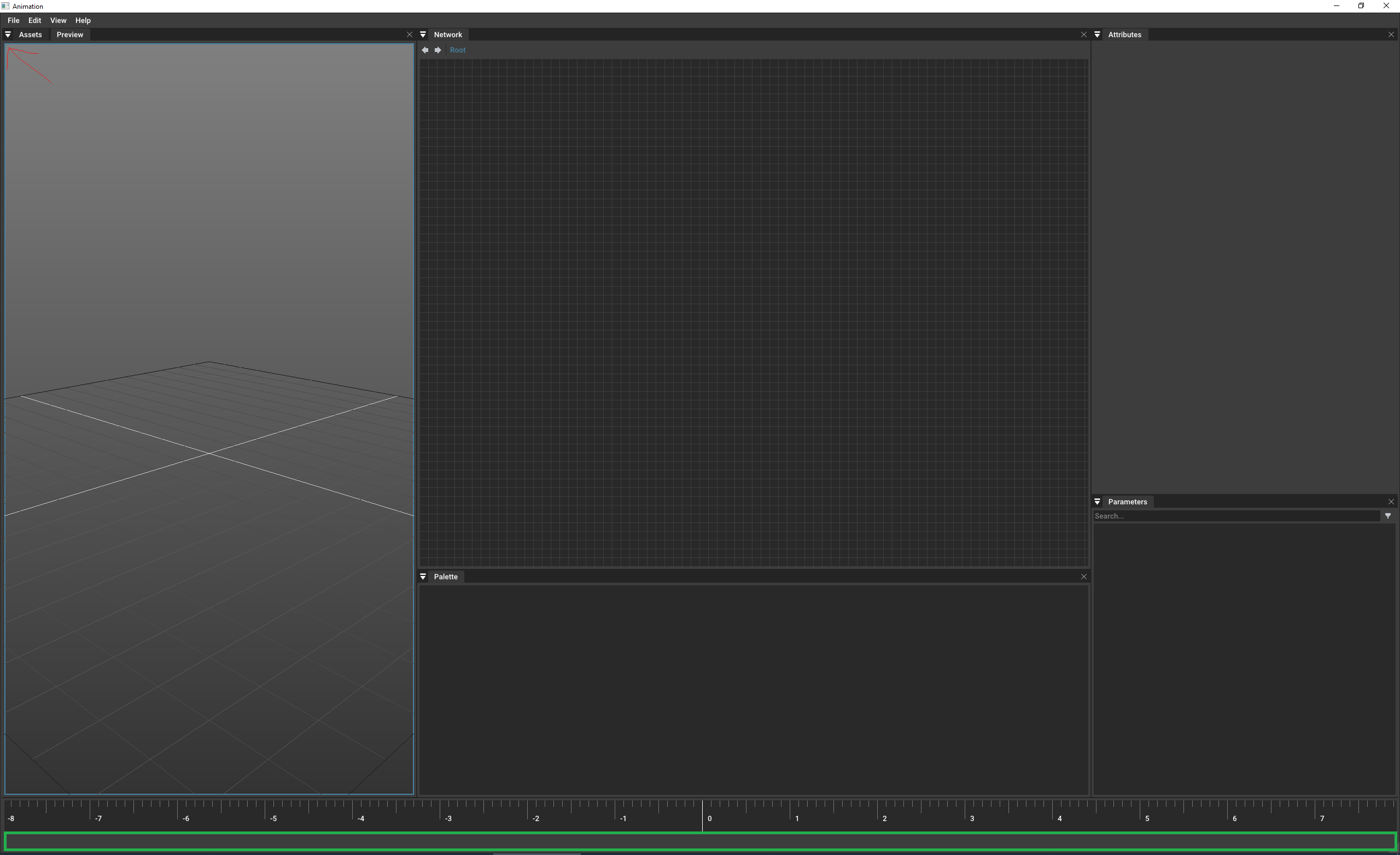
This is what my question was about yesterday. Sorry for the confusion. Hopefully this is clearer now.
As a side note I should mention that the animation editor window is not created on the main viewport. It spawns from the model editor. This is the outer code for the main animation window in case it matters here. It uses the windows class as we discussed in an earlier post:
ImGuiWindowClass WindowClass;
WindowClass.ViewportFlagsOverrideClear = ImGuiViewportFlags_NoDecoration | ImGuiViewportFlags_NoTaskBarIcon;
ImGui::SetNextWindowClass( &WindowClass );
if ( ImGui::Begin( "Animation", &mActive, WindowFlags )
{
Menu();
BeginDockspace();
for ( RnWindow* DockWindow : mDockWindows )
{
DockWindow->Render( ElapsedTime, Time );
}
EndDockspace();
Status();
Shortcuts();
}
ImGui::End();
Thanks,
-Dirk
dgregorius
on 14 May 2020
I just gave this a try following your example and this works now with the child window. No idea what I did wrong yesterday. Since it seems you did not agree with the child window solution I am curious what the recommended approach here is?
dgregorius
on 14 May 2020
Related issues
 ILoveImgui
·
3Comments
ILoveImgui
·
3Comments
 BlackWatersInc
·
3Comments
BlackWatersInc
·
3Comments
 ghost
·
3Comments
ghost
·
3Comments
 Folling
·
3Comments
Folling
·
3Comments
 inflex
·
3Comments
inflex
·
3Comments
Most helpful comment
I am writing an animation graph editor to try out some ideas for animation and ragdoll coupling. The editor is mostly done and it was an ease to develop it with ImGui. This is how it basically looks like right now:
The timeline widget at the bottom of the main window is currently a dock window. I want the timeline to be size constrained and from my tests and what I have read here on the forum from you on this topic, size constraints don't really make sense for dock widgets. To work around this I tried to to limit the size of the dock node and this had no effect. Basically:
ImGuiID NodeId = ImGui::DockBuilderAddNode( DockspaceID );
ImGui::DockBuilderSetNodeSize( NodeId, ImVec2( Width, Height ) );
To work around this limitation/bug I tried to create a 'dummy' child window for the dockspace. This works conceptually and creates the extra space at the bottom (green), but I could not get rid of the border/padding (e.g. upper left corner red arrow).
This is what my question was about yesterday. Sorry for the confusion. Hopefully this is clearer now.
As a side note I should mention that the animation editor window is not created on the main viewport. It spawns from the model editor. This is the outer code for the main animation window in case it matters here. It uses the windows class as we discussed in an earlier post:
ImGuiWindowClass WindowClass;
WindowClass.ViewportFlagsOverrideClear = ImGuiViewportFlags_NoDecoration | ImGuiViewportFlags_NoTaskBarIcon;
ImGui::SetNextWindowClass( &WindowClass );
if ( ImGui::Begin( "Animation", &mActive, WindowFlags )
{
Menu();
BeginDockspace();
for ( RnWindow* DockWindow : mDockWindows )
{
DockWindow->Render( ElapsedTime, Time );
}
EndDockspace();
Status();
ImGui::End();
Thanks,
-Dirk