Imgui: Default docking is not correct docked.
Version: #2705
Branch: Docking
Back-ends: Custom
Compiler: MSVC
Operating System: Windows 10 Enterprise
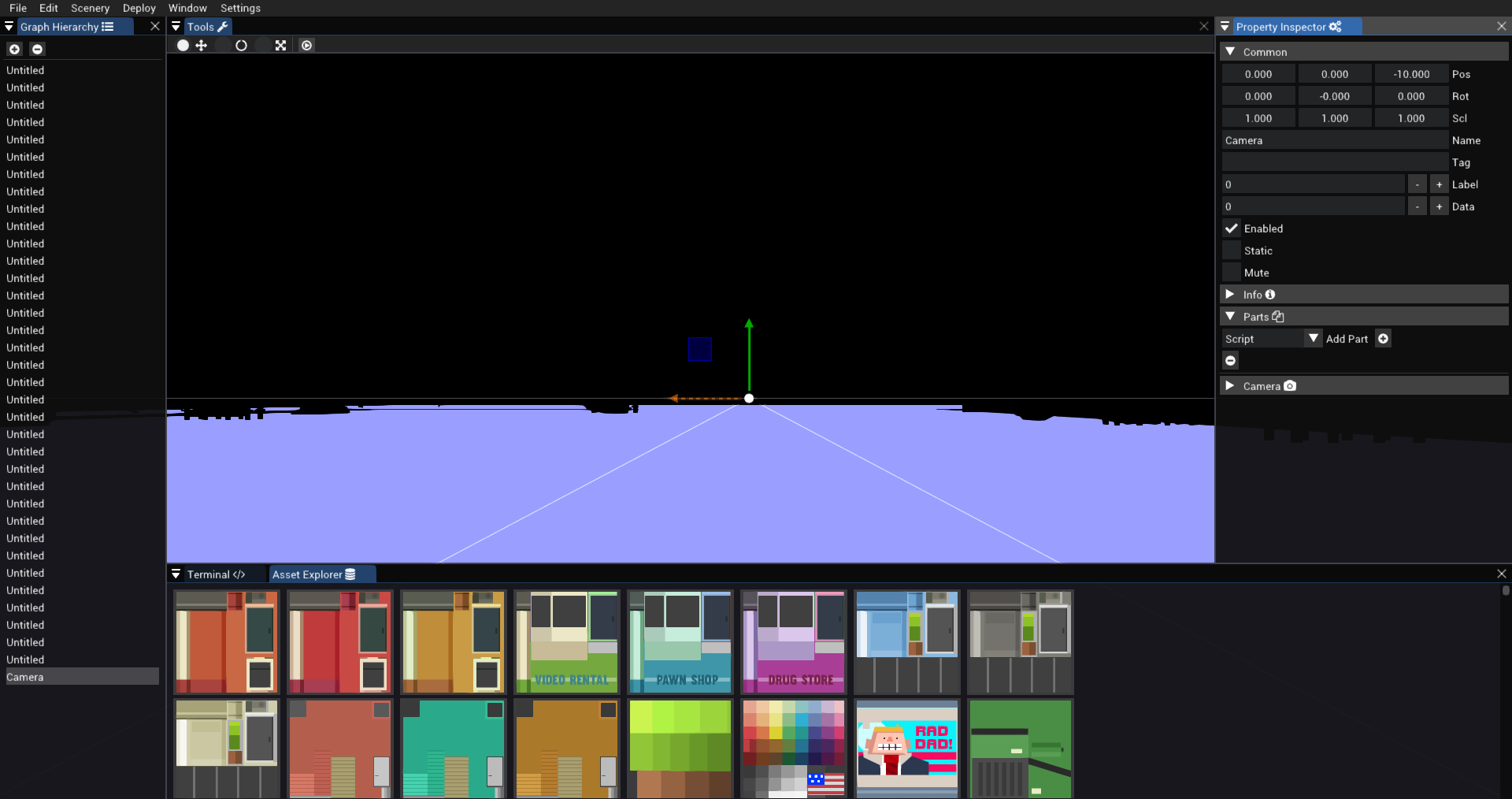
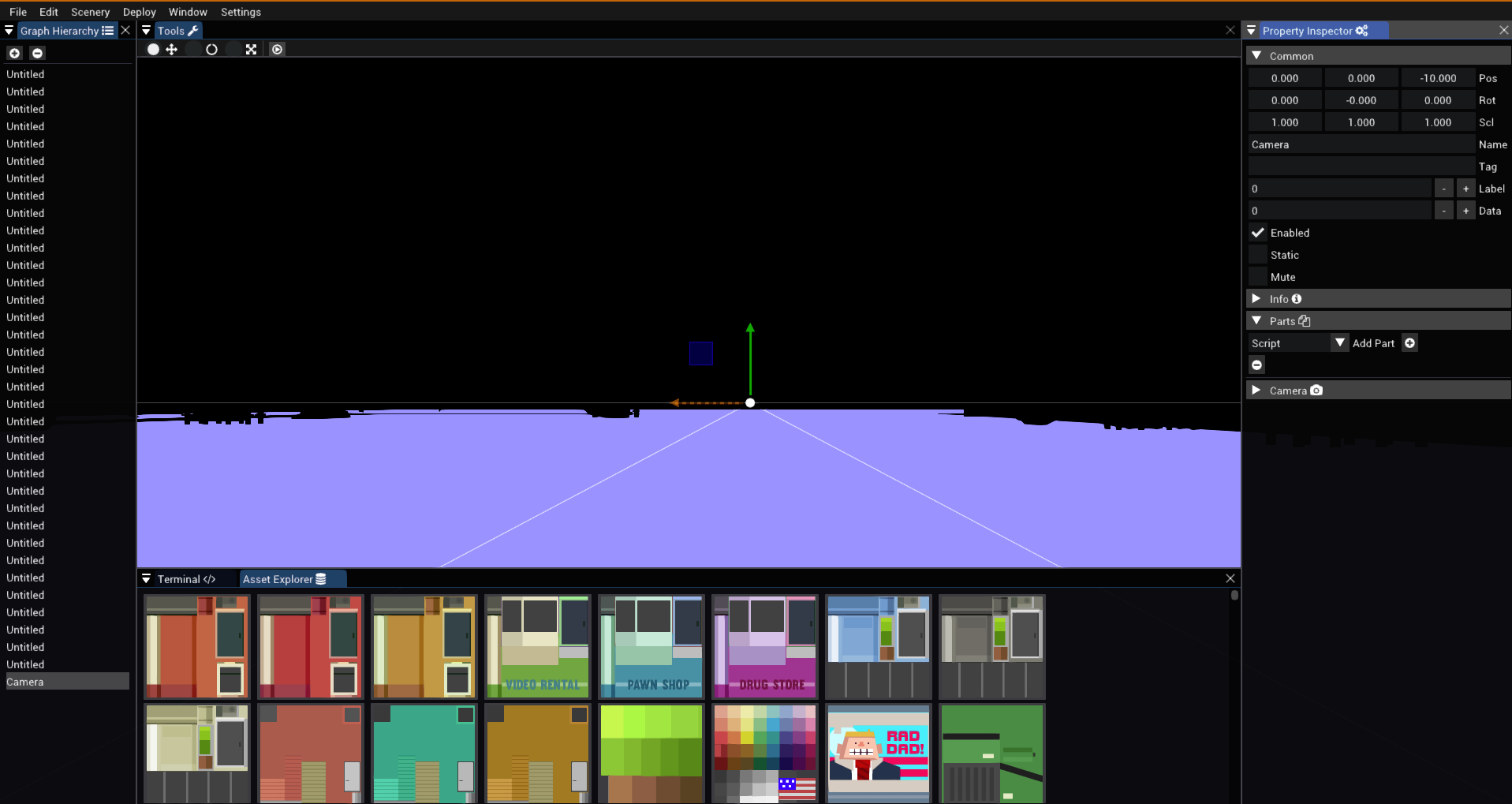
Im trying to create a default dock layout, but the problem is one window is not docked correctly. I´ve tried everything, like reordering the calls etc...
This is how it is looking:
This is how it should look: (Manually docked, look at the bottom right corner)
This is the code Im currenty using:
    DockBuilderRemoveNode(dockspace_id);
            DockBuilderAddNode(dockspace_id, ImGuiDockNodeFlags_DockSpace);
            DockBuilderSetNodeSize(dockspace_id, io.DisplaySize);

            ImGuiID dock_main_id = dockspace_id;
            const ImGuiID dock_id_left = DockBuilderSplitNode(dock_main_id, ImGuiDir_Left, .11f, nullptr, &dock_main_id);
            ImGuiID dock_id_bottom = DockBuilderSplitNode(dock_main_id, ImGuiDir_Down, .30f, nullptr, &dock_main_id);
            const ImGuiID dock_id_right = DockBuilderSplitNode(dock_main_id, ImGuiDir_Right, .22f, nullptr, &dock_main_id);
            const ImGuiID dock_id_up = DockBuilderSplitNode(dock_main_id, ImGuiDir_Up, .06f, nullptr, &dock_main_id);
            DockBuilderDockWindow("Property Inspector " ICON_FA_COGS, dock_id_right);
            DockBuilderDockWindow("Tools " ICON_FA_WRENCH, dock_id_up);
            DockBuilderDockWindow("Terminal " ICON_FA_CODE, dock_id_bottom);
            DockBuilderDockWindow("Asset Explorer " ICON_FA_DATABASE, dock_id_bottom);
            DockBuilderDockWindow("Graph Hierarchy " ICON_FA_LIST_UL, dock_id_left);
            DockBuilderFinish(dockspace_id);
Why is the one window docked wrong?
Thanks in advance!
 MarioSieg
All 4 comments
Please fill in the issue template and attach the screenshots, thank you.
 ocornut
on 1 Aug 2019
ocornut
on 1 Aug 2019
Done :) Sry I didnt read the template
MarioSieg
on 1 Aug 2019
Done :) Sry I didnt read the template
Well this not acceptable.
If I mentally follow the split as spelled in this order I'm reaching exactly the state of the first screenshot.
To achieve the 2nd screenshot you probably want to split Left and then Right, and only after split Bottom.
ocornut
on 1 Aug 2019
Fixed the order
MarioSieg
on 1 Aug 2019
Related issues
 NPatch
·
3Comments
NPatch
·
3Comments
 BlackWatersInc
·
3Comments
BlackWatersInc
·
3Comments
 ILoveImgui
·
3Comments
ILoveImgui
·
3Comments
 SlNPacifist
·
3Comments
SlNPacifist
·
3Comments
 DarkLinux
·
3Comments
DarkLinux
·
3Comments