Imgui: SetWindowPos incorrect results in multi display
Version/Branch of Dear ImGui:
Version: 1.69 WIP
Branch: docking
Back-end/Renderer/Compiler/OS
Back-ends: imgui_impl_opengl2.cpp + imgui_impl_glfw.cpp
Compiler: Visual Studio 2017
Operating System: Win10
My Issue/Question:
Screenshots/Video
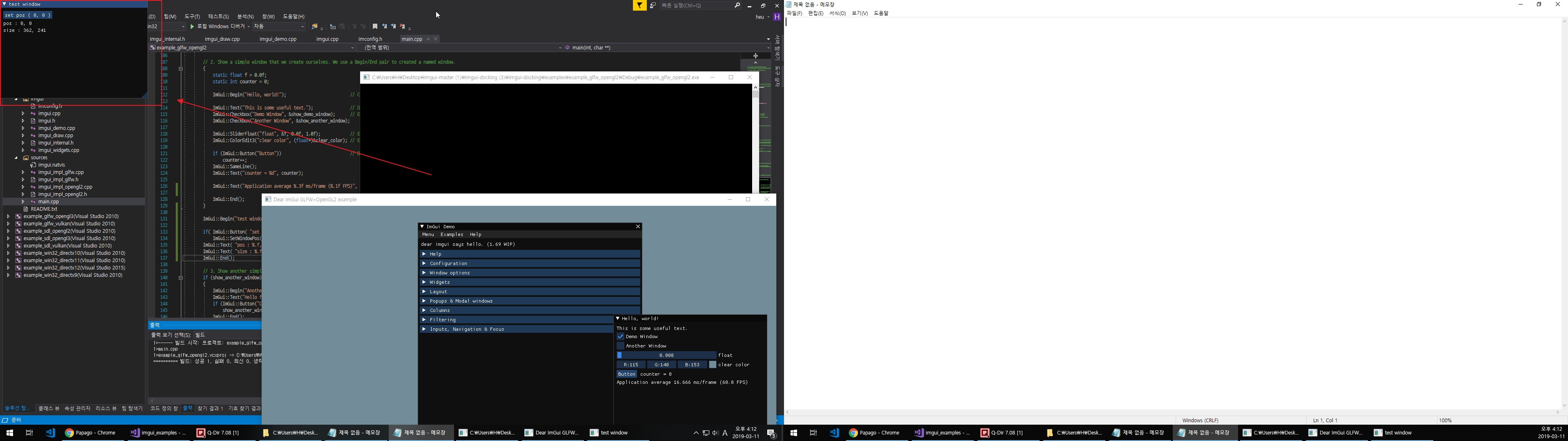
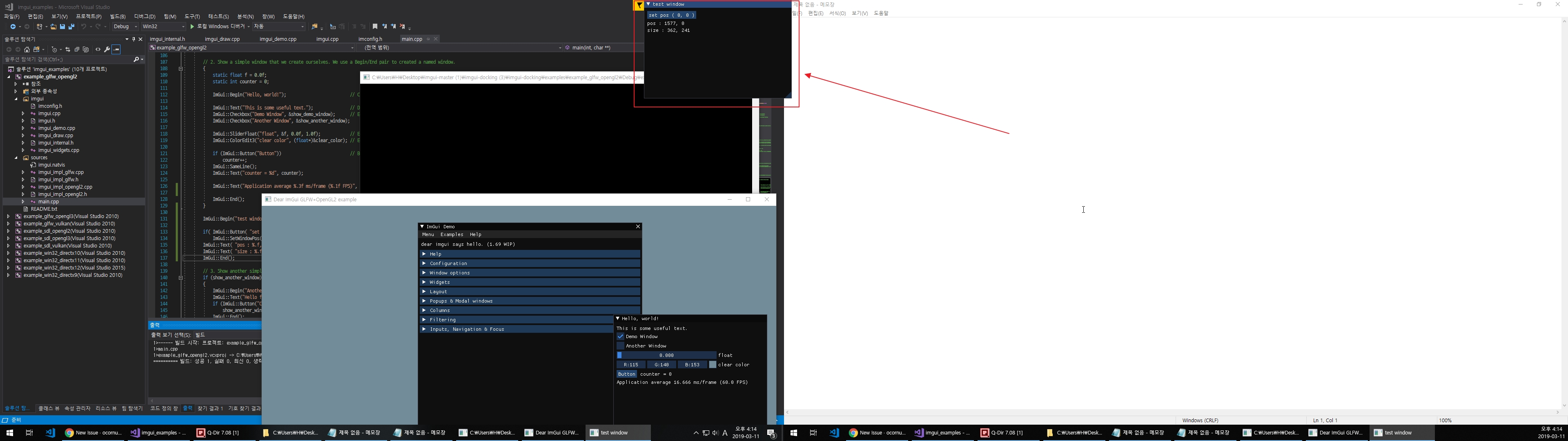
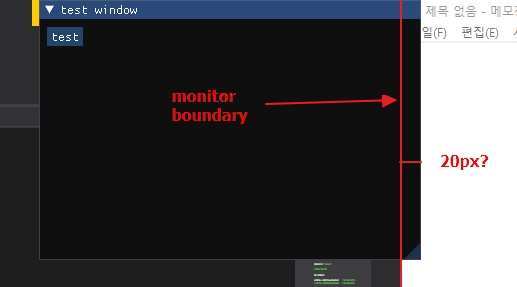
When moving the location using SetWindowPos on a dual monitor,
the result is unintended as shown in the picture below.
case1 ) window located on monitor1

case2 ) window located on monitor2

case3) window located on monitor2 + different size window

Standalone, minimal, complete and verifiable example:
// Please do not forget this!
ImGui::Begin("Example Bug");

if( ImGui::Button( "set pos ( 0, 0 )" ) )
    ImGui::SetWindowPos( ImVec2( 0, 0 ) );
ImGui::Text( "pos : %.f, %.f", ImGui::GetWindowPos().x, ImGui::GetWindowPos().y );
ImGui::Text( "size : %.f, %.f", ImGui::GetWindowSize().x, ImGui::GetWindowSize().y );

ImGui::End();
I searched for articles of FAQs, Readme, posted same issue etc... but couldn't find them
i'm sorry if i missed it
Thank you always.
 seoyeon01
All 2 comments
It looks like the window is being clamping within the bound of the same monitor.
Please note that using SetWindowPos() is never recommended, you should use SetNextWindowPos(), but I agree there seem to be a bug in there anyway.
 ocornut
on 11 Mar 2019
ocornut
on 11 Mar 2019
I pushed a fix to this bug now.
In your case the window coordinates were clamped within the previous monitor.
ocornut
on 11 Mar 2019
Related issues
 mnemode2
·
3Comments
mnemode2
·
3Comments
 namuda
·
3Comments
namuda
·
3Comments
 bogdaNNNN1
·
3Comments
bogdaNNNN1
·
3Comments
 Folling
·
3Comments
Folling
·
3Comments
 DarkLinux
·
3Comments
DarkLinux
·
3Comments
Most helpful comment
I pushed a fix to this bug now.
In your case the window coordinates were clamped within the previous monitor.