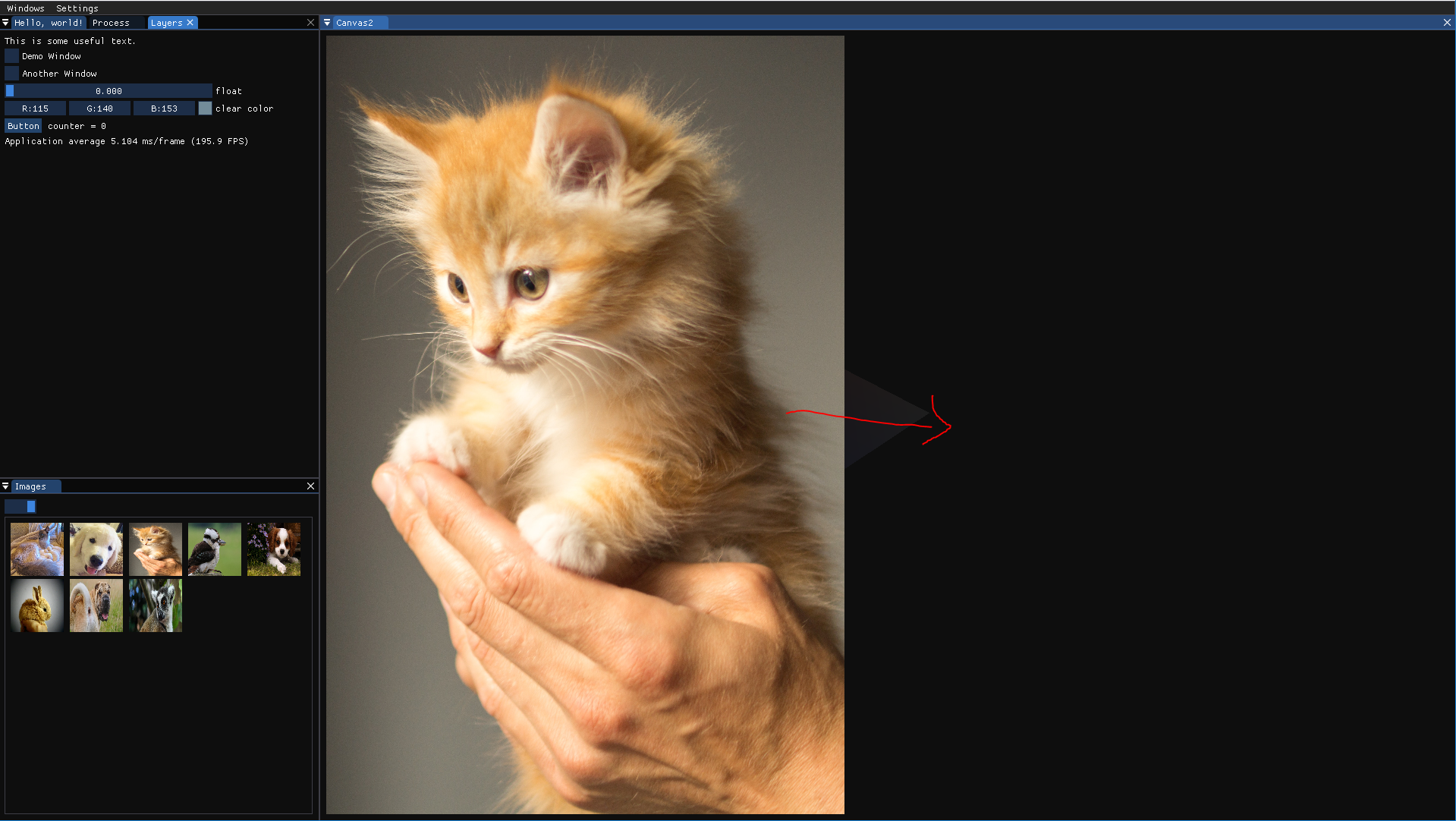
How do you center a single image in a window?
I tried "ImGui::PushItemWidth()" but it does not seem to do anything.
Screenshots/Video _(you can drag files here)_
 aCuria
All 11 comments
Use SetCursorPos((GetWindowSize() - image_size) * 0.5f); before the image call.
 ocornut
on 29 Nov 2018
ocornut
on 29 Nov 2018
I am currently doing the following:
auto initialCursorPos = toVec2f(ImGui::GetCursorPos());
auto windowSize = toVec2f(ImGui::GetWindowSize());
auto centralizedCursorpos = (windowSize - textureDisplaySize_) * 0.5f;
centralizedCursorpos = clamp(centralizedCursorpos, initialCursorPos, centralizedCursorpos);
ImGui::SetCursorPos(toImVec2(centralizedCursorpos));
The clamp() is to deal with the situation where the intended image is larger than the window area, this causes the centralizedCursorpos variable to become negative. When this happens, the scroll bars do not function as expected (unable to scroll through the entire image)
However, there is another issue that occurs when the titlebar is enabled
ImGuiWindowFlags_NoTitleBar = false
Here the centralization fails as it seems to be shifted up by the size of the title bar. I tried to use the following but it does not work as expected either:
auto windowSize = toVec2f(ImGui::GetContentRegionAvail());
auto windowSize = toVec2f(ImGui::GetContentRegionMax());
Whats the best way to fix this? I could not find a ImGui::getTitleBarHeight() function.
As a side note, its kinda annoying that ImVec2 is unable to do vector calculations -
eg: (windowSize - textureDisplaySize_) * 0.5f;
aCuria
on 13 Dec 2018
Please provide a clear repro. Anyone who wish to help you needs to get started with something, if you make it harder than necessary you are not going to get as much help.
As a side note, its kinda annoying that ImVec2 is unable to do vector calculations -
eg: (windowSize - textureDisplaySize_) * 0.5f;
You are supposed to use your own maths types and use the imconfig.h facility to convert your maths types to ImVec2 You may also use/copy the operators from imgui_internal.h
ocornut
on 13 Dec 2018
Please provide a clear repro.
Using the code SetCursorPos((GetWindowSize() - image_size) * 0.5f);
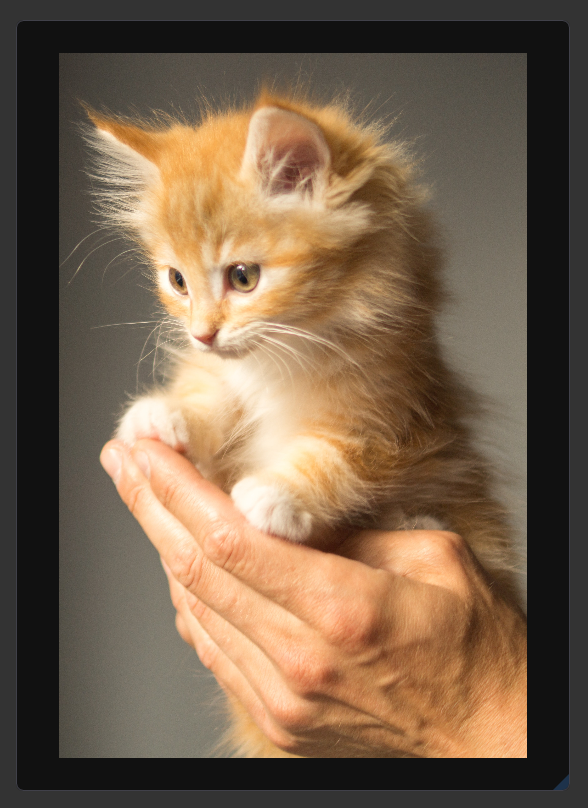
With the title bar off, everything works as expected:
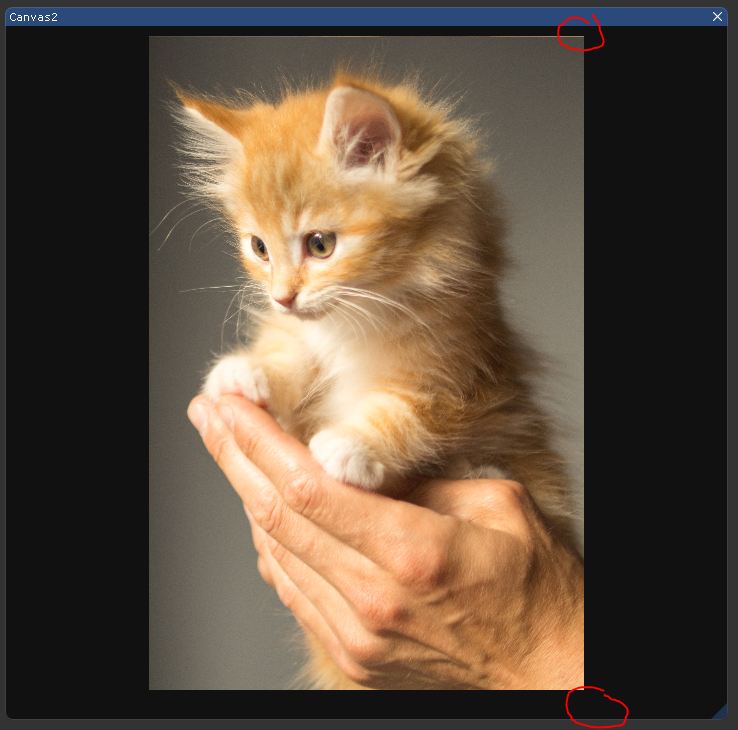
With the title bar on, the image is slightly displaced towards the top:
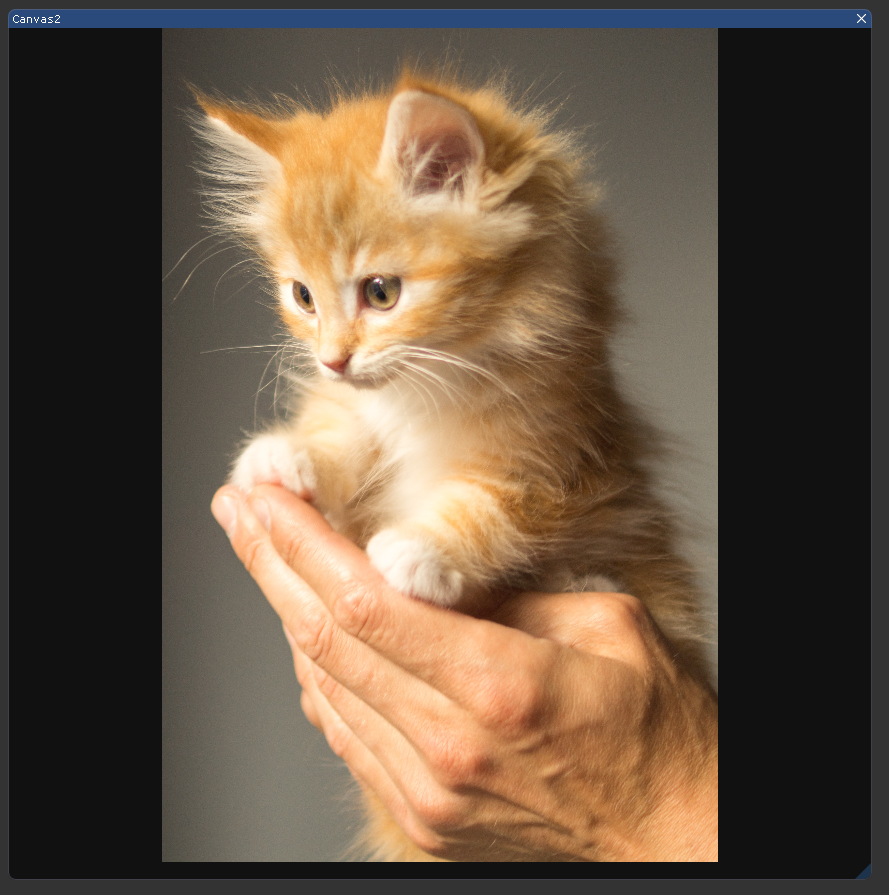
Sometimes, the image can be slightly occluded (at the top) although there is sufficient space to display the entire image
I am guessing I need something like SetCursorPos((GetWindowSize() - TitleBarHeight() - image_size) * 0.5f); + TitleBarHeight(). However, I cant find a "getTitleBarHeight()" function anywhere.
edit:
With your hint from the previous post (imgui_internal.h) using ImGui::GetCurrentWindow()->TitleBarHeight() does fix the issue. Is there a way to get this value using the public interface, or is there a better way to do this?
@ocornut Thanks for the help so far, ImGui is one of the best UI libraries I have come across
aCuria
on 14 Dec 2018
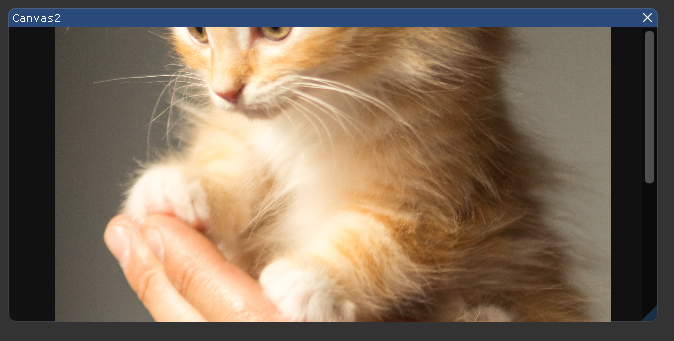
The other "issue" I found (may not really be an issue) is that when the following code is used (windowSize - textureDisplaySize_) * 0.5f; It is possible for part of the image to be cropped off (unable to scroll up to see the top of the image.
The fix I have is to do centralizedCursorpos = clamp(centralizedCursorpos, initialCursorPos, centralizedCursorpos); which will ensure that the new cursorPos is not smaller than the initialCursorPos. Leaving this here in case someone needs it
aCuria
on 14 Dec 2018
I'm not sure if this should be a new issue or not, but I a different problem related to implementing this feature.
The problem I have occurs when calling the following code:
ImGui::Image(texture, texturesize);
ImGui::SetScrollX(result.scroll_.x);
ImGui::SetScrollY(result.scroll_.y);
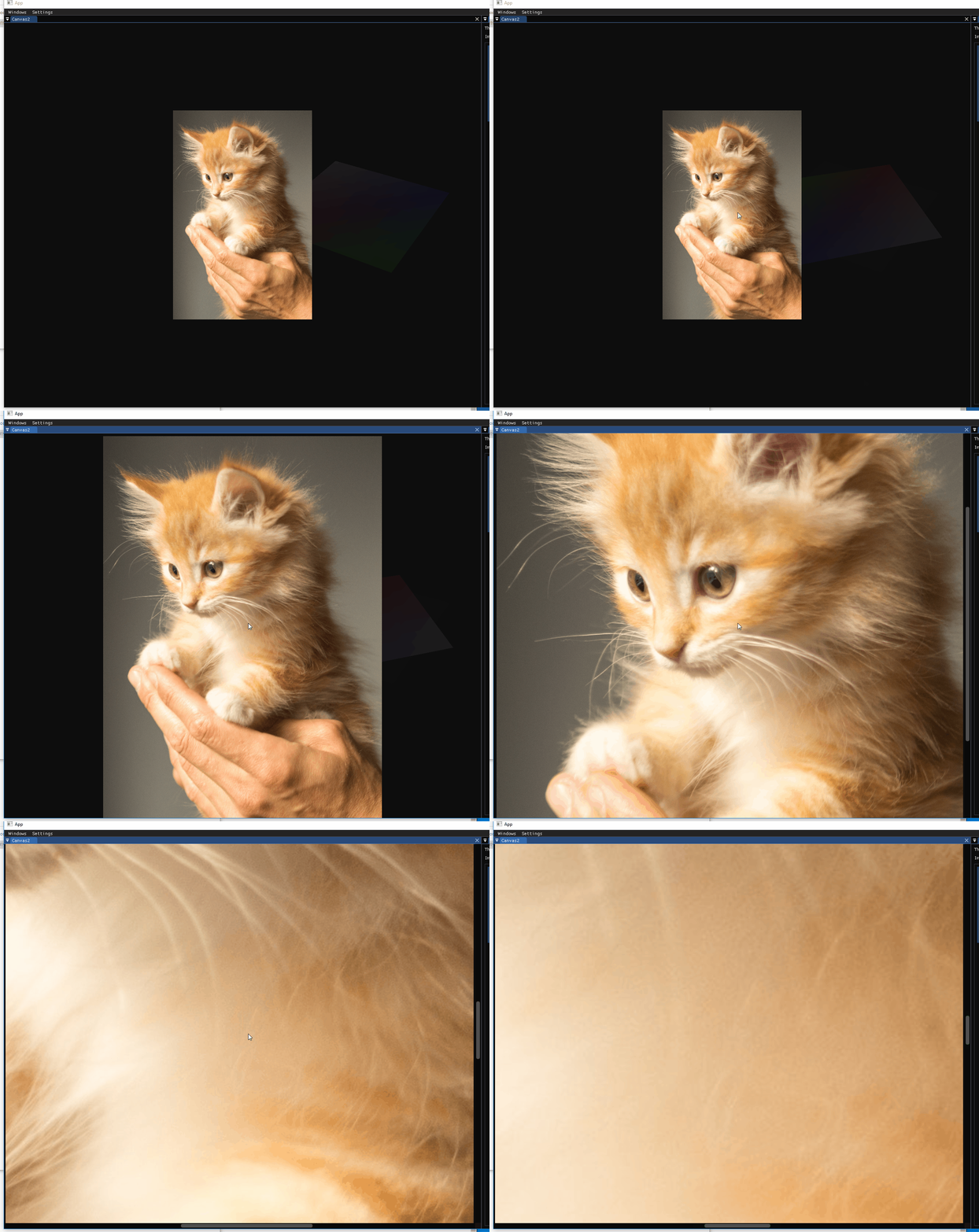
When texturesize changes, the scrollbars are updated one frame late. This leads to the image "jumping" around.
Calling SetScrollX before ImGui::Image() leads to the same behavior.
aCuria
on 25 Jan 2019
Hello
I'm not very familiar or experienced in ImGui.
This code is my starting point.
<
ImGui::Begin("Available Region");
ImGui::GetWindowDrawList()->AddRect(
ImGui::GetCursorScreenPos(),
ImGui::GetCursorScreenPos() + ImGui::GetContentRegionAvail(), ImColor(255, 0, 0), 3.0);
ImGui::End();
>
 demucin
on 26 Jan 2019
demucin
on 26 Jan 2019
Hi Demucin,
I am not too sure how this is related to this topic? What are you trying to achieve with the code you listed?
aCuria
on 28 Jan 2019
With the title bar on, the image is slightly displaced towards the top: image
Your issue for that is that you should use GetContentRegionAvail() and not GetWindowSize(), which include decorations, etc.
When texturesize changes, the scrollbars are updated one frame late. This leads to the image "jumping" around.
Haven't tried it so cannot answer, but you can now call SetNextWindowScroll() prior to Begin() to avoid a frame of lag when manipulating scroll programmatically
ocornut
on 28 Aug 2020
Hi, I'm hitting a similar issue, where the window size seems to account for scroll bar width, but the GetContentRegionAvail() always gives me the whole content size, not the visible window region size. What's the method of getting actual visible region, without deco or scroll bar?
 zeyangl
on 9 Oct 2020
zeyangl
on 9 Oct 2020
To best understand what rect you need you should check out metrics window, accessible from demo > tools menu.
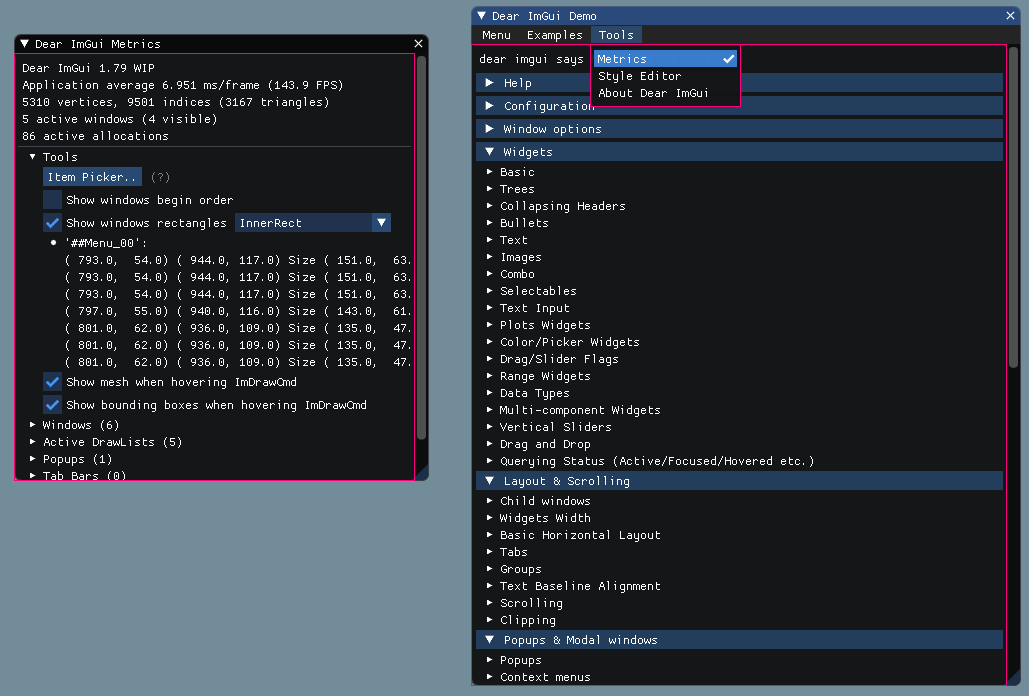
You need ImGui::GetCurrentWindow()->InnerRect (include imgui_internal.h).
 rokups
on 9 Oct 2020
rokups
on 9 Oct 2020
Related issues
 namuda
·
3Comments
namuda
·
3Comments
 inflex
·
3Comments
inflex
·
3Comments
 ghost
·
3Comments
ghost
·
3Comments
 BlackWatersInc
·
3Comments
BlackWatersInc
·
3Comments
 mnemode2
·
3Comments
mnemode2
·
3Comments
Most helpful comment
Use
SetCursorPos((GetWindowSize() - image_size) * 0.5f);before the image call.