Imgui: Create custom font without using the BuildAtlas code path
Hello,
i have font datas, like a texture atlas, and the rect of each glyph, and font infos like xadvance
i there a easy way to create an empty ImFont, and after add glyph infos for each char's ?
i have search in the source code on imgui, but its difficult to understand how it work, i know that ImConfig contain the general infos of the font, but it contain also a ttf buffer, and if i not pass this buffer, there is a assert ..
in my case i not have the ttf infos, but i have all the final infos of each glyphs.
Maybe we can have a ImFontAtlas::AddEmptyFont(const ImFontConfig* font_cfg)
And affter that specify texture atlas to use, and add the glyphs to the font
I dont know how i can achieve this, but maybe you have some ideas i can try ?
i have tried, this for the custom font :
ImFont *font = m_TestFontAtlas.AddFont(&m_TestFontConfig);
if (font)
{
    font->FontSize = 30.0f;
    font->ConfigData = &m_TestFontConfig;
    font->ConfigDataCount = 1;
    m_TestFontAtlas.TexID = (ImTextureID)GenerationThread::Params->textureFont;

    font->ContainerAtlas = &m_TestFontAtlas;

    for (auto it = GenerationThread::Params->Glyphs.begin(); it != GenerationThread::Params->Glyphs.end(); ++it)
    {
        auto c = it->first;
        GlyphStruct *g = &(it->second);
        font->AddGlyph((ImWchar)c,
            g->rect.x, g->rect.y,
            g->rect.x + g->rect.z, g->rect.y + g->rect.w,
            g->rc.x, g->rc.y,
            g->rc.z, g->rc.w,
            g->advx);
    }

    font->BuildLookupTable();
}
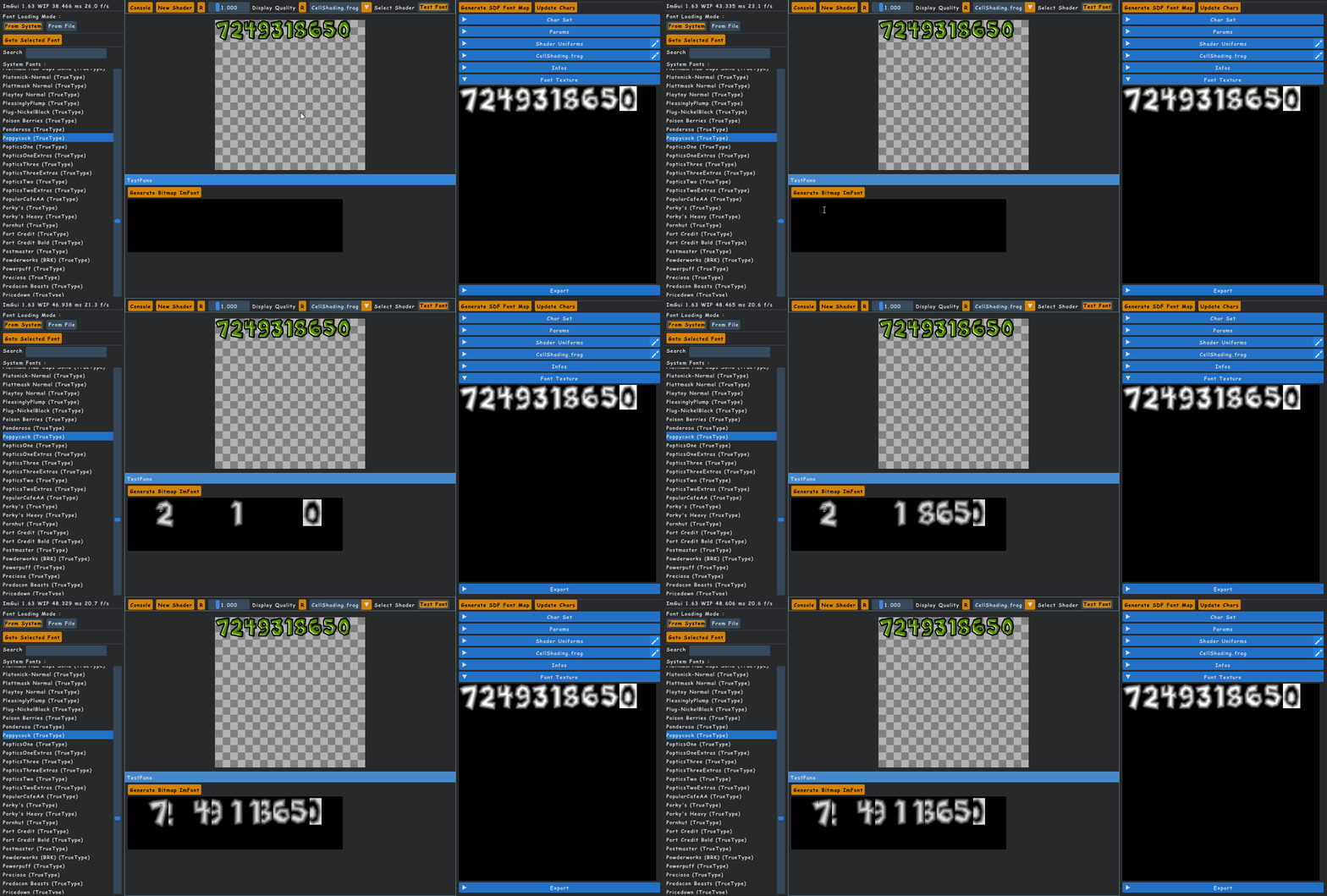
after that i push the font, but in my InputTextMultiline, i see weird things :unamused:
when i type chars, they are displayed in wrong order..
Thanks
 aiekick
All 10 comments
You can use ShowStyleEditor() to browse and debug the fonts and individual glyphs, hopefully it can help to understand what's wrong with the code.
 ocornut
on 16 Jul 2018
ocornut
on 16 Jul 2018
I think your X0/Y0/X1/Y1 position are wrong, they are the offset for each character.
So maybe for a start change
        font->AddGlyph((ImWchar)c,
            g->rect.x, g->rect.y,
            g->rect.x + g->rect.z, g->rect.y + g->rect.w,
            g->rc.x, g->rc.y,
            g->rc.z, g->rc.w,
            g->advx);
to
        font->AddGlyph((ImWchar)c,
            0, 0,
            g->rect.z, g->rect.w,
            g->rc.x, g->rc.y,
            g->rc.z, g->rc.w,
            g->advx);
But your GlyphStruct may have another offset to take account of.
ocornut
on 16 Jul 2018
thanks. yep i not really understood well what corners was :) i though it was pos + size, but no its a rect :)
so i done that finally :
m_TestFontAtlas.TexID = (ImTextureID)FontGenerator::Instance()->
        m_Font_RenderPack->GetTextureId(m_CurrentAttachmentId);

m_TestFont->ContainerAtlas = &m_TestFontAtlas;

int pdx = GenerationThread::Params->glyphPadding.x;

int lh = (GenerationThread::Params->lineHeight) * GenerationThread::Params->scale;
int bh = (GenerationThread::Params->baseHeight) * GenerationThread::Params->scale;

m_TestFont->Ascent = bh;
m_TestFont->Descent = bh - lh;

for (auto it = GenerationThread::Params->Glyphs.begin(); it != GenerationThread::Params->Glyphs.end(); ++it)
{
    auto c = it->first;
    GlyphStruct *glyph = &(it->second);

    int sx = glyph->size.x * GenerationThread::Params->scale;
    int sy = glyph->size.y * GenerationThread::Params->scale;

    int hbx = glyph->horiBearing.x * GenerationThread::Params->scale;
    int hby = glyph->horiBearing.y * GenerationThread::Params->scale;

    int advx = (glyph->advx) * GenerationThread::Params->scale + pdx;

    m_TestFont->AddGlyph((ImWchar)c,
        hbx, bh - hby,
        hbx + sx, bh - hby + sy,
        glyph->rc.x, glyph->rc.y,
        glyph->rc.z, glyph->rc.w,
        advx);
}
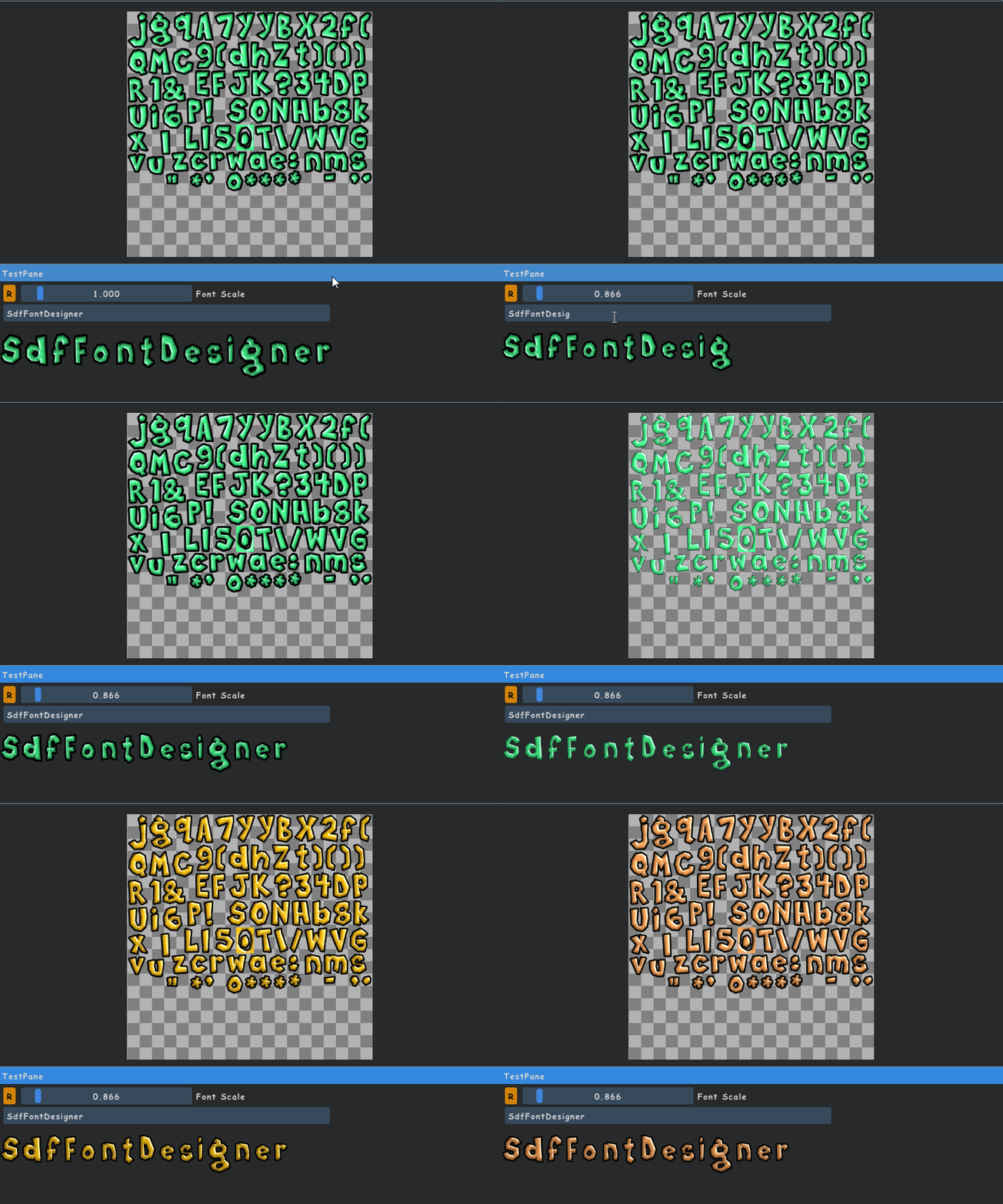
and i obtain that ! :satisfied:
aiekick
on 16 Jul 2018
That tool looks great :)
 meshula
on 17 Jul 2018
meshula
on 17 Jul 2018
i will be released soon under MIT license but closed source :) you can follow me on twitter for have news :)
aiekick
on 17 Jul 2018
Ok, done :)
meshula
on 17 Jul 2018
Good to hear the problem is solved! I will add a comment to AddGlyph() to clarify the parameters.
Closing this.
ocornut
on 17 Jul 2018
but when i watch the font in the style editor i not have a good font map ..
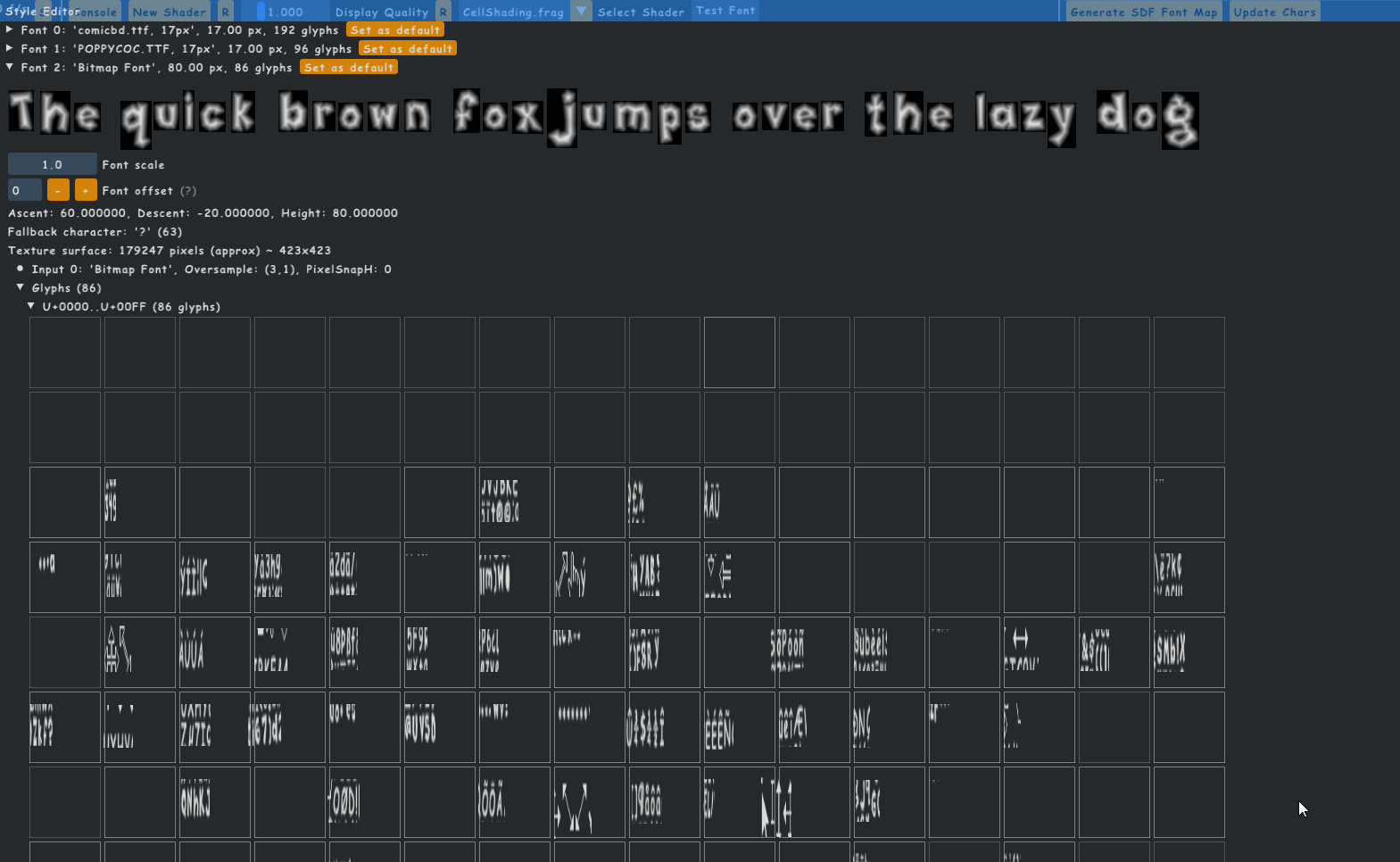
i thinkc the texture used by " font->RenderChar " is not the good one ?
but i dont know where i can specify the good one
do you know where search the problem ?
aiekick
on 17 Jul 2018
It's not pushing the texture into the draw list stack... you can add that but that will create many draw calls as the imgui lines and shapes cannot be drawn with your texture unless it is also part of a texture atlas (atlas->TexUvWhitePixel UV coordinates need to point to 4 white pixels in the texture for the rest to render).
It would be easier if you used atlas->AddCustomRectFontGlyph() and copied your texture glyph-per-glyph into the main atlas.
ocornut
on 17 Jul 2018
ok in understand.
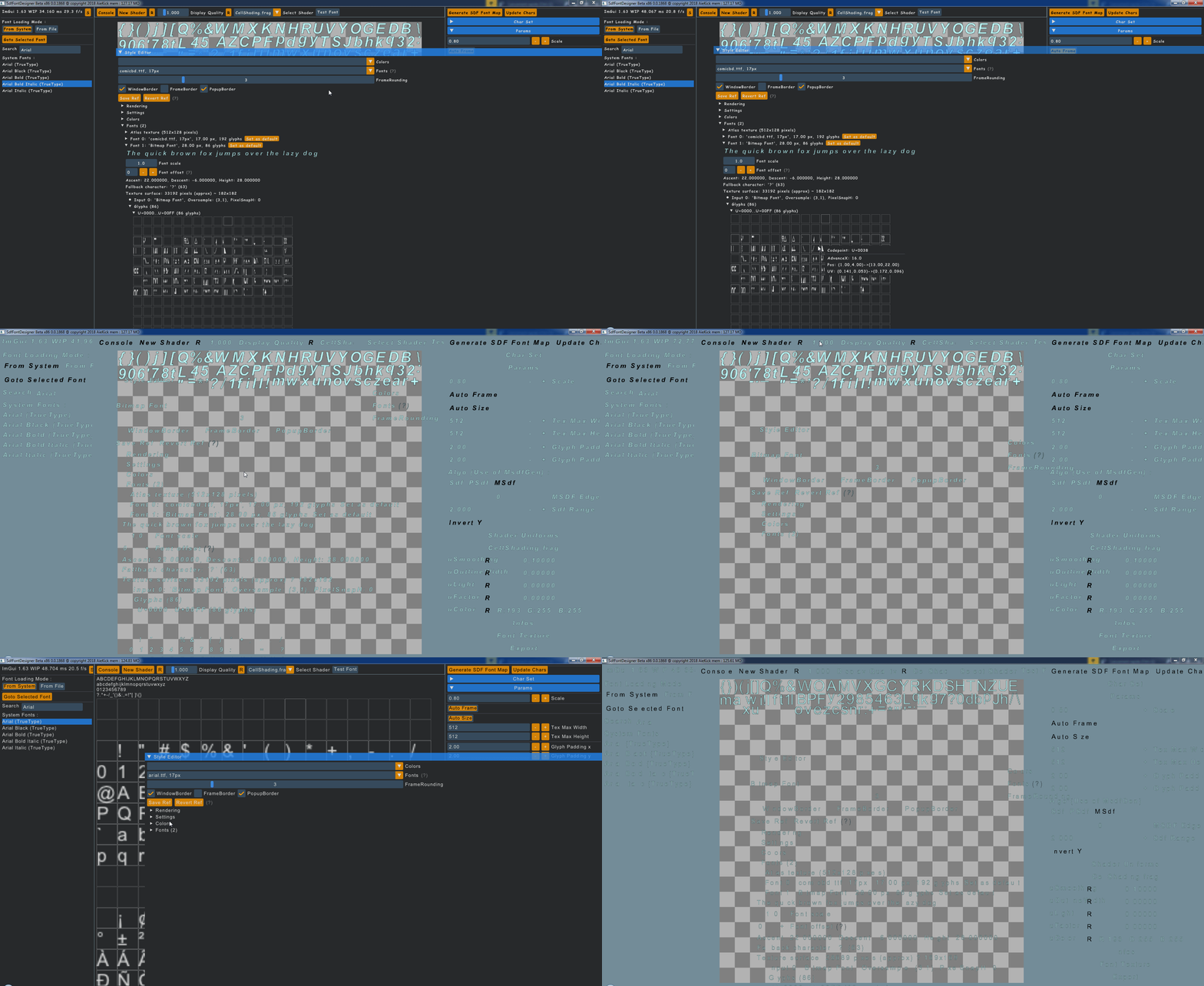
In more if i decide to use my custom font bitmap, all frames are disapearing, i dont know why all items except font are impacted : it is what you say about the lines ?
aiekick
on 17 Jul 2018
Related issues
ocornut
·
3Comments
 Folling
·
3Comments
Folling
·
3Comments
 noche-x
·
3Comments
noche-x
·
3Comments
 SlNPacifist
·
3Comments
SlNPacifist
·
3Comments
 mkanakis
·
3Comments
mkanakis
·
3Comments
Most helpful comment
Good to hear the problem is solved! I will add a comment to AddGlyph() to clarify the parameters.
Closing this.