Imagesharp: Font rendering artifacts when calling DrawText() with a long multi-line string
Prerequisites
- [x] I have written a descriptive issue title
- [x] I have verified that I am running the latest version of ImageSharp
- [x] I have verified if the problem exist in both
DEBUGandRELEASEmode - [x] I have searched open and closed issues to ensure it has not already been reported
Description
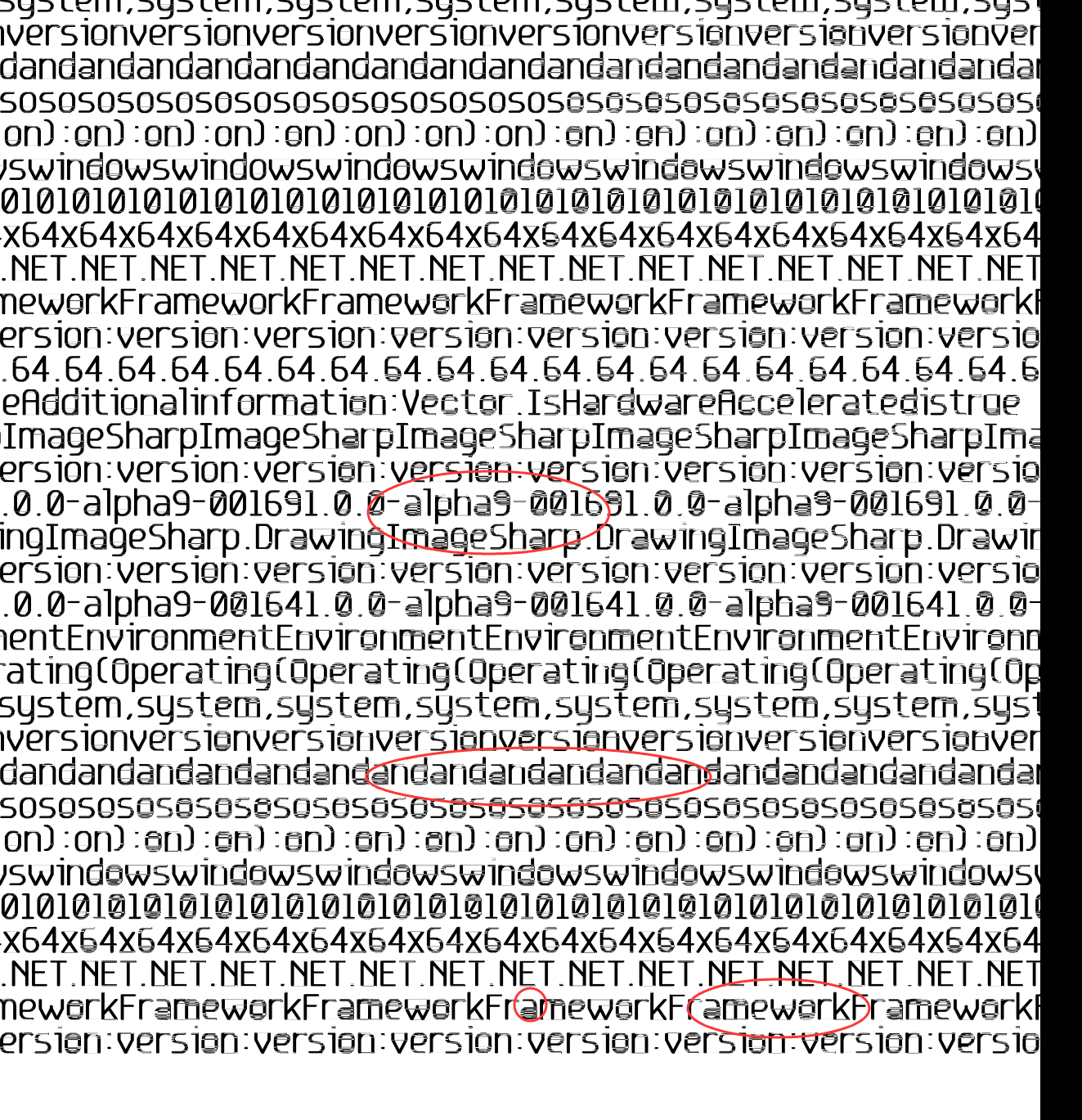
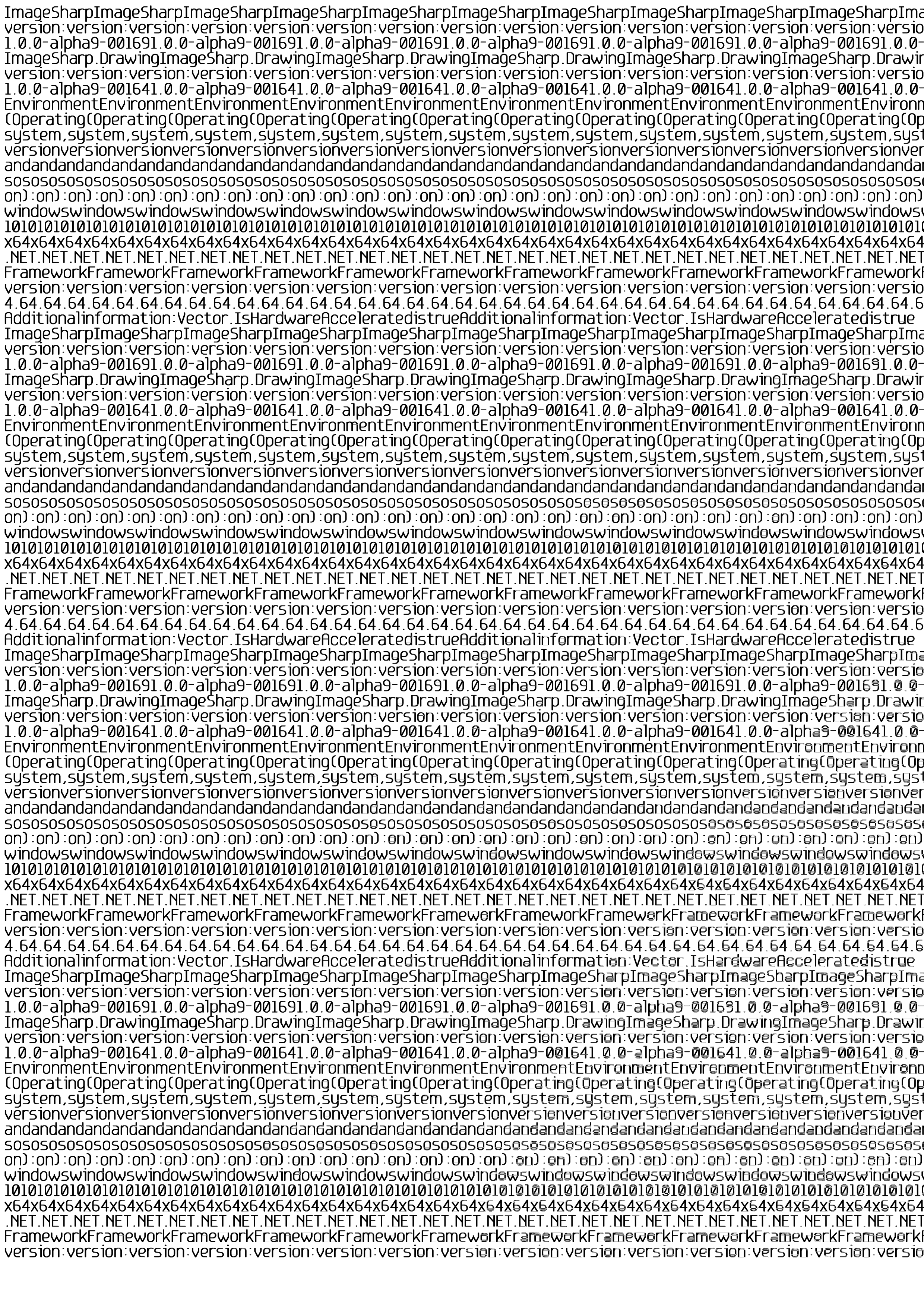
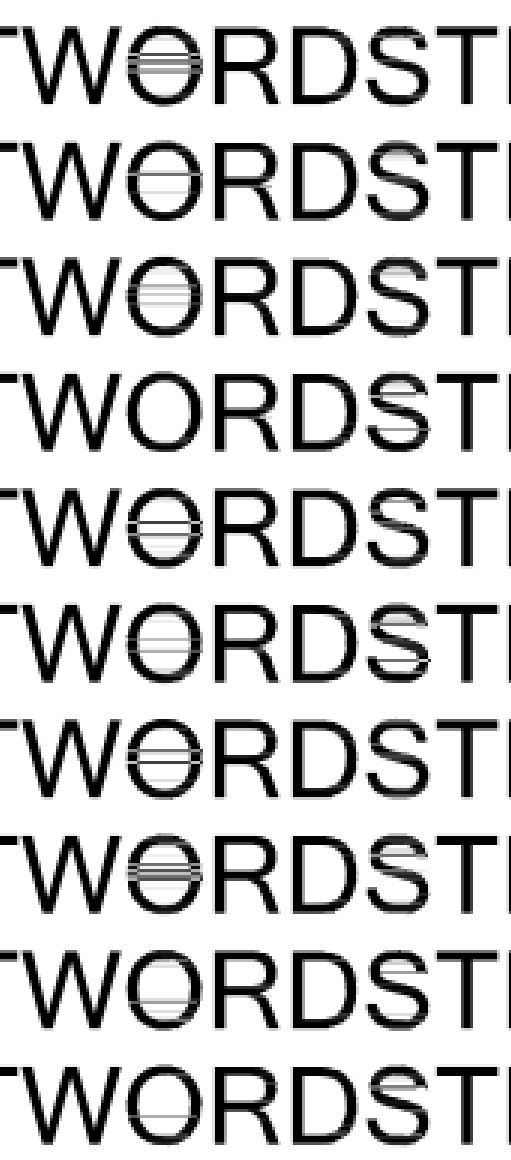
If the texts are covered with the entire A4 paper(300dpi), the words on the bottom right becomes pasted.
Steps to Reproduce
Key code:
```C#
TextOptions = new TextGraphicsOptions
{
Antialias = true,
ApplyKerning = true,
VerticalAlignment = VerticalAlignment.Top,
HorizontalAlignment = HorizontalAlignment.Left,
WrapTextWidth = PageSize.Width
};
using (Image
{
img.MetaData.HorizontalResolution = 300;
img.MetaData.VerticalResolution = 300;
            img.Mutate(x =>
                x.Fill(Rgba32.White)
                    .DrawText(TextOptions, text, Font, Rgba32.Black, new PointF(10, 5))

            );
            img.Save($"output/0.png");
```
System Configuration
- ImageSharp version: SixLabors.ImageSharp.Drawing 1.0.0-beta0003
- Environment (Operating system, version and so on):win10 + vs2017
- .NET Framework version: .Net Core 2.0
 Fisher-Joe
All 20 comments
Hi @AtwindYu
Thanks for raising this issue. Would it be possible to add an image demonstrating the blurring?
Cheers
James
 JimBobSquarePants
on 12 May 2018
JimBobSquarePants
on 12 May 2018
Fisher-Joe
on 12 May 2018
Looks like its routed in being a bug in SixLabors.Shapes where particularly large composite shapes start dropping intersection points and as it scans from left to right the errors compound across multiple scans. Raised an issue over on the shapes repo to track any investigation etc we need to do on that side.
@AtwindYu in the mean time could you please try adding/using this package https://www.myget.org/feed/sixlabors/package/nuget/SixLabors.Shapes/1.0.0-ci0018 from our myget feed and see if that solves it for you.
 tocsoft
on 12 May 2018
tocsoft
on 12 May 2018
I have a feeling that it could related to other issues we have seen around Vector2 being retained as properties. The version of the Shapes package I've pointed to has just had them all removed.
tocsoft
on 12 May 2018
Is that alph9 in the image a version number?
JimBobSquarePants
on 13 May 2018
@tocsoft
It's blurry still.
Fisher-Joe
on 13 May 2018
Could you answer my question above please? That looks like you’re printing using an alpha.
JimBobSquarePants
on 13 May 2018
@JimBobSquarePants How to set or change the alph9?
Fisher-Joe
on 13 May 2018
Are you connected to the right Myget feed for the nightlies? (It’s linked from the README) Alpha 9 is a very old version number from the old MyGet feed.
https://github.com/SixLabors/ImageSharp/blob/master/README.md#installation
JimBobSquarePants
on 13 May 2018
@JimBobSquarePants the example code suggests that he is not using an alpha.
@AtwindYu the question is the source of the marked information in the sample output image you posted in this thread. Is it an old output?
 antonfirsov
on 13 May 2018
antonfirsov
on 13 May 2018
That’s what I’m finding confusing. I’ll need to try to recreate locally but I want to make sure I have all the relevant info first.
JimBobSquarePants
on 13 May 2018
@JimBobSquarePants
Hi,There is my test code:
```C#
[TestMethod]
public void CreateA4300FullPageOutputBlurryTest()
{
var str = "THISISTESTWORDSTHISISTESTWORDSTHISISTESTWORDSTHISISTESTWORDSTHISISTESTWORDSTHISISTESTWORDSTHISISTESTWORDSTHISISTESTWORDSTHISISTESTWORDS";
var sb = new StringBuilder();
for (int i = 0; i < 110; i++)
{
sb.AppendLine(str);
}
       var  textOptions = new TextGraphicsOptions
        {
            Antialias = true,
            ApplyKerning = true,
            VerticalAlignment = VerticalAlignment.Top,
            HorizontalAlignment = HorizontalAlignment.Left,
            //WrapTextWidth = PageSize.Width
        };
        var fo = SixLabors.Fonts.SystemFonts.Find("Microsoft Sans Serif");
        var font = new Font(fo, 36, FontStyle.Regular);
        using (Image<Rgba32> img = new Image<Rgba32>(2480, 3508))
        {
            img.MetaData.HorizontalResolution = 300;
            img.MetaData.VerticalResolution = 300;

            img.Mutate(x =>
                x.Fill(Rgba32.White)
                    .DrawText(textOptions, sb.ToString(), font, Rgba32.Black, new PointF(10, 5))

            );

            img.Save("output/a4300.png");

        }

    }
```
@antonfirsov
Here is my nuget packages
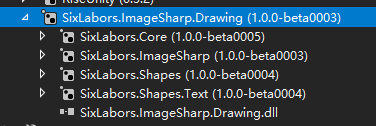
Fisher-Joe
on 13 May 2018
@AtwindYu That all make sense now. Thanks for the updated sample and detail. That’s really really helpful. :+1:
JimBobSquarePants
on 13 May 2018
Issue confirmed using current latest of all packages from nightlies.
    <PackageReference Include="SixLabors.Core" Version="1.0.0-ci0007" />
    <PackageReference Include="SixLabors.Fonts" Version="1.0.0-ci0022" />
    <PackageReference Include="SixLabors.ImageSharp" Version="1.0.0-dev001327" />
    <PackageReference Include="SixLabors.ImageSharp.Drawing" Version="1.0.0-dev001327" />
    <PackageReference Include="SixLabors.Shapes" Version="1.0.0-ci0018" />
    <PackageReference Include="SixLabors.Shapes.Text" Version="1.0.0-ci0018" />
JimBobSquarePants
on 13 May 2018
Hi, I am having the same issue, is there any workaround ?
Thanks.
 diegogvieira
on 17 May 2018
diegogvieira
on 17 May 2018
@diegogarciaa try rendering smaller parts of the text on manually defined locations.
antonfirsov
on 17 May 2018
I've patched the issue: https://github.com/SixLabors/Shapes/pull/43.
Notice that the problem appears only for larger x, y coordinates (roughly > 1500), and it gets worse the larger the coordinates are (bottom right of bitmap is worst). This indicates that there's a floating point rounding problem: floating point is relatively precise around zero, but less precise the further from zero you get.
From this stand point a future improvement could be using the center of the bitmap as (0, 0), this will reduce the size of a a multiplication by a factor 4, improving the precision by the same factor.
Here's a quick program to reproduce the issue quicker:
        public static void CreateA4300FullPageOutputBlurryTest2() {

            var textOptions = new TextGraphicsOptions {
                Antialias = false,
                ApplyKerning = true,
                VerticalAlignment = VerticalAlignment.Top,
                HorizontalAlignment = HorizontalAlignment.Left,
                //WrapTextWidth = PageSize.Width
            };
            var fo = SixLabors.Fonts.SystemFonts.Find("Microsoft Sans Serif");
            var font = new Font(fo, 36, FontStyle.Regular);
            //int size = 2500;
            int size = 1500;
            using (Image<Rgba32> img = new Image<Rgba32>(size, size)) {
                img.MetaData.HorizontalResolution = 300;
                img.MetaData.VerticalResolution = 300;

                img.Mutate(x =>
                    x.Fill(Rgba32.White)
                        .DrawText(textOptions, "O", font, Rgba32.Black, new PointF(img.Width - 80, img.Height - 50))
                );

                img.Save(@"D:\support\image2.png");

            }
        }
Problem occurs at y >= 1478.5f, set breakpoint condition start.Y >= 1478.5f at InternalPath.FindIntersections. It will report 1 intersection for the outer polygon of the letter 'O' instead of 2.
 woutware
on 18 May 2018
woutware
on 18 May 2018
Closing now as in nightlies
JimBobSquarePants
on 23 May 2018
Reopening this for now, see:
https://github.com/SixLabors/ImageSharp/issues/496#issuecomment-391323991
antonfirsov
on 23 May 2018
Fixed with #596 in beta4.
antonfirsov
on 26 May 2018
Related issues
 KuroThing
·
55Comments
antonfirsov
·
51Comments
KuroThing
·
55Comments
antonfirsov
·
51Comments
 Auersberg
·
27Comments
JimBobSquarePants
·
60Comments
Auersberg
·
27Comments
JimBobSquarePants
·
60Comments
 nfdevil
·
56Comments
nfdevil
·
56Comments
Most helpful comment
@JimBobSquarePants
Hi,There is my test code:
```C#
[TestMethod]
public void CreateA4300FullPageOutputBlurryTest()
{
var str = "THISISTESTWORDSTHISISTESTWORDSTHISISTESTWORDSTHISISTESTWORDSTHISISTESTWORDSTHISISTESTWORDSTHISISTESTWORDSTHISISTESTWORDSTHISISTESTWORDS";
var sb = new StringBuilder();
for (int i = 0; i < 110; i++)
{
sb.AppendLine(str);
}
```
@antonfirsov
Here is my nuget packages