Imageai: Could not create cudnn handle: CUDNN_STATUS_INTERNAL_ERROR
I use docker to run example, and I find a bug,
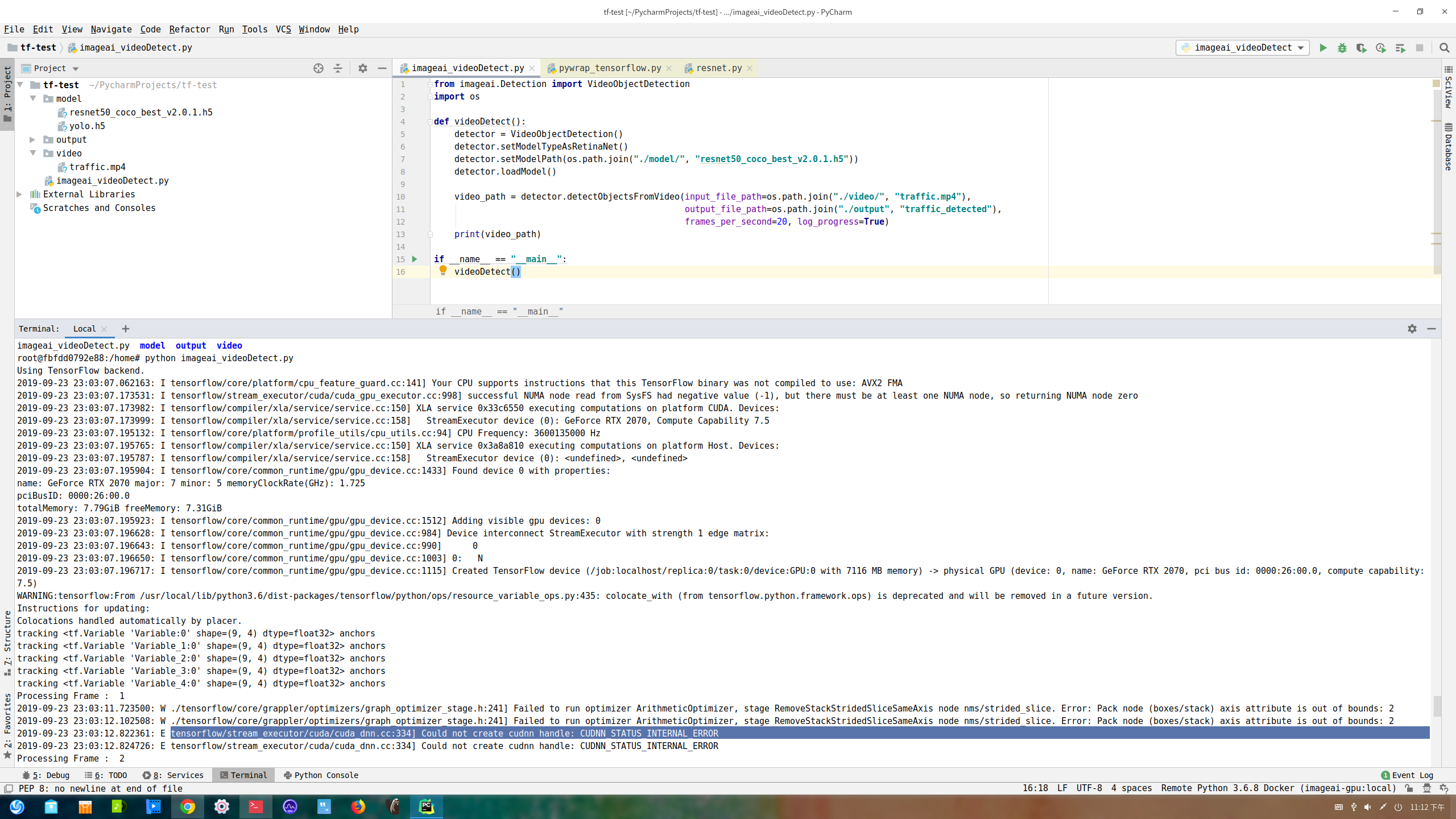
I find this link to resolve the problem, but how to set tensorflow gpu operation in imagiai?
https://github.com/tensorflow/tensorflow/issues/24496
 bestbugwriter
All 5 comments
how to set tensorflow gpu operation in imagiai?
It is already set by default.
Are you sure that your tensorflow instalation/configuration is ok?
 rola93
on 4 Oct 2019
rola93
on 4 Oct 2019
I was exec in docker, the images: nwpu/imageai-gpu:local
the Dockerfile : https://github.com/yywf/dev-env/blob/local/imageai-gpu.df
bestbugwriter
on 8 Oct 2019
You should look at this issue
rola93
on 8 Oct 2019
Every solution in that thread requires the modification of tf session (which is controlled by ImageAI), but it's also possible to do it with an envrionmental variable: TF_FORCE_GPU_ALLOW_GROWTH=true
 HairyFotr
on 25 Oct 2019
HairyFotr
on 25 Oct 2019
Hey there
Hope you'all doing well :)
I am also getting same error message, even after setting GPU_ALLOW_GROWTH=true and process_gpu_memory_fraction limit, issue persists. May I know any other way to get rid of this issue, and use gpu to run imageai code.
Thanks in advance
Best regards
 ajsirsik
on 18 Oct 2020
ajsirsik
on 18 Oct 2020
Related issues
 palacinka
·
3Comments
palacinka
·
3Comments
 letchfordnicholas
·
6Comments
letchfordnicholas
·
6Comments
 shivam9804
·
3Comments
shivam9804
·
3Comments
 NikolayTV
·
5Comments
NikolayTV
·
5Comments
 huangl6
·
6Comments
huangl6
·
6Comments
Most helpful comment
Every solution in that thread requires the modification of tf session (which is controlled by ImageAI), but it's also possible to do it with an envrionmental variable: TF_FORCE_GPU_ALLOW_GROWTH=true