Can you use +0.1 instead of *1.1 in adjusting the playback speed?
 yyzclyang
👍3
All 3 comments
Example:
[     add speed -0.1
]     add speed 0.1
 NoNoNo
on 13 Aug 2018
NoNoNo
on 13 Aug 2018
Solution
Preferences->Keys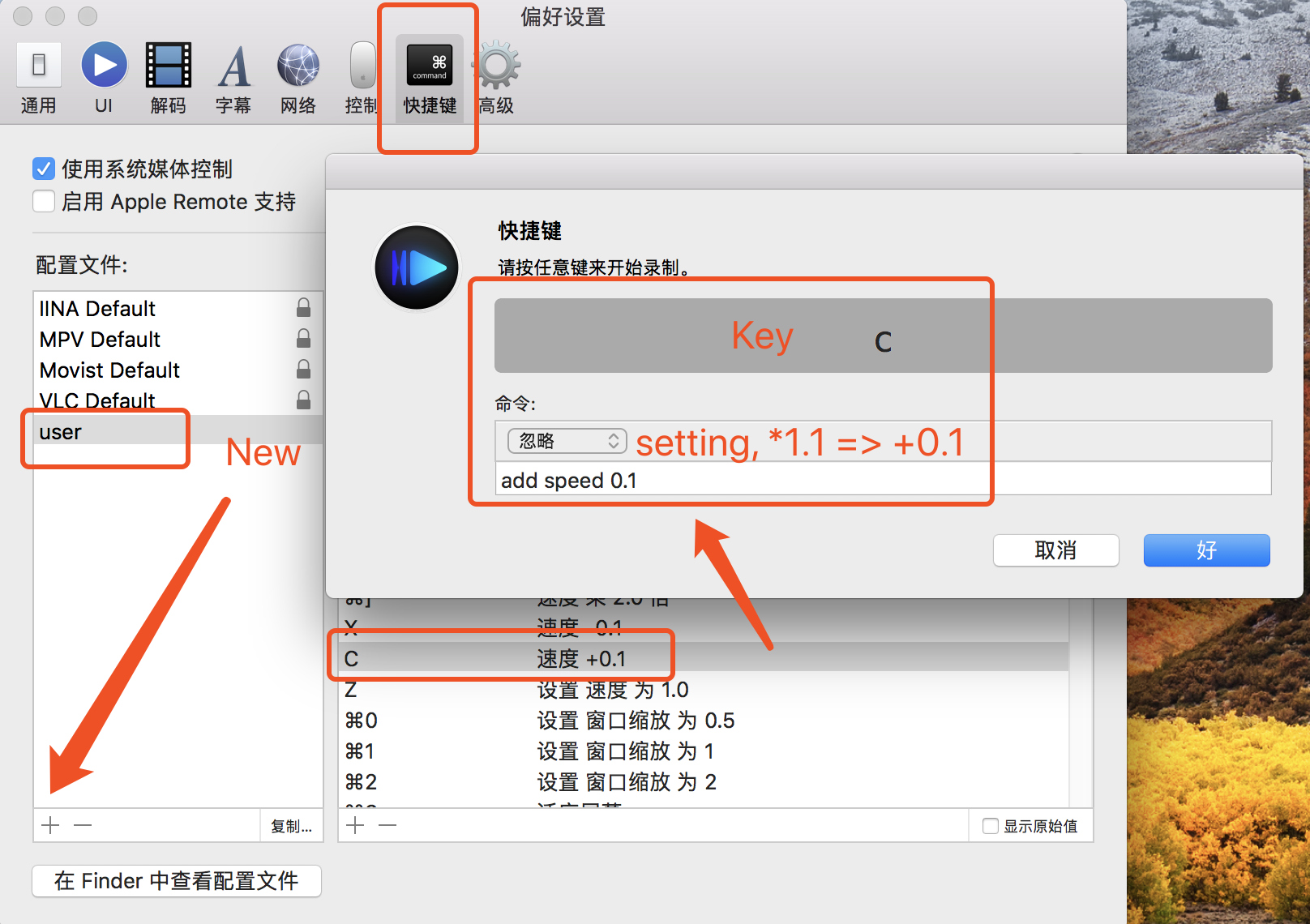
yyzclyang
on 18 Aug 2018
👍2
🎉1
For those who are looking for the answer,
Go to Preferences → Key Bindings.
Add a New Input Configuration by clicking on the Plus Button on the first panel. If you are used to
IINA Defaultconfig, you can also duplicate that config as well. I duplicated IINA Default and named itiina user.Then on the right panel, click the plus button to add a key binding.
I have set three keys.
Dfor increasing speed by x0.1,Sfor decreasing speed by x0.1, andRfor cycling in x1.0 and x1.8.
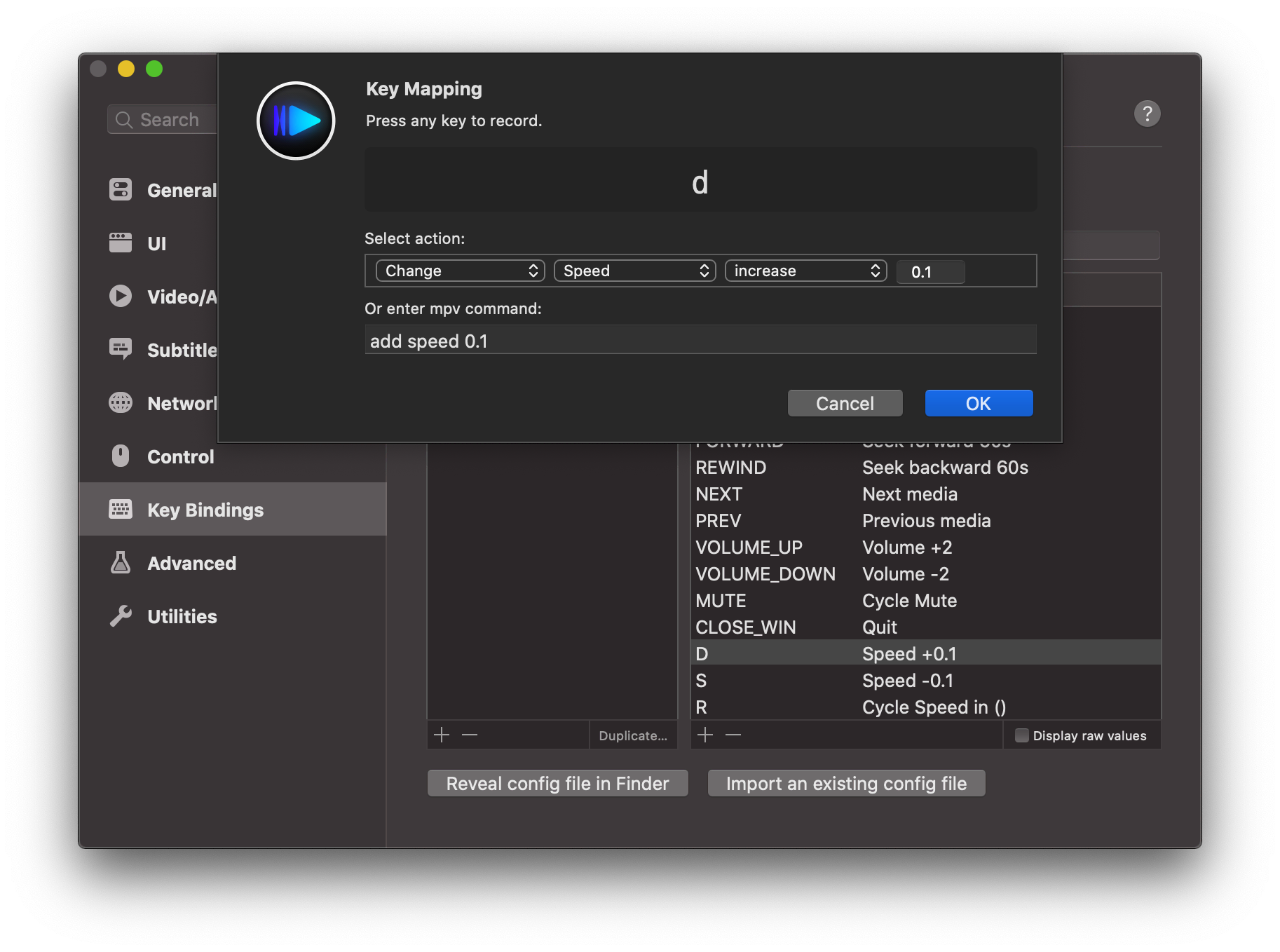
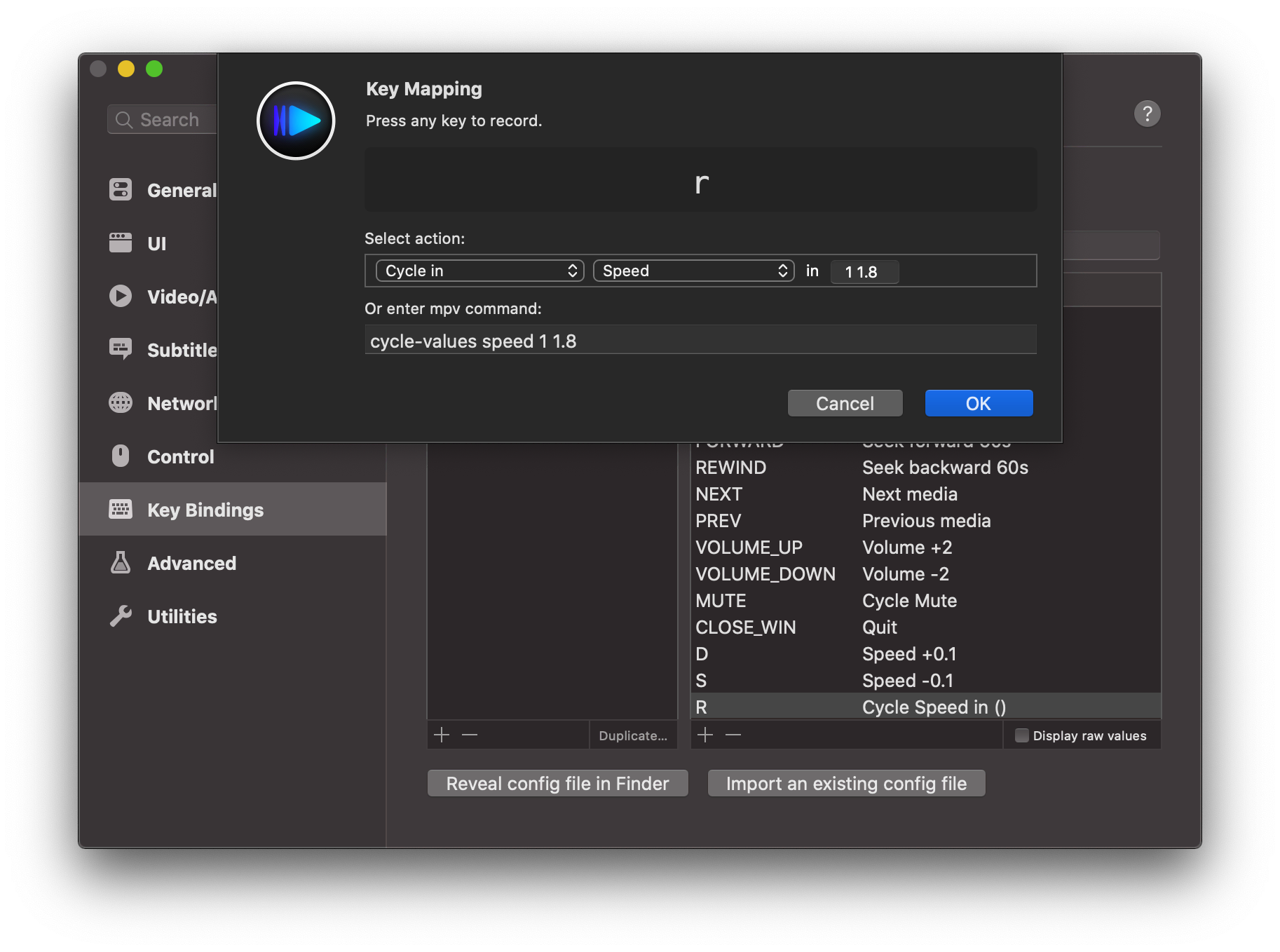
- Enjoy!
٩( ๑╹ ꇴ╹)۶
 anaclumos
on 3 Jun 2020
anaclumos
on 3 Jun 2020
👍1
Was this page helpful?
0 / 5 - 0 ratings
Related issues
 edwardfhsiao
·
3Comments
edwardfhsiao
·
3Comments
 AlexeiGitH
·
3Comments
AlexeiGitH
·
3Comments
 ghost
·
3Comments
ghost
·
3Comments
 mosinite
·
3Comments
mosinite
·
3Comments
 stefan1983
·
3Comments
stefan1983
·
3Comments
Most helpful comment
Solution
Preferences->Keys