Iina: Feature request: add Univisium 2.00:1 & 35mm ratios to Video > Aspect Ratio & Crop
System and IINA version:
- OS X 10.11.6 (soon macOS 10.13.4)
- IINA 0.0.15.1
Feature requests:
(1) 2:1 aspect ratio
The Univisium aspect ratio is used in quite a few (streaming) TV shows now, like House of Cards, Star Trek Discovery, Travellers, Stranger Things etc. So it's an established aspect ratio which for this reason alone should be available in Video > Aspect Ratio and Video > Crop.
Is there another reason? Usually these shows are shot with a 16:9 ratio, but then cropped top & bottom as 2:1 for primary broadcast. But sometimes they use the production 16:9 material for releases in other regions, either TV or DVD etc., and if you have a video of a 2:1 show in the raw 16:9 production aspect ratio, you should have the ability to crop it how it was originally meant for broadcast.
Any other reason? Turn a 16:9 TV show, any show, into a more cinematic experience. The 2.35:1 and 2.21:1 ratios are too extreme, i.e. you lose too much image, but with the 2:1 aspect ratio it works pretty well in a lot of cases.
(2) 35mm non-anamorphic aspect ratios
(a) 1.85:1
There is also 1.85:1, a classic & long-established US aspect ratio, used e.g. for Cameron's Aliens and tons of other movies, a ratio that's not in the IINA list. If you have the original CinemaScope (2.35=21:9), the new widescreen (2.39), and 70mm ratio (2.21), then 1.85:1 should definitely be included.
(b) 1.66:1
The European equivalent to 1.85 is 1.66:1, actually 1.666666…:1; it isn't used a lot anymore, but it was very prominent once, so a lot of films were shot for 1.66:1 projection.
(a+b) So if you have a film that was meant for 1.85:1 or 1.66:1 screening, but all you have is a copy of the uncropped 4:3 version, e.g. a TV recording, you would need to be able to crop it too to its original screening aspect ratio. Granted, most 4:3 TV broadcasts used to crop the 1.85:1/1:66:1 image left and right, but not all of them did. Some movies were especially framed for 4:3 TV and 1.85:1 movie theatre projection, so they would not need to be cropped left & right for TV broadcast.
Note: instead of adding more specific aspect ratios and crop ratios, you could also give the user the ability to define a list of his own aspect & crop ratios, as you're able to do in VLC.
 JayBrown
All 3 comments
IINA allows you to enter your own, custom aspect ratios:
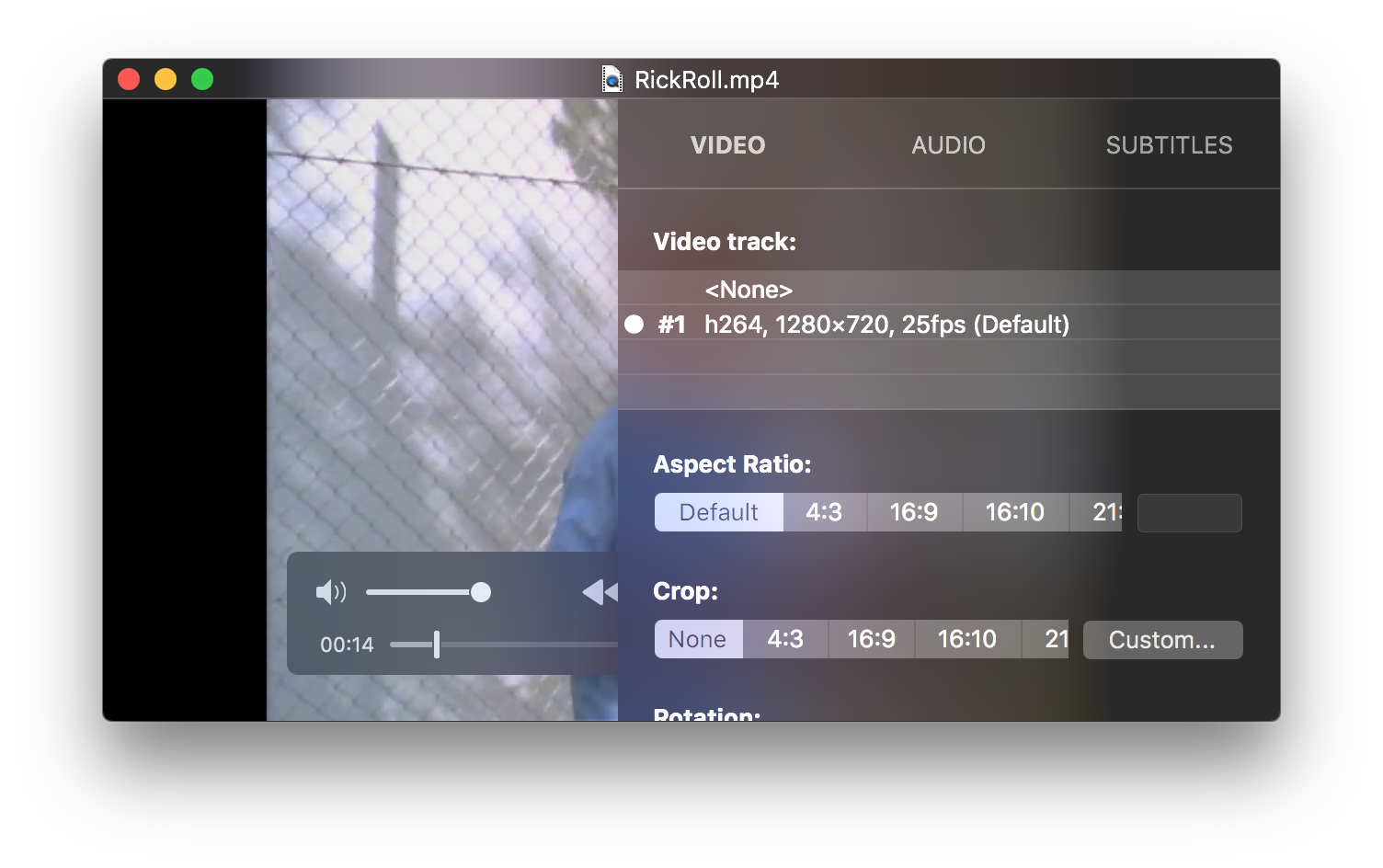
Is this what you want?
 saagarjha
on 2 Jun 2018
saagarjha
on 2 Jun 2018
Oh, great. It works for "Aspect Ratio", but not for "Crop". When I click "Custom…" under "Crop", there doesn't seem to be a field, where I can enter e.g. "1.85:1". I can manually adjust the crop, but not enter any values. But maybe I'm missing something. (?)
JayBrown
on 3 Jun 2018
More and more tv shows are coming out with this aspect ratio. I would be another long time user who would appreciate the 2:1 ratio settings in the menu bar under Crop and Aspect Ratio.
 andypotion
on 24 Dec 2019
andypotion
on 24 Dec 2019
Related issues
 gferreroferri
·
3Comments
gferreroferri
·
3Comments
 matthewdias
·
3Comments
matthewdias
·
3Comments
 orchick
·
3Comments
orchick
·
3Comments
 edwardfhsiao
·
3Comments
edwardfhsiao
·
3Comments
 gonejack
·
3Comments
gonejack
·
3Comments
Most helpful comment
Oh, great. It works for "Aspect Ratio", but not for "Crop". When I click "Custom…" under "Crop", there doesn't seem to be a field, where I can enter e.g. "1.85:1". I can manually adjust the crop, but not enter any values. But maybe I'm missing something. (?)