Igniteui-angular: Copy to clipboard of selected text causes error in IE11
Description
- igniteui-angular version: 9.0 and newer
- browser: IE11(error) all browsers(behavior)
Steps to reproduce
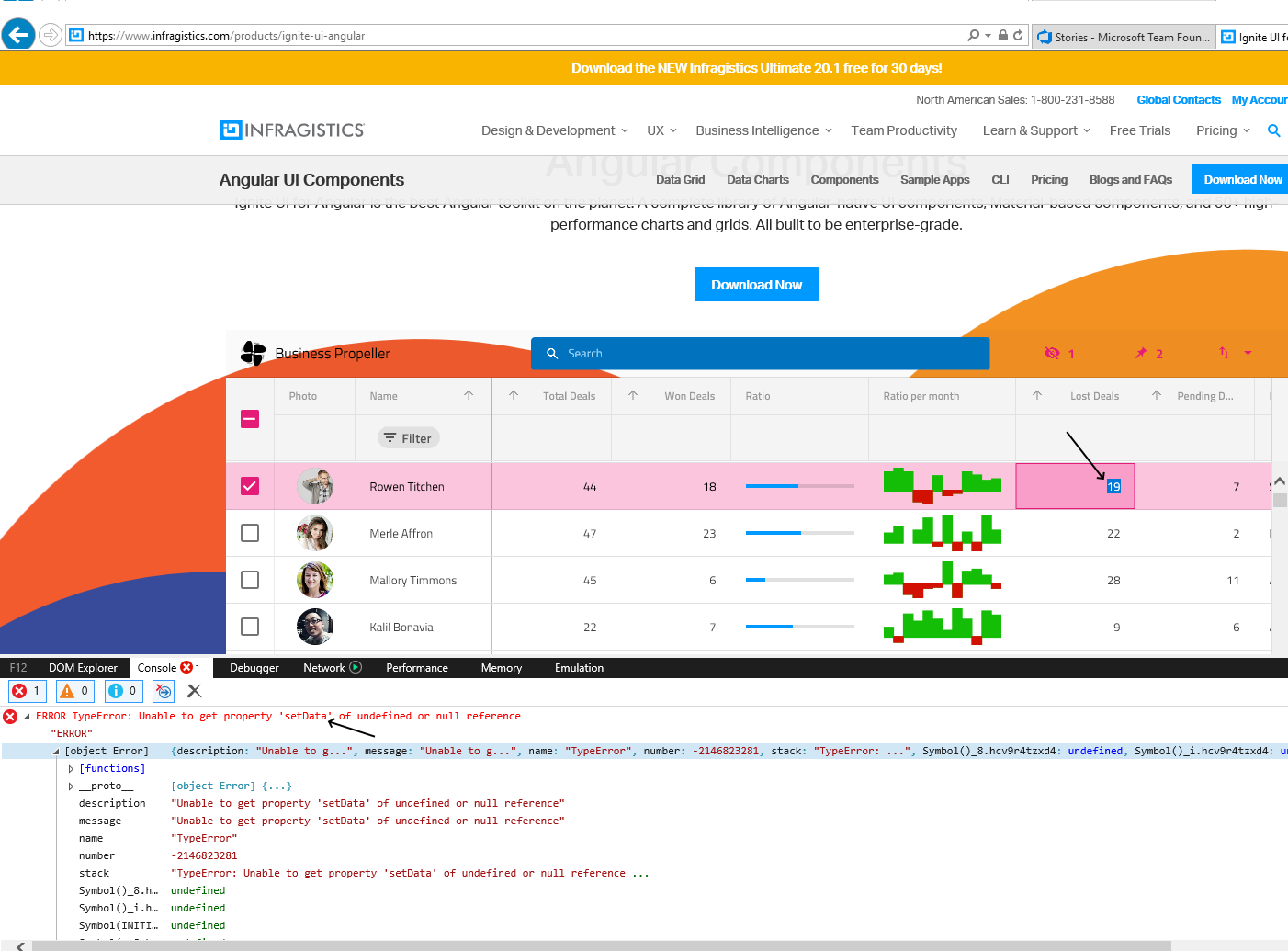
- Open page https://www.infragistics.com/products/ignite-ui-angular in IE11
- Open Developer Tools
- Select any text in a cell in the grid
- Press Ctrl+C
Result
It generates error: ERROR TypeError: Unable to get property 'setData' of undefined or null reference
In the clipboard is the whole content of the cell and header.
Expected result
No error should occure and only the selected text should be in the clipboard.
Attachments
 michalsgit
All 3 comments
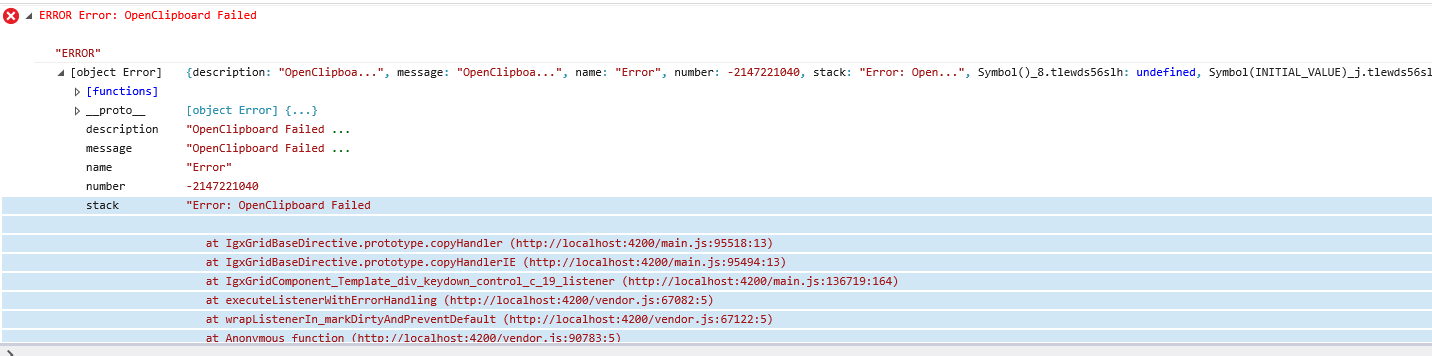
@ddincheva Another error is coming when you just click over a cell and start spamming with ctrl+C
 Aleksandyr
on 28 Oct 2020
Aleksandyr
on 28 Oct 2020
@ddincheva It seems that this suggestion fixes the issue.
Does it count as a third party issue then?
Aleksandyr
on 28 Oct 2020
@Aleksandyr,
I think that since the problem is related to the browser-specific settings that we have no control over we can consider the described problem as a third-party issue.
 ddincheva
on 29 Oct 2020
ddincheva
on 29 Oct 2020
🚀2
Was this page helpful?
0 / 5 - 0 ratings
Related issues
 ymita
·
3Comments
ymita
·
3Comments
 tkiryu
·
3Comments
tkiryu
·
3Comments
 nikunjgajera
·
3Comments
nikunjgajera
·
3Comments
 Eralmidia
·
3Comments
nikunjgajera
·
3Comments
Eralmidia
·
3Comments
nikunjgajera
·
3Comments
Most helpful comment
@Aleksandyr,
I think that since the problem is related to the browser-specific settings that we have no control over we can consider the described problem as a third-party issue.