Igniteui-angular: Cell selection style is not cleared when another cell is clicked on Safari.
Description
Cell selection style is not cleared when another cell is selected on Safari.
Does not happen in Chrome on iOS.
- igniteui-angular version: 8.2.x
- browser: Safari
Steps to reproduce
- Run the following sample on Safari: https://stackblitz.com/angular/bxgjbloolmr
- Click on a few cells.
Result
All cells remain selected.
Expected result
Only the last clicked cell should be selected.
Attachments
Attach a sample if available, and screenshots, if applicable.
 MayaKirova
All 6 comments
There has been no recent activity and this issue has been marked inactive.
![github-actions[bot] picture](https://avatars.githubusercontent.com/in/15368?v=4&s=40) github-actions[bot]
on 9 May 2020
github-actions[bot]
on 9 May 2020
@MayaKirova, what is the Safari version? Also is that for the Windows Safari Application (v5.1.7) or Apple's (v13.1.0)?
 zdrawku
on 11 May 2020
zdrawku
on 11 May 2020
@zdrawku It was tested on Mac iOS and it reproduced on Safari but not on Chrome. Safari version may have changed since it was logged a while ago. I would suggest testing it on latest Safari version on Mac.
MayaKirova
on 11 May 2020
I was about to mark it as not-reproducible while using the provided stackblitz, but I've also noticed that the used igniteui-angular version is 9.0.0 there, and not 8.2. You confirm that the issue is reproducible with 8.2, right?
zdrawku
on 11 May 2020
@zdrawku Unfortunately I do not have a device with iOS on which to test it at this time. If you can confirm that this cannot reproduce on latest Safari in latest versions of 8.2 and 9.0 feel free to close this.
MayaKirova
on 11 May 2020
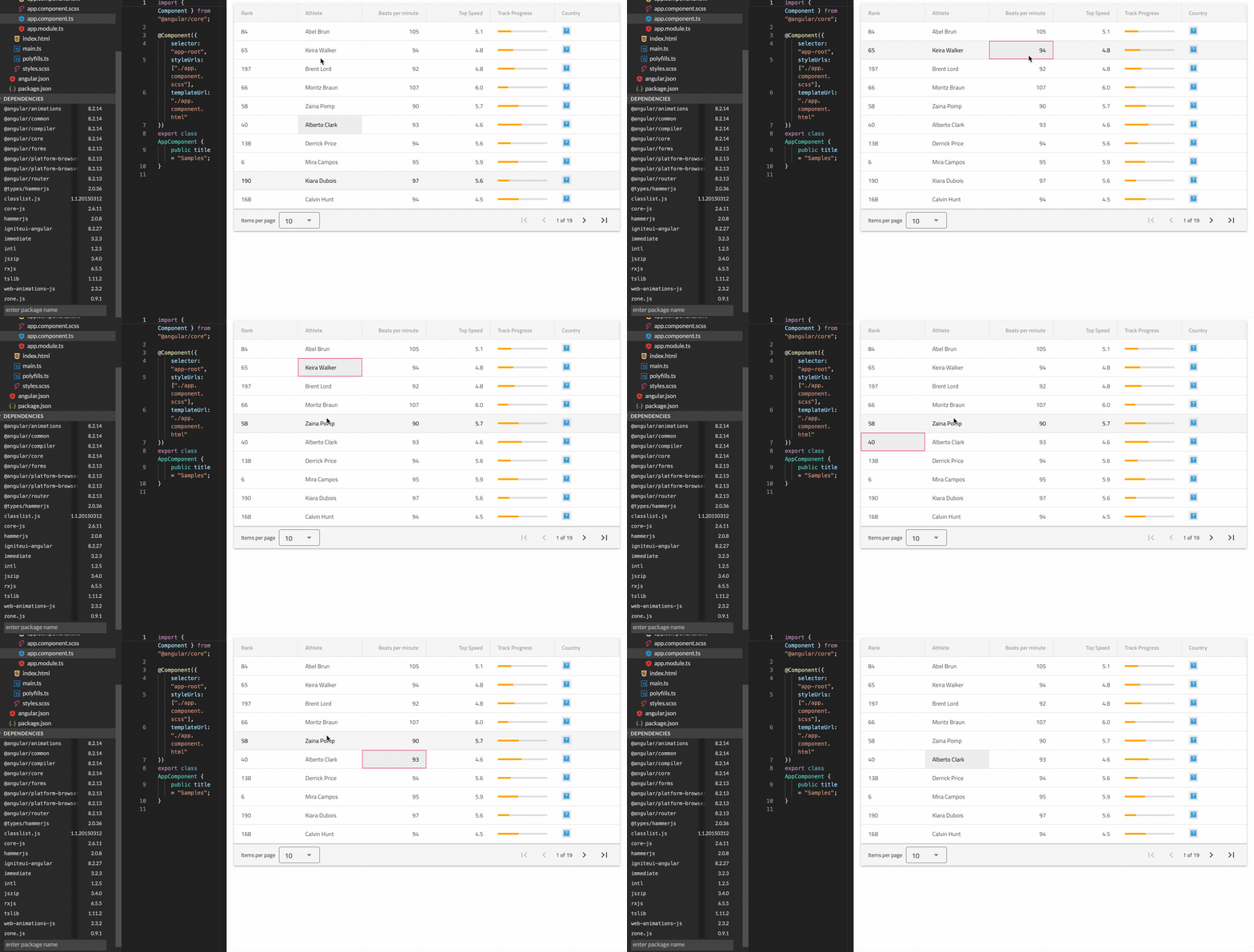
Hey Maya, I've updated the provided sample to the latest 8.2.27 version and tested it under MacOS Safari v13.1.
The issue is not reproducible.
[Gif]
zdrawku
on 11 May 2020
Related issues
 Hypenate
·
3Comments
Hypenate
·
3Comments
 QuinntyneBrown
·
3Comments
QuinntyneBrown
·
3Comments
 nikunjgajera
·
3Comments
nikunjgajera
·
3Comments
 tkiryu
·
3Comments
tkiryu
·
3Comments
 jdk339
·
3Comments
jdk339
·
3Comments