Igniteui-angular: IE11: Cell does not go into edit mode after editing ends on blur event
Description
Cell is not editable after editing ends by cell.update() method on blur event.
- igniteui-angular version: 6.2.0-beta.3
- browser: IE11 (not reproduced on Chrome)
Steps to reproduce
- Run the attached sample
- Edit a cell on "startDate" column and type some characters
- Press Alt + Tab to switch active window
- Press Alt + Tab again to switch back the active window
- Double click any cell on "startDate" column
Result
On step 5, cell does not go into edit mode.
Expected result
On step 5, cell goes into edit mode.
Attachments
 ymita
ymita
All 6 comments
Hello @ymita,
After some investigation over the described issue, we found that this problem have the same cause as in the issue #1780 . As you can see the root cause of the problem is in IE browser . So as workaround I can suggest you to define custom cell template like in the sample:
igniteui-app_IEissue.zip
 ddincheva
on 25 Oct 2018
ddincheva
on 25 Oct 2018
Hi @ddincheva,
Thank you for looking into this. I checked the updated sample but the cell still does not go into edit mode on step 5. Can you watch my steps video? On step 5, I double-click the cell which has been edited on step 2.
steps video.zip
ymita
on 26 Oct 2018
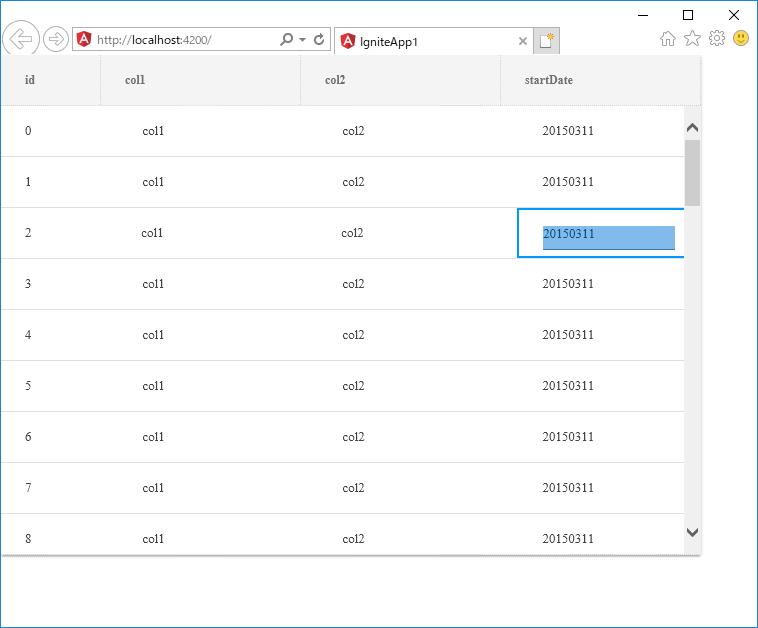
If div tag around interpolation is removed, the original issue is gone. But text on edited cell becomes selected like in the attached screenshot.
<igx-column width="160px" field="startDate" header="startDate" dataType="string" width="200px" [editable]="true">
    <ng-template igxCell let-value>
        {{ value }}
    </ng-template>
    ...
</igx-column>
ymita
on 26 Oct 2018
@ymita this selection is comming from IE11 and it is not something that we should handle.
 zdrawku
on 7 Nov 2018
zdrawku
on 7 Nov 2018
@zdrawku and @ddincheva
The provided workaround does not work. Can you double check the video attached on my post the other day? https://github.com/IgniteUI/igniteui-angular/issues/2774#issuecomment-433264708
Do you have a workaround that makes igx-grid work with the steps in the attache video?
ymita
on 12 Nov 2018
Hi Yuki,
in the corresponding #2774 comment you DO CONFIRMED that removing the <div> resolved the original issue (cell not going into edit mode):
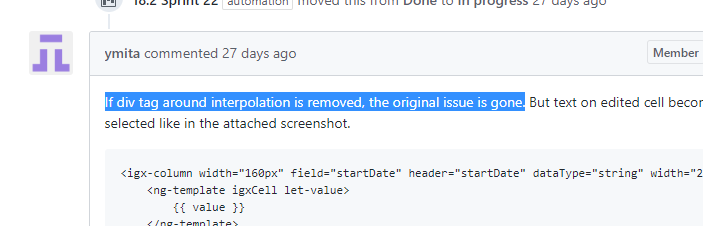
I also double checked the behavior on my side with IE 11, using the sample that @ddincheva has attached and not using the <div> tag - issue did not reproduce.
As @ddincheva initially explained, root cause is issue in IE 11 (same for #1780, where @Lipata suggested the same - not using <div>.
If you are having a new/different problem now, please log a new issue about it.
 hanastasov
on 22 Nov 2018
hanastasov
on 22 Nov 2018
Related issues
 furugen
·
3Comments
furugen
·
3Comments
 mkamiishi
·
3Comments
mkamiishi
·
3Comments
 nikunjgajera
·
3Comments
nikunjgajera
·
3Comments
 Hypenate
·
3Comments
Hypenate
·
3Comments
 jdk339
·
3Comments
jdk339
·
3Comments