Ignite: Ignite new app does not work
What's going on?
Attempting to ignite a new app gives the following error:
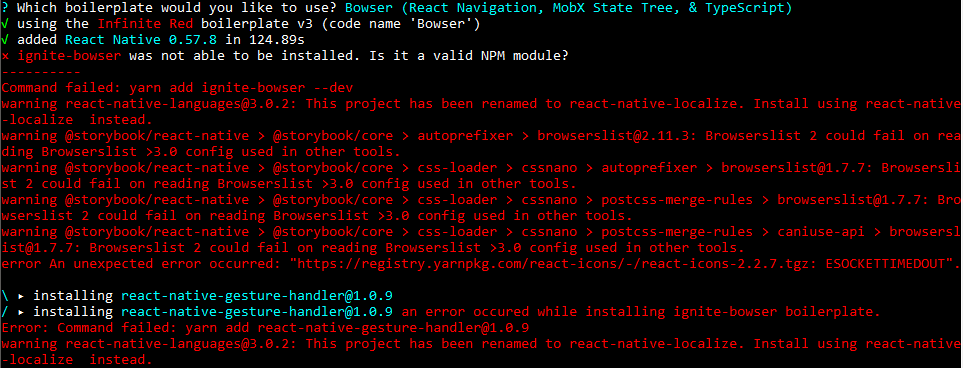
I have tried using npm to install the boilerplate for bowser using the command below, and it throws a template not found error.
ignite boilerplate-install ignite-bowser MyAwesomeApp --debug --npm
Steps to reproduce
ignite new MyApp
ignite doctor results:
System
  platform           win32
  arch               x64
  cpu                8 cores      Intel(R) Core(TM) i7-8550U CPU @ 1.80GHz
  directory          D:\

JavaScript
  node               11.9.0       C:\Program Files\nodejs\node.EXE
  npm                6.5.0        C:\Program Files\nodejs\npm.CMD
  yarn               1.13.0       C:\Users\user\AppData\Roaming\npm\yarn.CMD

React Native
  react-native-cli   2.0.1

Ignite
  ignite             2.2.2        C:\Users\user\AppData\Roaming\npm\ignite.CMD

Android
  java               -            C:\ProgramData\Oracle\Java\javapath\java.EXE
  android home       -            undefined
 Zetsukaze
All 18 comments
This seems to be same problem as https://github.com/infinitered/ignite/issues/1378, unfortunately stills open
 diegotejadav
on 14 Feb 2019
diegotejadav
on 14 Feb 2019
Is there a previous CLI version that we could use to bypass this issue?
Zetsukaze
on 14 Feb 2019
Hey @Zetsukaze, I'm having trouble recreating this issue.
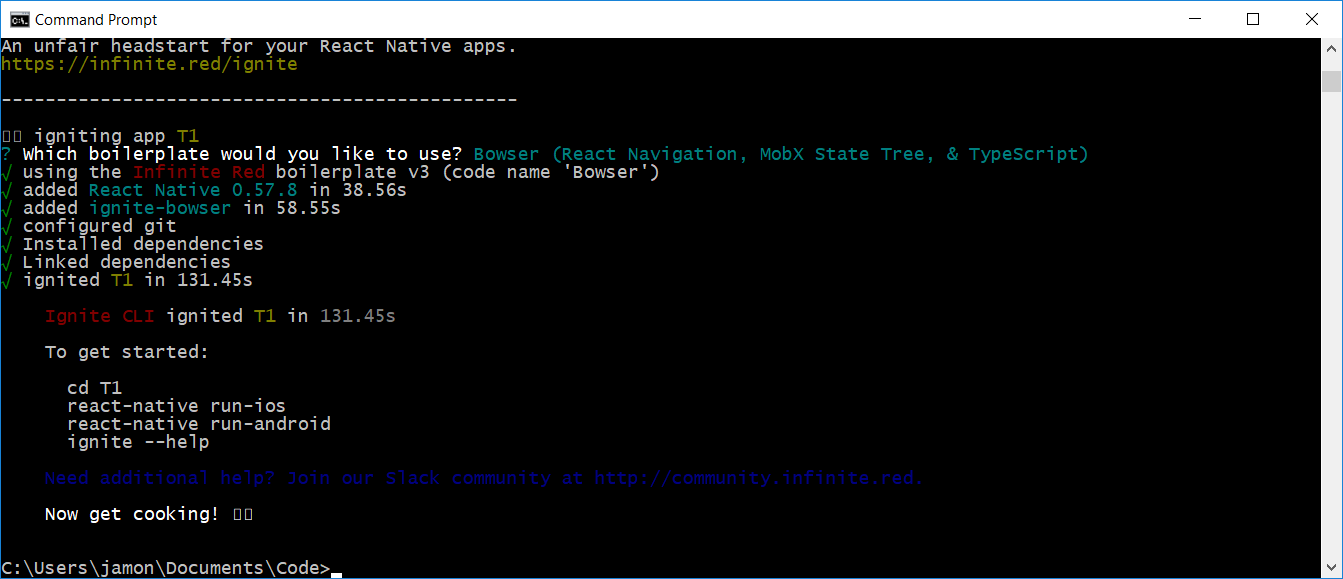
Can you try this?
npm uninstall -g ignite-cli
yarn global add ignite-cli
and try again?
 jamonholmgren
on 14 Feb 2019
jamonholmgren
on 14 Feb 2019
@diegotejadav I think the other issue is unrelated, but I could be wrong.
jamonholmgren
on 14 Feb 2019
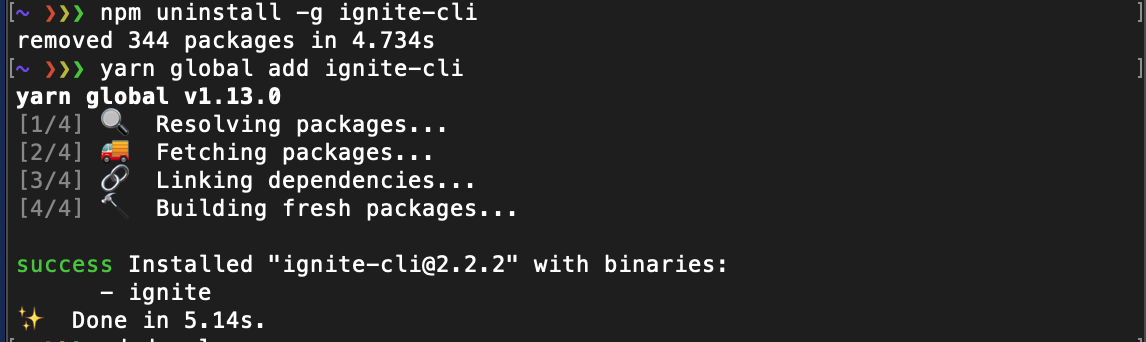
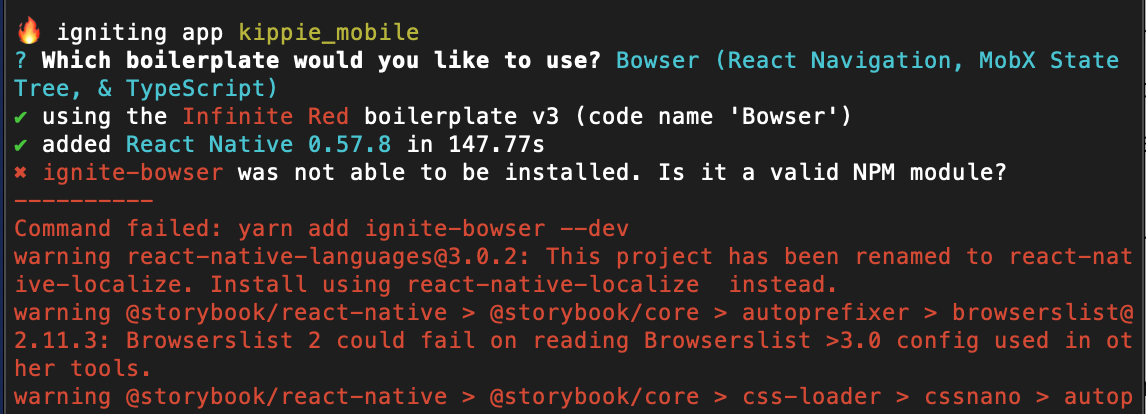
Hello @jamonholmgren,
Tried the above, did not work.
 raooll
on 14 Feb 2019
raooll
on 14 Feb 2019
@jamonholmgren Yeah, I tried that as well, did not work. I did a yarn install of ignite first, then npm. Both had issues.
Zetsukaze
on 18 Feb 2019
@jamonholmgren can we use an older version of ignite ?
raooll
on 18 Feb 2019
@raooll Can you use the newest alphas and see if those work?
yarn global add [email protected]
ignite new MyApp -b [email protected]
I have been facing the same issues. Tried using an older version of ignite-cli to no success.
Using the exact solution suggested by @jamonholmgren works. Thanks!
 pawitk
on 19 Mar 2019
pawitk
on 19 Mar 2019
ignite: command not found
 ghost
on 9 Apr 2019
ghost
on 9 Apr 2019
@jamonholmgren is this still the recommended way to fix this issue? I was able to get it to work using your commands but not using the recommended installation instructions on the README
 Christop406
on 16 Aug 2019
Christop406
on 16 Aug 2019
@Christop406 Sorry about the delay, I didn't see your comment until now. How is it with the latest Bowser?
jamonholmgren
on 1 Oct 2019
@jamonholmgren
OS: OS X 10.15 Beta (catalina)
Node Version: 12.10.0
Package Manager: yarn
FWIW
~/Repositories via ⬢ v12.10.0
❯ ignite new groupic -b [email protected]
-----------------------------------------------
  (                  )   (
  )\ )   (        ( /(   )\ )    *   )
 (()/(   )\ )     )\()) (()/(  ` )  /(   (
  /(_)) (()/(    ((_)\   /(_))  ( )(_))  )\
 (_))    /(_))_   _((_) (_))   (_(_())  ((_)
 |_ _|  (_)) __| | \| | |_ _|  |_   _|  | __|
  | |     | (_ | | .` |  | |     | |    | _|
 |___|     \___| |_|\_| |___|    |_|    |___|
-----------------------------------------------

An unfair headstart for your React Native apps.
https://infinite.red/ignite

-----------------------------------------------

🔥 igniting app groupic
✔ using the Infinite Red boilerplate v3 (code name 'Bowser')
✔ added React Native 0.58.6 in 0.98s
an error occured while installing ignite-bowser boilerplate.
Error: ENOENT: no such file or directory, chdir '/Users/joeyfigaro/Repositories/groupic' -> 'groupic'
    at process.chdir (internal/process/main_thread_only.js:29:13)
    at Object.<anonymous> (/Users/joeyfigaro/.config/yarn/global/node_modules/ignite-cli/build/extensions/reactNative.js:126:33)
    at step (/Users/joeyfigaro/.config/yarn/global/node_modules/ignite-cli/build/extensions/reactNative.js:32:23)
    at Object.next (/Users/joeyfigaro/.config/yarn/global/node_modules/ignite-cli/build/extensions/reactNative.js:13:53)
    at fulfilled (/Users/joeyfigaro/.config/yarn/global/node_modules/ignite-cli/build/extensions/reactNative.js:4:58)
    at processTicksAndRejections (internal/process/task_queues.js:93:5) {
  errno: -2,
  code: 'ENOENT',
  syscall: 'chdir',
  path: '/Users/joeyfigaro/Repositories/groupic',
  dest: 'groupic'
}
error installing boilerplate
 joeyfigaro
on 7 Oct 2019
joeyfigaro
on 7 Oct 2019
@jamonholmgren changing node version from 12.10.0 to 11.10.0 got me past the previous failure involving process.chdir
joeyfigaro
on 7 Oct 2019
@jamonholmgren @Christop406
Was able to generate my first ignite bowser project using node 11.10.0 and refusing detox tests. Including detox causes another failure.
joeyfigaro
on 7 Oct 2019
@jamonholmgren @Christop406
Was able to generate my first ignite bowser project using node
11.10.0and refusing detox tests. Including detox causes another failure.
i downgraded to node 11.10.0 but i have the same failure :(
Does anyone have another solution?
Thanks !
 tudorpintea
on 14 Oct 2019
tudorpintea
on 14 Oct 2019
If you run ignite with --debug you'll see more verbose logs which might give you more info to debug this.
jamonholmgren
on 29 Oct 2019
Hey I am facing the same issue here, it seems like the issue is with the react-native version that is being installed with ignite-andross
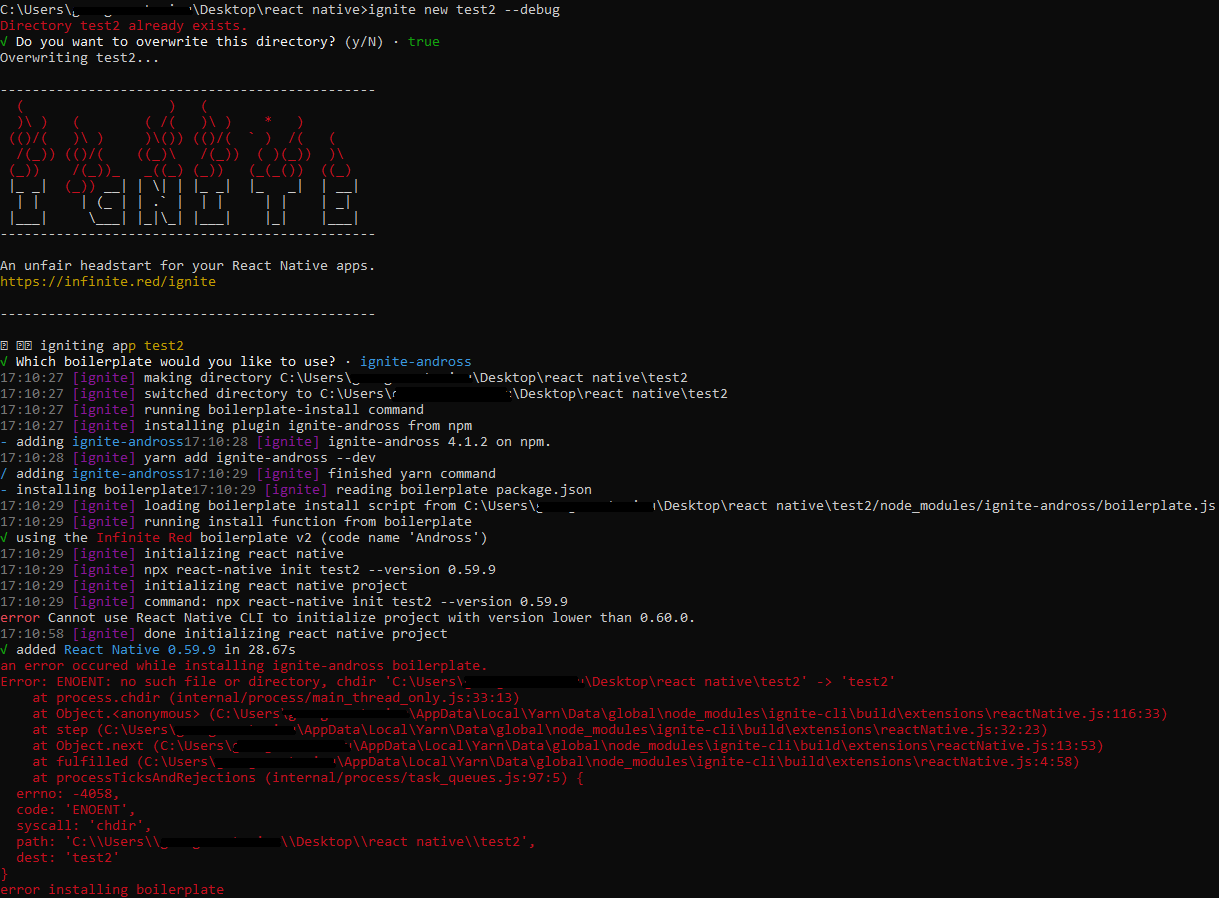
error Cannot use React Native CLI to initialize project with version lower than 0.60.0.
 giorgosart
on 10 Jan 2020
giorgosart
on 10 Jan 2020
Related issues
 GantMan
·
36Comments
ghost
·
29Comments
GantMan
·
36Comments
ghost
·
29Comments
 johndanek
·
19Comments
johndanek
·
19Comments
 boyinfotronics
·
34Comments
boyinfotronics
·
34Comments
 tapickell
·
21Comments
tapickell
·
21Comments
Most helpful comment
I have been facing the same issues. Tried using an older version of ignite-cli to no success.
Using the exact solution suggested by @jamonholmgren works. Thanks!