Connection to localhost port 8081 [tcp/sunproxyadmin] succeeded!
Port 8081 already in use, packager is either not running or not running correctly
Command /bin/sh failed with exit code 2
* I checked after the process completed and port was NOT in use anymore ?!?!?!
* I've followed dozens of blogs on this issue and NO luck so far...
* BUILD FAILED *
The following commands produced analyzer issues:
Analyze /Users/myfolder/ReactNative/MyIgniteProject/node_modules/react-native/ReactCommon/yoga/yoga/YGNodeList.c
Analyze /Users/myfolder/ReactNative/MyIgniteProject/node_modules/react-native/ReactCommon/yoga/yoga/Yoga.c
(2 commands with analyzer issues)
The following build commands failed:
PhaseScriptExecution Start\ Packager /Users/myfolder/ReactNative/MyIgniteProject/ios/build/Build/Intermediates/React.build/Debug-iphonesimulator/React.build/Script-006B79A01A781F38006873D1.sh
(1 failure)
Installing build/Build/Products/Debug-iphonesimulator/MyIgniteProject.app
An error was encountered processing the command (domain=NSPOSIXErrorDomain, code=2):
Failed to install the requested application
An application bundle was not found at the provided path.
Provide a valid path to the desired application bundle.
Print: Entry, ":CFBundleIdentifier", Does Not Exist
Command failed: /usr/libexec/PlistBuddy -c Print:CFBundleIdentifier build/Build/Products/Debug-iphonesimulator/MyIgniteProject.app/Info.plist
Print: Entry, ":CFBundleIdentifier", Does Not Exist
LIBRARIES:
Yarn v0.27.5
Node v7.6.0
Ignite v2.0.0
🔥 igniting app MyIgniteProject
✔ using the Infinite Red boilerplate v2 (code name 'Andross')
✔ added React Native 0.45.1 in 159.58s
? Would you like Ignite Development Screens? Yes
? What vector icon library will you use? react-native-vector-icons
? What internationalization library will you use? react-native-i18n
? What animation library will you use? react-native-animatable
✔ added ignite-ir-boilerplate in 16.12s
✔ added ignite-dev-screens in 40.85s
✔ added ignite-vector-icons in 22.86s
✔ added ignite-i18n in 15.04s
✔ added ignite-animatable in 13.67s
✔ added ignite-standard in 42.93s
✔ configured git
✔ ignited MyIgniteProject in 432.15s
PLEASE HELP
 inglesuniversal
All 13 comments
You’ve got a second packager running. Find that and close it down.
 skellock
on 15 Aug 2017
skellock
on 15 Aug 2017
hello again... skellock ... thanks for your help.
I tried to kill all node processes and I ran the react process again...
As you can see I got cleared on port 8081, but somehow the ERROR pops again right after that check.... Any pointers ?
PhaseScriptExecution Start\ Packager /Users/myfolder/ReactNative/MyIgniteProject/ios/build/Build/Intermediates/React.build/Debug-iphonesimulator/React.build/Script-006B79A01A781F38006873D1.sh
cd /Users/myfolder/ReactNative/MyIgniteProject/node_modules/react-native/React
/bin/sh -c /Users/myfolder/ReactNative/MyIgniteProject/ios/build/Build/Intermediates/React.build/Debug-iphonesimulator/React.build/Script-006B79A01A781F38006873D1.sh
Connection to localhost port 8081 [tcp/sunproxyadmin] succeeded!
Port 8081 already in use, packager is either not running or not running correctly
Command /bin/sh failed with exit code 2
* BUILD FAILED *
inglesuniversal
on 15 Aug 2017
Can you try starting the packager manually?
npm start
Then, in a 2nd terminal shell, launch react-native run-ios only when you see the first command succeed.
If the packager fails (from the 1st command) you'll see instructions about kill the rogue packager with lsof.
skellock
on 15 Aug 2017
Guess what skellock ??? After days of desperate search through dozens of sites, I came to find the answer, a definite solution and a great NEW friend, here at Ignite's github page. Can't thank you enough!!! Cheers!!!
NOTE: the only thing I would add to your post is this... before you follow these steps, open TWO terminal windows cmd + T (to open side by side) and then proceed to enter each command on each opened tab. Third step was not necessary. KUDOS!!!
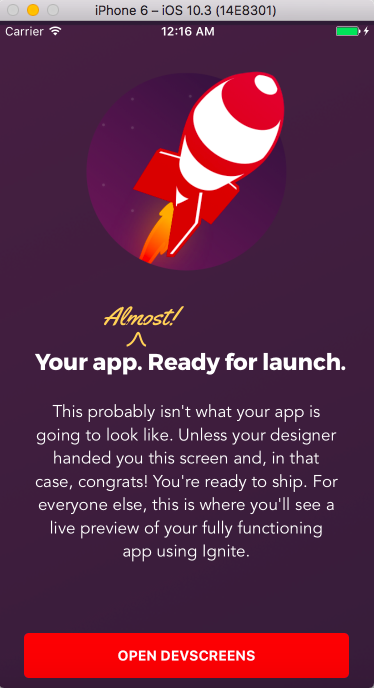
inglesuniversal
on 15 Aug 2017
Hah! Glad you’re up & running. Now get to work building that app! 😛
skellock
on 15 Aug 2017
@inglesuniversal how did you solve your issue? Cause it seems that I have the same one on my starter project? Thanks in advance.
 gargomeiste
on 7 Sep 2017
gargomeiste
on 7 Sep 2017
Hi all,
Need help, can't get it working.
1) I ran this "npm start" in first terminal
React packager ready.

Loading dependency graph, done.
2) Then I ran this "react-native run-ios" in second terminal
    /usr/bin/codesign --force --sign - --timestamp=none /Users/eric/Documents/Codes/learn/reactnative/mySecondProject/ios/Build/Products/Debug-iphonesimulator/mySecondProject.app/PlugIns/mySecondProjectTests.xctest


** BUILD SUCCEEDED **


The following commands produced analyzer issues:
    Analyze /Users/eric/Documents/Codes/learn/reactnative/mySecondProject/node_modules/react-native/ReactCommon/yoga/yoga/YGNodeList.c
    Analyze /Users/eric/Documents/Codes/learn/reactnative/mySecondProject/node_modules/react-native/ReactCommon/yoga/yoga/Yoga.c
(2 commands with analyzer issues)

Installing build/Build/Products/Debug-iphonesimulator/mySecondProject.app
An error was encountered processing the command (domain=NSPOSIXErrorDomain, code=2):
Failed to install the requested application
An application bundle was not found at the provided path.
Provide a valid path to the desired application bundle.
Print: Entry, ":CFBundleIdentifier", Does Not Exist

Command failed: /usr/libexec/PlistBuddy -c Print:CFBundleIdentifier build/Build/Products/Debug-iphonesimulator/mySecondProject.app/Info.plist
Print: Entry, ":CFBundleIdentifier", Does Not Exist
Any idea what's the issue?
I am using this
Mac OS Sierra 10.12.6
Latest Xcode 8.3.3
node 8.4.0
npm 5.4.1
react native - tested both 0.47.2 and 0.48.2
react-native-cli - 2.0.1
yarn 0.20.0
I have also tried the following and won't worked
- manually downloading all the files and stored into ~/.rncache
- rm -rf npm_modules, then run "npm install"
- react-native-git-upgrade
- remove ios/build and run "react-native run-ios" again
just "react-native run-ios" won't work
FYI, open in xcode and run it will work. Just many warnings as below
Just wonder how come command line won't work?
Thanks.
 ericchuawc
on 11 Sep 2017
ericchuawc
on 11 Sep 2017
Hi guys, running into this same issue too. Xcode 9, macos 10.12.6, node 9.4, npm 5.3, react-native-cli 2.0.1. these are the things i have tried:
react-native upgrade(using the newreact-native-git-upgrade)- killing whatever is using port 8081 with
lsof -n -i4TCP:8081 - manually running
npm startand thenreact-native run-ios
CFBundleIdentifier is in ios/PizzaApp/info.plist
what else could be the cause of this?
 sw-yx
on 21 Sep 2017
sw-yx
on 21 Sep 2017
Still getting this issue too. Any ideas?
 exit99
on 5 May 2018
exit99
on 5 May 2018
Looks like the problem solved for me when I did not choose internalization which is where the issue seems to be
What internationalization library will you use? (Use arrow keys)
❯◯ none
◯ react-native-i18n
 samasrinivas
on 10 May 2018
samasrinivas
on 10 May 2018
run in your terminal: killall -9 node
That solved it for me!
 ferdelamad
on 14 Sep 2018
ferdelamad
on 14 Sep 2018
In react-native: 0.60.5
Go to . > [Your Project] > ios > [Your Project].xcodeproj > project.pbxproj.
Change all the port 8081 to 8089(example)
 ashish9342
on 4 Sep 2019
ashish9342
on 4 Sep 2019
Thanks!But I dont't know why...
 webpig
on 11 Jun 2020
webpig
on 11 Jun 2020
Related issues
 GantMan
·
3Comments
GantMan
·
3Comments
 besingamkb
·
3Comments
besingamkb
·
3Comments
 rammmukul
·
3Comments
rammmukul
·
3Comments
 tayfunyasar
·
3Comments
tayfunyasar
·
3Comments
 wisn
·
3Comments
wisn
·
3Comments
Most helpful comment
Looks like the problem solved for me when I did not choose internalization which is where the issue seems to be
What internationalization library will you use? (Use arrow keys)
❯◯ none
◯ react-native-i18n