Iglistkit: CollectionView has left padding on Landscape iPad (similar to tableview.cellLayoutMarginsFollowReadableWidth)
New issue checklist
- [x] I have reviewed the
READMEand documentation - [x] I have searched existing issues and this is not a duplicate
General information
IGListKitversion: 3.1.1- iOS version(s): iOS 11
- CocoaPods/Carthage version: 1.3.1
- Xcode version: Version 9.1 beta (9B46)
- Devices/Simulators affected: Yes
- Reproducible in the demo project? (Yes/No): Yes
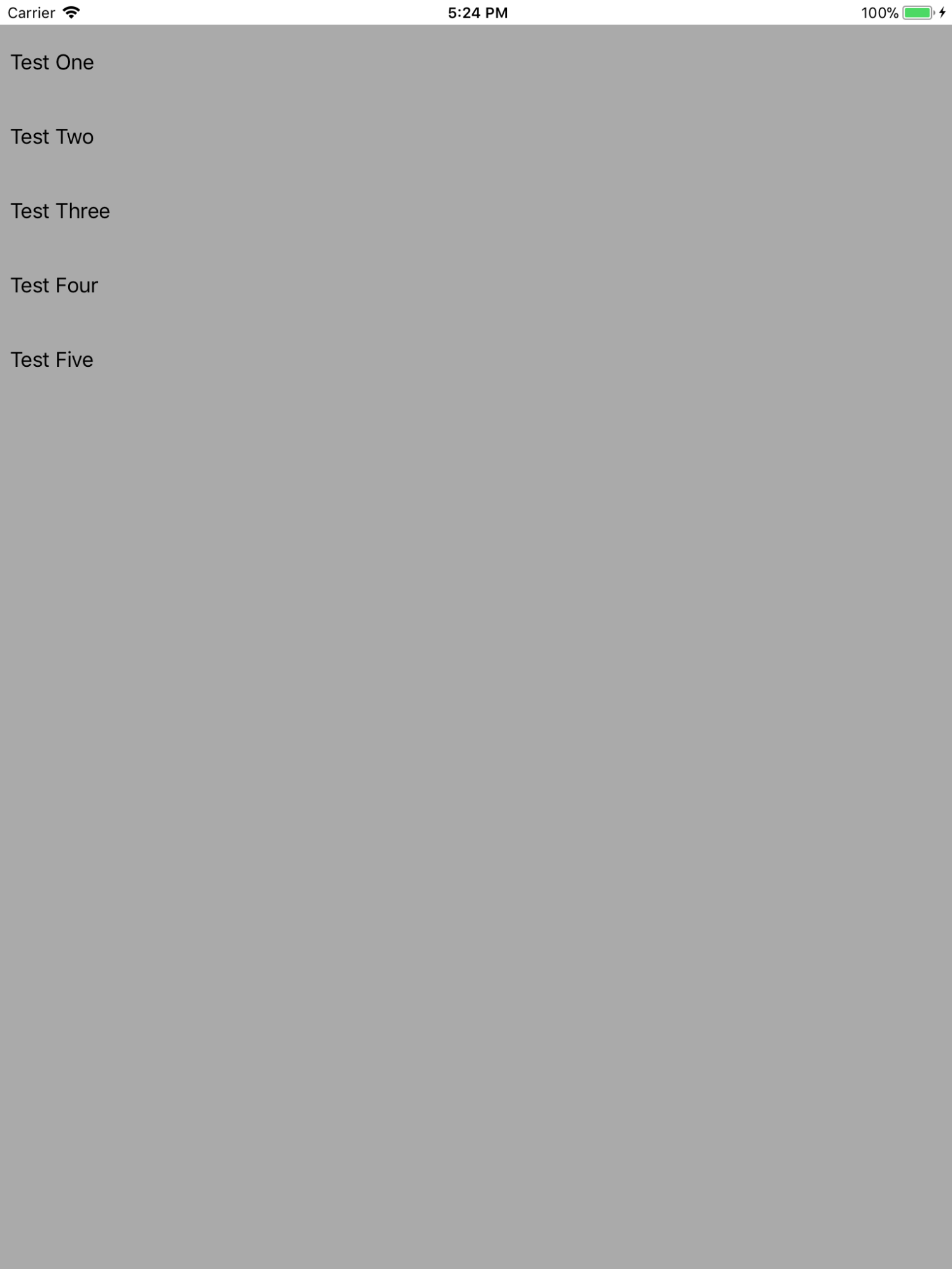
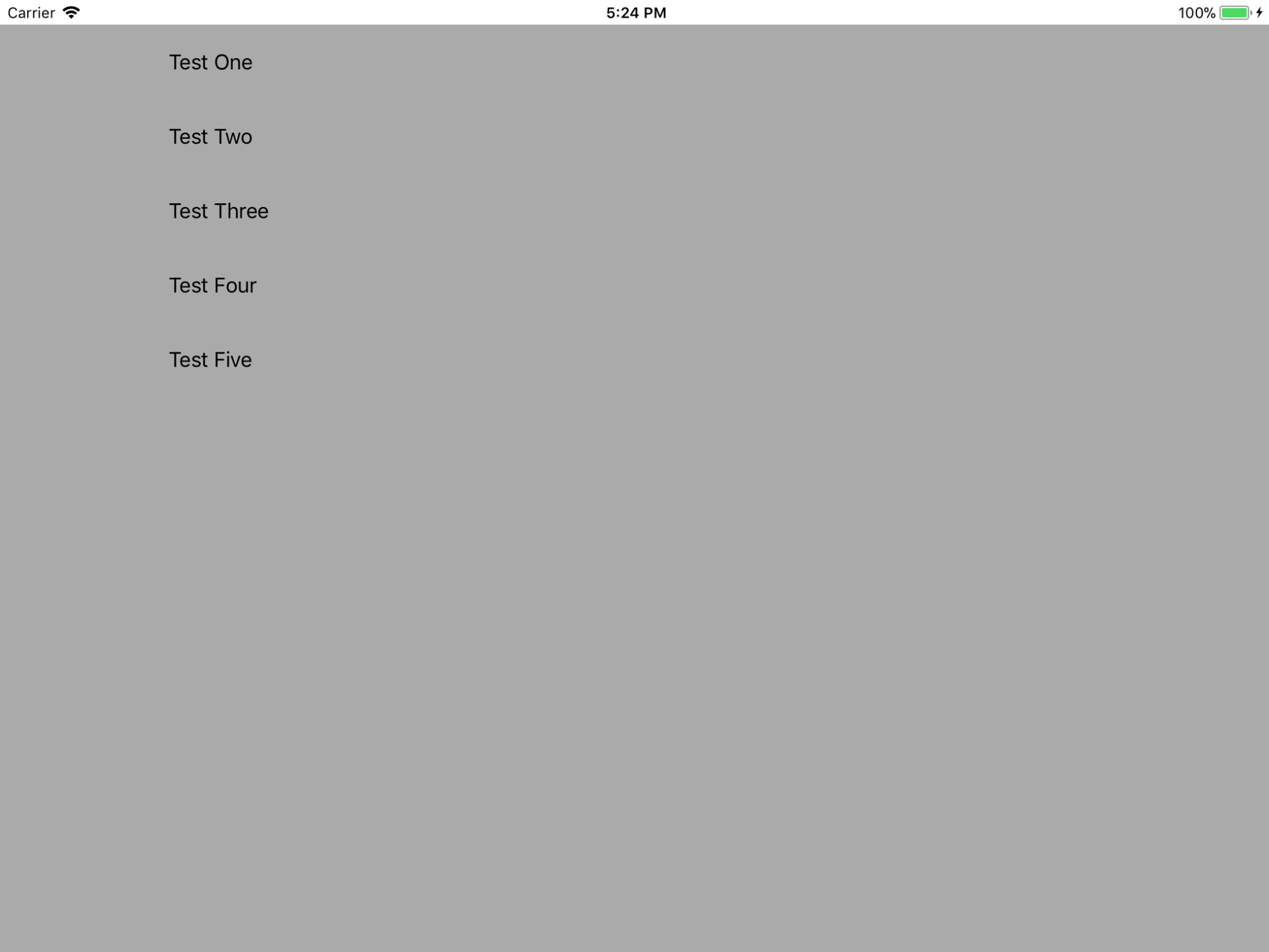
As the title mentions, an extra space appears on Landscape that I could not get rid of for some reason. It looks very similar to of TableView's and I have a strong feeling it is caused by Safe Area on iOS 11, but I am not certain. I have tried both creating the views programmatically and via IB, same results.
Using the same CollectionView without IGListKit does not face the same issue.
Without keeping the text too long, I am attaching screenshots that show the issue and a sample repo that replicates it.
Steps to reproduce
- clone repo
- pod install
- run on an iPad
- Switch between Portrait and Landscape (sometimes a few times)
Repo:
 omerfarukyilmaz
All 3 comments
I think this has to do that the cells don't get resized correctly when rotating the device so you sometimes end up the 'portrait' cell sizes while the device in landscape. Can you try to invalidate the layout while rotating?
Try doing something like the code below in func viewWillTransition(to size: CGSize, with coordinator: UIViewControllerTransitionCoordinator):
    override func viewWillTransition(to size: CGSize, with coordinator: UIViewControllerTransitionCoordinator) {
        super.viewWillTransition(to: size, with: coordinator)

        let layout = collectionView.collectionViewLayout
        layout.invalidateLayout()
        coordinator.animate(alongsideTransition: { _ in
            layout.invalidateLayout(with: layout.invalidationContext(forBoundsChange: CGRect(x: 0, y: 0, width: size.width, height: size.height)))
        })
    }
 weyert
on 30 Oct 2017
weyert
on 30 Oct 2017
Well, that actually freaking solved it. That was very quick and helpful. Thank you very much @weyert.
I'll close the issue because it does not seem like a problem of IGListKit. So no need to clutter up here.
omerfarukyilmaz
on 30 Oct 2017
Great!
weyert
on 30 Oct 2017
Related issues
 kanumuri9593
·
3Comments
kanumuri9593
·
3Comments
 runmad
·
3Comments
runmad
·
3Comments
 joseph-francis
·
3Comments
joseph-francis
·
3Comments
 lucabartoletti
·
3Comments
lucabartoletti
·
3Comments
 Przemyslaw-Wosko
·
3Comments
Przemyslaw-Wosko
·
3Comments
Most helpful comment
I think this has to do that the cells don't get resized correctly when rotating the device so you sometimes end up the 'portrait' cell sizes while the device in landscape. Can you try to invalidate the layout while rotating?
Try doing something like the code below in
func viewWillTransition(to size: CGSize, with coordinator: UIViewControllerTransitionCoordinator):