Iglistkit: Multiple rows with horizontal scroll
I was't able to find an answer to this, but apologies if this has been answered before or I have misunderstood the documentation.
After experimenting with the example projects, I tried to make the Nested Adapter support having 2 rows in the horizontally scrollable section, instead of 1.
With a default UICollectionView with horizontal scroll and cellHeight < (collectionViewHeight - insets) / numberOfRows) I would expect a the cells to grow like the second section in this image:

But when decreasing the cellSize in the ExampleProject, they stay locked in at 1 row:

This might be the behaviour you want, and if this is intended than how can I make it break into multiple rows?
Keep up the good work 👍 🎉
 ChristianVinterly
All 6 comments
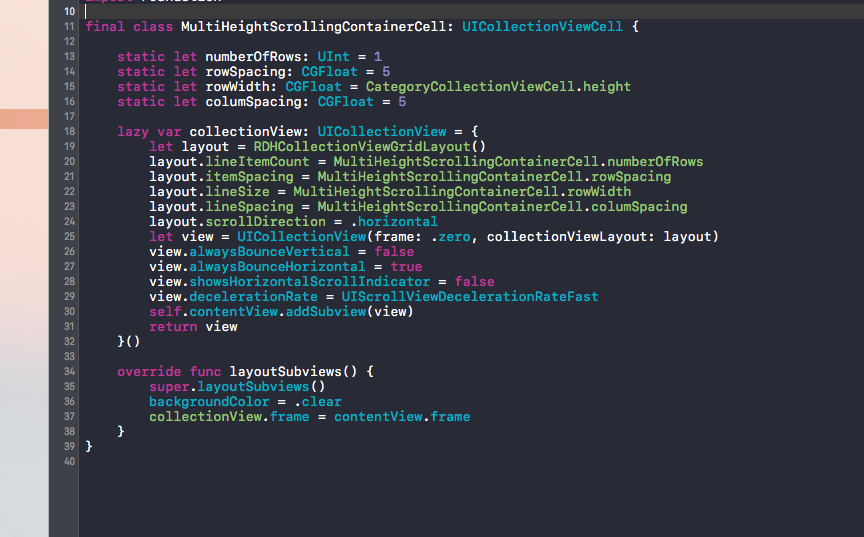
If I understood you correctly you need to use / create a collection view layout that supports this :) The one in the example will not.
This is a nice one : https://github.com/rhodgkins/RDHCollectionViewGridLayout
 heumn
on 26 Sep 2017
heumn
on 26 Sep 2017
Thanks @heumn 😄 Was hoping to not use a custom flow layout when the default works without IGListKit, but this works as a backup solution 👍
ChristianVinterly
on 26 Sep 2017
@ChristianLysne we just added horizontal support to IGListCollectionViewLayout, but tbh I don't recall the stacking-fit behavior. It _might_ work like this (cc @edmonston for details).
 rnystrom
on 26 Sep 2017
rnystrom
on 26 Sep 2017
Hi @ChristianLysne, as far as I can tell, the screenshot you show of the Nested Adapter uses UICollectionViewFlowLayout for its EmbeddedCollectionViewCells, so you wouldn't get the benefit of the horizontal support that we just added to IGListCollectionViewLayout that @rnystrom mentions.
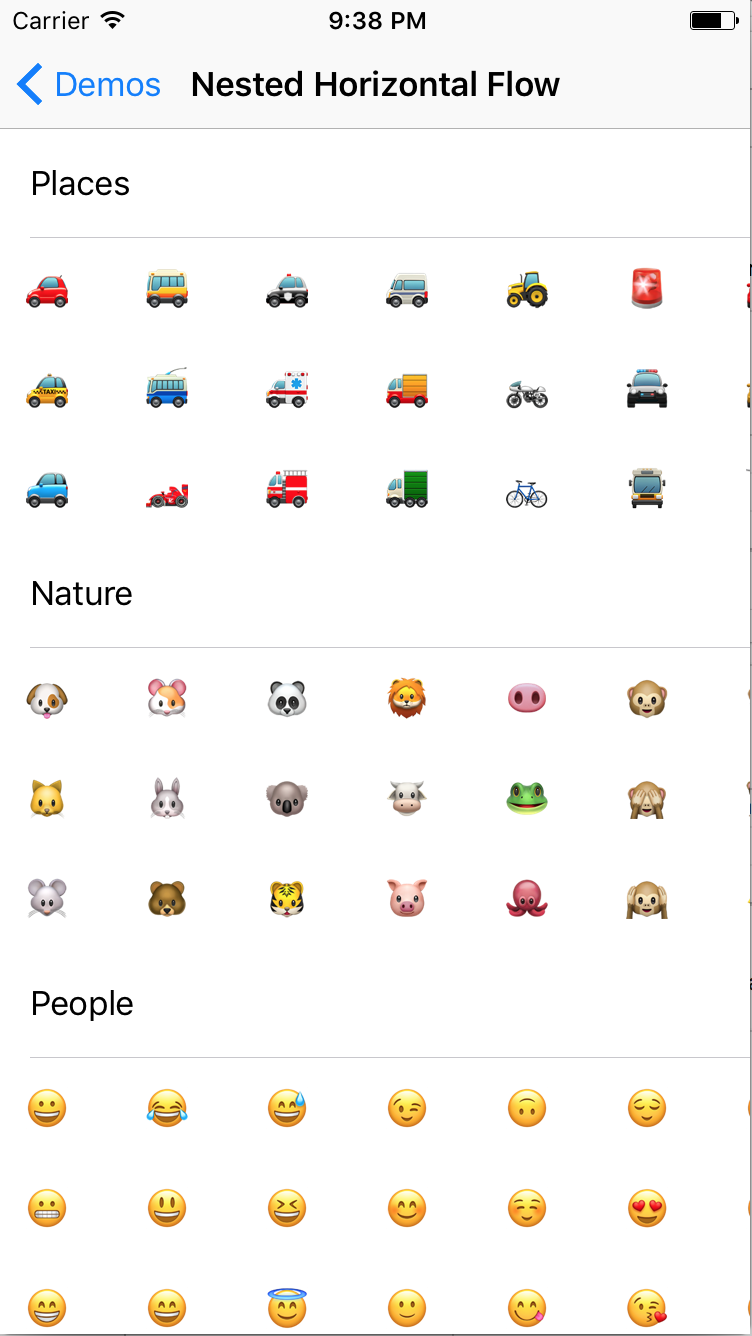
But IGListCollectionViewLayout should do want you want with little or no customization -- I have an example in my fork of IGListKit if you want to clone and checkout the try-new-demo branch. Run the example app and go to Nested Horizontal Flow. It looks like the screenshot below, and I believe it stacks in the way you intend (stacks vertically until it runs out of room and needs to start a new row).
This class is where the horizontally-scrolling layout is used.
(I had thought about adding my example to the Demo, but didn't know how much interest there'd be...)
Hope this helps!
 edmonston
on 27 Sep 2017
edmonston
on 27 Sep 2017
Thanks! Worked great and is exactly what I wanted ❤️
ChristianVinterly
on 27 Sep 2017
@ChristianLysne Please how did you solve this I want to do something that looks like this:

The items are stacked till they fill up the height of the cell and then wrap to the next cell
 tobitech
on 19 Apr 2018
tobitech
on 19 Apr 2018
Related issues
 shuhrat10
·
3Comments
rnystrom
·
3Comments
shuhrat10
·
3Comments
rnystrom
·
3Comments
 kleiberjp
·
3Comments
kleiberjp
·
3Comments
 FazeelAkhtar
·
3Comments
FazeelAkhtar
·
3Comments
 runmad
·
3Comments
runmad
·
3Comments
Most helpful comment
Hi @ChristianLysne, as far as I can tell, the screenshot you show of the Nested Adapter uses
UICollectionViewFlowLayoutfor itsEmbeddedCollectionViewCells, so you wouldn't get the benefit of the horizontal support that we just added toIGListCollectionViewLayoutthat @rnystrom mentions.But
IGListCollectionViewLayoutshould do want you want with little or no customization -- I have an example in my fork of IGListKit if you want to clone and checkout thetry-new-demobranch. Run the example app and go to Nested Horizontal Flow. It looks like the screenshot below, and I believe it stacks in the way you intend (stacks vertically until it runs out of room and needs to start a new row).This class is where the horizontally-scrolling layout is used.
(I had thought about adding my example to the Demo, but didn't know how much interest there'd be...)
Hope this helps!