Ifcopenshell: Create a gizmo for extrusion depth
Inputs are a coordinate (let me know if global vs local is better for you), and a vector, and a magnitude.
 Moult
Moult
All 15 comments
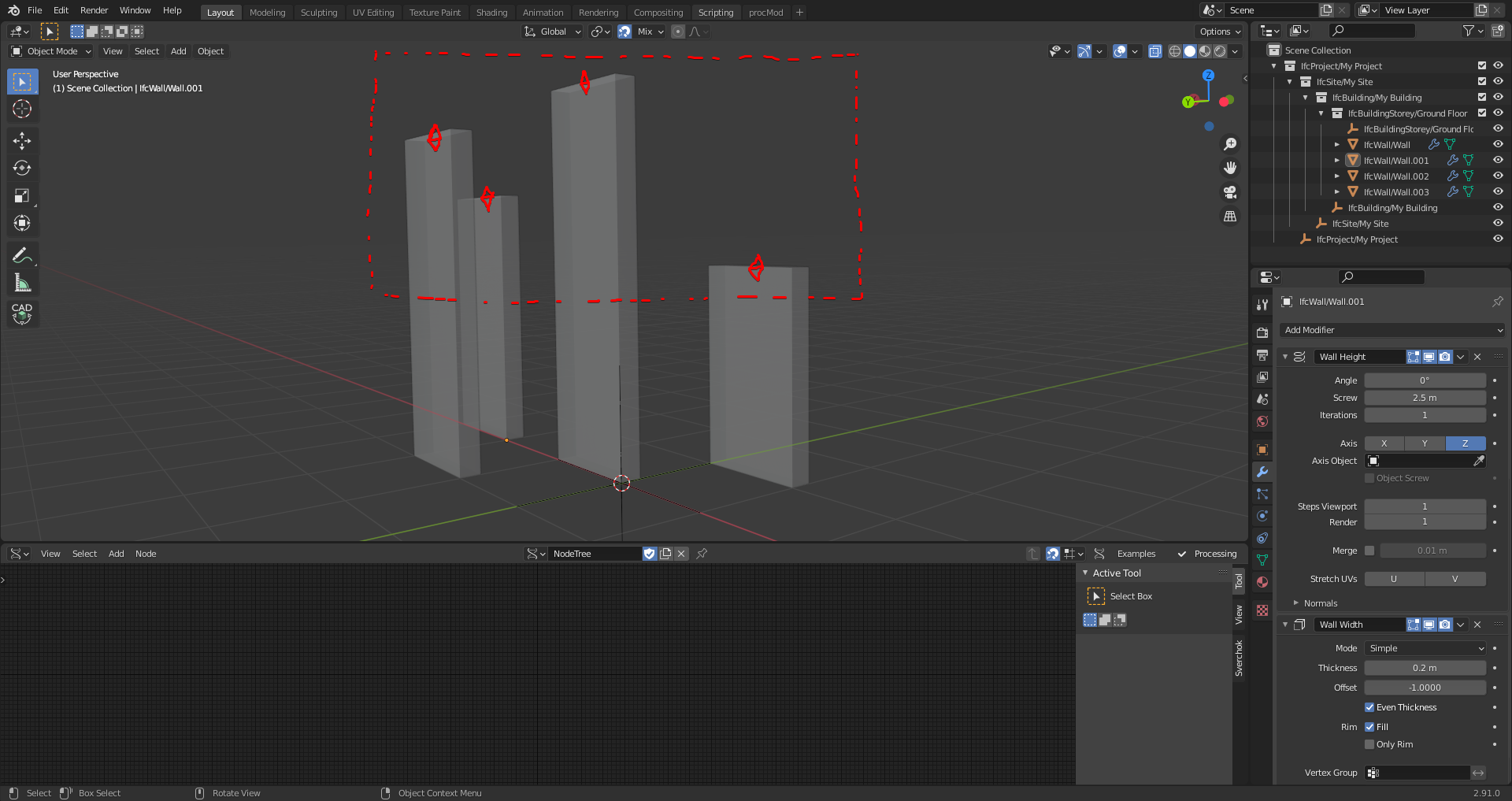
Whatever these gizmos are, would be nice if there was a way to modify them en masse, if possible.
Perhaps drawing some marque around them, and then moving them.
2 cents.
 theoryshaw
on 18 Feb 2021
theoryshaw
on 18 Feb 2021
@theoryshaw is that visible when you enter Edit Mode, select the faces and use Move tool on the left?
 htlcnn
on 18 Feb 2021
htlcnn
on 18 Feb 2021
@htlcnn that is valid for meshes, but not valid for parametric IFC geometry (not even Blender modifiers), of which the gizmos are addressing.
Moult
on 18 Feb 2021
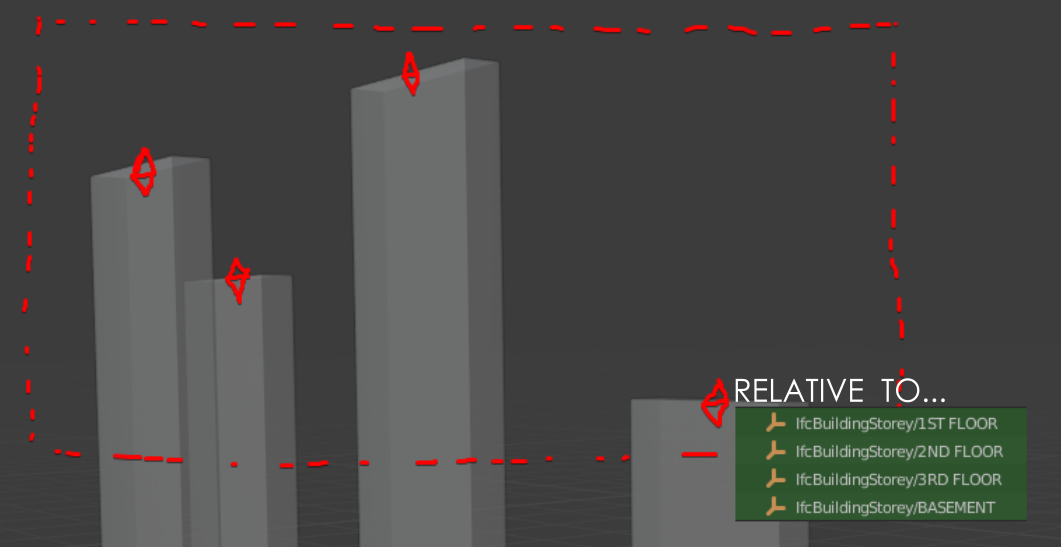
perhaps a way to assign what it's relative to.
sorry, couldn't help myself. :)
theoryshaw
on 18 Feb 2021
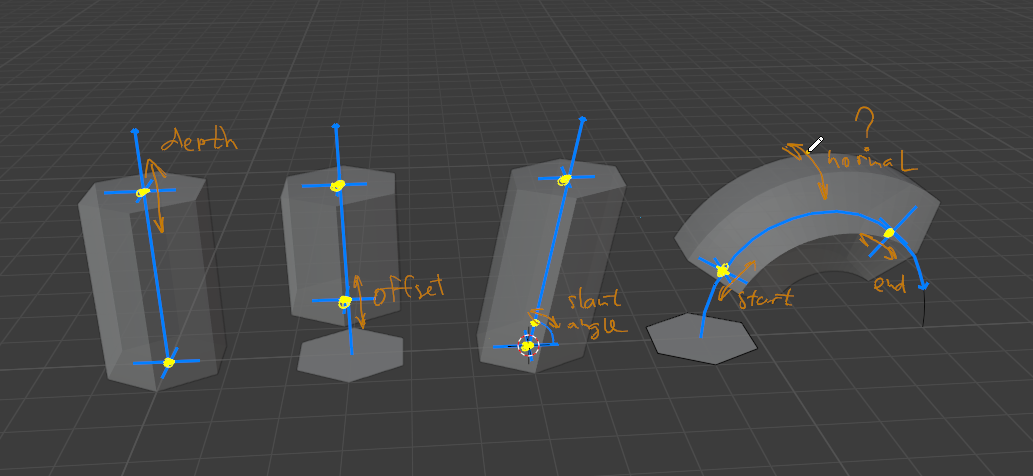
Here's what I have almost working (with simulatoin of parametric extrusion using blender stuff)

And here's how I imagine the gizmo in other potential use cases.
 qwiglydee
on 24 Feb 2021
qwiglydee
on 24 Feb 2021
Looks great.
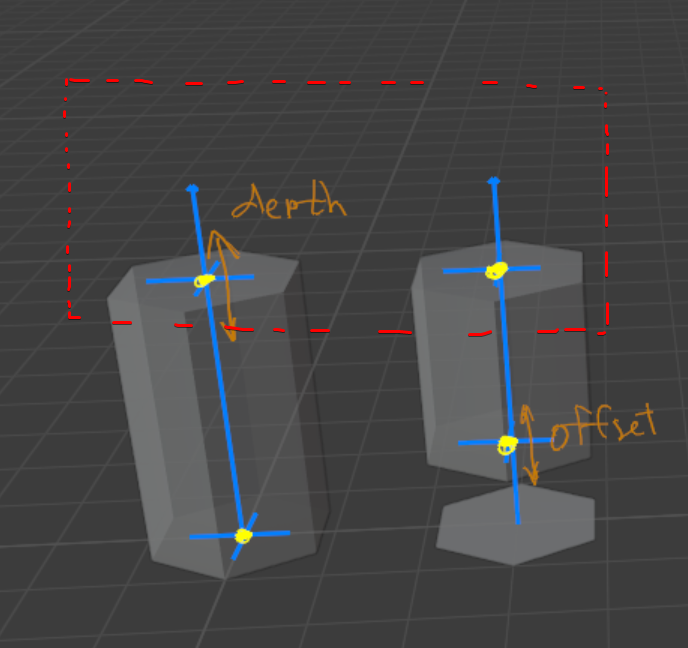
Does your indented roadmap include a way to select multiple gizmos with a selection box, for example, and 'dragging' or entering their value together?
theoryshaw
on 24 Feb 2021
Does your indented roadmap include a way to select multiple gizmos with a selection box, for example, and 'dragging' or entering their value together?
It's possible to apply some modifications to all selected objects, the same way as standard operators work in Blender.
It would help if you tell what are particular use cases where it's useful.
Perhaps, constraints/relations between objects would solve the problem better.
qwiglydee
on 24 Feb 2021
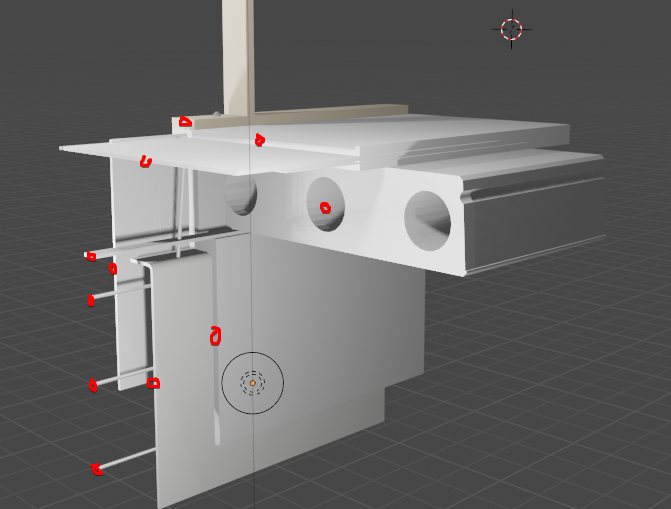
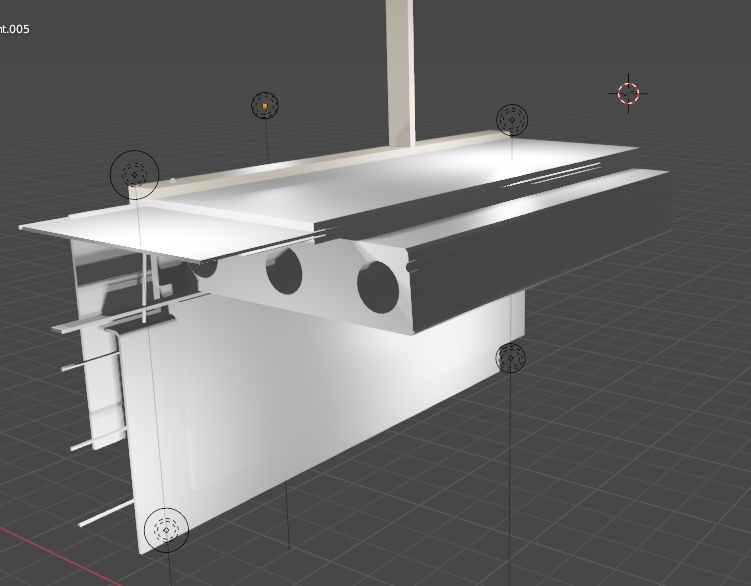
One particular use case, illustrated below, is if you wanted to extrude all the objects by 2ft, for example. Doing something like this would be a lot easier if you could select all the extrusion gizmos, and move them in one operation, verses having to select every single extrusion individually and changing the extrusion depth.
theoryshaw
on 25 Feb 2021
Main issues unresolved or yet unexplored:
Mouse tracking doesn't go quite well.
Logic is copied from builtin arrow_3d gizmo, perhaps missed something.
It needs to get reimplemented from scratch.Nice 2d viewport-aligned dot for the handle doesn't work with default highlighting/selection.
I put ugly 3d dot made up of 3 orthogonal circles.
Perhaps there should be full-3d sphere.Custom selection/highlighting scheme doesn't seems to work.
Need to debug blender code.Font rendering using blf is totally screwed up with some transform matrices behind the scenes.
A solution could be to pre-render text into image texture.Nice tool-like popup with input fields
Need to bind gizmo to an operator (which seems natural, but doesn't work straightforward).
Or to invoke floating panel explicitly from GizmoGroup, using some WindowManager API.
qwiglydee
on 1 Mar 2021
qwiglydee
on 1 Mar 2021
looking good. Possible for this gizmo to snap to other objects in the scene? For example, have it snap to the height of the other existing walls?
theoryshaw
on 1 Mar 2021
@theoryshaw
There is indeed 'snapping' mode available for gizmos. But there's no api to implement it in python, other than scanning whole scene or something crazy like that.
Some built-in gizmos use internal snapping utilities available only in C.
I don't think it's possible without patching Blender.
Maybe, some workaround could be implemented.
Like, scanning and caching heights of all nearby object.
qwiglydee
on 1 Mar 2021
I'm curious whether or not the tricks used in CAD Transform's snap by @s-leger or https://github.com/Shriinivas/blenderbezierutils by @Shriinivas can help fix snap.
Moult
on 2 Mar 2021
CAD Transform rely on scene raycast for mesh snap.
Gizmos where ment to drive "simple" operators in a modal fashion (tool mode), at this time not found a reliable way to allow multiple gizmos selection, would rather apply the operators to selected objects, using active as the driver for operation.
As conclusion, as eye candy gizmos may look at first glance, the convoluted current implementation and inherent limitations make me feel that my old own plain .gpu based gizmos provide required freedom and are way easyer to implement.
 s-leger
on 2 Mar 2021
s-leger
on 2 Mar 2021
Closing issue as it now works, even though admittedly there are some outstanding issues. I need some time to review and think whether there is a better approach.
Moult
on 8 Mar 2021
Related issues
 globalcitizen
·
10Comments
globalcitizen
·
10Comments
 otsoa
·
8Comments
otsoa
·
8Comments
 Ahmed-Abdelhak
·
11Comments
Moult
·
12Comments
Ahmed-Abdelhak
·
11Comments
Moult
·
12Comments
 tpaviot
·
12Comments
tpaviot
·
12Comments