Identityserver4: Correlation failed at signin-oidc redirect
I keep receiving the following error after the Consent screen where I am going to the client “signin-oidc” url (please refer to images in attached doc for reference):
Unhandled remote failure (Correlation failed)
This was not an issue on my development build (VS2015 /w IISExpress) and only started after I had published the application.
From what I could find on Google, I can see that the issue is cause due to missing cookies. Would be helpful if I could get a better understanding and also some tips on how to debug it.
I have attached the debug log from the client, and from Fiddler, for reference.
Some background on my current setup –
- IdentityServer with ASP.Net Core Identity Integration and EntityFramework persistence layer (combined from your ASP Identity and EntityFramework Quickstarts)
- MVC Client (created using the MVCHyrbid Quickstart)
Both applications are deployed on separate domains:
- IdentityServer is on a Windows Server 2012 R2 machine behind IIS 8.5
- Client is on Windows Server 2008 R2 behind IIS 7.5
Appreciate the help!
 rgceihk
All 35 comments
Not sure, but make sure the URL you're starting from in the client is really the same you've configured for your redirect URI (specifically http vs https).
 brockallen
on 21 Jan 2017
brockallen
on 21 Jan 2017
Yes, I've checked it, its the same. I'm using http.
I also forgot to mention that both machines connect to Internet via a proxy (if that makes any difference). I have enabled standard http & https ports on the proxy firewall.
rgceihk
on 21 Jan 2017
Good news is that I've got it working. I deployed the client to another machine running Windows 2012 RC2 with IIS 8.5, and remapped the domain / IP to the new machine. Not sure if it was an issue with IIS...
rgceihk
on 21 Jan 2017
Good to hear. I'll close this then. Thanks for the update.
brockallen
on 21 Jan 2017
We're running into this issue in production on about 2% of all requests. So far I haven't been able to see a pattern. I have full verbose logging active and captured the following log directly after a restart of the web app (possibly sensitive data redacted with XXX):
2017-06-13 15:23:45.469 +00:00 [Debug] Reading data from file '"D:\home\ASP.NET\DataProtection-Keys\key-XXX.xml"'.
2017-06-13 15:23:46.413 +00:00 [Debug] Found key {XXX}.
2017-06-13 15:23:46.460 +00:00 [Debug] Considering key {XXX} with expiration date 2017-08-11 07:11:29Z as default key.
2017-06-13 15:23:46.491 +00:00 [Debug] Opening CNG algorithm '"AES"' from provider 'null' with chaining mode CBC.
2017-06-13 15:23:46.539 +00:00 [Debug] Opening CNG algorithm '"SHA256"' from provider 'null' with HMAC.
2017-06-13 15:23:46.554 +00:00 [Debug] Using key {XXX} as the default key.
2017-06-13 15:23:46.601 +00:00 [Information] HttpContext.User merged via AutomaticAuthentication from authenticationScheme: "Cookies".
2017-06-13 15:23:46.636 +00:00 [Verbose] MessageReceived: '"?code=XXX&id_token=XXX&scope=openid%20profile%20email&state=XXX&session_state=XXX"'.
2017-06-13 15:23:46.636 +00:00 [Warning] '".AspNetCore.Correlation.oidc.XXX"' cookie not found.
2017-06-13 15:23:46.636 +00:00 [Information] Error from RemoteAuthentication: "Correlation failed.".
2017-06-13 15:23:46.666 +00:00 [Information] HttpContext.User merged via AutomaticAuthentication from authenticationScheme: "Cookies".
2017-06-13 15:23:46.741 +00:00 [Information] HttpContext.User merged via AutomaticAuthentication from authenticationScheme: "Cookies".
2017-06-13 15:23:46.929 +00:00 [Error] Connection id ""0HL5IE0MV55HC"": An unhandled exception was thrown by the application.
System.AggregateException: Unhandled remote failure. (Correlation failed.) ---> System.Exception: Correlation failed.
Can you point me in a direction to further debug this or what could be the root cause?
 aduggleby
on 13 Jun 2017
aduggleby
on 13 Jun 2017
@aduggleby: I suspect that some of your users are arrive at the log in screen, become distracted, and then come back and try to log in more than 15 minute later. By then the cookie used for correlation has expired and they get this error. If you set RemoteAuthenticationTimeout in the OIDC middleware to something like 10 seconds:
app.UseOpenIdConnectAuthentication(new OpenIdConnectOptions
{
    RemoteAuthenticationTimeout = TimeSpan.FromSeconds(10),
    ...
}
...then users would only have 10 seconds to log in. If you increase this to several hours it will probably greatly reduce the frequency of the error. A better solution would be to redirect the user to some other page if someone leaves the log in screen for more than a few minutes so they cannot use a "stale" log in screen. The timeout is there for security purposes.
 openidauthority
on 27 Jun 2017
openidauthority
on 27 Jun 2017
Ah thanks, I'll give that a try!
aduggleby
on 27 Jun 2017
Just posting that @openidauthority was correct with his assessment of the issue. We have an internal site that field workers use and I kept seeing An unhandled exception has occurred: Unhandled remote failure. (Correlation failed.) and '.AspNetCore.Correlation.oidc.<some random string>' cookie not found. popping up in my Elmah.io logs.
The issue we had is that users would log into the site, do some work, log out (which we have set to redirect back to the login page), then they'd close their laptop. A day later they would pop open their laptop and try to sign in and then get an error. They'd just refresh the page and login again and assume it was some glitch and never tell me it happened or what they did to cause it. Thanks users :)
I solved the issue by just updating the login screen to hide the login form after idling for 15 minutes and show a button that refreshes the page.
Here's my stacktrace for those Googling the same issue:
System.AggregateException: Unhandled remote failure. (Correlation failed.) ---> System.Exception: Correlation failed.
   --- End of inner exception stack trace ---
   at Microsoft.AspNetCore.Authentication.RemoteAuthenticationHandler`1.d__6.MoveNext()
--- End of stack trace from previous location where exception was thrown ---
   at System.Runtime.CompilerServices.TaskAwaiter.ThrowForNonSuccess(Task task)
   at System.Runtime.CompilerServices.TaskAwaiter.HandleNonSuccessAndDebuggerNotification(Task task)
   at System.Runtime.CompilerServices.TaskAwaiter`1.GetResult()
   at Microsoft.AspNetCore.Authentication.RemoteAuthenticationHandler`1.d__5.MoveNext()
--- End of stack trace from previous location where exception was thrown ---
   at System.Runtime.CompilerServices.TaskAwaiter.ThrowForNonSuccess(Task task)
   at System.Runtime.CompilerServices.TaskAwaiter.HandleNonSuccessAndDebuggerNotification(Task task)
   at System.Runtime.CompilerServices.TaskAwaiter`1.GetResult()
   at Microsoft.AspNetCore.Authentication.OpenIdConnect.OpenIdConnectHandler.d__15.MoveNext()
--- End of stack trace from previous location where exception was thrown ---
   at System.Runtime.CompilerServices.TaskAwaiter.ThrowForNonSuccess(Task task)
   at System.Runtime.CompilerServices.TaskAwaiter.HandleNonSuccessAndDebuggerNotification(Task task)
   at System.Runtime.CompilerServices.TaskAwaiter`1.GetResult()
   at Microsoft.AspNetCore.Authentication.AuthenticationMiddleware`1.d__18.MoveNext()
--- End of stack trace from previous location where exception was thrown ---
   at System.Runtime.ExceptionServices.ExceptionDispatchInfo.Throw()
   at Microsoft.AspNetCore.Authentication.AuthenticationMiddleware`1.d__18.MoveNext()
--- End of stack trace from previous location where exception was thrown ---
   at System.Runtime.CompilerServices.TaskAwaiter.ThrowForNonSuccess(Task task)
   at System.Runtime.CompilerServices.TaskAwaiter.HandleNonSuccessAndDebuggerNotification(Task task)
   at System.Runtime.CompilerServices.TaskAwaiter.GetResult()
   at Microsoft.AspNetCore.Authentication.AuthenticationMiddleware`1.d__18.MoveNext()
--- End of stack trace from previous location where exception was thrown ---
   at System.Runtime.ExceptionServices.ExceptionDispatchInfo.Throw()
   at Microsoft.AspNetCore.Authentication.AuthenticationMiddleware`1.d__18.MoveNext()
--- End of stack trace from previous location where exception was thrown ---
   at System.Runtime.CompilerServices.TaskAwaiter.ThrowForNonSuccess(Task task)
   at System.Runtime.CompilerServices.TaskAwaiter.HandleNonSuccessAndDebuggerNotification(Task task)
   at System.Runtime.CompilerServices.TaskAwaiter.GetResult()
   at Microsoft.AspNetCore.Diagnostics.ExceptionHandlerMiddleware.d__6.MoveNext()
 rfuhrer
on 19 Jul 2017
rfuhrer
on 19 Jul 2017
We've tried increasing the threshold and yet we are receiving this error. There seems to be something wrong with our setup of session or session in ASP.NET Core itself that's causing this issue. Our diagnostics indicate the correlation cookie are not being set for some reason. Because, even for other external OAuth2 logins we are getting the same error of state being not set in some of the requests. We even tried using TempData for external logins. @openidauthority @aduggleby @brockallen Any idea as to where to proceed next with this?
 srikrsna
on 28 Nov 2017
srikrsna
on 28 Nov 2017
Unfortunately for us it was not the timeout issue - there's something else going on and I haven't found a solution yet or an idea how to debug.
aduggleby
on 29 Nov 2017
I had this same issue, and we ultimately discovered it was due to certain users bookmarking the login screen to access our site. Since the site didn't allow any anonymous access, the login screen was the first place they would land - by book marking it to save themselves time, they ended up with a link containing expired query string parameters that would then result in this error.
 ChrisPritchard
on 14 Dec 2017
ChrisPritchard
on 14 Dec 2017
I had this same issue, and we ultimately discovered it was due to certain users bookmarking the login screen to access our site
Which is something OpenID Connect fundamentally doesn't address, so you need to deal with this in your client (usually by re-issuing the authorize request).
brockallen
on 14 Dec 2017
Yeah no worries. However it was pure luck we discovered this cause, so worth noting it here as a possibility for those that hit this exception in future.
ChrisPritchard
on 14 Dec 2017
Interesting. I think some of my users might have done the same thing. This error was still coming up on my site but only once or twice a month now instead of multiple times a day. Bookmarking the token sounds like it might be what's happened.
How did you end up fixing it? Was there an easy way for the server to tell that the user came to the page with an expired token? I don't really see an obvious way of doing that with my controller's action unless there's something with the returnUrl I can check?:
        [AllowAnonymous]
        [HttpGet]
        public async Task<IActionResult> Login(string returnUrl)
        {
            ViewData["ReturnUrl"] = returnUrl;
            return View();
        }
No fool proof way, but a couple of common process changes help to solve it:
- have a landing page that allows anonymous access. This will reduce the likelihood that users will bookmark the login page
- handle the exception with a friendly error page that contains a fresh login link and a message like 'ensure you don't stay on the login page too long or access it via a bookmark', or similar.
I suppose you could add a query string param of your own to the login redirect, that has a datestamp, and then on the identity server login page check this to catch old references. But we didn't bother; just did the above suggestions and the problem went away.
ChrisPritchard
on 14 Dec 2017
@ChrisPritchard Hi Chris, you mention handling the exception for this error, do you know where the hook is to do that, is it an event you can hook into when configuring the id server middleware?
 coffeymatt
on 23 Feb 2018
coffeymatt
on 23 Feb 2018
We ended up just using an anonymous home page to minimise the issue. However, from what I remember, there was no obvious way in the framework to catch it. So I would have probably built a specific handler for the exception in global exception handling.
ChrisPritchard
on 23 Feb 2018
Well, the way we solved it is by catching the exception using the ExceptionHandler Middleware of ASP.NET Core and checked if the Request path was /sign-in-oidc (Redirect URI). If it was then redirect to any page that requires authentication (home page in our case, i.e. /). If it was not then handle the exception just like any other exception.
@coffeymatt @ChrisPritchard
srikrsna
on 24 Feb 2018
I've found a hook on the middleware to handle this error. On the authenticating client application where the openid connect middleware is configured, I've put:
options.Events.OnRemoteFailure = RemoteAuthFail;
private Task RemoteAuthFail(RemoteFailureContext context)
        {
            context.Response.Redirect("/Home/AuthError");
            context.HandleResponse();
            return Task.CompletedTask;
        }
I've put a friendly message on that page prompting them to not bookmark the login (as well as on the login screen).
coffeymatt
on 26 Feb 2018
@coffeymatt @srikrsna Combining your suggestions works perfectly.
OnRemoteFailure event I check for the /signin-oidc path, if so, I simply redirect to a secured endpoint on the client then the client redirects to identity server, this time with valid request params but since the user is already logged on identity server they are simply redirected back to the client without the need to re-enter their credentials.
I was having this issue with recorded selenium tests and that solution solved it.
 kornect
on 13 Mar 2018
kornect
on 13 Mar 2018
I am hitting this with the following combination:
1) Browser incognito mode
2) Application is behind Azure gateway
I am not even using IdentityServer; it is plain old Azure AD authentication (openid).
I see that Cookies->{Mysitename} has the following:

HANDLING IN CODE
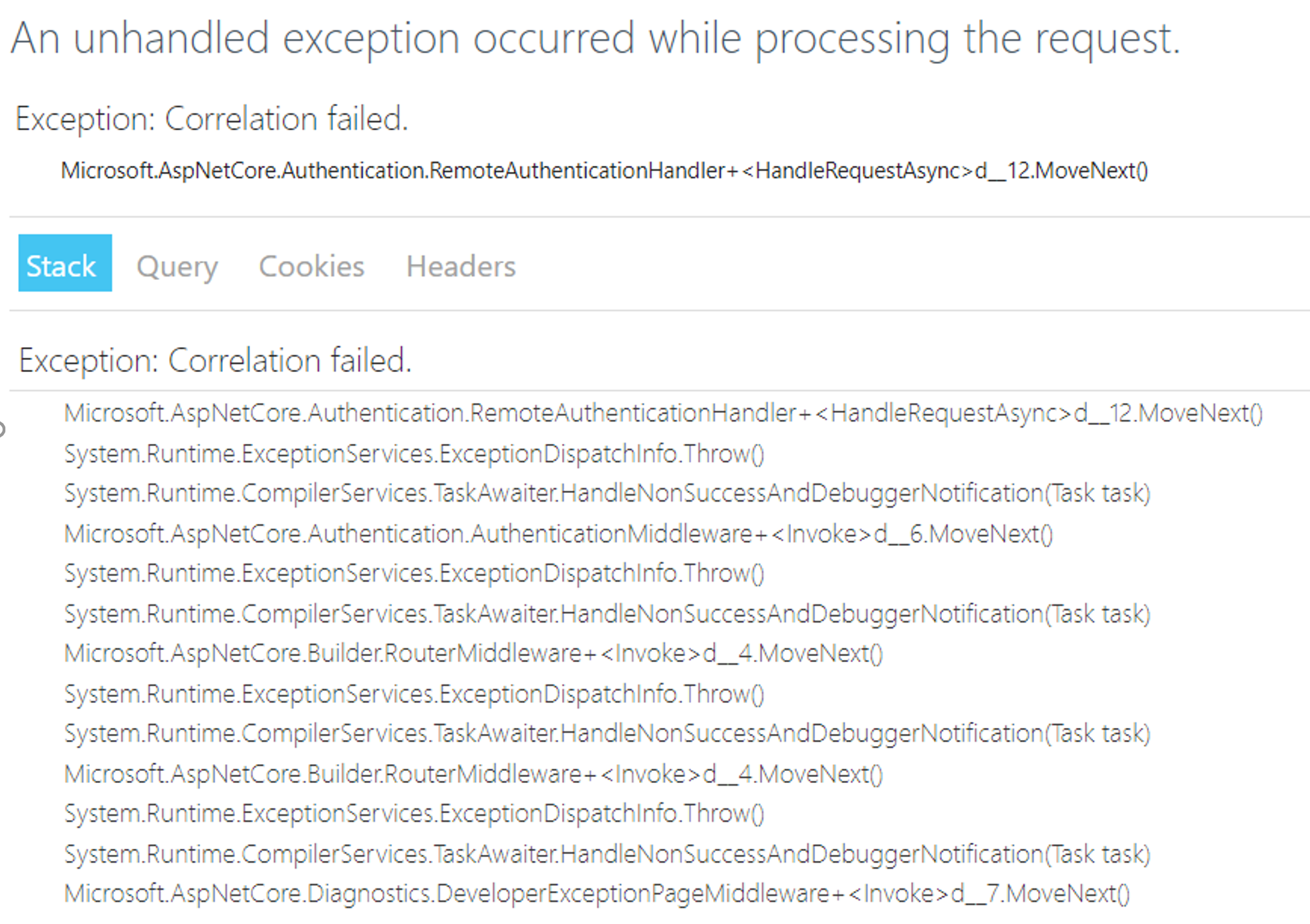
I tried to handle the OnRemoteFailure() event as suggested above, and redirect to "/" which is a secure endpoint for me, but it causes an _infinite loop_ of authentication from / to /signin-oidc to / to /signin-oidc... perhaps I should redirect somewhere else? Or write a specific page that will hard clear the cookie cache and then redirect to the "/" page?
WORKAROUND
1) Users can go to the homepage again and hit F5 until this works. It seems that each F5 gets them moving a step ahead and once the OpenID cookies are populated, everything else (I have more auth after openid finishes, via adal.js for AJAX use).
2) Bypass the application gateway and use the direct service fabric cluster DNS name (not acceptable as it is http).
DETAILS
System.Exception: Correlation failed.
at Microsoft.AspNetCore.Authentication.RemoteAuthenticationHandler`1.
--- End of stack trace from previous location where exception was thrown ---
at System.Runtime.ExceptionServices.ExceptionDispatchInfo.Throw()
at System.Runtime.CompilerServices.TaskAwaiter.HandleNonSuccessAndDebuggerNotification(Task task)
at Microsoft.AspNetCore.Authentication.AuthenticationMiddleware.
--- End of stack trace from previous location where exception was thrown ---
at System.Runtime.ExceptionServices.ExceptionDispatchInfo.Throw()
at System.Runtime.CompilerServices.TaskAwaiter.HandleNonSuccessAndDebuggerNotification(Task task)
at Microsoft.AspNetCore.Builder.RouterMiddleware.
--- End of stack trace from previous location where exception was thrown ---
at System.Runtime.ExceptionServices.ExceptionDispatchInfo.Throw()
at System.Runtime.CompilerServices.TaskAwaiter.HandleNonSuccessAndDebuggerNotification(Task task)
at Microsoft.AspNetCore.Builder.RouterMiddleware.
--- End of stack trace from previous location where exception was thrown ---
at System.Runtime.ExceptionServices.ExceptionDispatchInfo.Throw()
at System.Runtime.CompilerServices.TaskAwaiter.HandleNonSuccessAndDebuggerNotification(Task task)
at Microsoft.AspNetCore.Diagnostics.DeveloperExceptionPageMiddleware.
 sathiathirumal
on 30 Apr 2018
sathiathirumal
on 30 Apr 2018
It's a bit off topic for this issue @sathiathirumal, this being about identity server. You're better asking such things on stack overflow. But yes, of course if authentication fails and on failure you redirect to a secure end point, that's going to trigger authentication again and thus the infinite loop.
coffeymatt
on 1 May 2018
Fair enough @coffeymatt - I will pursue this in a more appropriate forum. My point was that this seems to happen even outside of IdentityServer, so I am not sure if the issue is further upstream and generally related to running your services behind an application gateway (somehow).
sathiathirumal
on 1 May 2018
@sathiathirumal I am hitting same problem. Do you solve this issue?
My environment is:
- 4 nodes Service Fabric Cluster ( IP is :192.168.100.16-192.168.100.19)
- 2 nodes NLB+ARR as Load Balance, I have Virtual IP is 192.168.100.60, NLB1 IP is 192.168.100.13, NLB2 IP is 192.168.100.14
- STS web stateless service run on 4 SF nodes
- Client(a management console web) also run on 4 SF nodes
My problem is :
- When I open mc web in Chrome with 192.168.100.60 (with NLB+ARR), then login with sts, I get error "Correlation failed".
- When I open mc web in Chrome with 192.168.100.13 (only with ARR), then login with sts, I also get same error.
- When I open mc web in Chrome with 192.168.100.16 (access SF node directly), then login with sts, it is working.
STS always run on 4 SF nodes with NLB+ARR in above 3 situations.
 heavenwing
on 29 May 2018
heavenwing
on 29 May 2018
@heavenwing I have been posting on this at https://github.com/aspnet/Security/issues/1755
sathiathirumal
on 31 May 2018
In case anyone runs into this issue: we had the exact same problem, turned out it had to do with the data protection APIs. I detailed it on my blog (https://www.kevindockx.com/solving-correlation-failed-state-property-not-found-errors-openid-connect-middleware-asp-net-core/), but to summarize: the OIDC middleware uses the data protection APIs to encrypt/decrypt state. When decryption fails, state is null, thus resulting in a Correlation failed: state not found error. In our case, decryption failed because different keys were used for encryption/decryption, a pretty common problem when deploying behind a load balancer. The solution was to use a shared key store.
 KevinDockx
on 1 Jun 2018
KevinDockx
on 1 Jun 2018
@heavenwing see https://github.com/aspnet/Security/issues/1755#issuecomment-392803709 on how I solved this for my issue. (hint: yes it was the DataProtection layer missing and OIDC middleware being unable to decrypt cookies that were generated/encrypted on a different node)
sathiathirumal
on 1 Jun 2018
For me this issue was using the default Cookie Policy:
public void Configure...
{
    // This will override cookie settings for OpenIdConnect
    // Nonce and Correlation Cookies included.
    app.UseCookiePolicy();
}
 DwaynesWorld
on 21 Oct 2018
DwaynesWorld
on 21 Oct 2018
I had the same problem and I fixed it using @coffeymatt suggestion.
options.Events.OnRemoteFailure = context =>
{
if (context.Failure.Message.Contains("Correlation failed"))
context.Response.Redirect("/");
else
context.Response.Redirect("/Error");
     context.HandleResponse();

      return Task.CompletedTask;
};
 Daniel-iel
on 6 Nov 2018
Daniel-iel
on 6 Nov 2018
I had two instances of identity server, one as primary one and other acting as external identity provider for primary one. When I try to login from an javascript client I am able to authenticate the user and when redirecting to application I am getting as Correlation failed. Can someone help me?

 muralisambu
on 18 Dec 2018
muralisambu
on 18 Dec 2018
The exact issue that causes this is in the AspnetCore authentication flow, specifically in this class: RemoteAuthenticationHandler.cs. If you look in there you will see a number of causes for the message: the correlation cookie was never issued, is for a different auth flow than the one in progress, or has expired for example. One thing that can help with debugging is to make your client app log at the Trace level: you can see in that file that the client auth framework actually does quite a bit of logging, but all of it is invisible at the normal 'Warning' level except for the final exception.
ChrisPritchard
on 18 Dec 2018
In our case, this was the reason #1510 .
It results in the same behaviour so I decided to drop this here.
(kudos: https://github.com/aspnet/Security/issues/1755#issuecomment-395698175)
 vetras
on 1 Apr 2019
vetras
on 1 Apr 2019
I've also encountered this issue and it was caused by ForwardedHeadersOptions not being set to forward XForwardedProto. The app was running behind an IIS proxy and because the protocol was not being forwarded, the redirect went to http instead of https (and http was not allowed in RedirectUris).
So enforcing the default config solved the issue:
services.Configure<ForwardedHeadersOptions>(options =>
{
    options.ForwardedHeaders = ForwardedHeaders.XForwardedFor | ForwardedHeaders.XForwardedProto;
 });
 mvacha
on 3 Apr 2019
mvacha
on 3 Apr 2019
@brockallen @openidauthority What sort of security purposes are served by the RemoteAuthenticationTimeout described here: https://github.com/IdentityServer/IdentityServer4/issues/720#issuecomment-311208551 ?
I have some ideas but would like to know what the official reason is or what sorts of attacks this can help defend against.
My guess was that there could be information stored in the state that could be misused if a user leaves the login page open, not realizing the page contains this information (similar to leaving a site logged in on a public computer). For example, a user might receive an invite link to my application, follow the link which redirects them to the oauth server login page (which would securely encrypt the various invite token properties into the state param), and then leave that page open. Without the expiring cookie based on RemoteAuthenticationTimeout another user could log in to the page and redirect back to my application, and have essentially stolen the invite token and applied it to their own user account. With the expiring cookie, they will redirect back to the application but not successfully complete the login/signup.
Maybe I'm way off here though, so I would like to know what else this helps prevent.
 dferretti
on 27 Nov 2019
dferretti
on 27 Nov 2019
This thread has been automatically locked since there has not been any recent activity after it was closed. Please open a new issue for related bugs.
![lock[bot] picture](https://avatars1.githubusercontent.com/in/6672?v=4&s=40) lock[bot]
on 10 Jan 2020
lock[bot]
on 10 Jan 2020
Related issues
 osudude
·
3Comments
osudude
·
3Comments
 klioqc
·
3Comments
klioqc
·
3Comments
 agilenut
·
3Comments
agilenut
·
3Comments
 osmankibar
·
3Comments
osmankibar
·
3Comments
 krgm03
·
3Comments
krgm03
·
3Comments
Most helpful comment
@aduggleby: I suspect that some of your users are arrive at the log in screen, become distracted, and then come back and try to log in more than 15 minute later. By then the cookie used for correlation has expired and they get this error. If you set RemoteAuthenticationTimeout in the OIDC middleware to something like 10 seconds:
...then users would only have 10 seconds to log in. If you increase this to several hours it will probably greatly reduce the frequency of the error. A better solution would be to redirect the user to some other page if someone leaves the log in screen for more than a few minutes so they cannot use a "stale" log in screen. The timeout is there for security purposes.