Idea-gitignore: .ignore fails to load on IDEA 2017.2.2
Prerequisites
- [X] Plugin is in the latest version
- [X] Issue was not reported yet
- [ ] Stack trace (if provided) contains
mobi.hsz.idea.gitignorepackage name
#
No stack trace available, no exception was thrown.
Description
Output from Event Log tab:
Plugin Error
Problems found loading plugins:
The following plugins are incompatible with the current IDE build: .ignore
Output from ~/.IntelliJIdea2017.2/system.log:
2017-08-23 11:24:43,429 [ 1760] INFO - llij.ide.plugins.PluginManager - Plugin '.ignore' can't be loaded because: This plugin version was marked as incompatible
Versions
Plugin:
1.7.6
IDE:
IntelliJ IDEA 2017.2.2
Build #IU-172.3757.52, built on August 15, 2017
Licensed to *************
JRE: 1.8.0_152-release-915-b10 amd64
JVM: OpenJDK 64-Bit Server VM by JetBrains s.r.o
Linux 4.10.0-32-generic
OS:
Ubuntu 16.04 LTS
 jbauerrfid
All 11 comments
Thanks - it will be fixed with v2.1.1 quite soon.
 hsz
on 23 Aug 2017
hsz
on 23 Aug 2017
It seems to be fixed with v2.1.0 - but it does not update automatically from 1.7.6 - rather it is required to uninstall 1.7.6, then download 2.1.0 as zip and install the new plugin from disk.
jbauerrfid
on 23 Aug 2017
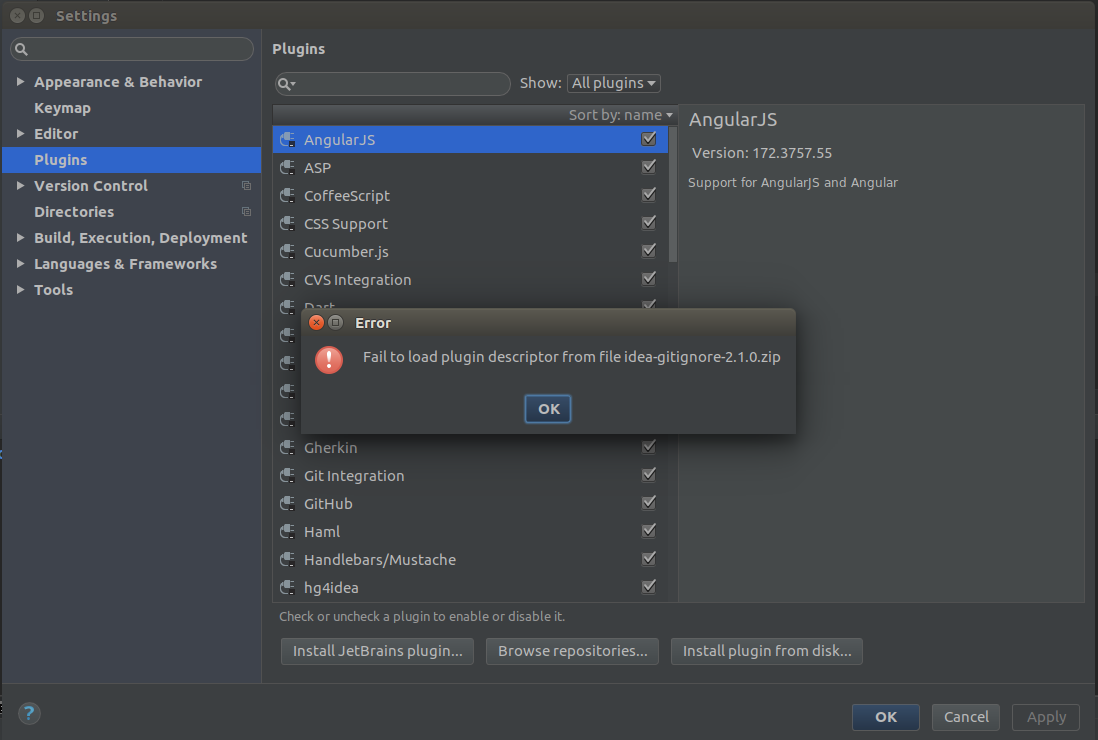
@jbauerrfid i'd try to uninstall and install downloaded 2.1.0 zip file and it doesn't working for me (Ubuntu 17.04 and WebStorm 2017.2.2).
 izatop
on 23 Aug 2017
izatop
on 23 Aug 2017
Because of some critical bug I had to pull this update down. However JB Support still didn't remove this update entry from their registry.
I'm about to release v2.1.1 soon with proper fixes, so everything should be fine again.
Stay tuned.
hsz
on 23 Aug 2017
Just click "Install plugin from disk..." and point to the idea-gitignore-2.1.0.zip - this worked for me.
jbauerrfid
on 23 Aug 2017
Installing from a source code archive doesn't work. Can you release a IDEA Jar Plugin archive?
 oranheim
on 23 Aug 2017
hsz
on 23 Aug 2017
oranheim
on 23 Aug 2017
hsz
on 23 Aug 2017
@hsz only sources has been released. No compile plugin is avail for the release, it only only avail for RC1..
oranheim
on 23 Aug 2017
v2.1.1 has been released
hsz
on 23 Aug 2017
Perfect! It works fine with IDEA 2017.2.2 :) Thank you !!
oranheim
on 23 Aug 2017
Updates automatically to v2.1.1 and works perfectly.
jbauerrfid
on 23 Aug 2017
Related issues
 hoangtranwork
·
3Comments
hoangtranwork
·
3Comments
 matewka
·
5Comments
matewka
·
5Comments
 darkfishy
·
3Comments
darkfishy
·
3Comments
 archenroot
·
6Comments
archenroot
·
6Comments
 k3n
·
3Comments
k3n
·
3Comments
Most helpful comment
Perfect! It works fine with IDEA 2017.2.2 :) Thank you !!