Idea-gitignore: "You are editing file which is ignored" warning after upgrading to IDEA 2017.1
I'm getting .i* You are editing file which is ignored warnings for random files after I upgraded to IntelliJ IDEA 2017.1. The warning might disappear when restarting IDEA, but it might also reappear for one or more different files.
The files in case are not ignored and they show up in git as expected.
 tlaak
tlaak
All 29 comments
It also uses a lot of CPU when editing the .gitignore file
 beruic
on 29 Mar 2017
beruic
on 29 Mar 2017
NIT: maybe a good chance to correct the spelling to You are editing a file which is ignored or rephrase. ;)
 snazy
on 29 Mar 2017
snazy
on 29 Mar 2017
I get this where I have an entry in .gitignore for /target and part of my source tree has /target/ in it...
 slegdon
on 29 Mar 2017
slegdon
on 29 Mar 2017
+1
Also getting this error. After updating to 2017.1 files are ignored at random. If cache is invalidated or IDE is restarted then all files go back to normal.
After a few minutes another file (not necessarily the same file) will become ignored. Might need to uninstall plugin till a fix is applied as this stops your ability to add or commit a file to your repo.
 mattoz0
on 3 Apr 2017
mattoz0
on 3 Apr 2017
I'm having the same issue with 2017.1 . I've temporarily disabled the plugin.
 mistercam
on 4 Apr 2017
mistercam
on 4 Apr 2017
I just installed the plugin and I like, except for this issue. I get seemingly random messages that I'm editing an ignored file, when the file I'm editing is not ignored by any .i*-File.
Uninstalling...
 eburi
on 5 Apr 2017
eburi
on 5 Apr 2017
I have also encountered this issue. In my case, I have a global ignore file at ~/.config/git/ignore which contains on .idea/. In the project where I am seeing random ignored files, I also have a .gitignore which contains .idea/. If I remove the global gitignore file, things appear to go back to normal. Disabling the plugin for now.
 mtnbikenc
on 11 Apr 2017
mtnbikenc
on 11 Apr 2017
I can confirm that this also happens on my projects based on git. One is local git repository without remote origins, another one is with corporate gitolite server. In both cases files marked as ignored are totally random.
Most recent scenario:
1) Open project in Idea
2) Move 4 java files into sub-package
3) One of the files in parent package was marked as "ignored"
4) Restart Idea
5) File is not marked as ignored
This behavior prevents using commit from Idea but everything is commit fine when doing from command line or other GUI tool.
I tried putting this line in .gitignore. It changed state for the current session but didn't prevent from happen after Idea restart.
!/src/main/
IntelliJ IDEA 2017.1.1
Build #IU-171.4073.35, built on April 6, 2017
JRE: 1.8.0_112-release-736-b16 x86_64
JVM: OpenJDK 64-Bit Server VM by JetBrains s.r.o
Mac OS X 10.12.4
 sergiusz-roszczyk
on 17 Apr 2017
sergiusz-roszczyk
on 17 Apr 2017
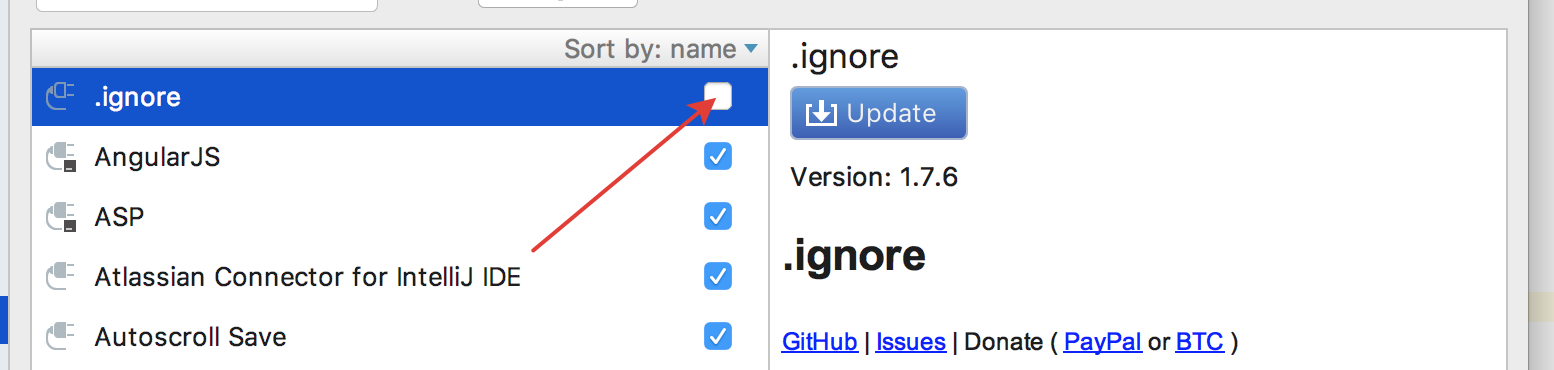
I started having the same problem after I upgraded to Intellij 2017.1.1
IntelliJ IDEA 2017.1.1
Build #IU-171.4073.35, built on April 6, 2017
JRE: 1.8.0_112-release-736-b16 x86_64
JVM: OpenJDK 64-Bit Server VM by JetBrains s.r.o
Mac OS X 10.12.1
.ignore
Version: 1.7.6
 qmg-gkalogiros
on 21 Apr 2017
qmg-gkalogiros
on 21 Apr 2017
Same here
PhpStorm 2017.1.4
Build #PS-171.4694.2, built on May 16, 2017
JRE: 1.8.0_112-release-736-b21 x86_64
JVM: OpenJDK 64-Bit Server VM by JetBrains s.r.o
Mac OS X 10.12.5
.ignore
Version: 1.7.6
 tnc-tianwen
on 19 May 2017
tnc-tianwen
on 19 May 2017
same here
 LiranBri
on 21 May 2017
LiranBri
on 21 May 2017
+1
 dluc
on 2 Jun 2017
dluc
on 2 Jun 2017
same here
 avevlad
on 9 Aug 2017
avevlad
on 9 Aug 2017
Has this been fixed?
 kevinhaas
on 30 Aug 2017
kevinhaas
on 30 Aug 2017
@kevinhaas easy man
avevlad
on 30 Aug 2017
@AveVlad That was not really an answer to @kevinhaas question.
beruic
on 4 Sep 2017
l'm using Android Studio and had the same issue with one of my layouts.....and I can confirm that updating the gitignore plugin solved the issue (for me at least.......)
 ClaudeHangui
on 12 Sep 2017
ClaudeHangui
on 12 Sep 2017
I updated to 2.2.1 and the issue disappeared.
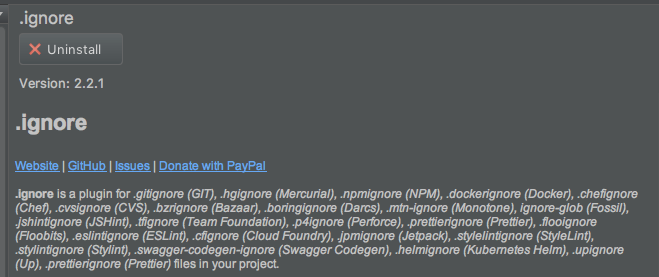
This was with WebStorm 2017.2
 jbreckmckye
on 21 Sep 2017
jbreckmckye
on 21 Sep 2017
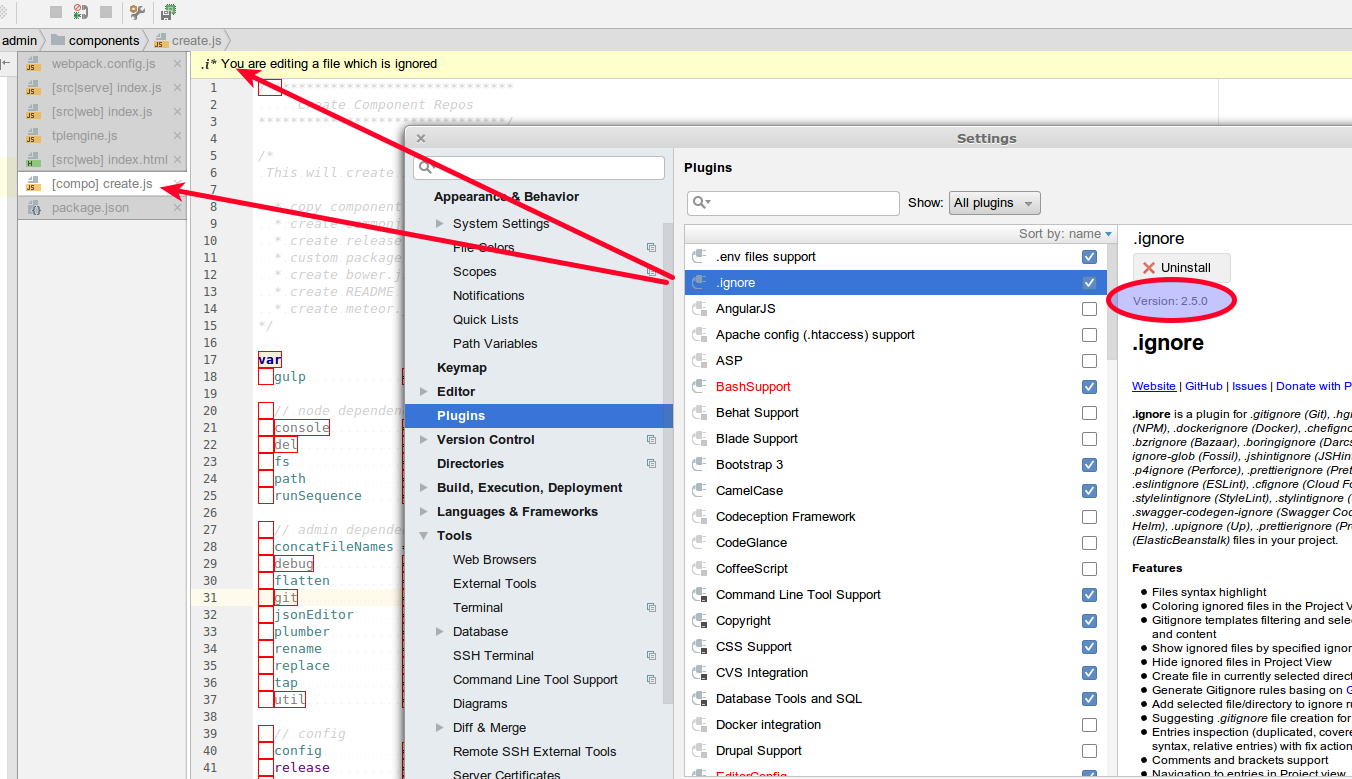
PhpStorm 2018.1 the issue is still present. Ignore version 2.5.0 (seems latest)
 roman4e
on 14 Apr 2018
roman4e
on 14 Apr 2018
Same problem on PhpStorm 2018.2
Plugin version: 3.0.0.182
 PiotrSzlagura
on 6 Sep 2018
PiotrSzlagura
on 6 Sep 2018
Same problem on idea 2018.2.4 ,
Plugin version: 3.0.0.182
Thank you.
 D-W-X
on 3 Oct 2018
D-W-X
on 3 Oct 2018
Same problem on PHPStorm 2019.1.2
Plugin version: v3.1.1.191
Thank you.
 Gixx
on 20 May 2019
Gixx
on 20 May 2019
How do we get this issue reopened again as there still seems to be a problem
PHPStorm 2019.1
Plugin version: v3.1.2.191
 leereichardt
on 25 Jun 2019
leereichardt
on 25 Jun 2019
I am having the same issue recently with PyCharm. I am currently using .ignore v3.1.2.191 and Pycharm version:
PyCharm 2019.1.1 (Professional Edition)
Build #PY-191.6605.12, built on April 3, 2019
JRE: 11.0.2+9-b159.34 amd64
JVM: OpenJDK 64-Bit Server VM by JetBrains s.r.o
Windows 10 10.0
 manishkumr
on 28 Jun 2019
manishkumr
on 28 Jun 2019
Same issue with Rider 2019.2
Plugin 3.2.2.192
Mac OS
 northlander
on 7 Sep 2019
northlander
on 7 Sep 2019
Same issue with Android Studio 3.5.2
Build #AI-191.8026.42.35.5977832, built on October 30, 2019
JRE: 1.8.0_202-release-1483-b03 amd64
JVM: OpenJDK 64-Bit Server VM by JetBrains s.r.o
Windows 10 10.0
 gabriel-TheCode
on 3 Dec 2019
gabriel-TheCode
on 3 Dec 2019
The issue is still there on CLion 2020.2.1
 rishabhdeepsingh
on 8 Sep 2020
rishabhdeepsingh
on 8 Sep 2020
The same issue still going on
 IslamSakrak
on 9 Nov 2020
IslamSakrak
on 9 Nov 2020
I had solved this by manually adding the affected files in git.
Go to file, right click, Git -> Add
gabriel-TheCode
on 9 Nov 2020
Related issues
 mfursov
·
3Comments
mfursov
·
3Comments
 klevie
·
6Comments
klevie
·
6Comments
 KingMario
·
5Comments
KingMario
·
5Comments
 zeg-io
·
4Comments
zeg-io
·
4Comments
 ohlle
·
7Comments
ohlle
·
7Comments
Most helpful comment
Same problem on PHPStorm 2019.1.2
Plugin version: v3.1.1.191
Thank you.