I18n-module: nuxt-i18n breaks colors of vuetify 1.2.1
Version
Reproduction link
https://preview.c9users.io/lowryder/nuxt-vuetify
Steps to reproduce
files: https://preview.c9users.io/lowryder/nuxt-vuetify
code at c9.io: https://ide.c9.io/lowryder/nuxt-vuetify
result: http://nuxt-vuetify-lowryder.c9users.io:8081/
1) Install nuxt
2) install vuetify 1.2.1 or "nuxtjs/vuetify"
3) install "nuxt-i18n": "^5.2.1"
4)
/nuxt.config.js
 modules: [
    '@nuxtjs/vuetify',
    ['nuxt-i18n', {
      // No options
    }]
  ]
What is expected ?
vuetify with normal (color) styling
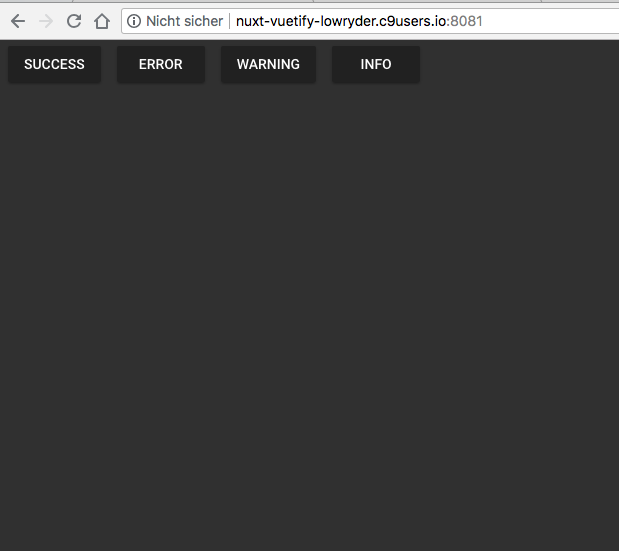
What is actually happening?
vuetify has no colors
 oanstein
👍3
All 3 comments
@oanstein, could this be the same problem as issue 100? If you use the same workaround (seo: false), does it fix your issue?
 adi-zz
on 3 Sep 2018
adi-zz
on 3 Sep 2018
👍1
@adi-zz the workaround (seo: false) does indeed "fix" this issue
oanstein
on 3 Sep 2018
🎉2
This bug-report has been cancelled by @manniL.
Duplicate of https://cmty.app/nuxt/nuxt-i18n/issues/c93
![cmty[bot] picture](https://avatars3.githubusercontent.com/in/6210?v=4&s=40) cmty[bot]
on 4 Oct 2018
cmty[bot]
on 4 Oct 2018
Was this page helpful?
0 / 5 - 0 ratings
Related issues
 miteyema
·
5Comments
miteyema
·
5Comments
 altpoint
·
4Comments
altpoint
·
4Comments
 NadhirBoukhenifra
·
4Comments
NadhirBoukhenifra
·
4Comments
 rchl
·
5Comments
rchl
·
5Comments
 eddiesigner
·
4Comments
eddiesigner
·
4Comments
Most helpful comment
@adi-zz the workaround (seo: false) does indeed "fix" this issue