Hystrix: How do I change the configuration dynamically???
I wanted to change the timeout period dynamically when the program was running, but it didn't work. Is there any way that the program can change the configuration dynamically at run time? Here is my code
public TestHystrix(Integer time) {
super(Setter
.withGroupKey(HystrixCommandGroupKey.Factory.asKey("TestGroup"))
.andCommandKey(HystrixCommandKey.Factory.asKey("TestCommandKey"))
.andThreadPoolKey(HystrixThreadPoolKey.Factory.asKey("TestThreadPoolKey"))
.andCommandPropertiesDefaults(
HystrixCommandProperties.Setter()
.withExecutionTimeoutInMilliseconds(time)
.withExecutionIsolationThreadInterruptOnTimeout(true)));
this.name = name;
}
@Override
protected String run() throws Exception {
try {
Thread.sleep(5000);
System.out.println("Hello");
} catch (InterruptedException e) {
e.printStackTrace();
}
}
@RequestMapping("/hystrix/localTest/{time}")
public String localTestFeign(@PathVariable String time){
Integer timeout = Integer.parseInt(time);
return new TestHystrix(timeout).execute();
}
 hibicus8888
All 16 comments
Hi hibicus8888,
you can use the ConfigurationManager inside the constructor and lookup the property names used in the source com.netflix.hystrix.HystrixCommandProperties.
String commandKey = "TestCommandKey"; // must fit to the used key
String prefix = "hystrix.command." + commandKey + ".";
AbstractConfiguration config = ConfigurationManager.getConfigInstance();
config.setProperty(prefix + "execution.isolation.thread.timeoutInMilliseconds", executionTimeout);
config.setProperty(prefix + "circuitBreaker.sleepWindowInMilliseconds", circuit_sleep_window);

// check that it worked ;-)
HystrixCommandProperties props = getProperties();
System.out.println("ExecutionTimeoutMillis \t" + getProperties().executionTimeoutInMilliseconds().get());
System.out.println("CircuitBreakerSleepMs  \t" + getProperties().circuitBreakerSleepWindowInMilliseconds().get());
 Wellssow
on 15 Nov 2017
Wellssow
on 15 Nov 2017
Hi Wellssow, thanks for your share.
It can solve many of my problems.
hibicus8888
on 16 Nov 2017
if use Spring:
- create one Source class to fetch configuration:
public class DegradeConfigSource implements PolledConfigurationSource {
@Override
public PollResult poll(boolean initial, Object checkPoint) throws Exception {
Map<String, Object> complete = Collections.emptyMap();
// ... init complete map
// complete.put("hystrix.command.<CommandKey>.fallback.enabled"), true);
return PollResult.createFull(complete);
}
}
- add configuration source and enable auto reload:
@Configuration
public class DegradeDynamicConfig {
@Bean
public DynamicConfiguration dynamicConfiguration(@Autowired DegradeConfigSource degradeConfigSource) {
AbstractPollingScheduler scheduler = new FixedDelayPollingScheduler(30 * 1000, 60 * 1000, false);
DynamicConfiguration configuration = new DynamicConfiguration(degradeConfigSource, scheduler);
ConfigurationManager.install(configuration); // must install to enable configuration
return configuration;
}
}
Reference:
hystrix archaius to dynamic config
hystrix configuration
 hao5ang
on 28 Mar 2018
hao5ang
on 28 Mar 2018
Hi hibicus8888,
you can use the ConfigurationManager inside the constructor and lookup the property names used in the source _com.netflix.hystrix.HystrixCommandProperties_.
String commandKey = "TestCommandKey"; // must fit to the used key
String prefix = "hystrix.command." + commandKey + ".";
AbstractConfiguration config = ConfigurationManager.getConfigInstance();
config.setProperty(prefix + "execution.isolation.thread.timeoutInMilliseconds", executionTimeout);
config.setProperty(prefix + "circuitBreaker.sleepWindowInMilliseconds", circuit_sleep_window);

// check that it worked ;-)
HystrixCommandProperties props = getProperties();
System.out.println("ExecutionTimeoutMillis \t" + getProperties().executionTimeoutInMilliseconds().get());
System.out.println("CircuitBreakerSleepMs  \t" + getProperties().circuitBreakerSleepWindowInMilliseconds().get());
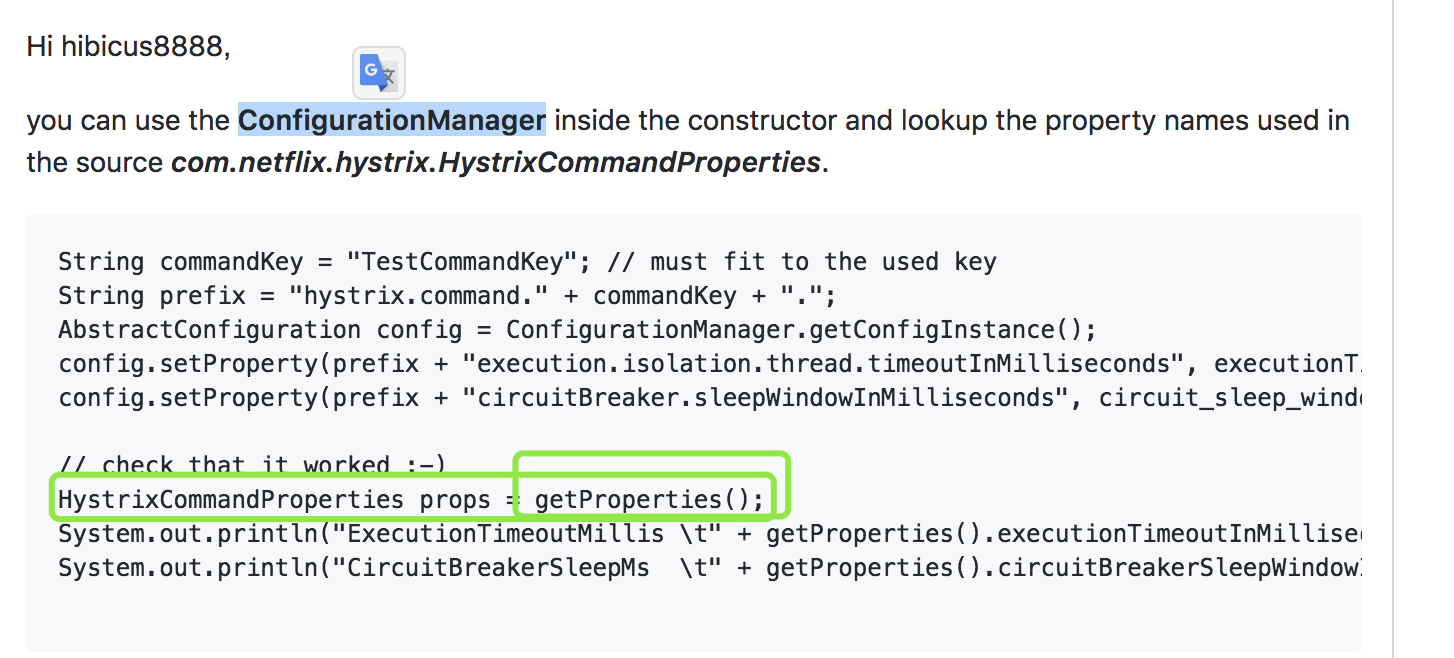
"HystrixCommandProperties props = getProperties();" the getProperties()
 yaoyuanyy
on 30 Oct 2018
yaoyuanyy
on 30 Oct 2018
@Wellssow where is the mothed "getProperties()"
yaoyuanyy
on 30 Oct 2018
@yaoyuanyy The Method "getProperties()" belongs to the class com.netflix.hystrix.HystrixCommand or one of its super classes. My test code shows a class, that extends the HystrixCommand.
Wellssow
on 30 Oct 2018
ok. i standand a little, Can i look at the entire code?
yaoyuanyy
on 30 Oct 2018
@yaoyuanyy No, I'm sorry. The other code parts are not for public viewing. What - in detail - do you need to know?
Wellssow
on 30 Oct 2018
yes, i want to update properties of HystrixCommandProperties thought rest Controller, but I can not do it now
yaoyuanyy
on 30 Oct 2018
If you have access to the ConfigurationManager.getConfigInstance()
and the name of the commandKey, then you can read and set the properties as mentions above with a generated the prefix :
String prefix = "hystrix.command." + commandKey + ".";
AbstractConfiguration config = ConfigurationManager.getConfigInstance();
config.setProperty(prefix + "execution.isolation.thread.timeoutInMilliseconds", executionTimeout);
config.setProperty(prefix + "circuitBreaker.sleepWindowInMilliseconds", circuit_sleep_window);
Is your REST service deployed on the hystrix server?
Wellssow
on 30 Oct 2018
Ok, thx very much, i try it
yaoyuanyy
on 30 Oct 2018
@Wellssow hi, i try it, but it not work. follow code:
yaoyuanyy
on 31 Oct 2018
@Aspect
@Component
public class HystrixDynamicUpdateAdvice {
private static final Logger logger = LoggerFactory.getLogger(ConfigController.class);

@Pointcut("execution(* com.skyler.gateway.dynamic.ConfigController.*(..))")
public void pointCut(){}

@Around("pointCut()")
public Object runCommand(final ProceedingJoinPoint point){
    logger.info("point cut going--");
    return runCommand0(point).execute();
}

private HystrixCommand<Object> runCommand0(ProceedingJoinPoint point) {
    String method = point.getSignature().getName();
    return new HystrixCommand<Object>(setter(method)) {
        @Override
        protected Object run() throws Exception {
            try {
                return point.proceed();
            } catch (Throwable throwable) {
                throw (Exception) throwable;
            }
        }
    };
}

private HystrixCommand.Setter setter(String method){
    int value= 101;

    String commandKey = "user-service";
    String prefix = "hystrix.command." + commandKey + ".";

    DynamicLongProperty request = DynamicPropertyFactory.getInstance().getLongProperty(prefix + "execution.isolation.semaphore.maxConcurrentRequests", 20);
    System.out.println("request"+request.get());
// AbstractConfiguration config = ConfigurationManager.getConfigInstance();
// config.setProperty(prefix + "execution.isolation.semaphore.maxConcurrentRequests", value);
//
// String s = (String) config.getProperty(prefix+"execution.isolation.semaphore.maxConcurrentRequests");
// System.out.println("ss:"+s);
    logger.info("update executionIsolationSemaphoreMaxConcurrentRequests:"+value);
    return HystrixCommand.Setter.withGroupKey(HystrixCommandGroupKey.Factory.asKey("Group"+method))
            .andCommandKey(HystrixCommandKey.Factory.asKey("user-service"))
            .andCommandPropertiesDefaults(HystrixCommandProperties.Setter().withExecutionIsolationSemaphoreMaxConcurrentRequests(value));
}
}
yaoyuanyy
on 31 Oct 2018
@RestController
public class ConfigController{
private static final Logger logger = LoggerFactory.getLogger(ConfigController.class);

@RequestMapping("/dynamicUpdateConfig")
public String dynamicUpdateConfig(String timeout){
    logger.info(" --- ConfigController");
// // must fit to the used key
String commandKey = "user-service";
String prefix = "hystrix.command." + commandKey + ".";
AbstractConfiguration config = ConfigurationManager.getConfigInstance();
String s = (String) config.getProperty("hystrix.command.default.execution.isolation.semaphore.maxConcurrentRequests");
String s2 = (String) config.getProperty("hystrix.command.user-service.execution.isolation.semaphore.maxConcurrentRequests");
System.out.println("s:"+s);
System.out.println("s2:"+s2);
return "";
}
}
yaoyuanyy
on 31 Oct 2018
when button http://localhost:8080/dynamicUpdateConfig. i can read value of hystrix.command.user-service.execution.isolation.semaphore.maxConcurrentRequests in application.yml. but i update the value, i can not read the last value @Wellssow
yaoyuanyy
on 31 Oct 2018
Mmhhh... your coding looks good to me.
I think, there's some kind of caching or timing involved.
But I moved to other projects, so I'm sorry to say, that I don't know those details of hystrix anymore.
Wellssow
on 1 Nov 2018
Related issues
 e-Masary
·
7Comments
e-Masary
·
7Comments
 JagmohanSharma
·
6Comments
JagmohanSharma
·
6Comments
 tpetach1
·
5Comments
tpetach1
·
5Comments
 elandau
·
3Comments
elandau
·
3Comments
 erichhsun
·
6Comments
erichhsun
·
6Comments
Most helpful comment
Hi hibicus8888,
you can use the ConfigurationManager inside the constructor and lookup the property names used in the source com.netflix.hystrix.HystrixCommandProperties.