Hyperapp: to render the app with custom root, that element MUST have at least a child
I've struggled while setting the root because the page didn't render. I used the official root's doc example:
<body>
  <div id="app"></div>
</body>
But js broke always with an undefined 'element'.
Inquiring the code I've found that in app.js the main element is choose in this way:
var appRoot = props.root || document.body
var element = appRoot.children[0]
so it's necessary to have at least one child (any tag), that will be replaced by the application, eg. like this:
<body>
  <div id="app">
    <i></i>
  </div>
</body>
Maybe it has to be mentioned in the doc.
 devhero
All 13 comments
That is interesting 🤔
https://codepen.io/selfup/pen/jLMRjO
This works just fine without a child in the custom root.
What version of hyperapp are you using?
 selfup
on 8 Sep 2017
selfup
on 8 Sep 2017
I have tried with 0.12.1 and 0.12.0, both suffer of this.
devhero
on 8 Sep 2017
@devhero could I see an example of your app({ ... })? or at least the main view you call?
Thanks!
selfup
on 8 Sep 2017
In fact, if you inspect the html code generated by codepen, the
devhero
on 8 Sep 2017
It seems that it's going into the correct element?

selfup
on 8 Sep 2017
@devhero https://unpkg.com/[email protected]/dist/hyperapp.js is what version the codepen is pulling in. Hmm. Thanks for bringing this up!
@jbucaran @lukejacksonn Can you explain this behavior?
selfup
on 8 Sep 2017
@devhero I followed the simple example from our docs and it works 🤔
https://codepen.io/selfup/pen/KvjJBb?editors=1010
Is there anyway you can provide an example of your code? Thanks!
selfup
on 8 Sep 2017
Hi @devhero!
...so it's necessary to have at least one child (any tag), that will be replaced by the application...
I am really curious, because that's definitely not the case, never will and has never been! 👋😄
<!doctype html>
<html>

<body>
  <body>
    <div id="app"></div>
  </body>

  <script src="bundle.js"></script>
</body>

</html>
import { h, app } from "hyperapp"

app({
  view: () => <h1>Hi.</h1>,
  root: document.getElementById("app")
})
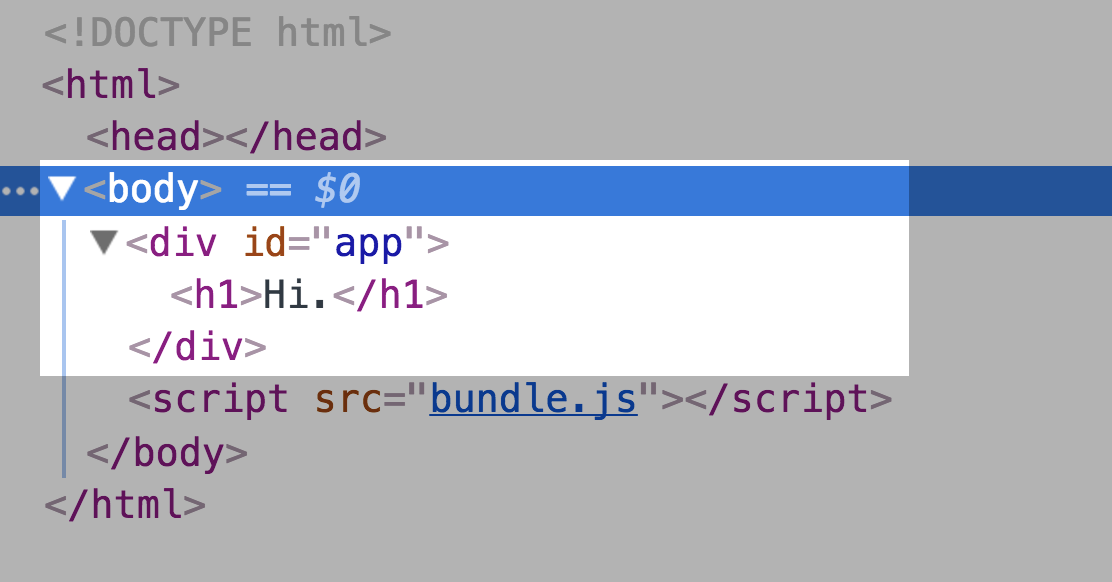
@devhero Inquiring the code I've found that in app.js the main element is choose in this way...
var element = appRoot.children[0]
Ah, you observed well, but your conclusion is incorrect. The patch function will create a new element when element is undefined, which is the case when the root (or document.body by default) is empty.
@devhero In fact, if you inspect the html code generated by codepen, the
does not contain the app, instead it's appended to the body. So IMO that test is not reliable.
I inspected the HTML code generated by CodePen and it looks good to me.


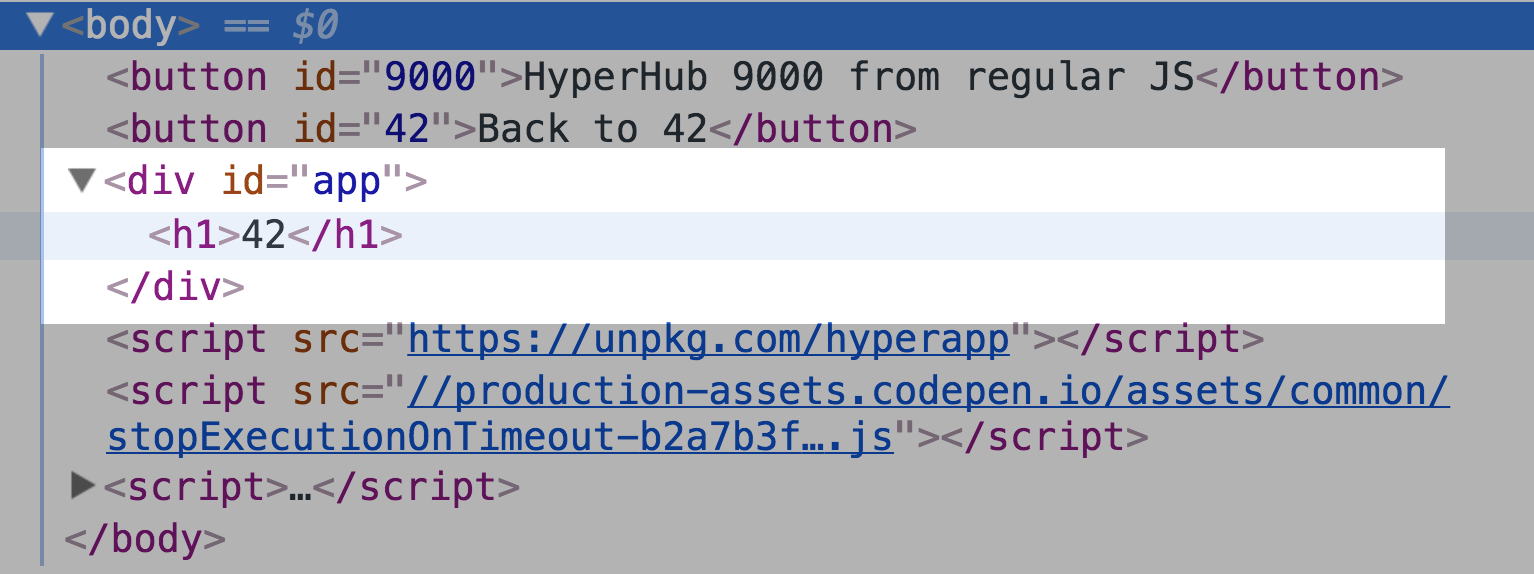
@selfup's last example here also works spotlessly! 💯
I am going to close here as invalid, but feel free to reopen if you come back with a working example.
 jorgebucaran
on 8 Sep 2017
jorgebucaran
on 8 Sep 2017
Ok, I've tested your examples and they works. (You are saying 'really!?').
I really appreciate this library, is very simple and smart!
I reanalyzed my code and I found that the problem happens on load event, while fetching initial data.
I come from react and I have some difficults without the help of methods like 'componentDidMount'.
I have prepared a simple example where I explain the issue:
https://jsfiddle.net/vsgdxmd5/4/
Thanks for the help!
devhero
on 13 Sep 2017
@devhero
The problem is here:
  events: {
    load: (state, actions) => actions.loadItems()
  },
It should be:
  events: {
    load: (state, actions) => {
      actions.loadItems()
    }
  }
It's not really your fault, this is a bit of pitfall from our side because while you are never encouraged to return anything from events.load, the docs don't go out of their way to tell you to be careful not to return anything either...
Let me explain that, we use events.load for hydration of pre-rendered (or SSR) HTML. See here.
Therefore, I prefer writing code this way.
  events: {
    load(state, actions) {
      actions.loadItems()
    }
  }
Now, it's pretty obvious when your function returns something or _not_.
Happy coding! 😄
jorgebucaran
on 13 Sep 2017
Ok, thanks A LOT!
devhero
on 13 Sep 2017
Oh glad we found the root cause here (no pun intented 😂)
Yea this was a tricky one 😛
selfup
on 13 Sep 2017
Related issues
 zaceno
·
3Comments
jorgebucaran
·
4Comments
zaceno
·
3Comments
jorgebucaran
·
4Comments
 dwknippers
·
3Comments
dwknippers
·
3Comments
 Mytrill
·
4Comments
Mytrill
·
4Comments
 icylace
·
3Comments
icylace
·
3Comments
Most helpful comment
Ok, thanks A LOT!