Hyper: Text disappearing when using SF Mono as the font family
- OS version and name: Mac OS Mojave (10.14.6)
- Hyper.app version: 3.1.0-canary.4
- The issue is reproducible in vanilla Hyper.app: No
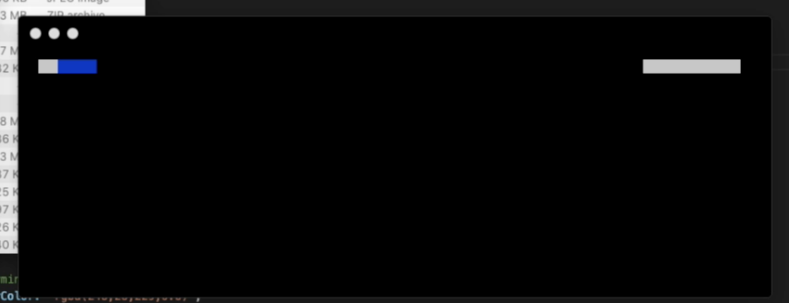
I have been using SF Mono as my terminal font for years, and last week, whenever I started typing in Hyper, all the text would disappear. The terminal would load with the first line shown (computer name / user name), but after the first letter was typed, every thing would disappear.
After messing around in the config, disabling plugins and options, I have identified the issue being with the use of SF Mono. Reverting it back to Menlo fixed the issue. I have tested with other fonts, and the issue seams to be with SF Mono only.
I am using the Canary version of Hyper (3.1.0), and the issue is not reproductible in vanilla (3.0.4) where SF Mono works fine.
 brunocloutier
All 10 comments
Tried it out, but couldn't reproduce the issue. Maybe try to reinstall the font and Hyper.
 LabhanshAgrawal
on 9 Mar 2020
LabhanshAgrawal
on 9 Mar 2020
@brunocloutier did you try to reinstall?
LabhanshAgrawal
on 20 Mar 2020
On OSX Catalina...
Just reproduced this from a fresh install. It's happening 100% of the time for me -- same build -- using the following font family string: fontFamily: '"MesloLGS NF", Menlo, "DejaVu Sans Mono", Consolas, "Lucida Console", monospace'
Workarounds
- Removing the first 3 fonts and using Consolas works.
- Going back to stable also works (but has issues with subpixel anti-aliasing, which is why I'm on canary in the first place 😸)
Debugging
There's an exception being thrown. The fonts are loaded properly during startup, then the exception is thrown and no fonts are rendered.
Trying to access features on undefined...


 JessicaSachs
on 28 Mar 2020
JessicaSachs
on 28 Mar 2020
@brunocloutier @JessicaSachs
Can you try once with ligatures disabled, set disableLigatures: true in config.
The exception is thrown by the font-ligatures module which is used by xterm-addon-ligatures
LabhanshAgrawal
on 28 Mar 2020
@brunocloutier @JessicaSachs ping
LabhanshAgrawal
on 14 Apr 2020
@LabhanshAgrawal Ran into the same issue with font disappearing after upgrading to canary. Disabling font ligatures fixed the problem for me.
OS: Ubuntu 19.10 x86_64
Hyper.app version: 3.1.0-canary.4
Shell: zsh 5.7.1
fontFamily 'MesloLGS NF, Menlo, "DejaVu Sans Mono", Consolas, "Lucida Console", monospace',
 jbberinger
on 6 May 2020
jbberinger
on 6 May 2020
@JessicaSachs @jbberinger Can you reply with the link from where you downloaded the font, I want to try and reproduce the issue, so that we might not need to disable ligatures for it.
LabhanshAgrawal
on 24 Jun 2020
@LabhanshAgrawal I'm using the popular zsh theme Powerlevel10k. It recommends the use of the Meslo Nerd font, which it installs during the setup wizard. I'm guessing that's where @JessicaSachs got the font as well.
https://github.com/romkatv/powerlevel10k#meslo-nerd-font-patched-for-powerlevel10k
jbberinger
on 24 Jun 2020
we've disabled ligatures in the default config. I've created an issue to track this in xterm https://github.com/xtermjs/xterm.js/issues/2980
It should be fixed once that's closed.
LabhanshAgrawal
on 5 Jul 2020
Just updated to canary today. As a user of Powerlevel10k with zsh, I am still seeing this issue unless ligatures are disabled. Is this still being tracked somewhere?
 drewswaycool
on 22 Aug 2020
drewswaycool
on 22 Aug 2020
Related issues
 anthonyettinger
·
3Comments
anthonyettinger
·
3Comments
 cooperpellaton
·
3Comments
cooperpellaton
·
3Comments
 hxnt
·
3Comments
hxnt
·
3Comments
 leo
·
3Comments
leo
·
3Comments
 daenuprobst
·
3Comments
daenuprobst
·
3Comments
Most helpful comment
@LabhanshAgrawal Ran into the same issue with font disappearing after upgrading to canary. Disabling font ligatures fixed the problem for me.
OS: Ubuntu 19.10 x86_64
Hyper.app version: 3.1.0-canary.4
Shell: zsh 5.7.1
fontFamily 'MesloLGS NF, Menlo, "DejaVu Sans Mono", Consolas, "Lucida Console", monospace',