Hyper: Resize breaks Hyper and view gets distorted on macOS
- [x] I am on the latest Hyper.app version
- [x] I have searched the issues of this repo and believe that this is not a duplicate
- OS version and name: MacOS 10.14.6 (18G95)
- Hyper.app version: 3.0.2
- Link of a Gist with the contents of your .hyper.js: https://gist.github.com/ppamorim/947049a5176a2380cbf43a6bf560a8be
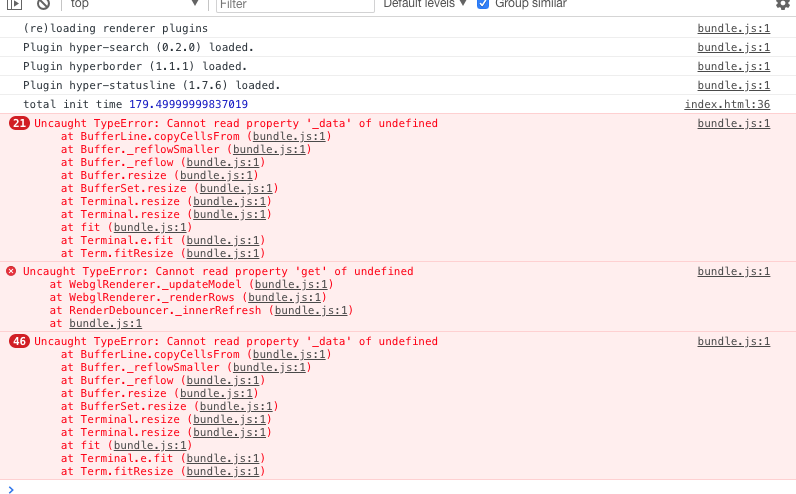
- Relevant information from devtools: Check the last screenshot.
- The issue is reproducible in vanilla Hyper.app: Yes
Issue
When resizing the view on macOS, the screenshot starts warping (distorted) and gets broken, there is no way to solve this manually, seems that the screenshot is stuck so I need to close Hyper.
The application is still running but the screenshot gets distorted and stuck.
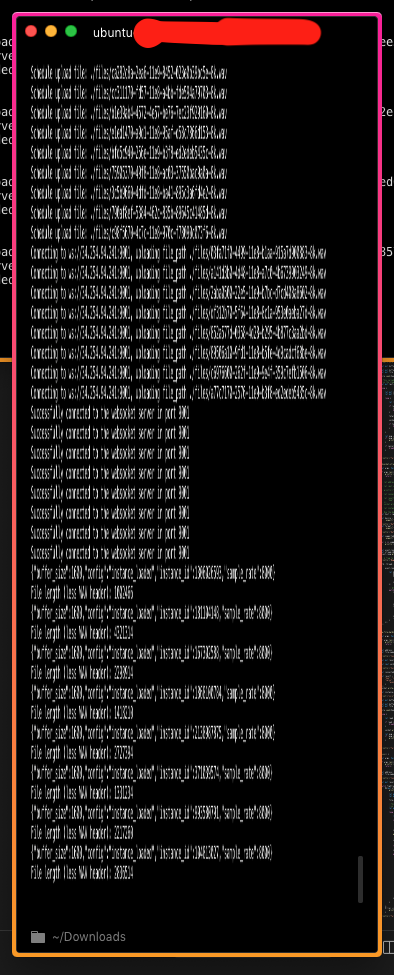
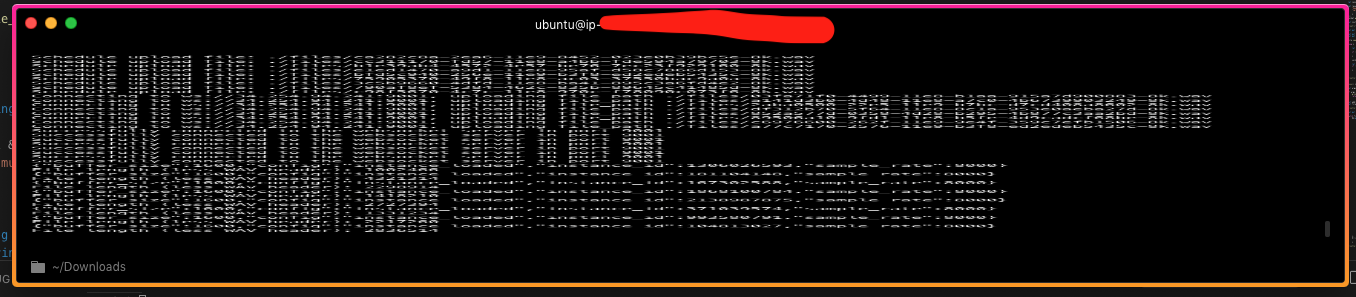
Log from console:
 ppamorim
All 11 comments
Can you try with a CI build of current canary or maybe compile one yourself? Or setting webGLRenderer: false, in the config.
 Stanzilla
on 5 Nov 2019
Stanzilla
on 5 Nov 2019
Hi,
I have the same problem. I've tried with webGLRenderer: false, and the problem persists.Here's a copy of the console log.
All I did was add the config line. Quit Hyper, started it again, opened the Developer Tools window and then resized the text (from 12pt to 16pt) using cmd + +.
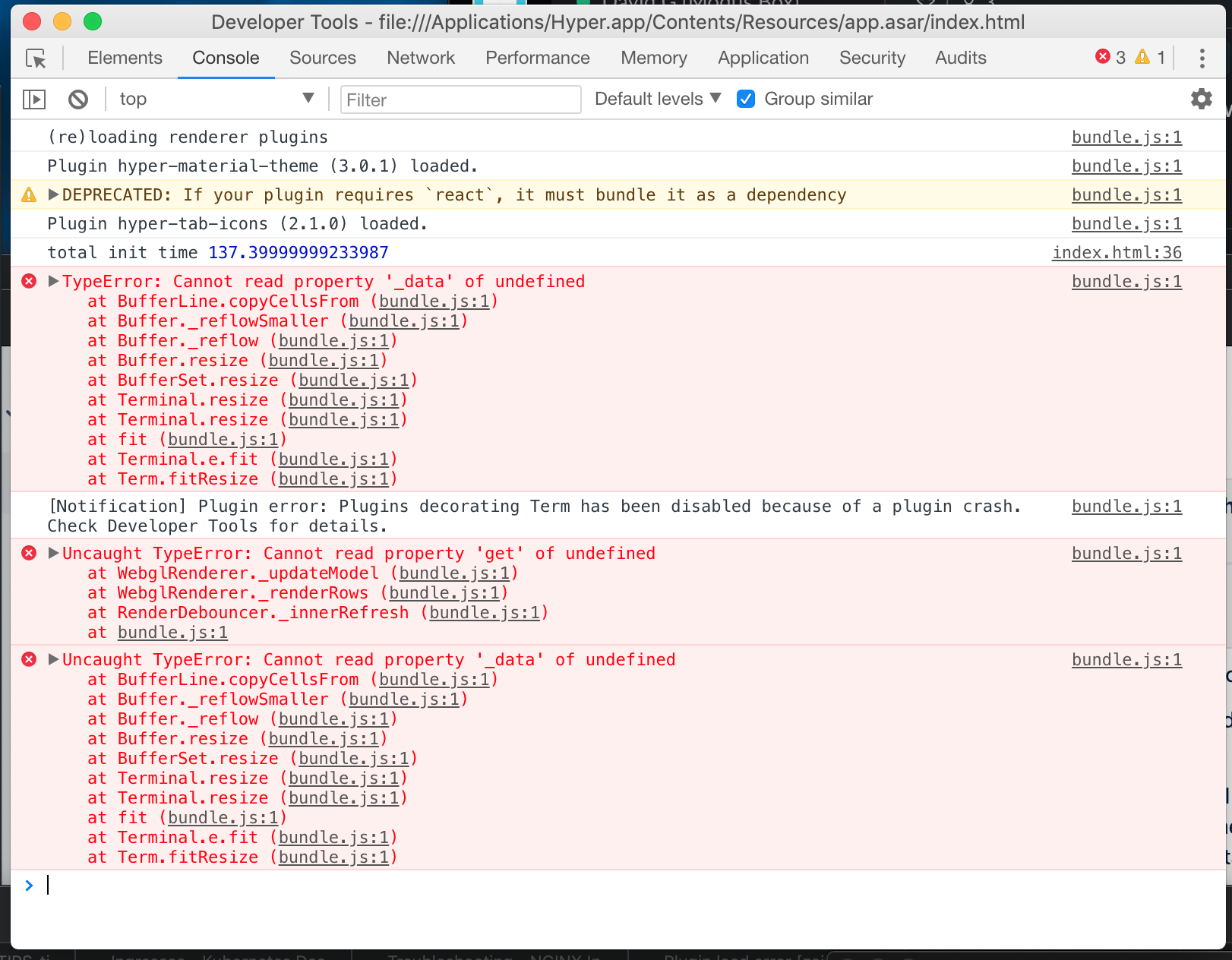
I'll give a CI build a try next.
 dgethings
on 12 Nov 2019
dgethings
on 12 Nov 2019
Hi,
I tried the latest CI build but I cannot get it to run. I get the following crash error:
Process:               Hyper [5230]
Path:                  /Applications/Hyper.app/Contents/MacOS/Hyper
Identifier:            co.zeit.hyper
Version:               3.1.0-canary.1 (3.1.0-canary.1.3039)
Code Type:             X86-64 (Native)
Parent Process:        ??? [1]
Responsible:           Hyper [5230]
User ID:               501

Date/Time:             2019-11-12 08:42:10.855 +0000
OS Version:            Mac OS X 10.14.6 (18G103)
Report Version:        12
Bridge OS Version:     3.6 (16P6571)
Anonymous UUID:        F8E49739-4981-463B-CBF3-690EAC80E8AF

Sleep/Wake UUID:       7C673BBB-8624-4CF2-BD91-617610E704B8

Time Awake Since Boot: 89000 seconds
Time Since Wake:       4700 seconds

System Integrity Protection: enabled

Crashed Thread:        0  Dispatch queue: com.apple.main-thread

Exception Type:        EXC_BAD_ACCESS (Code Signature Invalid)
Exception Codes:       0x0000000000000032, 0x00003c12a35c2040
Exception Note:        EXC_CORPSE_NOTIFY

Termination Reason:    Namespace CODESIGNING, Code 0x2
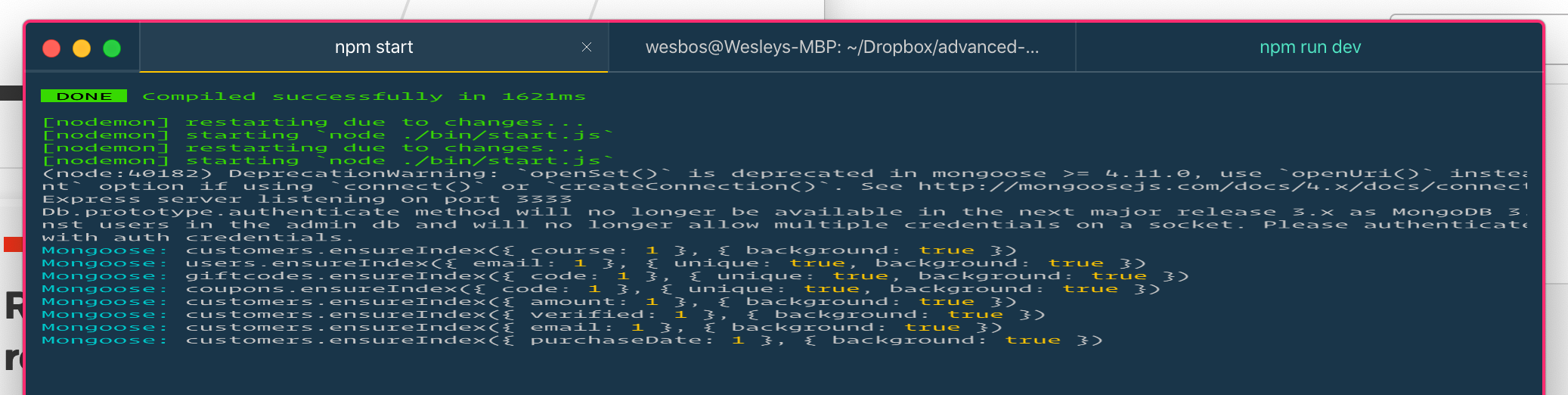
I'm getting this a few times a day too - the whole terminal is still running, but I can't see any new output or interact with it. Always happens when I resize the terminal
 wesbos
on 18 Dec 2019
wesbos
on 18 Dec 2019
I'm with the same problem. Any solution so far?
 araujoantonio
on 2 Mar 2020
araujoantonio
on 2 Mar 2020
same problem in linux mint
 arumals
on 19 Jun 2020
arumals
on 19 Jun 2020
@araujoantonio @arumals can you try the latest ci build once and see if it works for you.
 LabhanshAgrawal
on 26 Jun 2020
LabhanshAgrawal
on 26 Jun 2020
@LabhanshAgrawal With that build I can't split into multiple panes.
arumals
on 8 Jul 2020
are you getting any error?
LabhanshAgrawal
on 8 Jul 2020
@LabhanshAgrawal I had a remap to split panes, after removing them it works fine, there is just a minimim delay between a viewport resize and getting the content properly aligned without distortions.
Thanks for helping out with this issue.
arumals
on 8 Jul 2020
that delay is because calls to resize function are debounced.
LabhanshAgrawal
on 8 Jul 2020
Related issues
 daenuprobst
·
3Comments
daenuprobst
·
3Comments
 ghost
·
3Comments
ghost
·
3Comments
 legomushroom
·
3Comments
legomushroom
·
3Comments
 yvan-sraka
·
3Comments
yvan-sraka
·
3Comments
 sarneeh
·
3Comments
sarneeh
·
3Comments
Most helpful comment
Hi,
I have the same problem. I've tried with
webGLRenderer: false,and the problem persists.Here's a copy of the console log.All I did was add the config line. Quit Hyper, started it again, opened the Developer Tools window and then resized the text (from 12pt to 16pt) using cmd + +.
I'll give a CI build a try next.