Yes i am checked this!
- [x ] I am on the latest Hyper.app version
- [ x] I have searched the issues of this repo and believe that this is not a duplicate
My software
- OS version and name: Windows 10 1809
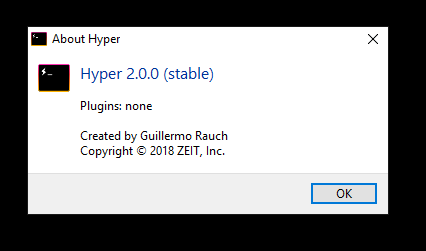
- Hyper.app version: 2.0.0 stable
- default shell = linux for windows
(shell: 'C:\Windows\System32\bash.exe',)
Issue
WHAT'S UP WITH NANO???
Nano's broken! It just doesn't allow me to work, I just want to edit the text! Why does it work in vi?? I want to use nano it's really important to me, why do I see it? I just press the right arrow to move to the right place. I really waited for someone to fix it, and followed the updates. No one uses a nano?
Gif from ssh on vm (centos 7.5)

The same ssh machine on macbook air nano works well. I don't get artifacts.
What happened in windows?
 WeslyG
All 6 comments
Could you show your .hyper.js config file?
Also: please remember that Hyper.js is an open-source product. I understand that your upset, but your post is rude and arogant.
 robertgrzonka
on 2 Dec 2018
robertgrzonka
on 2 Dec 2018
My config .hyper.js
https://gist.github.com/WeslyG/8efd914e7b462dd9c1704aaeed725daa
WeslyG
on 2 Dec 2018
Most likely this issue isn't really produced by Hyper. Check here as this is common problem in shell environments which can be easily solved with proper escaping and/or quoting.
Have you been trying how nano works on other console than Hyper? You can check also if resizing window solves your problem.
robertgrzonka
on 2 Dec 2018
No idea if it's any help but I found a lot of the screen painting issues were solved when I added
env: {
        TERM: 'cygwin',
    },
to the .hyper.js file
 leecrosdale
on 3 Jan 2019
leecrosdale
on 3 Jan 2019
thanks to everyone, I was able to solve my problem by abandoning Linux for windows in favor of git bash (mingw64)
Now my config looks like this https://gist.github.com/coco-napky/404220405435b3d0373e37ec43e54a23
And it works perfectly. Maybe later I'll figure out what exactly breaks the system in LFW but so far I'm happy with the result, I think you can close issued.
And sorry for hate, I was really confused about getting this behavior every time.
WeslyG
on 21 Jan 2019
I can definitely relate to the fact that this is free software, and I am rather grateful because it is set to offer a unified terminal experience.
That said, even with the above settings, nano has some issues for me when using ssh. In this case, ssh from a Windows 10 workstation to a Linux server.
 maurocolella
on 19 Aug 2019
maurocolella
on 19 Aug 2019
Related issues
 legomushroom
·
3Comments
legomushroom
·
3Comments
 yvan-sraka
·
3Comments
yvan-sraka
·
3Comments
 leo
·
3Comments
leo
·
3Comments
 aem
·
3Comments
aem
·
3Comments
 anthonyettinger
·
3Comments
anthonyettinger
·
3Comments
Most helpful comment
No idea if it's any help but I found a lot of the screen painting issues were solved when I added
env: {
        TERM: 'cygwin',
    },
to the
.hyper.jsfile