Hyper: QR Code not being displayed in terminal (For react-native)
- [x] I am on the latest Hyper.app version
- [x] I have searched the issues of this repo and believe that this is not a duplicate
- OS version and name: Windows 10 Build 16299
- Hyper.app version: 1.4.8 (when I tried on stable), 2.0.0-canary.14 (when I tried on canary)
- Link of a Gist with the contents of your .hyper.js:
- Relevant information from devtools _(CMD+ALT+I on macOS, CTRL+SHIFT+I elsewhere)_:
- The issue is reproducible in vanilla Hyper.app: Is vanilla (on both canary and stable)
Issue
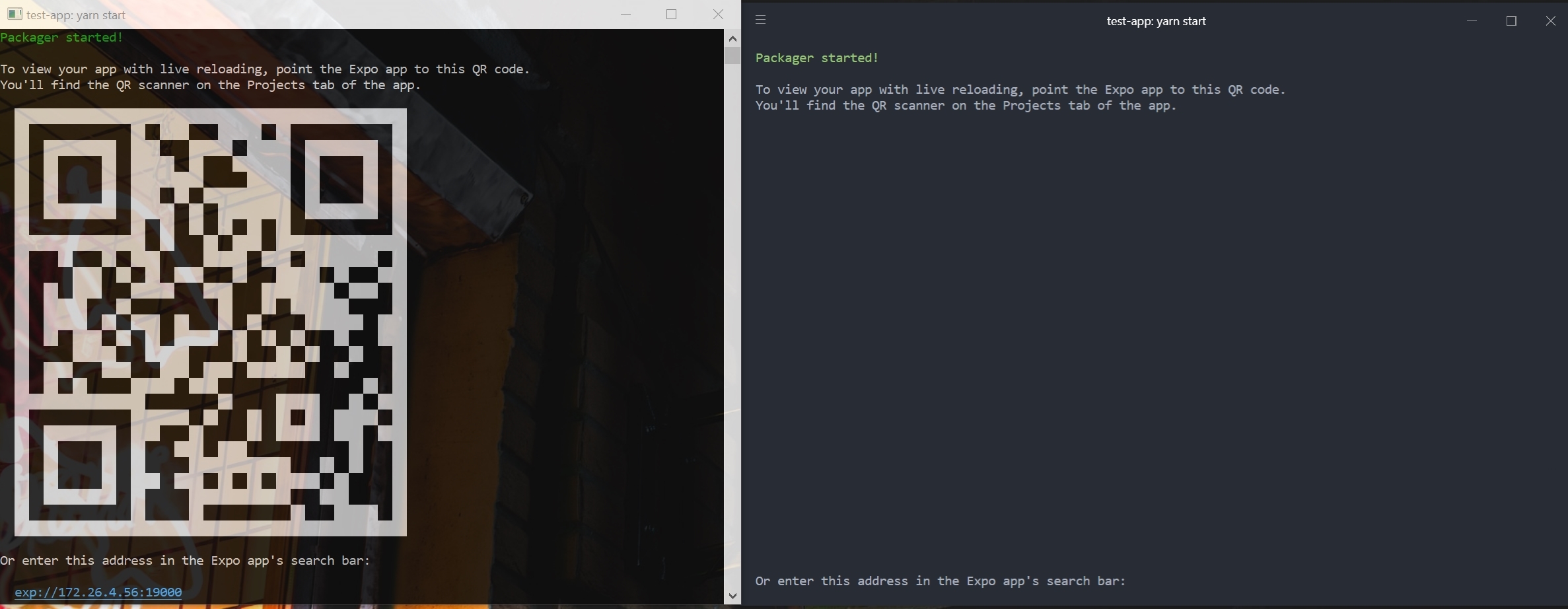
QR Codes are not displayed in Hyper; not sure if this is a font issue or not, but it doesn't display with the default configuration, nor with a powerline font selected.
This problem is present with the default .hyper.js configuration.
Below is WSL on the left and hyper on the right
 Zane-
Zane-
All 13 comments
Can you precise your hyper version?
"Latest" today will not be "Latest" in few days :)
 chabou
on 8 Mar 2018
chabou
on 8 Mar 2018
I pulled down https://github.com/gtanner/qrcode-terminal (which is the library that create-react-native-app appears to use), and ran one of the examples. It rendered fine under 2.0.0-canary.14.

 bgw
on 19 Mar 2018
bgw
on 19 Mar 2018
@bgw
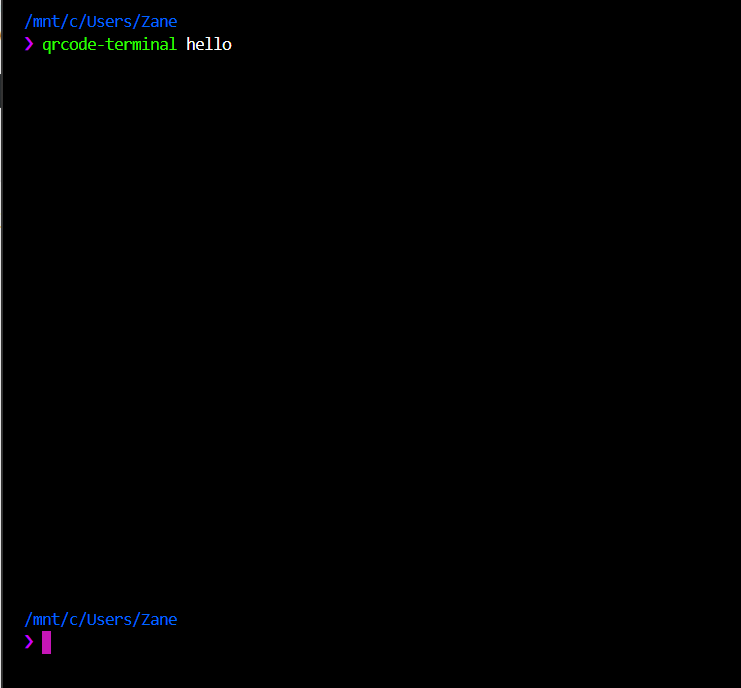
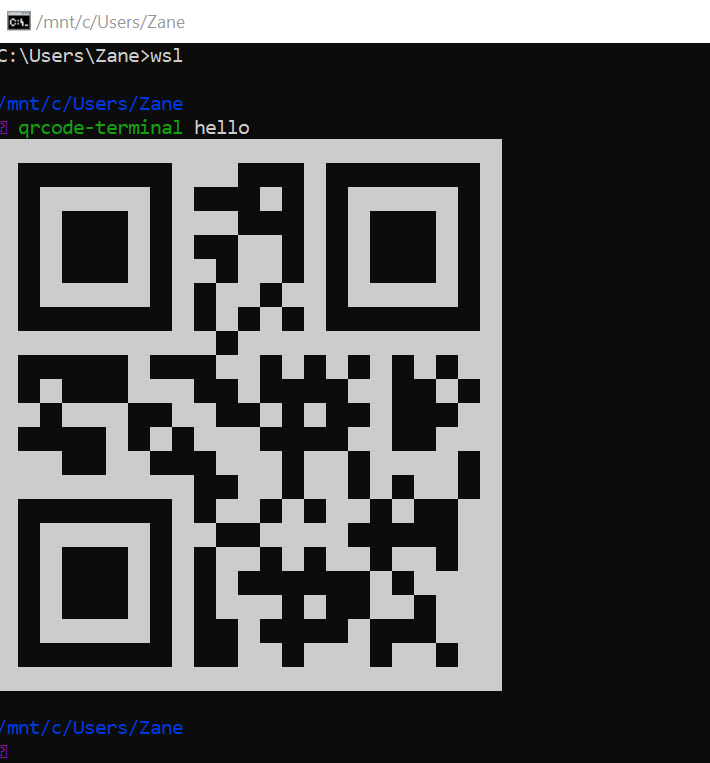
qrcode-terminal does not seem to work in hyper for me. This is running on vanilla 2.0.0-canary.14 just like you. Running WSL Ubuntu as my shell, which doesn't seem to be the issue since it displays fine in the Windows cmd.
Hyper:
cmd:
Zane-
on 20 Mar 2018
same for me, git bash show the qr code, but not with hyper and wsl
 phifa
on 18 Apr 2018
phifa
on 18 Apr 2018
I am using Hyper 2.0.0 (stable) with cmd and Windows 10 17643. )
It's not showing the QR code. it was showing older version.
 vikas5914
on 23 Apr 2018
vikas5914
on 23 Apr 2018
Hey there, to verify if this is indeed a Hyper issue or upstream at https://github.com/xtermjs/xterm.js/ could you please test if another xterm.js powered terminal shows the same problem you are experiencing? I suggest using https://github.com/Microsoft/vscode for testing. Thanks!
 Stanzilla
on 23 Apr 2018
Stanzilla
on 23 Apr 2018
@StanzillaI just tried vs code. it's not showing the QR code. So I think the problem is in Xterm.js
vikas5914
on 23 Apr 2018
Thanks for verifying! See you over at https://github.com/xtermjs/xterm.js/issues :)
Stanzilla
on 23 Apr 2018
There is an issue on vs code for this problem: https://github.com/Microsoft/vscode/issues/32648
vikas5914
on 24 Apr 2018
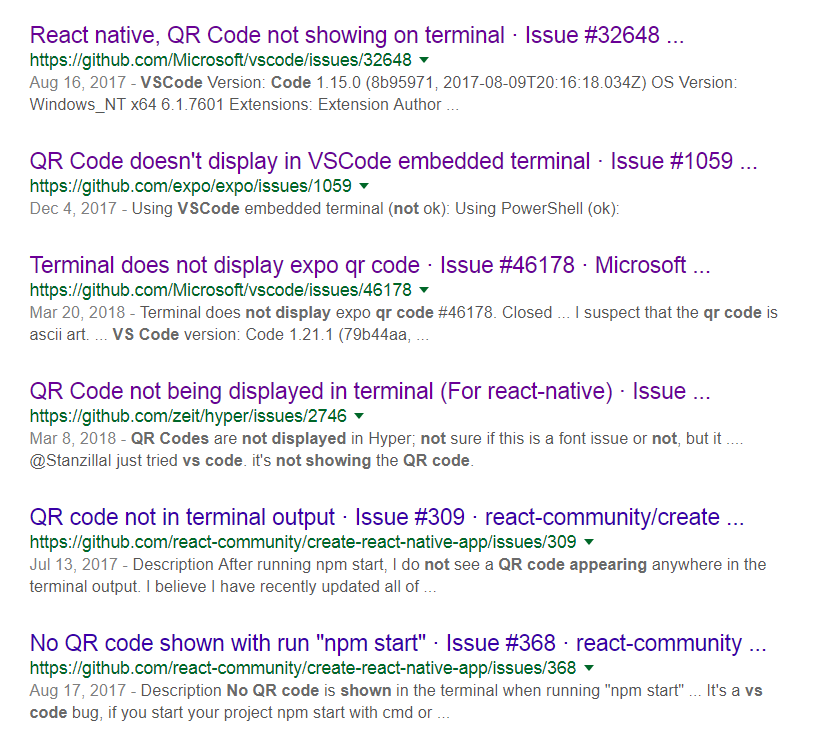
Just by the number of issues (tickets) opened and closed without resolve for this bug (see pic) it is obvious that MS VS Code team has no interest in resolving it.
So much for vying to be a fore-runner in the IDE marketplace. First thing I'm gonna do is uninstall VS Code on all my machines as their support is typical MS.
@vikas5914 note that there are many issues for this bug, not just one, most locked down so no more whining to a team that is incapable of fixing its bugs.
And to think I got excited recently when I saw VSCode had a customizable integrated console. I tried 3, none worked.
And most surprisingly, the Update failed, so it uninstalled itself. Nice !
 rojagit
on 25 Jul 2018
rojagit
on 25 Jul 2018
@rojagit The problem is there is no issue created on the upstream software:
vikas5914
on 2 Aug 2018
Hi, i was experiencing myself the same behaviour, today hyper was updated to 2.1.0 and this problem no longer exists (at least for me, can someone else try?)
 mxarc
on 17 Dec 2018
mxarc
on 17 Dec 2018
Tested with latest build
seems to be working properly
Feel free to open a new issue if you face any problems
 LabhanshAgrawal
on 6 Jul 2020
LabhanshAgrawal
on 6 Jul 2020
Related issues
 juicygoose
·
3Comments
juicygoose
·
3Comments
 hxnt
·
3Comments
hxnt
·
3Comments
 laur1s
·
3Comments
laur1s
·
3Comments
 ConstantinChirila
·
3Comments
ConstantinChirila
·
3Comments
 daenuprobst
·
3Comments
daenuprobst
·
3Comments
Most helpful comment
Can you precise your hyper version?
"Latest" today will not be "Latest" in few days :)