Hyper: Semi-transparent background not working as expected
How to reproduce:
- I have
2.0.0-canary.13 - I have this line in my
.hyper.js
js backgroundColor: 'rgba(0, 0, 0, .7)', - I open hyper and see a completely transparent background
- I open preferences, background becomes completely black
- I click on hyper to regain focus, background becomes as expected (semi-transparent black)
 bboure
All 7 comments
Same here 😢

A little unusable, but sure is pretty!
 jesseleite
on 20 Feb 2018
jesseleite
on 20 Feb 2018
Reproduced
I noticed something:
If you edit your config again and save, background color is ok 😞
 chabou
on 20 Feb 2018
chabou
on 20 Feb 2018
@chabou yeah I noticed that too. However upon restarting, it's transparent again. Also "background color is ok" doesn't seem totally true...
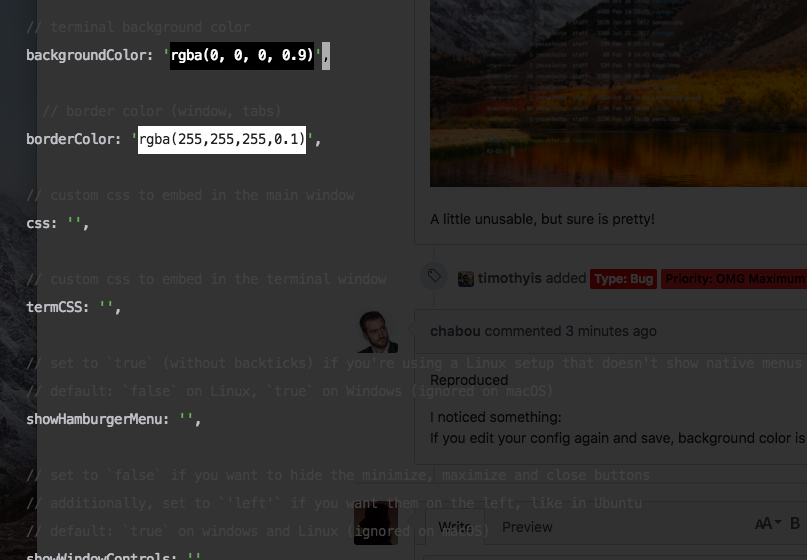
It doesn't seem to matter whether I set opacity to 0.6 or 0.9, it renders the same on save.
jesseleite
on 20 Feb 2018
Oh, I didn't noticed that.
Thank you 🙏
Investigating...
chabou
on 20 Feb 2018
👍2
2.0.0-canary.14 incoming
chabou
on 20 Feb 2018
Really sorry for this regression 😞
chabou
on 20 Feb 2018
@chabou no problem, and thank you!
jesseleite
on 20 Feb 2018
Was this page helpful?
0 / 5 - 0 ratings
Related issues
 hxnt
·
3Comments
hxnt
·
3Comments
 yvan-sraka
·
3Comments
yvan-sraka
·
3Comments
 eoinmurray
·
3Comments
eoinmurray
·
3Comments
 daenuprobst
·
3Comments
daenuprobst
·
3Comments
 aem
·
3Comments
aem
·
3Comments
Most helpful comment
Oh, I didn't noticed that.
Thank you 🙏
Investigating...