Hyper: Lowest row of the shell extends beyond viewport
Issue
The lowest row of the shell extends beyond the bottom of the viewport in some cases, preventing the user from seeing their input.
Reproduction Steps
The issue seems to be intermittent, and I can't seem to pin down exactly what actions could be causing it.
-
Hyper 1.4.8
Electron 1.7.8
win32 x64 10.0.16299
 willricketts
All 16 comments
This seems to be caused by the default padding setting.
Setting bottom padding to 0 allows you to see the last row of output and input but it is not visually pleasing as the last row is partially cut off.
 shaneknysh
on 20 Apr 2018
shaneknysh
on 20 Apr 2018
@shaneknysh are you seeing this in 2.0 too?
 albinekb
on 20 Apr 2018
albinekb
on 20 Apr 2018
I was seeing it last night. (I just re-installed hyper).
I was constantly having to use clear/cls because I would not be able to see the entry point after a long output. I set my padding to
padding: '12px 14px 0 14px'
and it was fixed.
I can not reproduce it today. I set the padding back to default to grab a screen shot and the bottom line is always visible. I'll try to reproduce it and report if I can get it to happen again.
my plugins are
plugins: ["hyper-monochrome", "hyper-vsplit-fix", "hyperterm-tabs"]
disabling them does not re-introduce the issue.
shaneknysh
on 20 Apr 2018
Hi, please have a look at this screenshot:
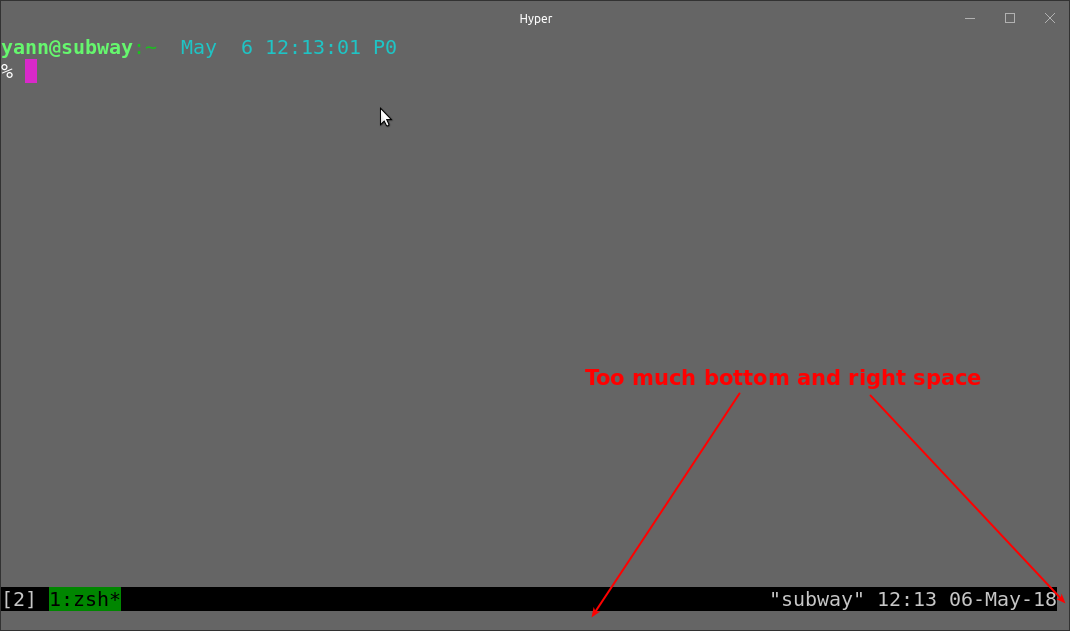
Is it this you guys are talking about?
I suspect the .term_fit class from the divs surrounding xterm.js. I played with the .term_fit's height but couldn't remove the unwanted spaces and got bad layout side effects: the term is overflowing outside of the main window. Help appreciated, thanks!
EDIT: I forgot to mention I have padding: '0' in the config.
EDIT 2: Guys, the .term_fit class is fine. It's more about how xtem.js or any other term works:
a terminal window consists of n cells spreaded accross cols and rows (like a checkboard). The window could be resized by the cell's width and height and not by pixels like it's done in gnome-terminal. What do you think?
Hyper 2.1.0-canary.1-2968
process.versions.electron: 1.8.4
Ubuntu 16.04
 inside
on 6 May 2018
inside
on 6 May 2018
I'm seeing this as well in Windows.
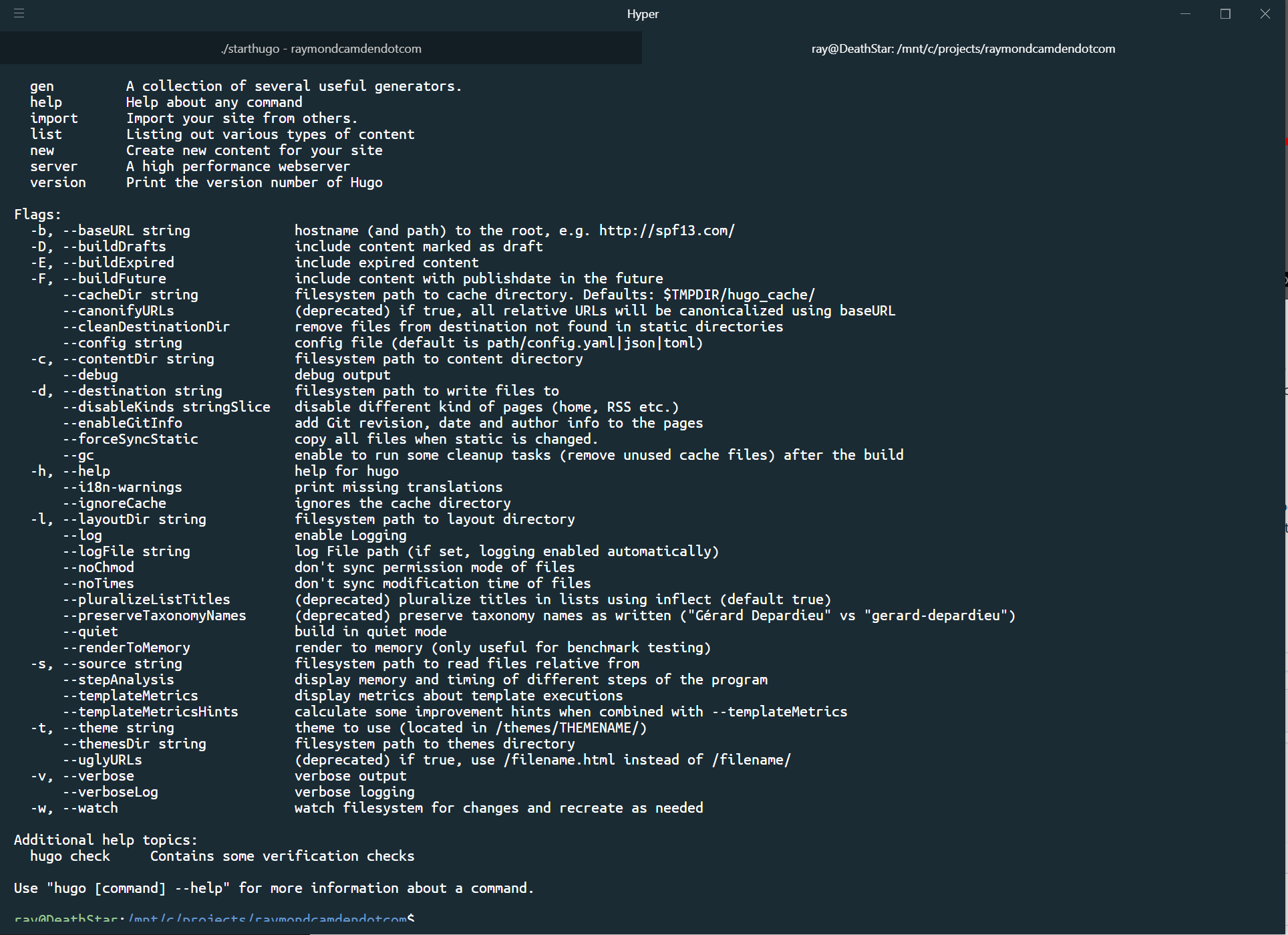
 cfjedimaster
on 11 May 2018
cfjedimaster
on 11 May 2018
^
This happens every time I created a new tab. It's like the "display area" got pushed down by the newly created tab bar.
 suksit
on 12 May 2018
suksit
on 12 May 2018
@suksit oh that is a great point - it is on new tabs only and I bet you are exactly right.
cfjedimaster
on 12 May 2018
I can reproduce on new tab.
inside
on 12 May 2018
@suksit nice clue. We should try to inspect this more precisely.
 chabou
on 13 May 2018
chabou
on 13 May 2018
Any news about this? I have the same issue with 2.0.0 on Windows 10 (1803)
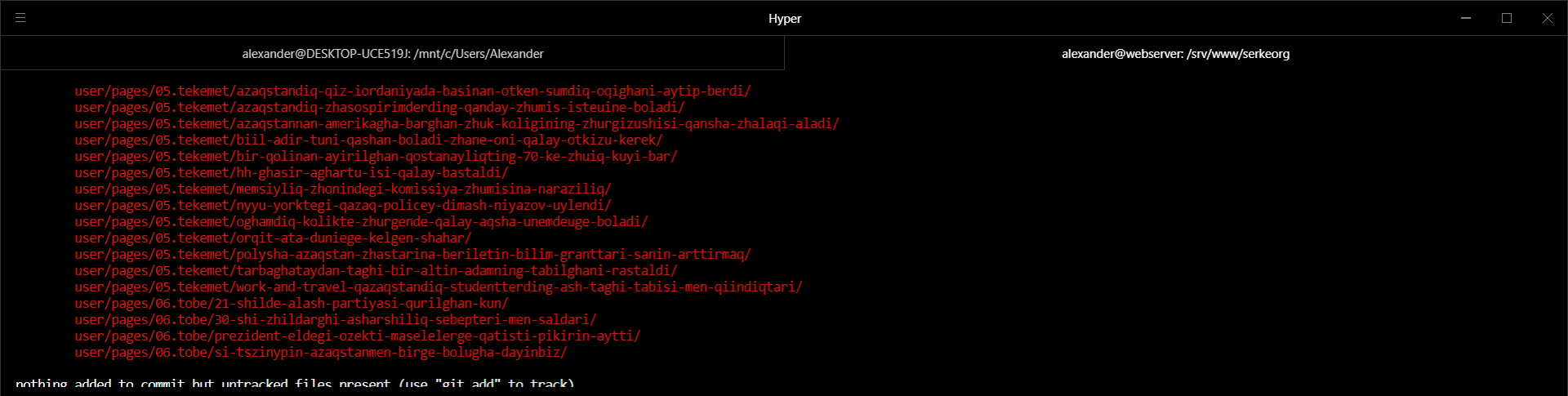
Steps to reproduce:
- Open Hyper
- Open 2nd Tab
- Use
git statusor something similar command that has a lot of output
Workaround is to switch to previous tab and then switch back.
 webcoderkz
on 9 Aug 2018
webcoderkz
on 9 Aug 2018
Opening the second tab causes this issue. (On Windows 10)
I guess that the tab area push down the viewport.
 jaeseok-park
on 17 Aug 2018
jaeseok-park
on 17 Aug 2018
the issue also disappears if you switch to another tab and then return top the new tab.
shaneknysh
on 17 Aug 2018
Right.
And if the window is resized, the issue disappears.
jaeseok-park
on 20 Aug 2018
This bug is annoying and is happening on Linux too. Any fix. Even the latest version (2.1.0) doesn't fix it.
 Ayanrocks
on 19 Dec 2018
Ayanrocks
on 19 Dec 2018
This is still happening, and following the instructions given at https://github.com/zeit/hyper/issues/2654#issuecomment-411638137 will reproduce it every time. Not sure why this issue is marked as "Awaiting Response".
 mshindal
on 30 Jan 2019
mshindal
on 30 Jan 2019
@Stanzilla can the awaiting response tag be removed?
shaneknysh
on 5 May 2019
Related issues
 rauchg
·
3Comments
rauchg
·
3Comments
 ConstantinChirila
·
3Comments
ConstantinChirila
·
3Comments
 laur1s
·
3Comments
laur1s
·
3Comments
 cooperpellaton
·
3Comments
cooperpellaton
·
3Comments
 hxnt
·
3Comments
hxnt
·
3Comments
Most helpful comment
@suksit nice clue. We should try to inspect this more precisely.