Hyper: [Linux] Appearance errors when opening on a system with a customized terminal.
- OS version and name: Fedora 25
- Hyper.app version: 1.4.3
Relevant information from devtools:
bundle.js:47 Unknown OSC code: "10"
bundle.js:47 Unknown OSC code: "11"
bundle.js:47 Unknown OSC code: "12"
bundle.js:47 Unknown OSC code: "13The issue is reproducible in vanilla Hyper.app:
Is Vanilla.
Issue
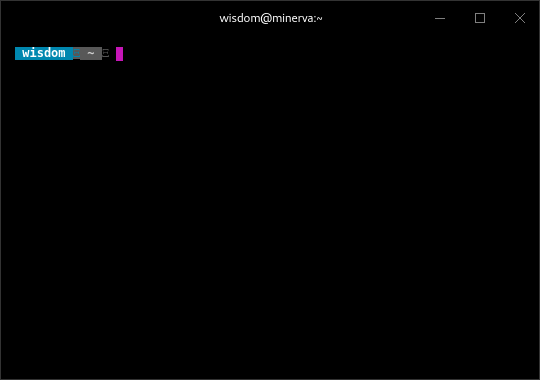
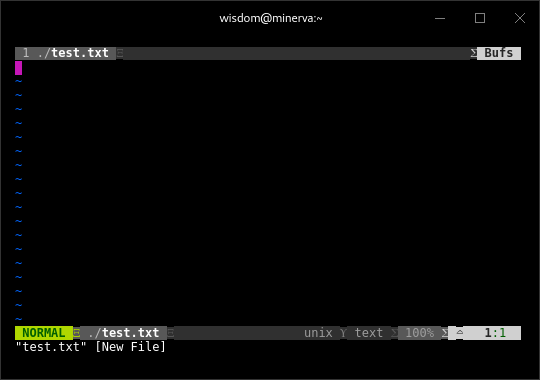
Currently running my OS's default terminal with some modifications. The only one that seems to be causing an issue for Hyper is my installation of Powerline. Colors are showing up fine, but it seems that Powerline uses some symbols that Hyper doesn't recognize.
To elaborate, I have an edited .bashrc file which applies stylistic changes to every shell I open, and this includes applying Powerline.
Screenshots
 h93xV2
All 11 comments
Can you attach some screenshots?
 chabou
on 7 Sep 2017
chabou
on 7 Sep 2017
@chabou I uploaded some screenshots to the original issue report.
h93xV2
on 7 Sep 2017
Thank you for the screenshots
Can you try on xterm branch?
chabou
on 8 Sep 2017
@chabou Sure, I will give that shot.
h93xV2
on 8 Sep 2017
@chabou Still giving me the same issue on the xterm branch.
h93xV2
on 9 Sep 2017
Can you give your .bashrc related config?
I presume that it works great with other Term application?
chabou
on 11 Sep 2017
What I have in my .bashrc is what's found here.
i.e.
if [ -f `which powerline-daemon` ]; then
  powerline-daemon -q
  POWERLINE_BASH_CONTINUATION=1
  POWERLINE_BASH_SELECT=1
  . /usr/share/powerline/bash/powerline.sh
fi
You have a powerline patched font installed and are using it correct?
 welnanick
on 14 Sep 2017
welnanick
on 14 Sep 2017
No, not currently. I will look into what happens with a patched font.
h93xV2
on 15 Sep 2017
The instructions for powerline state:
Powerline uses several special glyphs to get the arrow effect and some custom symbols for developers. This requires having either a symbol font or a patched font installed in the system. The used application (e.g. terminal emulator) must also either be configured to use patched fonts (in some cases even support it because custom glyphs live in private use area which some applications reserve for themselves) or support fontconfig for powerline to work properly with powerline-specific glyphs.
I think your problem is stemming from an improper set-up of powerline, and not hyper. That is, unless it used to work and suddenly stopped. Try downloading and installing a powerline patched font and telling hyper to use the patched font in your .hyper.js file.
welnanick
on 15 Sep 2017
@welnanick Sorry for the delayed reply. After reading your comment and the Powerline documentation, I installed a patched font and was able to get the symbols to display. At this point, I think it best to close this issue that I raised (you were right, it was an incorrectly configured .hyper.js file). However, I want to point out that I now have a problem identical to the one you described in #2201 where the glyphs are not being correctly displayed.
h93xV2
on 19 Sep 2017
Related issues
 ghost
·
3Comments
ghost
·
3Comments
 aem
·
3Comments
aem
·
3Comments
 sarneeh
·
3Comments
sarneeh
·
3Comments
 daenuprobst
·
3Comments
daenuprobst
·
3Comments
 legomushroom
·
3Comments
legomushroom
·
3Comments
Most helpful comment
The instructions for powerline state:
I think your problem is stemming from an improper set-up of powerline, and not hyper. That is, unless it used to work and suddenly stopped. Try downloading and installing a powerline patched font and telling hyper to use the patched font in your
.hyper.jsfile.