Hyper: Cursor problem and Chinese character displayed incorrectly.
Using the WSL and oh-my-zsh.
- The cursor is not in the correct position.
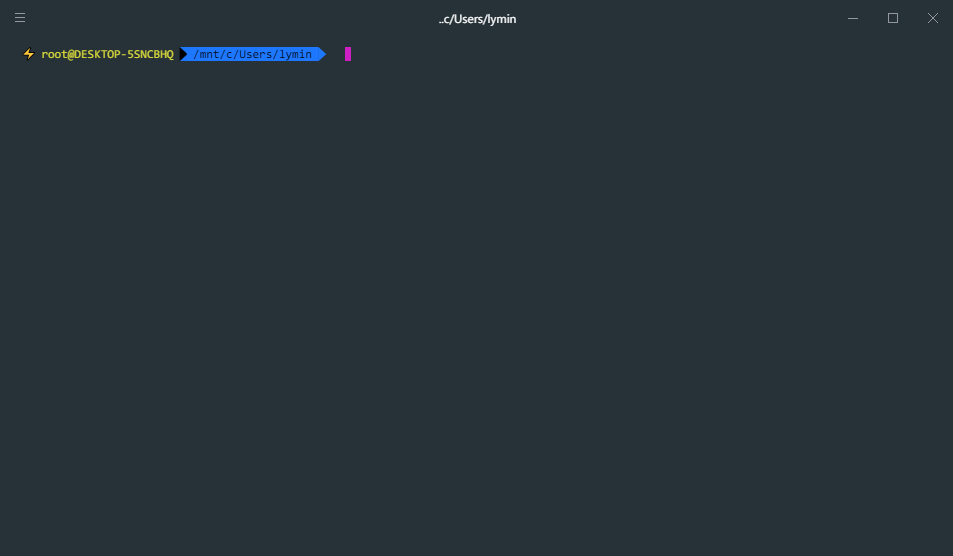
I haven't type anything, but once you type a word, the cursor will back to right position, it is easy to see it before it is not where it should be. This problem also appears the last character you typed is a space.

- Can not display Chinese character correctly, seems this problem still not being fixed.
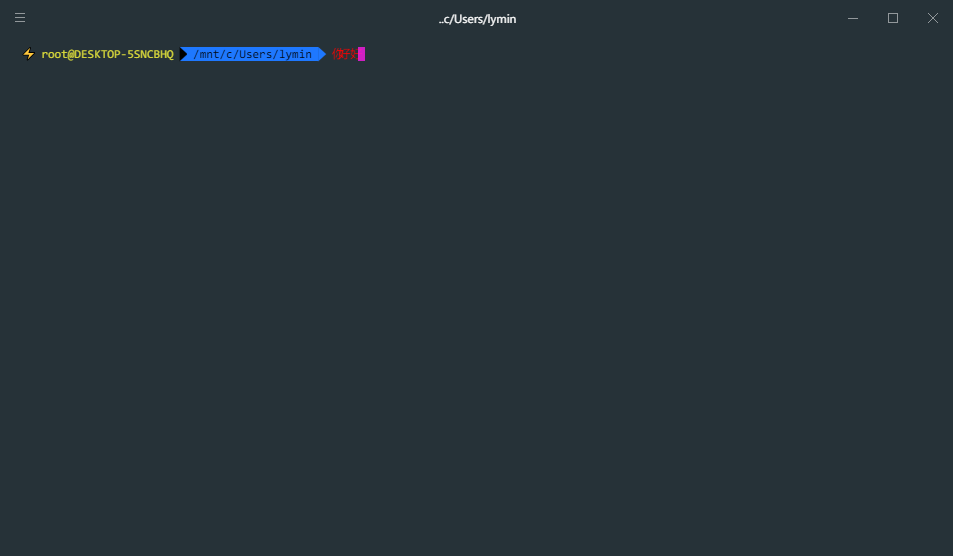
what's worse, using theclearcommand.
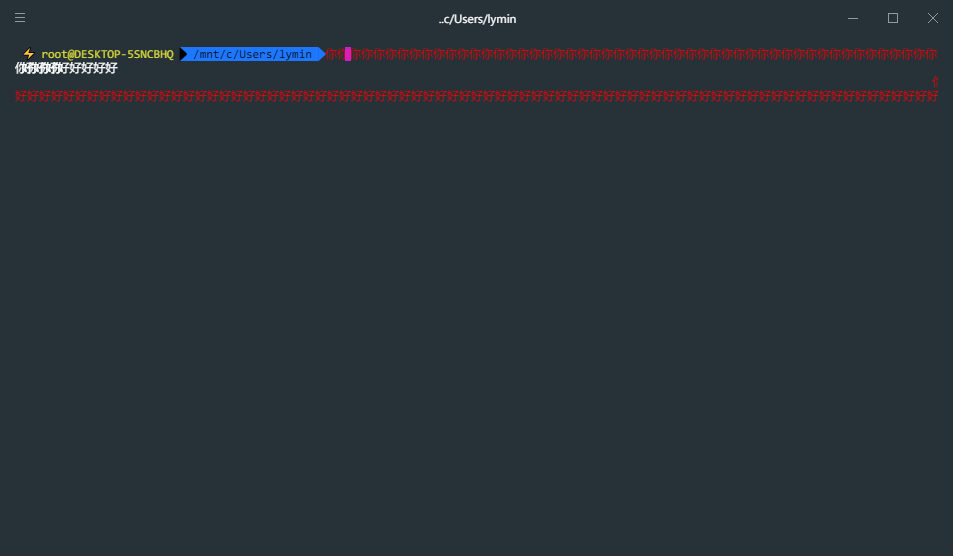
character: 你好
Hyper 1.3.3
Electron 1.4.16
win32 x64 10.0.15063
 Sheey11
All 6 comments
Can you try to reproduce with v1.4.3 ?
 chabou
on 3 Sep 2017
chabou
on 3 Sep 2017
@chabou I can reproduce this bug with v1.4.3 .
Expected behavior
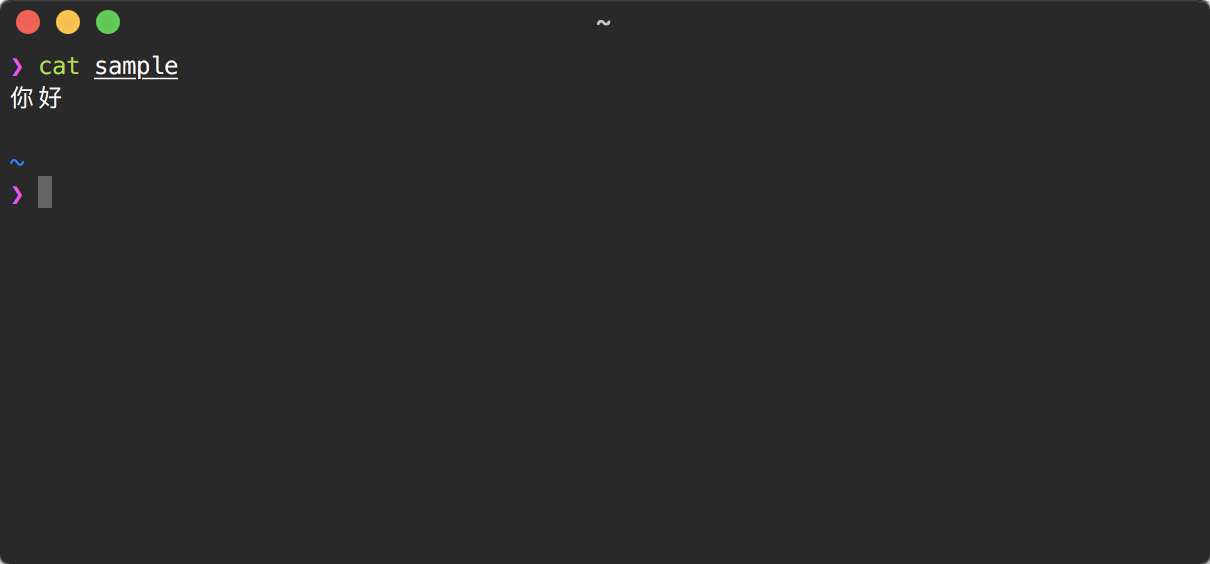
Actual behavior

How to reproduce this bug on macOS
Use Terminal.app or iTerm.app:
$ echo 你好 > sample
Then use Hyper.app:
$ cat sample
 LitoMore
on 4 Sep 2017
LitoMore
on 4 Sep 2017
When pasting the character in the terminal, in 1.4.3, the bug also happens:
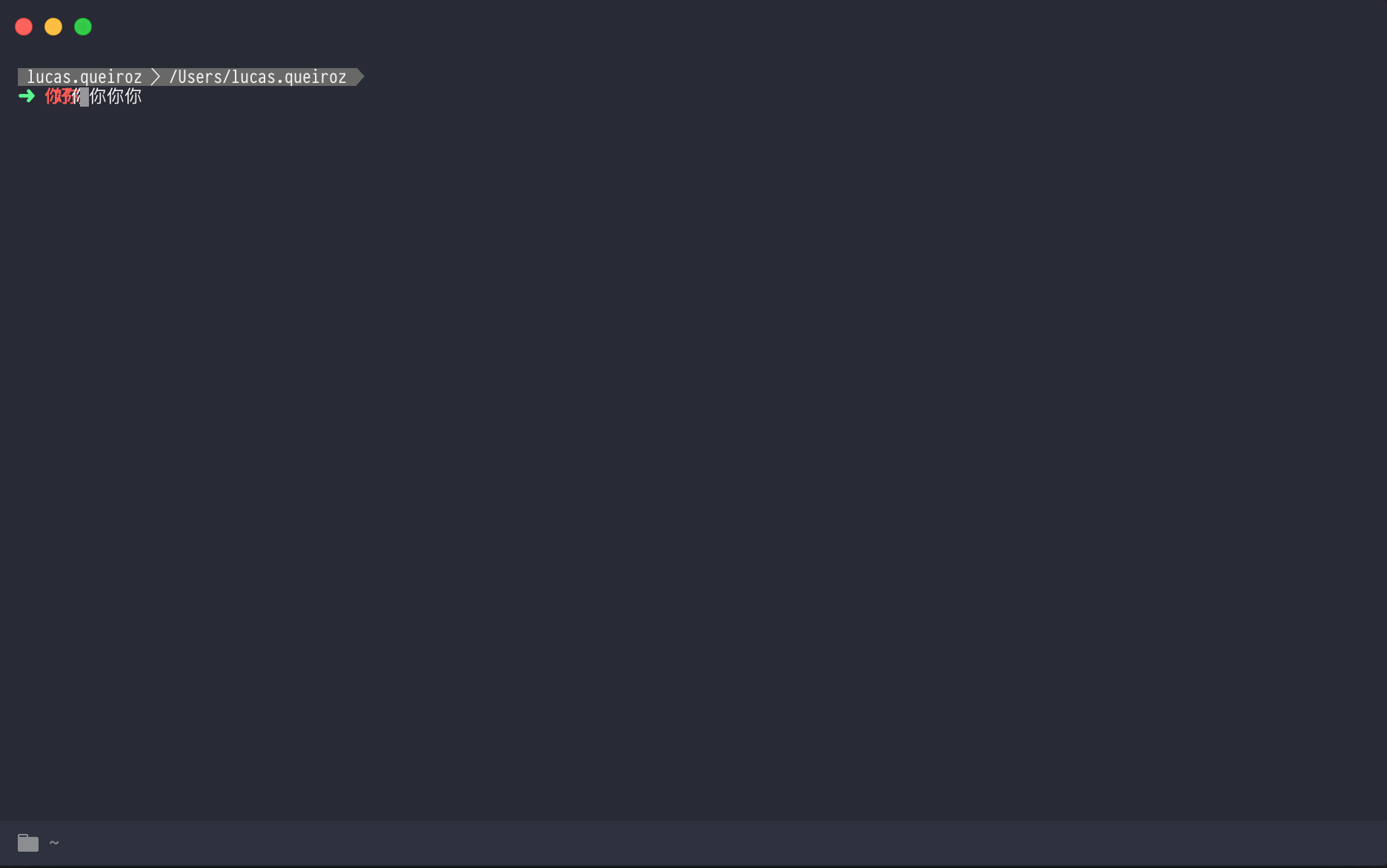
EDIT: I believe the red part is caused by a oh-my-zsh plugin
 lucasqueiroz
on 4 Sep 2017
lucasqueiroz
on 4 Sep 2017
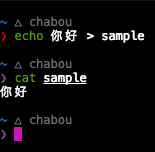
Will be fixed in 2.0.0 thanks to xterm
I tried your example on our xterm branch, and it works like a charm:
chabou
on 4 Sep 2017
👍6
@QwQ11 Could you try this on the latest version of Hyper? I think your issue should be fixed! 🙏
 timothyis
on 22 Apr 2018
timothyis
on 22 Apr 2018
Hey there, please try again with the new Hyper v2 release and open a new issue if the problem stills exists. Thank you!
 Stanzilla
on 23 Apr 2018
Stanzilla
on 23 Apr 2018
👍2
Was this page helpful?
0 / 5 - 0 ratings
Related issues
 sarneeh
·
3Comments
sarneeh
·
3Comments
 dbkaplun
·
3Comments
dbkaplun
·
3Comments
 yvan-sraka
·
3Comments
yvan-sraka
·
3Comments
 aem
·
3Comments
aem
·
3Comments
 cooperpellaton
·
3Comments
cooperpellaton
·
3Comments
Most helpful comment
Will be fixed in 2.0.0 thanks to

xtermI tried your example on our
xtermbranch, and it works like a charm: