Hyper: Using "clear" command doesn't clear the screen buffer
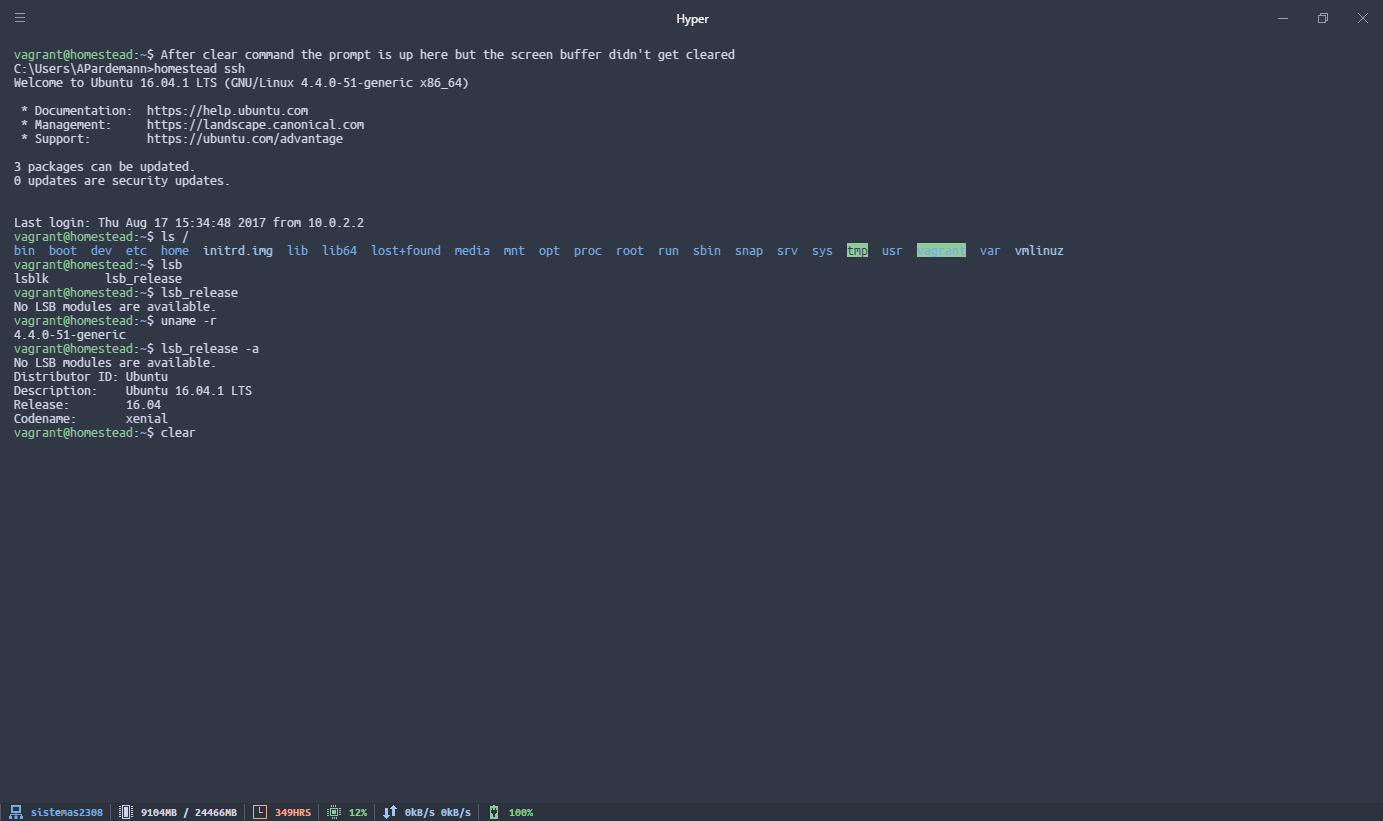
Using the clear command doesn't clear the screen buffer.
This happens in both these situations:
- Using the clear command through linux commands added to the path with git installation.
- Connected to a linux vagrant machine through ssh
Using "cls" command (while in DOS prompt) works fine.
Screenshot:
Hyper 1.3.3
Electron 1.4.16
win32 x64 10.0.15063
 axelitus
All 12 comments
I ran into a similar issue on a similar system setup. This comment and this comment resolved the issue for me.
 SHewitt95
on 19 Aug 2017
SHewitt95
on 19 Aug 2017
I had tried your suggestion and it worked (with both, cygwin and msys).
set TERM=cygwin
clear
I tried setting the Environment Variable so it would be fixed and every time I opened Hyper it would have it configured. It does not work, every time I open the console it has TERM=xterm-256color set, and I don't know where it's being set.
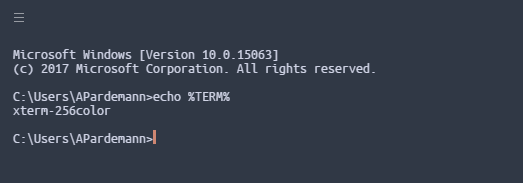
Update: I set a Windows environment variable, but I later found out that in hyper config file there's a key for environment variables.
I've tried looking in %USERPROFILE%\AppData\Local\lxss\home\%USER%.bashrc which is the location of the .bashrc file for "Bash on Ubuntu on Windows" without luck. any ideas? I think it would be best if Hyper added xterm-256color to the list of terms with such behavior though.
axelitus
on 21 Aug 2017
Mmmmm it's strange. It looks as if Hyper is the one setting the term to xterm-256color

I got it working from the Hyper configuration file:
env: {
    TERM: 'cygwin'
}
I still think it's better to add xterm support to Hyper.
axelitus
on 21 Aug 2017
This is still an issue in version 1.4.3
I don't now the internals, but I don't know why this doesn't work, as it works fine in both CMD.exe and PowerShell.
axelitus
on 9 Sep 2017
Try updating to 1.4.7. It should be resolved now.
 Magneticmagnum
on 21 Sep 2017
Magneticmagnum
on 21 Sep 2017
Still not working. Trying with the new 1.4.7 and with a clean .hyper.js config file.

axelitus
on 21 Sep 2017
I am on version 2.0.2 but still facing this issue. BTW I am on windows and 've set hyper for bash
 technbuzz
on 23 Sep 2017
technbuzz
on 23 Sep 2017
I am on version 2.0.0 (stable) and still facing the issue where 'clear' does not work. The "shell" is set to shell: 'C:\\Program Files\\Git\\git-cmd.exe', and TERM is set to xterm-color. While setting TERM to cygwin allows 'clear' to work, it causes problems with vi/vim.
 esechres
on 28 Sep 2018
esechres
on 28 Sep 2018
Same problem...
Temporary use CTRL + Shift + K to clear the commands!
 tiagoboeing
on 11 Nov 2018
tiagoboeing
on 11 Nov 2018
- echo $SHELL to check what type of shell
- follow this https://kb.iu.edu/d/acpy
 Ben2015-2015
on 10 Dec 2018
Ben2015-2015
on 10 Dec 2018
hyper 2.1.1 stable
Windows, Git For Windows's Bash... Clear and \022[2J both fail to work properly in Hyper.
from Configuration
    shell: 'C:\\Program Files\\Git\\bin\\bash.exe',
    shellArgs: ['-i'],
    env: {
      CHERE_INVOKING: "1",
      TERM: "cygwin",
    },
Setting TERM in my ~/.profile to cygwin works, but the configuration option doesn't seem to be tacking for env.
@tiagoboeing - when I use CTRL + SHIFT + K it mostly clears, but the active line still has text clobbering the current line and as soon as ENTER is pressed the clobbered screen re-appears.
 tracker1
on 29 Jan 2019
tracker1
on 29 Jan 2019
This problem is not only for Hyper, when you are using Git Bash for Windows and integrate in a terminal external, bugs happens.
I'm using Terminus and CTRL + SHIFT + K have same problem.
tiagoboeing
on 2 Feb 2019
Related issues
 weabot
·
3Comments
weabot
·
3Comments
 juicygoose
·
3Comments
juicygoose
·
3Comments
 laur1s
·
3Comments
laur1s
·
3Comments
 sarneeh
·
3Comments
sarneeh
·
3Comments
 cooperpellaton
·
3Comments
cooperpellaton
·
3Comments
Most helpful comment
Same problem...
Temporary use
CTRL + Shift + Kto clear the commands!