hyper.is broken after manually adding plugins
Issue
I tried copying and pasting a friends plugin set up my hyper preferences file.
Following this, unfortunately, I managed to break hyper - and this is all I see when opening now:
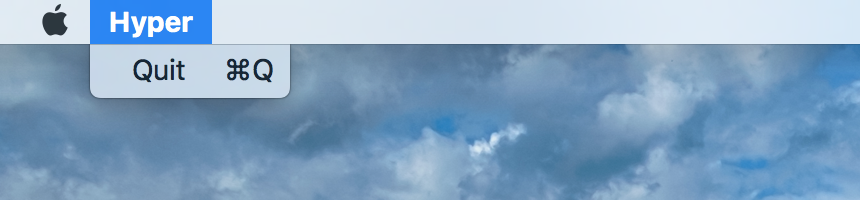
After removing from the Applications directory, and re-installing multiple times from the .dmg file, I am stuck in the same broken state as before.
- OS version and name: macOS Sierra 10.12.5
- Hyper.app version: 1.3.3
 matswainson
All 7 comments
What is the content of the ~/.hyper.js? I'm not sure that when you un-install hyper it removes it. If the problem indeed comes from it, then it would explain why re-installing was useless.
 math2001
on 24 Jun 2017
math2001
on 24 Jun 2017
I can confirm this happens on Windows as well. I am running Windows 10 and have the same issue, Hyper is stuck in a broken state even after multiple re-installs. I have even gone in and removed every file and folder relating to Hyper I can find after uninstalling but everything is still broken.
 RedDuckss
on 24 Jun 2017
RedDuckss
on 24 Jun 2017
Same problem here (windows 10). Adding plugin with hpm or adding it in the pluginarray in my .hyper.js is not installing anything. Only after removing the .package-lock.json and doing a separate npm i does the trick.
 heroheman
on 24 Jun 2017
heroheman
on 24 Jun 2017
Think this has something to do with the lastest npm version 5.0.3. I think (but correct me if I am wrong) it nows installs from the package-lock file by default. A temporary fix for me was to:
- Add the plugins to you're
.hyper.jsfile - Navigate to the
.hyper_pluginsfolder - Remove
package-lock.jsonandnode_modules - Open up the terminal
cdinto the.hyper-pluginsfolder- run
npm i
This will build a new package-lock.json file and creates the node_modules directory with the right packages for the plugins to run.
 dandevri
on 24 Jun 2017
dandevri
on 24 Jun 2017
I used a theme called hyper-material-theme and met the same problem.
I removed this theme, and restart it. Hyper worked correctly.
I think there are some bug in your extensions.
What extensions did you install?
 IronLu233
on 25 Jun 2017
IronLu233
on 25 Jun 2017
+1 @IronLu233. I haven't tested hyper-material-theme, but indeed, a buggy theme will prevent the hyper window from showing up (learned this the hard way while creating mine 😄)
math2001
on 25 Jun 2017
Removing the hyper-material-theme from .hyper.js as @IronLu233 suggested has fixed my issue.
I thought that by uninstalling hyper, the configuration file from my previous set-up would also have been removed.
Thank you all for the great responses! Much appreciated.
matswainson
on 25 Jun 2017
Related issues
 daenuprobst
·
3Comments
daenuprobst
·
3Comments
 ghost
·
3Comments
ghost
·
3Comments
 leo
·
3Comments
leo
·
3Comments
 juicygoose
·
3Comments
juicygoose
·
3Comments
 alejandrofloresm
·
3Comments
alejandrofloresm
·
3Comments
Most helpful comment
I used a theme called hyper-material-theme and met the same problem.
I removed this theme, and restart it. Hyper worked correctly.
I think there are some bug in your extensions.
What extensions did you install?