Hydrogen: Hydrogen is not able to locate python3 modules
Description:
Hydrogen does not seem to find the modules installed in python3. I have both python 2.7 (/usr/bin/python) and python 3.6 (/usr/bin/python3) installed in Ubuntu 17.10.
If I enter python3 from Ubuntu Terminal, I have access to all packages that I installed with pip3. If I open jupyter and select python3, I have no problems.
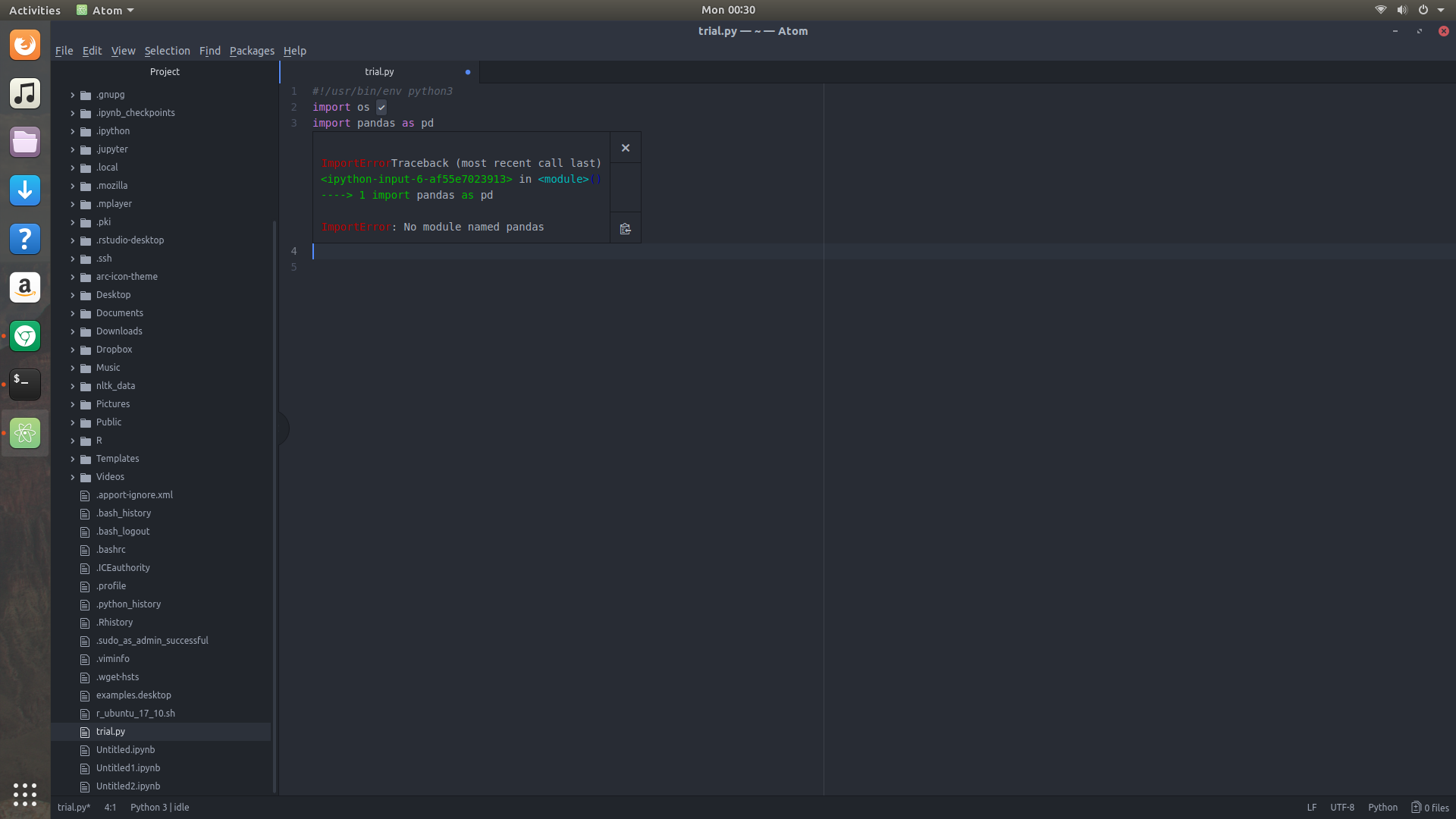
However, from inside Atom, whenever I attempt to import a module like pandas I receive an error:
**ImportErrorTraceback (most recent call last)
<ipython-input-6-af55e7023913> in <module>()
----> 1 import pandas as pd

ImportError: No module named pandas**
No such problems importing a standard module. It seems that hydrogen is not able to locate python3 packages that were additionally installed.
Steps to Reproduce:
- Open a python script in atom
- Try to execute (Ctrl+Enter)
import pandas
Versions:
Which OS and which version of Hydrogen and Atom are you running?
Atom : 1.21.1
OS: Ubuntu 17.10
Logs:
Please post any error logs and the output of the developer tools as described in our Debugging Guide.
 moharsen
All 8 comments
Have you installed the Python kernels for both versions according to https://nteract.io/kernels/python?
 lgeiger
on 5 Nov 2017
lgeiger
on 5 Nov 2017
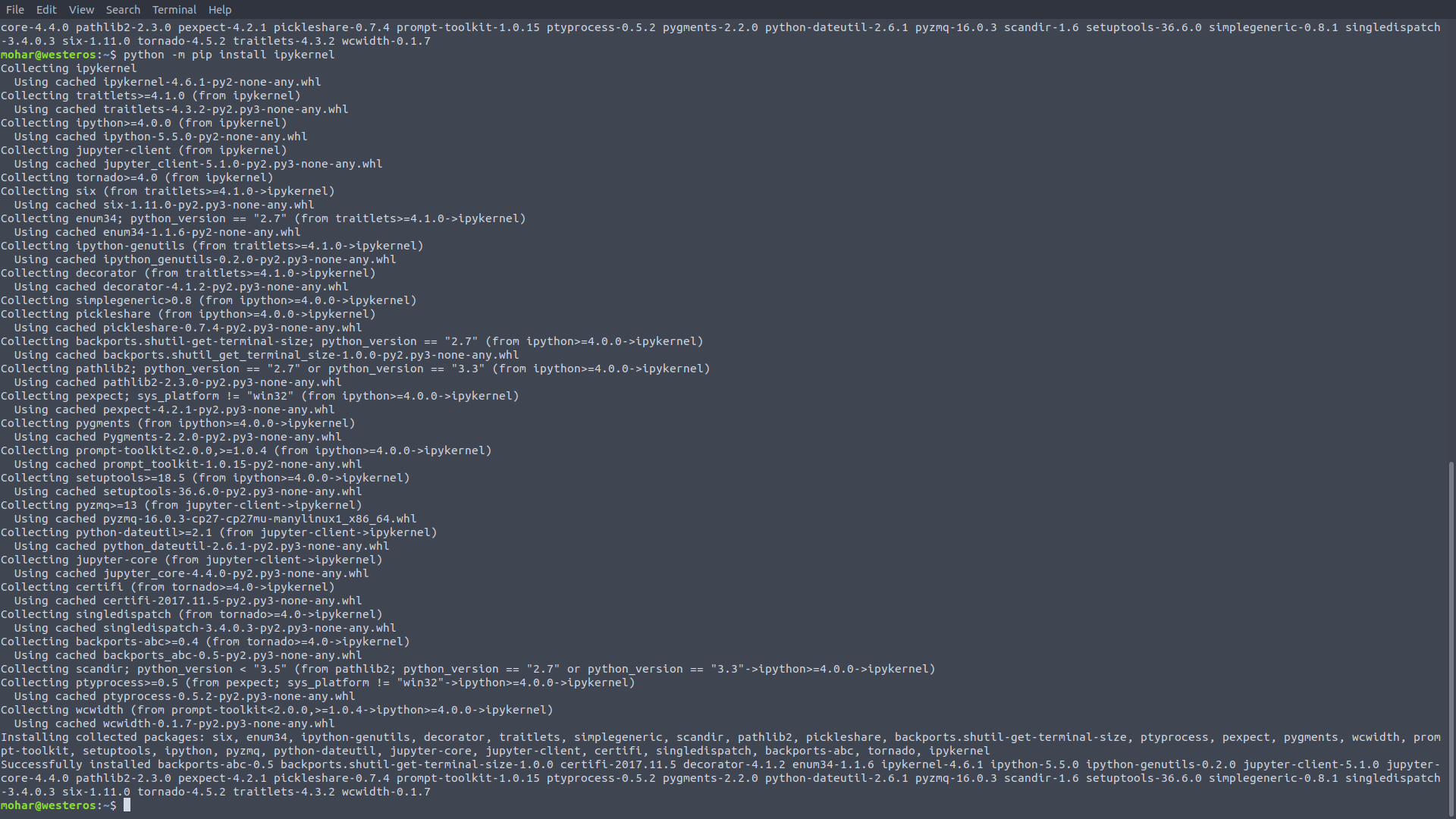
I went to nteract and ran python -m pip install ipykernel. No difference in the results.
It seems the python 2 is getting selected no matter what. In the beginning, when I attempt a Ctrl+Enter on the first import line, I get to choose the kernel in the following screen:
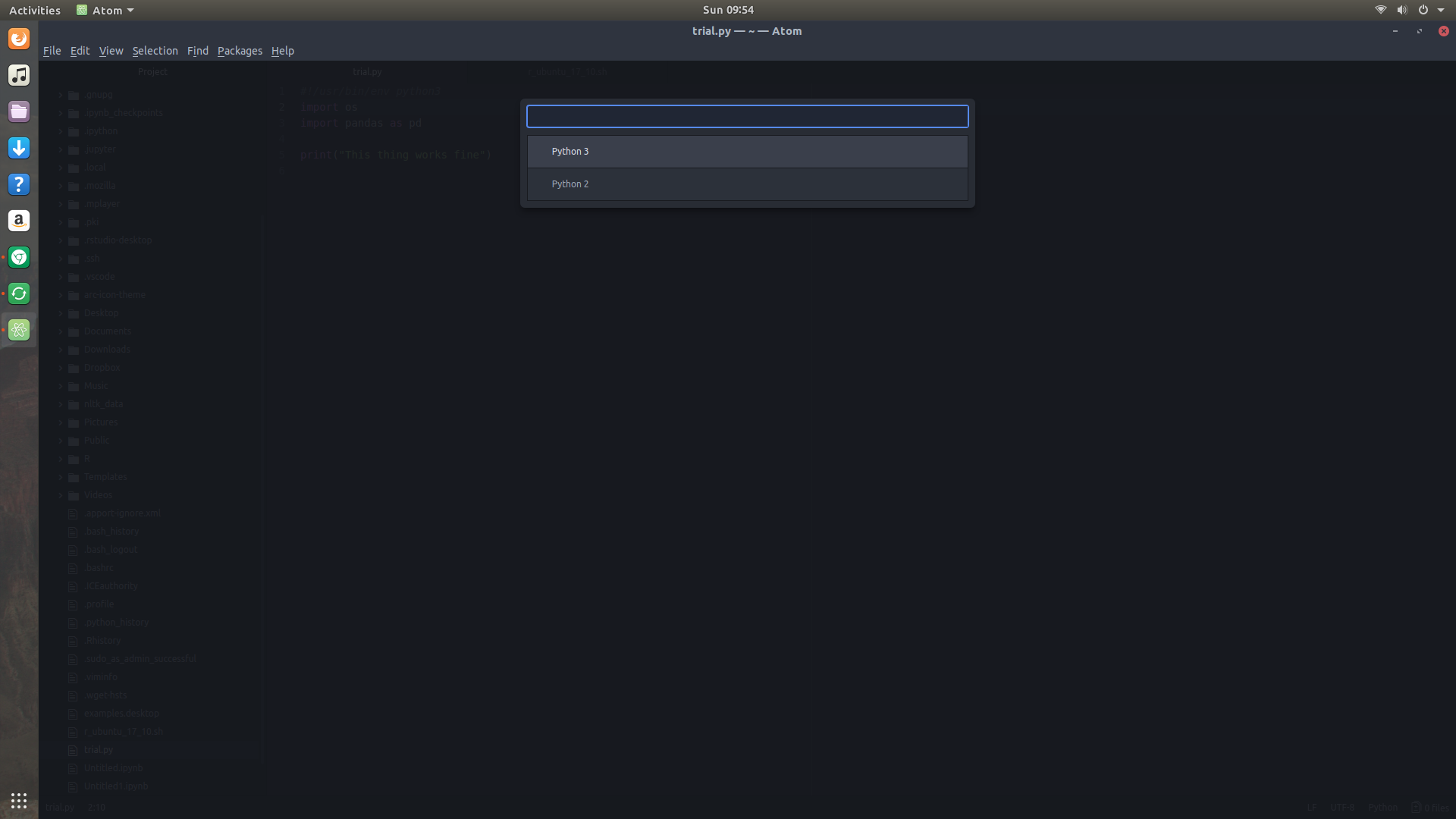
The text in the lower left corner of the screen shows that Python 3 has been selected

However, if I import platform and print platform.python_version() I still see Python 2.7.14 being used.
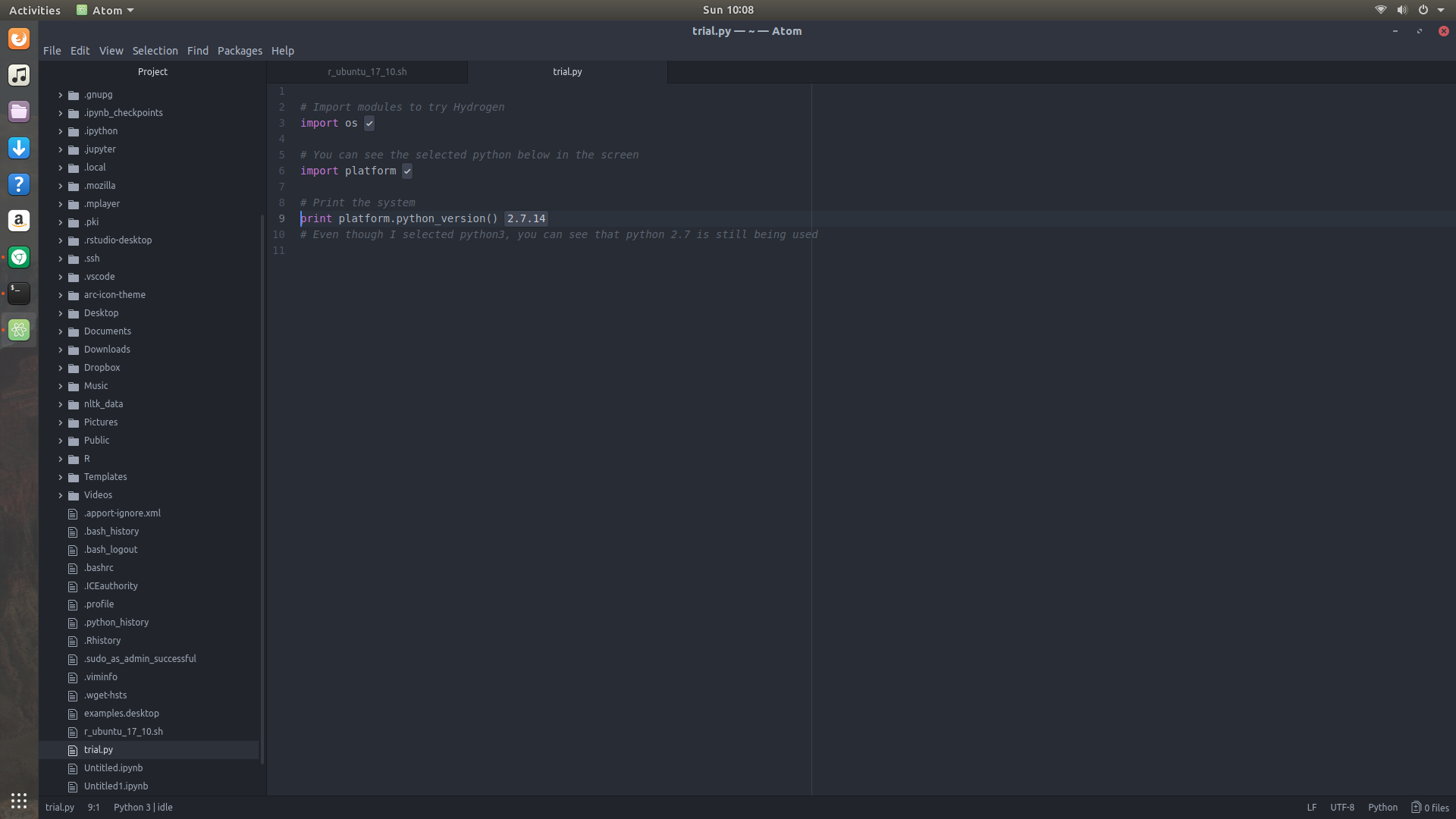
No wonder it can not find the modules installed with python 3.

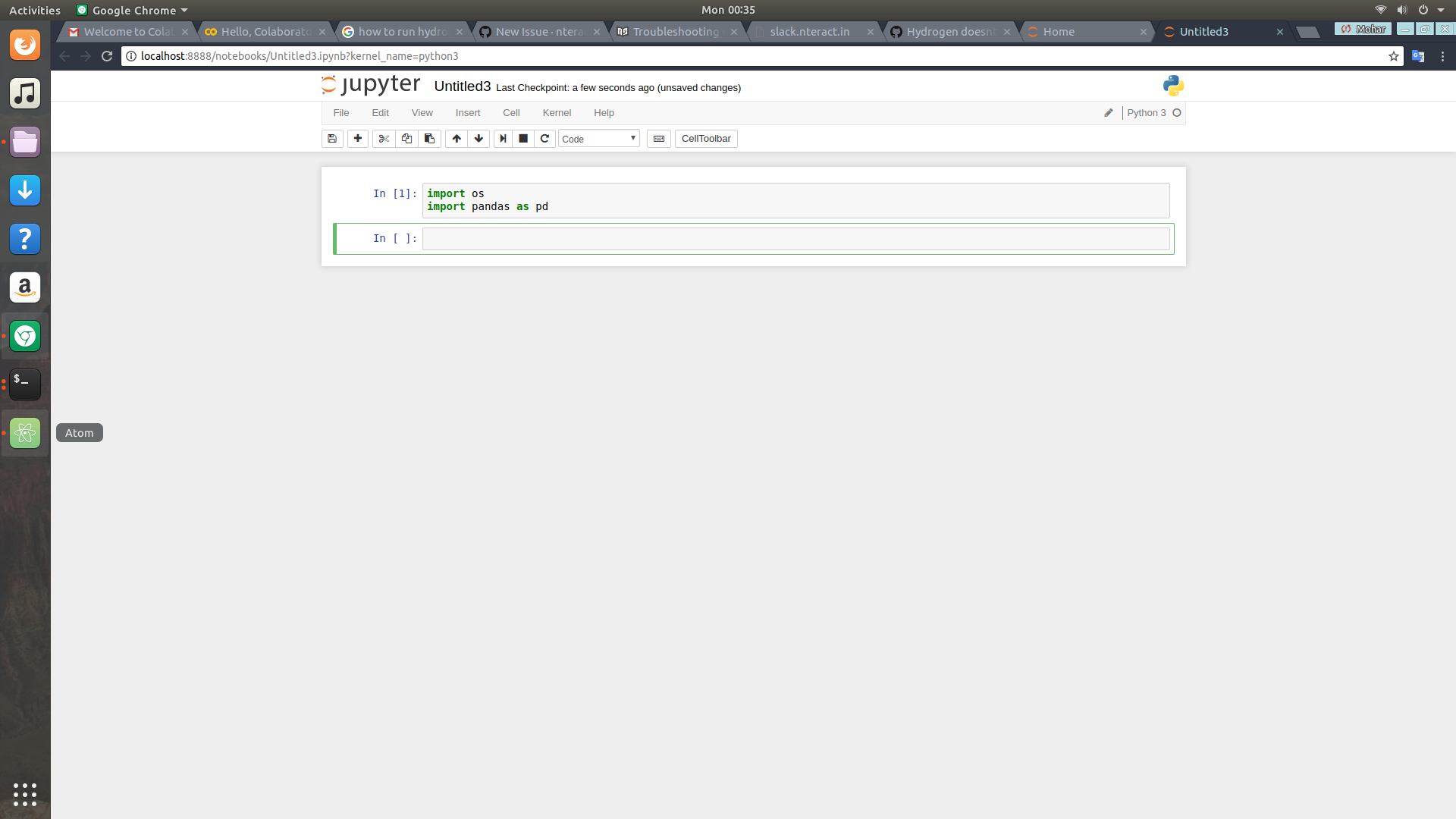
No such problems with Jupyter notebooks using python 3:
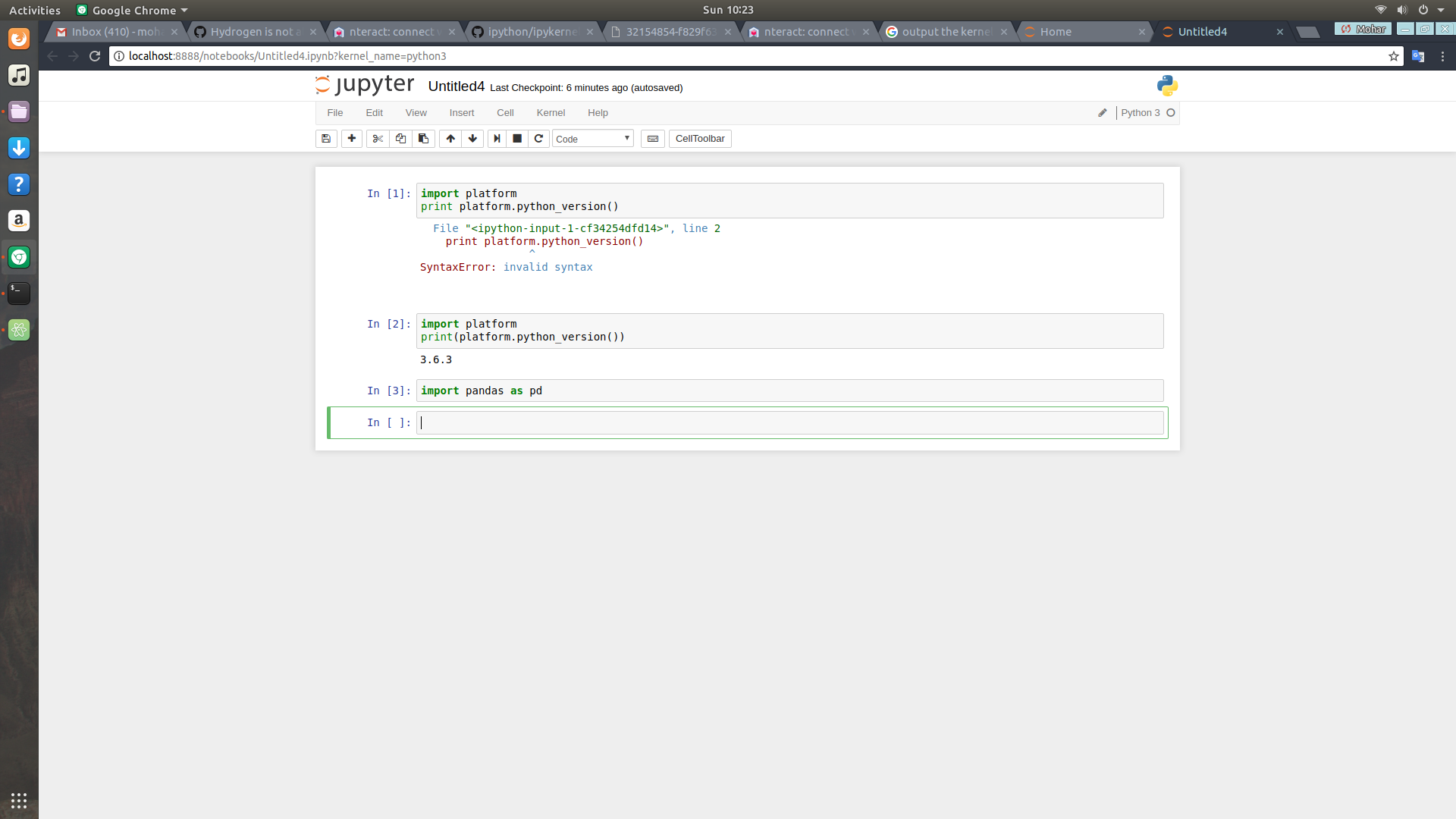
moharsen
on 5 Nov 2017
I got mine to work by using the conda install instead of python
 Goochimagne
on 5 Nov 2017
Goochimagne
on 5 Nov 2017
Sorry for the truble.
Have you also run the same command for Python 3?
pip3 install ipykernel --upgrade
python3 -m ipykernel install --user
@lgeiger That solved the problem. Thanks a lot.
moharsen
on 6 Nov 2017
@lgeiger Worked for me also. THANKS!
 hatemalamir
on 23 Jun 2019
hatemalamir
on 23 Jun 2019
Thanks a lot. I have been the whole day with this thing. Finally worked out 🥵
 jesusloplar
on 3 Jul 2019
jesusloplar
on 3 Jul 2019
Thanks also this worked for me
 wayneotweezy
on 5 Sep 2020
wayneotweezy
on 5 Sep 2020
Related issues
 Mike-MU10
·
4Comments
Mike-MU10
·
4Comments
 xmen1412
·
3Comments
xmen1412
·
3Comments
 tobiasbj
·
4Comments
tobiasbj
·
4Comments
 neurotronix
·
4Comments
neurotronix
·
4Comments
 HaoranXue
·
4Comments
HaoranXue
·
4Comments
Most helpful comment
Sorry for the truble.
Have you also run the same command for Python 3?