Hydrogen: Hydrogen got NODE_MODULE_VERSION mismatch after updating atom to 1.19.0
Yesterday, my Atom got updated to 1.19.0 automatically. And hydrogen stopped working. So I reinstalled hydrogen (by uninstall and then install again is Settings-Packages). Then after launching atom, I got this error (from Incompatible Packages atom shows). What should I do?
Hydrogen 1.19.0
[email protected] – The module '\?C:Usersway.atompackagesHydrogennode_moduleszeromqbuildReleasezmq.node' was compiled against a different Node.js version using NODE_MODULE_VERSION 49. This version of Node.js requires NODE_MODULE_VERSION 53. Please try re-compiling or re-installing the module (for instance, using npm rebuild ornpm install).
Versions (from atom --version and apm --version:
Windows 10 x64
Atom 1.19.0
Electron: 1.6.9
Chrome: 56.0.2924.87
Node: 7.4.0
Hydrogen 1.19.0
apm: 1.18.2
npm 3.10.10
python 3.6.1
git 2.11.1.windows.1
 gepcel
All 3 comments
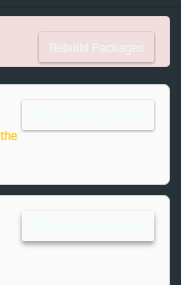
Is there a button on the incompatible package message that says something like "rebuild modules"?
 BenRussert
on 10 Aug 2017
BenRussert
on 10 Aug 2017
Wow, first of all, it worked.
I've reinstalled these (there is another package incompatible) packages multiple times. And googled around for a very long time. And searched the atom git repo. All with no luck.
I've even noticed there are some buttons there but didn't pay attention what it says, because of the color of the text. I even tried to click the last two buttons, just without trying the first button for even once. Thank you very much.
gepcel
on 10 Aug 2017
Glad I could help! I've found the button easy to miss as well.
BenRussert
on 10 Aug 2017
Related issues
 mda6
·
3Comments
mda6
·
3Comments
 homocomputeris
·
4Comments
homocomputeris
·
4Comments
 danbri
·
4Comments
danbri
·
4Comments
 tobiasbj
·
4Comments
tobiasbj
·
4Comments
 ethan92429
·
3Comments
ethan92429
·
3Comments
Most helpful comment
Is there a button on the incompatible package message that says something like "rebuild modules"?