Hugo-coder: Public page render issue
Hi @luizdepra
I started building my personal webpage using your template and thanks for that. However, I am facing some page rendering issues. When I execute hugo server then go to the http://localhost:1313/, the page looks as supposed to be as shown below.

But when I generate the public files by executing hugo that I want to upload to my FTP server the page looks weird and does not render properly as shown here:
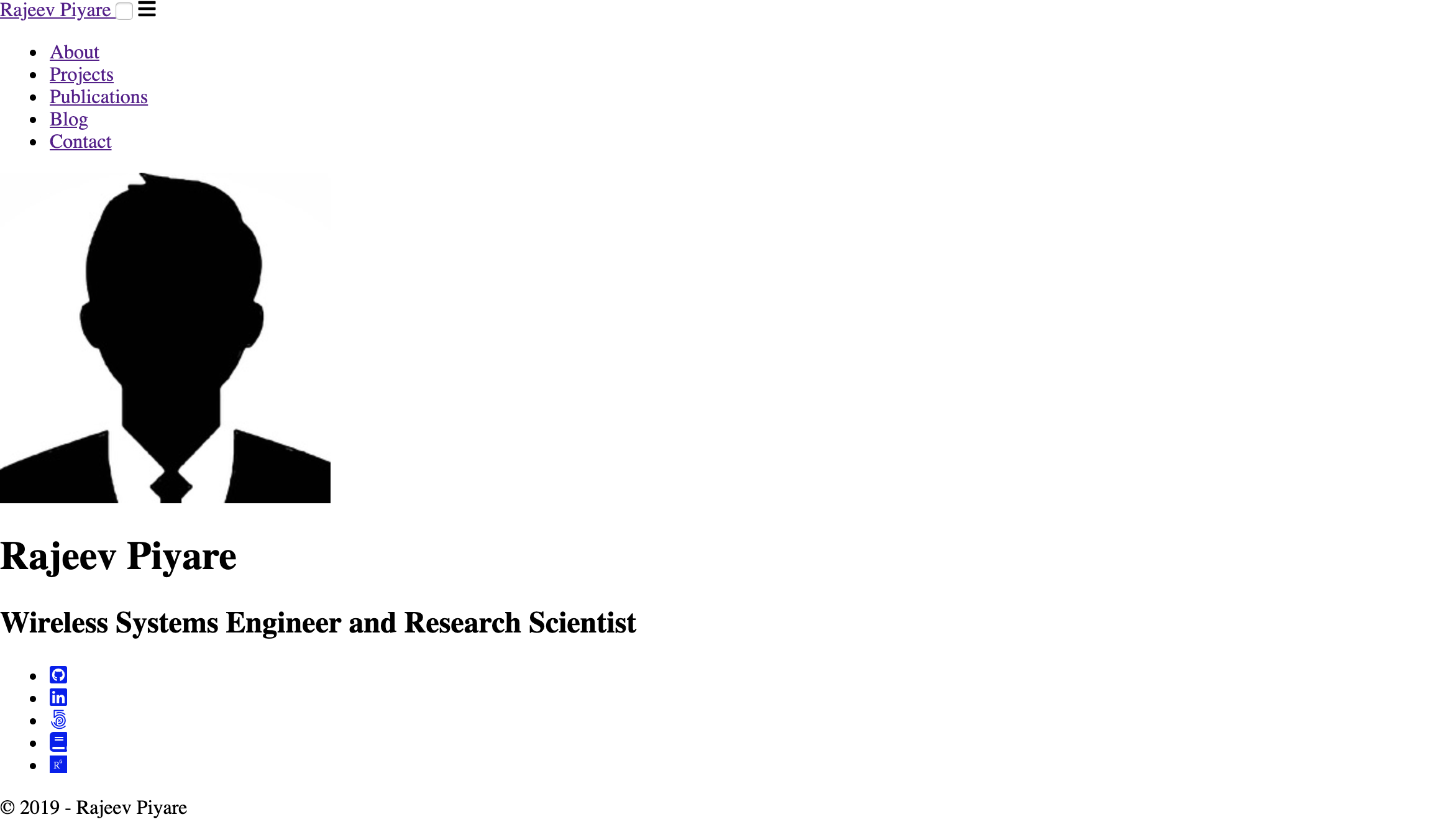
So what am I missing or doing wrong? Any suggestions will be highly appreciated.
Thanks @luizdepra
 rajeev1986
All 7 comments
Normally this is a configuration problem.
Could you share your config.toml and also check the URLs of the CSS files inside the <head> tag when you generate your site?
 luizdepra
on 5 Sep 2019
luizdepra
on 5 Sep 2019
@luizdepra
Here is my config.toml.
baseurl = "http://www.rajeevpiyare.com"
title = "Rajeev Piyare"

theme = "hugo-coder"

languagecode = "en"
defaultcontentlanguage = "en"

paginate = 20
canonifyurls = true

pygmentsstyle = "b2"
pygmentscodefences = true
pygmentscodefencesguesssyntax = true

disqusShortname = "yourdiscussshortname"

[params]
    author = "Rajeev Piyare"
    description = "Rajeev Piyare's resume"
    keywords = "blog,developer,personal"
    info = "Wireless Systems Engineer and Research Scientist"
    avatarurl = "images/avatar.jpg"
    #footercontent = "Enter a text here."

    dateformat = "January 2, 2006"

    hideCredits = false
    hideCopyright = false

    # Git Commit in Footer, uncomment the line below to enable it.
    #commit = "https://github.com/luizdepra/hugo-coder/tree/"

    rtl = false

    # Use inverted colors
    #makes the background black
    inverted = false

    # Series see also post count
    maxSeeAlsoItems = 5

    # Custom CSS
    custom_css = []

    # Custom JS
    custom_js = []

[taxonomies]
  category = "categories"
  series = "series"
  tag = "tags"

[[params.social]]
    name = "Github"
    icon = "fab fa-github-square"
    weight = 1
    url = "https://github.com/rajeev1986"
[[params.social]]
    name = "LinkedIn"
    icon = "fab fa-linkedin"
    weight = 2
    url = "https://www.linkedin.com/in/rajeevpiyare/"
[[params.social]]
    name = "500px"
    icon = "fab fa-500px"
    weight = 3
    url = "https://500px.com/rajeevpiyare"
[[params.social]]
    name = "Googlescholar"
    icon = "fa fa-book"
    weight = 4
    url = "https://scholar.google.it/citations?user=H9bhu8EAAAAJ&hl=en"

[[params.social]]
    name = "Researchgate"
    icon = "fab fa-researchgate"
    weight = 5
    url = "https://www.researchgate.net/profile/Rajeev_Piyare"

[languages]
    [languages.en]
        languagename = "English"

        [[languages.en.menu.main]]
        name = "About"
        weight = 1
        url = "about/"

        [[languages.en.menu.main]]
        name = "Projects"
        weight = 2
        url = "projects/"

        [[languages.en.menu.main]]
        name = "Publications"
        weight = 3
        url = "publications/"

        [[languages.en.menu.main]]
        name = "Blog"
        weight = 4
        url = "posts/"

        [[languages.en.menu.main]]
        name = "Contact"
        weight = 5
        url = "contact/"
I basically edited this from the demo website. The only issue is when I generate the public files, things don't seem to work properly.
This issue has been mentioned here and here as well.
Also sharing the public dir files that is generated by Hugo here.
Thanks @luizdepra
rajeev1986
on 5 Sep 2019
Hmmm... If I understood you didn't uploaded your files to the FTP server yet, right?
Well, this theme use absolute URLs, so the CSS path should look like this after your generate the site:
<link rel="stylesheet" href="http://www.rajeevpiyare.com/css/coder.min.28d751104f30c16da1aa1bb04015cbe662cacfe0d1b01af4f2240ad58580069c.css" integrity="sha256-KNdREE8wwW2hqhuwQBXL5mLKz+DRsBr08iQK1YWABpw=" crossorigin="anonymous" media="screen">
And there is no files under http://www.rajeevpiyare.com/css/... yet.
Check for this URL in your generate site source code and look if this is the case. If afirmative, you can upload your site and everything should work fine.
luizdepra
on 6 Sep 2019
Hmmm... If I understood you didn't upload your files to the FTP server yet, right?
Correct. Since it was not rendering as expected, so I did not.
And there is no files under http://www.rajeevpiyare.com/css/... yet.
In the/css/folder I only see one file namedcoder.min.28d751104f30c16da1aa1bb04015cbe662cacfe0d1b01af4f2240ad58580069c
I took your piece of code and replaced this line
However, it did not help. When I open the index.html in the browser, still looks the same.
But I have noticed something. I saw the following website using the same theme. When I copied and pasted the same line changing
href="http://www.rajeevpiyare.com/css/coder... to href="http://stephanefrechette.dev/css/coder... the home page loads up properly. The only change was the url name.
Not sure how is this related to this issue and preventing the page rendering?
Any thoughts. I really like this theme and would like to get it going sooner the better...
Thanks @luizdepra
rajeev1986
on 6 Sep 2019
I think I was unable to explain correctly.
This theme uses absolute URLs, so it picks the URL from baseurl configuration to create the final URL for every asset or link. Simply opening the index.html in a browser will load none of the assets because they aren't available at http://www.rajeevpiyare.com/... yet.
So, what I'm trying to say is that you should try to upload your generated site to where you will host it and probably it will work as intended.
My personal website uses this theme and, as you can see, paths are also absolute there.
luizdepra
on 6 Sep 2019
I think I was unable to explain correctly.
This theme uses absolute URLs, so it picks the URL frombaseurlconfiguration to create the final URL for every asset or link. Simply opening theindex.htmlin a browser will load none of the assets because they aren't available athttp://www.rajeevpiyare.com/...yet.So, what I'm trying to say is that you should try to upload your generated site to where you will host it and probably it will work as intended.
My personal website uses this theme and, as you can see, paths are also absolute there.
Ok got it. I will test it out. Hoping that everything will work. :)
Thanks @luizdepra
rajeev1986
on 6 Sep 2019
@luizdepra .It worked. Thanks for helping out.
rajeev1986
on 7 Sep 2019
Related issues
 jtr109
·
5Comments
jtr109
·
5Comments
 SillyPilleus
·
5Comments
SillyPilleus
·
5Comments
 paskal
·
6Comments
paskal
·
6Comments
 Mike-E-angelo
·
3Comments
luizdepra
·
6Comments
Mike-E-angelo
·
3Comments
luizdepra
·
6Comments
Most helpful comment
@luizdepra .It worked. Thanks for helping out.