Https-everywhere: Firefox: mixed content: absence of the yellow alert for insecure content
Original (insecure):
Partially secure:
With HTTPZ 0.10.0 added to Firefox, a traditional warning for insecure content:
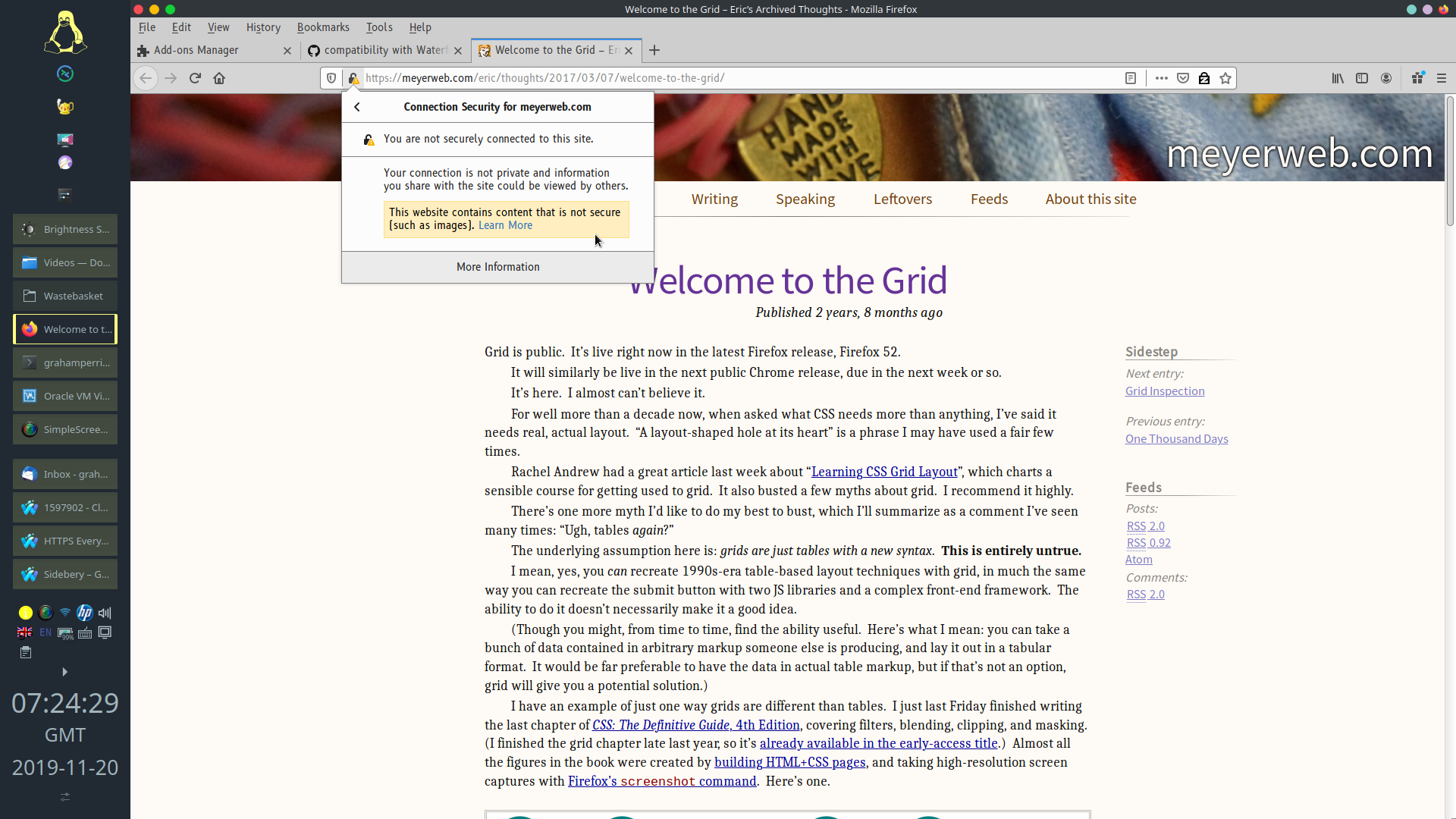
With HTTPS Everywhere 2019.11.7:
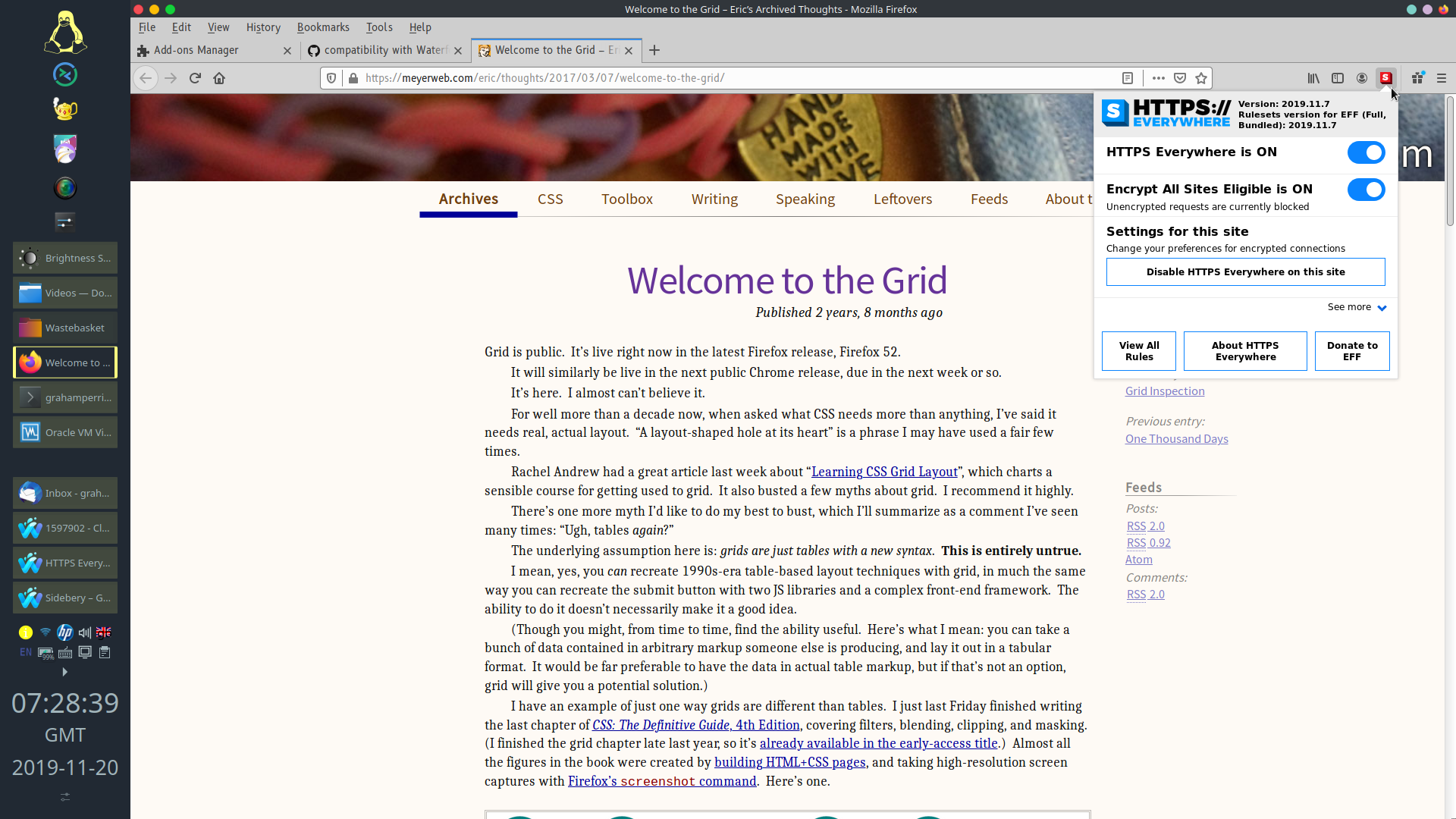
– no warning. Please, is this by design?
Suggested label
mixed-content-bug
Environment
grahamperrin@momh167-gjp4-8570p:~ % date ; uname -v
Wed 20 Nov 2019 07:10:07 GMT
FreeBSD 13.0-CURRENT #36 r354616: Tue Nov 12 01:28:03 GMT 2019     root@momh167-gjp4-8570p:/usr/obj/usr/src/amd64.amd64/sys/GENERIC-NODEBUG
grahamperrin@momh167-gjp4-8570p:~ % pkg query '%o %v %R' firefox
www/firefox 70.0.1_3,1 FreeBSD
grahamperrin@momh167-gjp4-8570p:~ %
Apologies if this issue is a duplicate … the closest I could find was 18491.
 grahamperrin
All 9 comments
@grahamperrin Yes, this is by design. Due to EASE mode being enabled you are not making any unencrypted requests, thus no warning is created.
 pipboy96
on 20 Nov 2019
pipboy96
on 20 Nov 2019
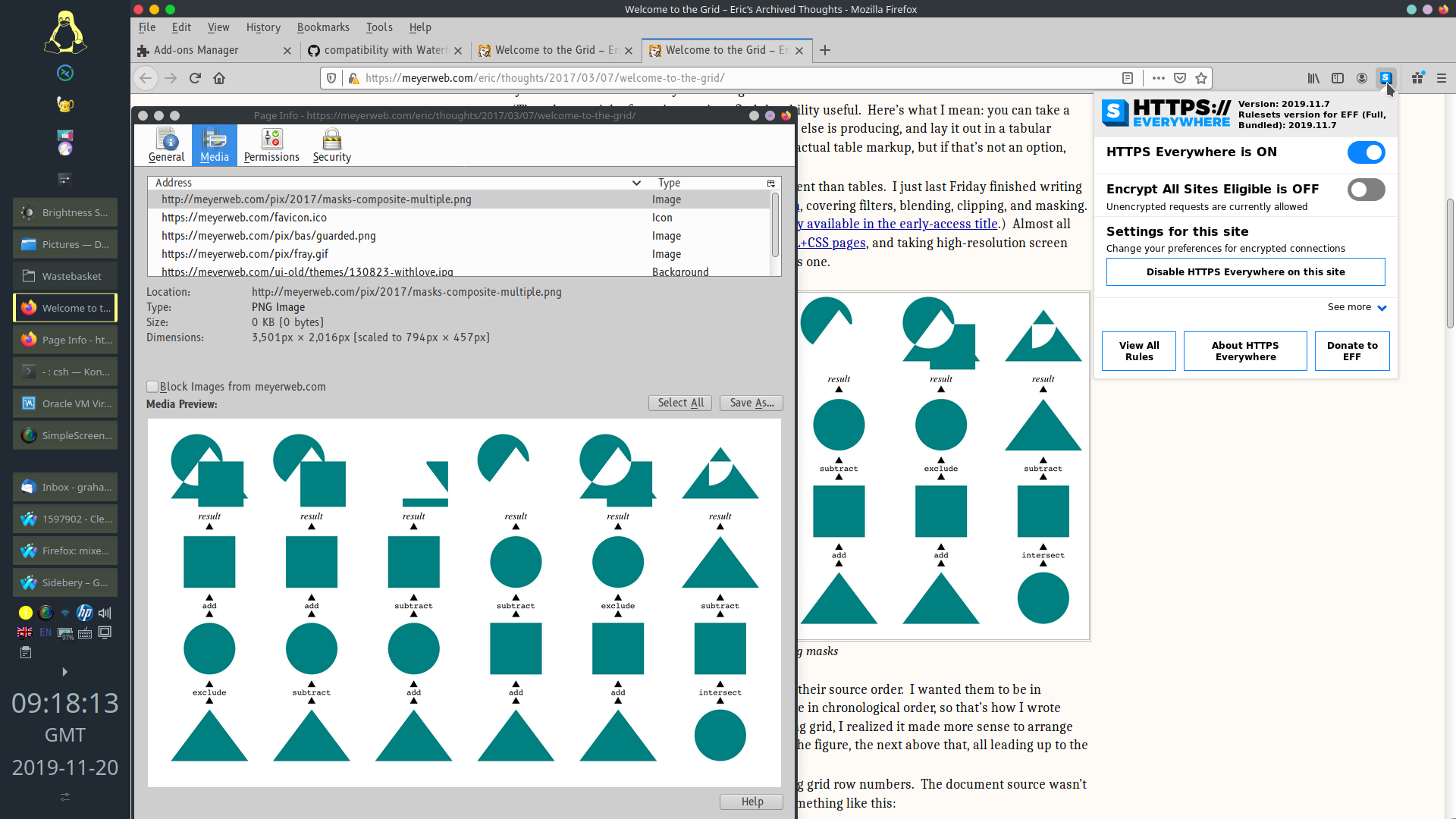
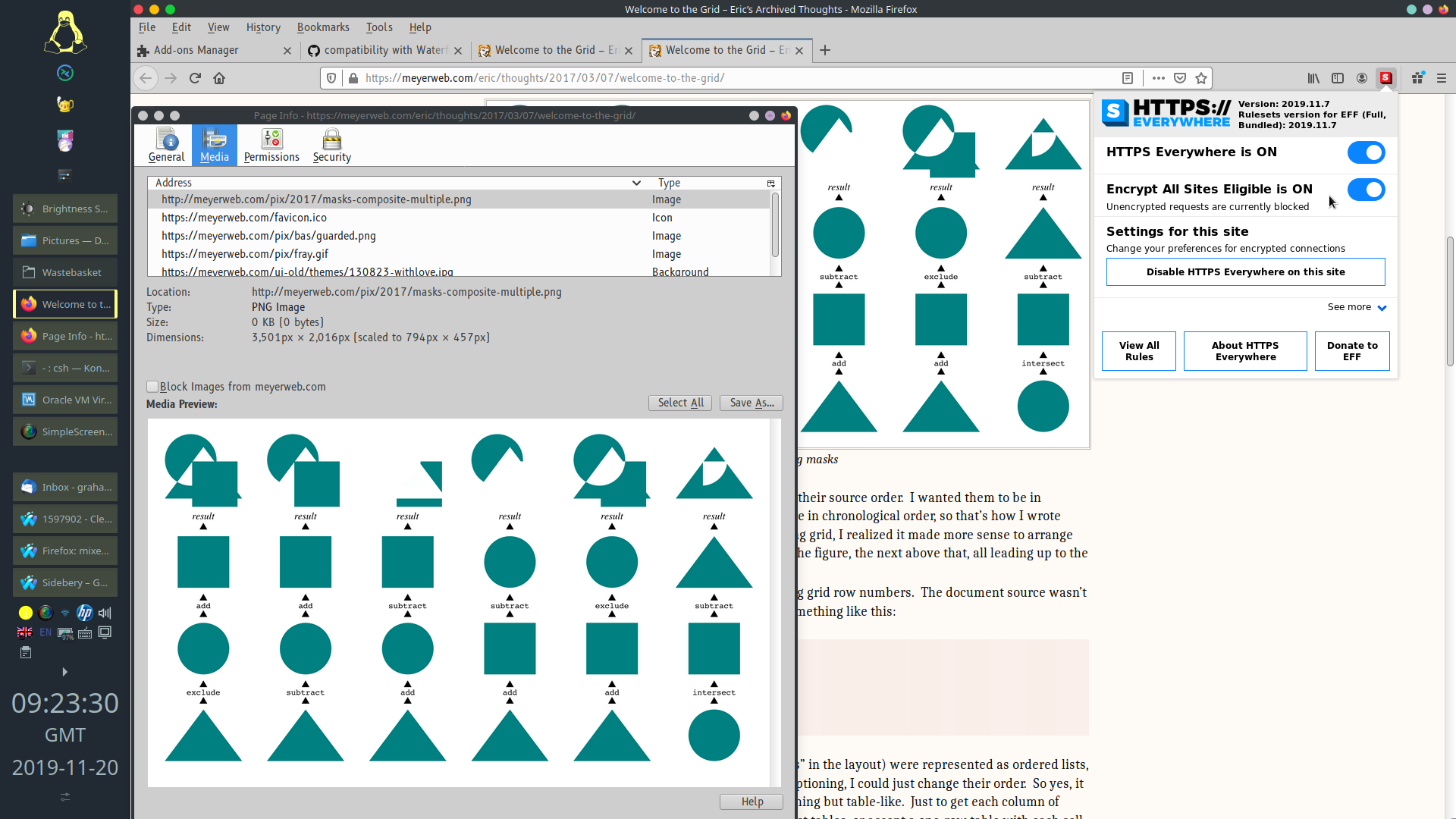
Thanks, I'm confused, there's insecure content (the image below) with EASE both disabled _and_ enabled:
grahamperrin
on 20 Nov 2019
@grahamperrin It gets requested over HTTPS due to Content-Security-Policy: upgrade-insecure-requests header the extension appends to all responses when EASE mode is on. You may see it in Network tab of developer tools.
pipboy96
on 20 Nov 2019
Sorry, I'm still confused (not a developer) …
Due to EASE mode being enabled you are not making any unencrypted requests,
If no unencrypted request is made, then why does the unencrypted (http) content appear in this mode?
PS I mean, I'm looking at the http URL in the Page Info dialogue …
grahamperrin
on 21 Nov 2019
@grahamperrin Even if initial request was made for HTTP version of the resource, this request was rewritten to actually get a secure HTTPS version before it left your machine. I hope this makes sense. Your browser never actually sent the insecure request as result of HTTPS Everywhere and EASE mode being enabled.
pipboy96
on 21 Nov 2019
So the Page Info dialogue is not reliable?
grahamperrin
on 21 Nov 2019
@grahamperrin In this case the reliable source is Network tab in DevTools.
pipboy96
on 21 Nov 2019
OK, thanks, are you aware of a Mozilla bug for users being misled by the Page Info dialogue in situations such as this?
grahamperrin
on 21 Nov 2019
Try filing a bug at bugzilla.mozilla.org.
pipboy96
on 21 Nov 2019
Related issues
 raman325
·
4Comments
raman325
·
4Comments
 cschanaj
·
3Comments
cschanaj
·
3Comments
 00h-i-r-a00
·
4Comments
00h-i-r-a00
·
4Comments
 Lissy93
·
4Comments
Lissy93
·
4Comments
 Jochen-A-Fuerbacher
·
3Comments
Jochen-A-Fuerbacher
·
3Comments
Most helpful comment
Try filing a bug at bugzilla.mozilla.org.