Howdy: error installing howdy on arch (using the yay helper)
_Please describe the issue in as much detail as possible, including any errors and traces_
This is the output from the terminal:
Successfully installed face-recognition-1.2.3
The --yes options to dlib's setup.py don't do anything since all these options
are on by default. So --yes has been removed. Do not give it to setup.py.
==> ERROR: A failure occurred in package().
Aborting...
Error making: howdy
I've searched for similar issues already, and my issue has not been reported yet.
Linux distribution (if applicable):arch
Howdy version:
 ANDROID2468
All 5 comments
The only error line
==> ERROR: A failure occurred in package().
Doesn't say a lot, are there no other obvious problems or errors?
 boltgolt
on 18 Sep 2019
boltgolt
on 18 Sep 2019
@boltgolt
nope, but here is my terminal output when running the command
(the command I used: yay -S howdy 2>&1 | tee log.txt)
log.txt
ANDROID2468
on 19 Sep 2019
Can confirm, even building the package from the AUR the old fashioned way (without yay) it gives the same error, see screenshot. When googling I found this, but I'm not sure if it has anything to do with this issue.
https://bbs.archlinux.org/viewtopic.php?id=219832
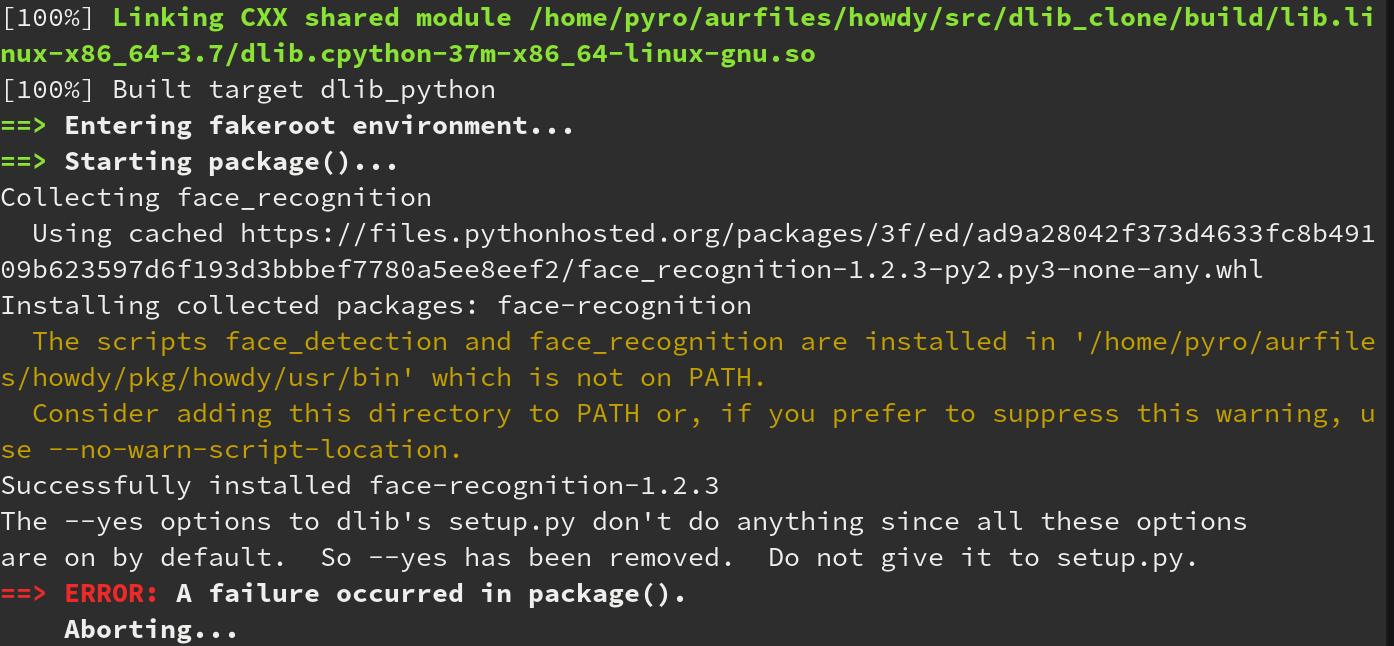
Looks like the --yes output above is in dlib's setup.py script, see screenshot, I'm not sure what is passing it the --yes option, but I think that is the problem here

 pyro57
on 19 Sep 2019
pyro57
on 19 Sep 2019
Figured it out, the PKGBUILD file calls the setup.py for that, and passes it the --yes arugmet. run yay -S howdy --editmenu and whe it asks you to edit PKGBUILD files select 1, type the name of the editor you want to use (for me nanao) then search for the --yes option and delete it. however now it complains about USE_AVX_INSTRUCTIONS being an invalid command, which is an argument for --yes I guess, so I'm going to try deleting those as well.
pyro57
on 19 Sep 2019
can confirm, steps to install:
- run yay -S howdy --editmenu.
- when it asks you to edit pkgbuild select 1 howdy
- use what ever editor you want
- find --yes and delete it and the USE_AVX_INSTRUCTIONS
- continue as normal
Maintainer - update your pkgbuild to reflect these changes thank you.
pyro57
on 19 Sep 2019
Related issues
 VanishingTacos
·
8Comments
VanishingTacos
·
8Comments
 gabrielspadon
·
6Comments
gabrielspadon
·
6Comments
 reylinux
·
5Comments
reylinux
·
5Comments
 akxer
·
6Comments
akxer
·
6Comments
 klascano
·
3Comments
klascano
·
3Comments
Most helpful comment
can confirm, steps to install:
Maintainer - update your pkgbuild to reflect these changes thank you.