Hosts: Simplify windows instructions
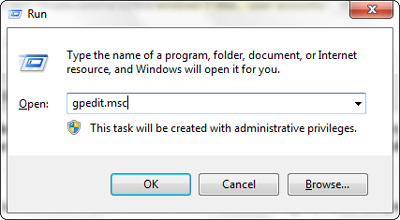
You know, there's win + r which is way simpler
 inexist3nce
All 17 comments
And that's only if you have UAC disabled, on systems with UAC enabled Win+R doesn't run anything as admin. However, on Windows >= 7, you can just type cmd in Start menu and press Ctrl+Shift+Enter to run task as admin. Much cleaner and simpler.
 walczakp
on 12 Feb 2016
walczakp
on 12 Feb 2016
on Windows 8 we can Start and type cmd -> Right Click -> Run as Admin as well
 ChaerilM
on 12 Feb 2016
ChaerilM
on 12 Feb 2016
Hey @inexist3nce @pewusoft @Zabanya thanks for the input!
Marking this as enhancement.
 StevenBlack
on 12 Feb 2016
StevenBlack
on 12 Feb 2016
You're welcome :)
walczakp
on 12 Feb 2016
I don't know how to use this script on Windows. On Linux I'd clone the repository and open terminal in that location, on Windows I have no idea. I've extracted the repo and ran updateHostsFile.py. Hosts file is saved to hosts-master folder, but my existing hosts file in ~\Windows\System32\drivers\etc isn't replaced.
I decided to move the entire hosts-master folder content to ~\Windows\System32\drivers\etc. Now my hosts file gets updated, but I think this isn't a right way at all...
 07416
on 31 Mar 2016
07416
on 31 Mar 2016
No, that isn't the right way :smile: though, hey, two points for you for thinking outside-the-box.
The reason the Windows hosts file isn't copied is because the Windows access control story is a monumental cluster.
Heck, in the Windows VMs I use, I can't even get programs I've manually pinned to the task bar to not notify me of scary dangers every time I invoke them.
Windows is just broken. You have my sympathies.
StevenBlack
on 31 Mar 2016
i just keep a shortcut to C:\Windows\System32\drivers\etc in my hosts folder so i can visit it quickly after updating and paste the file. could probably even try dragging it into the shortcut
 berrythesoftwarecodeprogrammar
on 2 Apr 2016
berrythesoftwarecodeprogrammar
on 2 Apr 2016
@berrythesoftwarecodeprogrammar Yes, it's relatively easy to circumvent Windows limitation.
Does the hosts file name need to be capitalized (HOSTS) on Windows? The script uses hosts by default.
07416
on 3 Apr 2016
All native Windows filesystems are case insensitive, so you can even write HoStS and it should work
walczakp
on 3 Apr 2016
and the default file on windows is lowercase anyway
berrythesoftwarecodeprogrammar
on 4 Apr 2016
Why aren't the domains added to myhosts prefixed with 0.0.0.0 in the hosts file?
C:\Windows\System32\drivers\etc\hosts:
# Custom host records are listed here.
kotaku.com
www.buzzfeed.com
www.dailymail.co.uk
Hi @07416 this is by design.
myhosts is for inclusion, at the top, of legitimate hosts that you may have. such as
192.168.17.1 router
192.168.17.15 printer
192.168.17.16 media
192.168.17.17 HueKitchenSouth
192.168.17.18 HueKitchenNorth
... and whatever
See How do I include my own custom domain mappings? in the docs.
Nothing stopping you from putting this in myhosts. That will work too.
0.0.0.0 www.buzzfeed.com
Point is, myhosts isn't mangled, and this is by design.
StevenBlack
on 22 Apr 2016
I understand. And yes, I can start every line with 0.0.0.0
07416
on 22 Apr 2016
The last thing that's still unclear to me is using hosts file variants on Windows. How can I use one without command line? Do I modify the content of data/ subfolder?
I use all gambling + porn + social variants on Linux and Android. I'd probably copy the raw host content manually, but I have many custom entries added to myhosts.
EDIT: I figured this out, I opened update.info in data\StevenBlack and replaced the URL with https://raw.githubusercontent.com/StevenBlack/hosts/master/alternates/gambling-porn-social/hosts.
07416
on 27 Apr 2016
Hi @07416 that's right. The Python script assembles all the components and creates the unified files that include your whitelist and your own hosts either as data or as extensions.
If you want to skip that then, yes, open the hosts file in a text editor and include your own. Or you could write a batch file to combine the files for you.
The Python script is painless....
StevenBlack
on 27 Apr 2016
@StevenBlack : I was reading this over, and I'm not really sure if there is such a concern anymore. I think the instructions are fairly simple:
- Open command prompt as administrator
- Run updateHostsFile.py
- Copy new host file to location specified by script
- Run
ipconfig /flushdnscommand afterwards
These are all specified in the docs / code, so I think this is resolved now?
 gfyoung
on 25 May 2017
gfyoung
on 25 May 2017
Actually, even better just run updateHostsWindows.bat as administrator from command prompt :smile:
gfyoung
on 25 May 2017
Related issues
 mikhoul
·
3Comments
mikhoul
·
3Comments
 bigdargon
·
3Comments
bigdargon
·
3Comments
 beerisgood
·
3Comments
beerisgood
·
3Comments
 bsd-source
·
3Comments
beerisgood
·
3Comments
bsd-source
·
3Comments
beerisgood
·
3Comments
Most helpful comment
No, that isn't the right way :smile: though, hey, two points for you for thinking outside-the-box.
The reason the Windows hosts file isn't copied is because the Windows access control story is a monumental cluster.
Heck, in the Windows VMs I use, I can't even get programs I've manually pinned to the task bar to not notify me of scary dangers every time I invoke them.
Windows is just broken. You have my sympathies.