Homestead: Not able to navigate in the site pages when access the ngrok link
Versions
- Vagrant: 2.1.2
- Provider: Virtualbox 5.2.16-123759-Ubuntu-xenial
- Homestead: 7.14.2
Host operating system
Ubuntu 16.04.5 LTS
Homestead.yaml
---
ip: "192.168.10.10"
memory: 512
cpus: 1
provider: virtualbox

authorize: ~/.ssh/id_rsa.pub

keys:
    - ~/.ssh/id_rsa

folders:
    - map: ~/code
      to: /home/vagrant/code

sites:
    - map: blog.test
      to: /home/vagrant/code/blog/public

databases:
    - homestead

# ports:
#     - send: 50000
#       to: 5000
#     - send: 7777
#       to: 777
#       protocol: udp

# blackfire:
#     - id: foo
#       token: bar
#       client-id: foo
#       client-token: bar

# zray:
#  If you've already freely registered Z-Ray, you can place the token here.
#     - email: [email protected]
#       token: foo
#  Don't forget to ensure that you have 'zray: "true"' for your site.
Vagrant destroy & up output
https://gist.github.com/jn-jairo/9f6b74105390c3a16ddc5f2da59e6db6
Expected behavior
Create a Laravel project and share to access the site from ngrok link in another machine and be able to navigate in the site pages.
Actual behavior
I can access the home page by the ngrok link, but all page links and assets are with the local blog.test domain instead of the 00000000.ngrok.io, so I get a 404 error in the assets and when click in a link.
I tried with nginx and apache, but the error occurs in both.
I don't know if I am making something wrong, or if I forgot some configuration, but following the documentation I should be able to use the site normally in another machine using the share feature.
Steps to reproduce
- Create a new laravel project using
composer create-project --prefer-dist laravel/laravel blog - Update the
routes/web.phpto
<?php

Route::get('/', function () {
    dd(url('/'));
    return view('welcome');
});
- Access in the browser
http://blog.testand you will see the dumphttp://blog.test - Share the site
share blog.testand access the ngrok linkhttp://00000000.ngrok.ioand you will see the dumphttp://blog.testinstead ofhttp://00000000.ngrok.io
I am not sure if this is a homestead bug or if I need to configure something in the Laravel project to use the share feature properly.
I even tried Trusted Proxies with protected $proxies = '*'; without success.
 jn-jairo
All 15 comments
Sounds like you're hardcoding your application URL http://blog.test into your .env or somewhere else? If so, try changing it to http://00000000.ngrok.io which matches your ngrok URL.
Doesn't sound like this is a Homestead issue.
 svpernova09
on 6 Aug 2018
svpernova09
on 6 Aug 2018
Yes, I tried set the url in the .env to the http://00000000.ngrok.io, but the url in the .env was totally ignored, I doesn't use cache, but I tried clean up the cache, without success.
Now I take a look at the request headers and the http_host is always http://blog.test and the http://00000000.ngrok.io is in http_x_original_host, I look at the UrlGenerator code and it uses the host from the Request to create the url.
I found that header in https://github.com/laravel/valet/blob/9cc4212cbfb6f334a4adce2ff2a5960c0ee09650/cli/drivers/LaravelValetDriver.php#L58
But in my case I don't have the http_x_forwarded_host header, I only have the http_x_original_host
Since valet makes that override I don't know if I should create a issue in laravel framework for laravel identify that and get the correct url or if is better override the http_host in the nginx/apache (if that is possible)
What do you think? Should I create that issue in the laravel framework?
jn-jairo
on 7 Aug 2018
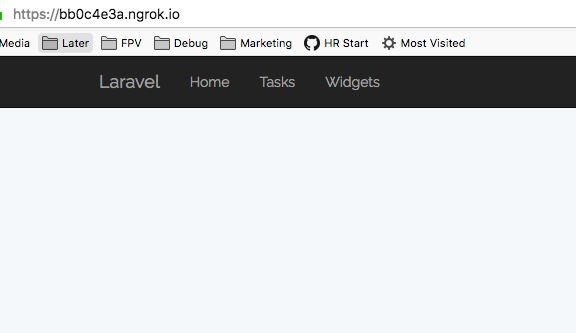
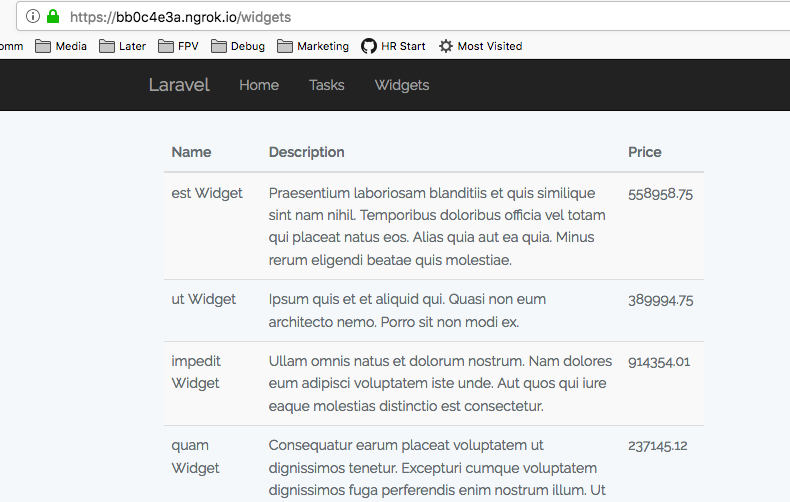
So I have confirmed the share behavior is working as intended. I have a project mapped to Homestead. I run vagrant destroy -f && vagrant up to ensure I'm getting a clean VM. Once running I vagrant ssh into the machine, then cd qs, artisan migrate, artisan db:seed, and then share qs.test. The entire point of passing the URL to the share command is to tell ngrok you want whatever domain they give you to masquerade as qs.test which means your application should report blog.test for you, in my case it shows qs.test.
Here are some screenshots showing the 3 main URLs working: /, /tasks, and /widgets

What do you think? Should I create that issue in the laravel framework?
Without seeing your code I'm unable to recommend any next steps.
svpernova09
on 7 Aug 2018
Thank you so much @svpernova09
The difference in your project is that you don't use url('/tasks') just set /tasks
That should be a issue in the laravel url generator, I will open a issue in laravel later.
jn-jairo
on 7 Aug 2018
Guys? Some news about this bug? This "URL" problem is still actual for me.
 antimech
on 10 Oct 2018
antimech
on 10 Oct 2018
@antimech
Please open a new issue describing the problem you're having with Homestead, if you're having URL issues in your application that would be a application issue, not a Homestead issue (most likely).
svpernova09
on 10 Oct 2018
@jn-jairo did you open an issue in Laravel repo?
antimech
on 10 Oct 2018
@antimech I didn't, I looked at the code in Laravel and I was not sure if it is a Laravel issue or a Symphony http request issue, since Laravel extends the request from Symphony, and the Laravel team was very busy with the version 5.7 and some serialization secure issues, so I decided to make a plugin to solve this issue and do other integrations with ngrok, it is working for me so I forgot about to open the issue, I didn't make this plugin public yet because it is missing tests and some generalizations to be useful in more cases, not just to fix the url.
jn-jairo
on 11 Oct 2018
@jn-jairo Could you please upload it? I don't care about tests in this situation. :dancer:
antimech
on 11 Oct 2018
@antimech Sure, I will do it in this weekend once I have time and post the link here
jn-jairo
on 11 Oct 2018
@jn-jairo thank you!
antimech
on 11 Oct 2018
@antimech https://github.com/jn-jairo/laravel-ngrok just install the package to solve the url issue.
composer require --dev jn-jairo/laravel-ngrok
You can start the ngrok from the artisan command too. This will get the host from the url of your application.
php artisan ngrok
You can also pass custom host and port.
php artisan ngrok example.com --port=8000
@jn-jairo thank you very much!
antimech
on 15 Oct 2018
@jn-jairo Worked great! Thanks!
 a-tesh
on 12 Dec 2019
a-tesh
on 12 Dec 2019
Another solution:
Reference from: https://stackoverflow.com/questions/50194923/laravel-and-ngrok-url-domain-is-not-correct-for-routes-and-assets/54488972#54488972
TrustedProxies and Forwarded Host
app/Providers/AppServiceProvider.php
class AppServiceProvider extends ServiceProvider
{
    public function boot()
    {
        if (request()->server->has('HTTP_X_ORIGINAL_HOST')) {
            request()->server->set('HTTP_HOST', request()->server->get('HTTP_X_ORIGINAL_HOST'));
            request()->headers->set('HOST', request()->server->get('HTTP_X_ORIGINAL_HOST'));
        }
    }
}
Not Using TrustedProxies
app/Providers/AppServiceProvider.php
class AppServiceProvider extends ServiceProvider
{
    public function boot()
    {
        if (request()->server->has('HTTP_X_ORIGINAL_HOST')) {
            request()->server->set('HTTP_HOST', request()->server->get('HTTP_X_ORIGINAL_HOST'));
            request()->headers->set('HOST', request()->server->get('HTTP_X_ORIGINAL_HOST'));
        }
    }
}
Using forceRootUrl()
app/Providers/AppServiceProvider.php
class AppServiceProvider extends ServiceProvider
{
    public function boot()
    {
        if (request()->server->has('HTTP_X_ORIGINAL_HOST')) {
            url()->forceRootUrl(
                request()->server->get('HTTP_X_FORWARDED_PROTO').'://'.request()->server->get('HTTP_X_ORIGINAL_HOST')
            );
        }
    }
}
For details, refer to https://stackoverflow.com/questions/50194923/laravel-and-ngrok-url-domain-is-not-correct-for-routes-and-assets/54488972#54488972
 ycs77
on 7 Jul 2020
ycs77
on 7 Jul 2020
Related issues
 pluxain
·
3Comments
pluxain
·
3Comments
 gormus
·
4Comments
gormus
·
4Comments
 pqt
·
3Comments
pqt
·
3Comments
 steveheinsch
·
3Comments
steveheinsch
·
3Comments
 mtpultz
·
4Comments
mtpultz
·
4Comments
Most helpful comment
@antimech https://github.com/jn-jairo/laravel-ngrok just install the package to solve the url issue.
You can start the ngrok from the artisan command too. This will get the host from the url of your application.
You can also pass custom host and port.