Homestead: Why docs say nothing about debugging?
So I have spend the last 4 days trying to get xdebug to work with phpstorm. Tried every possible solution I found online. Tried alias xon, sudo phpenmod -s cli xdebug, followed the xdebug website wizard, tried every solution on google (until page 5), reinstalled homestead and xdebug several times trying different configurations each time, php-fpm, php-cli, 7.0, 7.1, 7.2....
Can someone please say something somewhere about how to debug in homestead?
Why homestead docs say nothing about debugging?
 jonagoldman
All 15 comments
There is no one way to "debug in Homestead". "debugging" is too generic of a topic to include in the Homestead docs.
Homestead is a pretty generic Ubuntu box, so there's lots of documentation out there.
I would also suggest opening a Stack Overflow question for your specific issue with as many details as possible.
 browner12
on 4 Jan 2018
browner12
on 4 Jan 2018
FWIW I don't think Xdebug has been released for PHP 7.2 yet (I haven't checked in several days) and at the very least, the current Homestead box will NOT have xdebug for php 7.2, but all other versions will work fine out of the box.
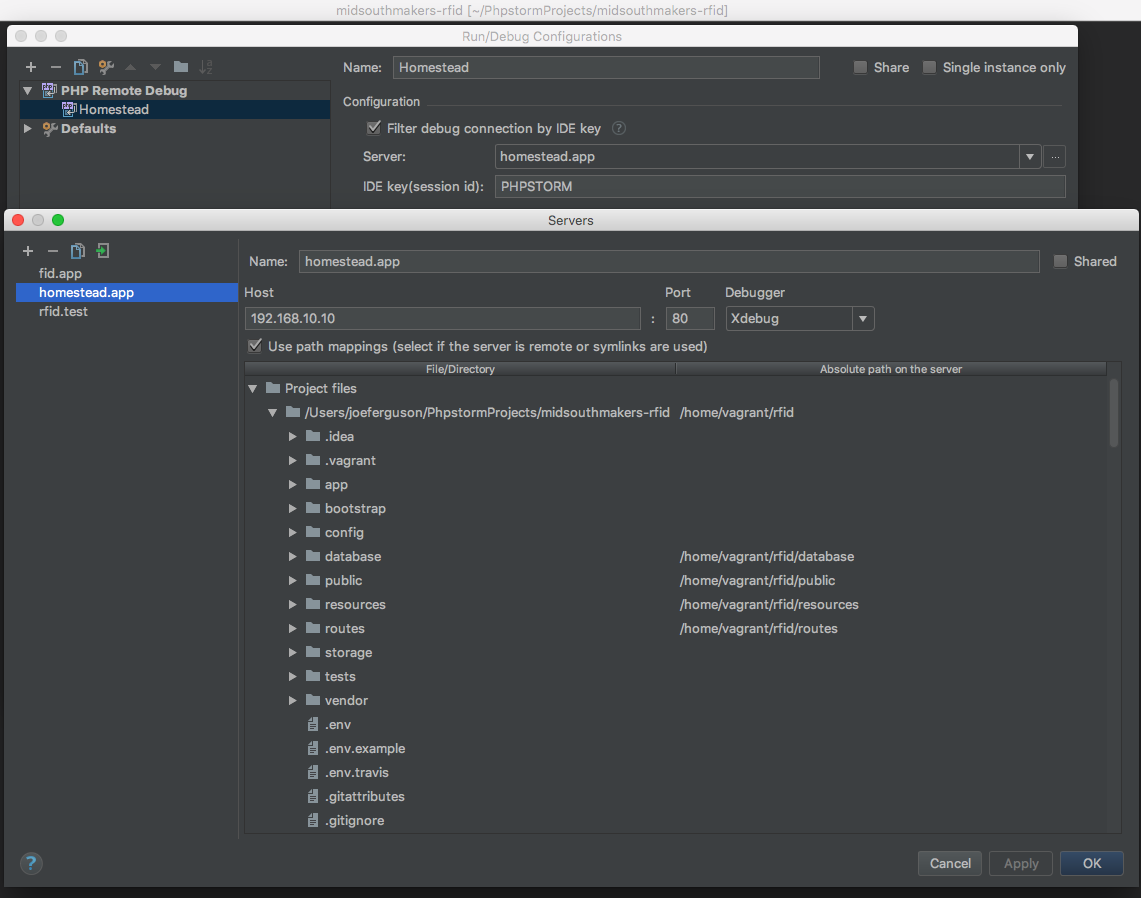
An often overlooked issue is to ensure your virtual mappings are correct for the PHP Remote Debug Server in PhpStorm.
 svpernova09
on 4 Jan 2018
svpernova09
on 4 Jan 2018
@browner12 directly from the Laravel docs:
Laravel Homestead [...] provides you a wonderful development environment without requiring you to install PHP, a web server, and any other server software on your local machine.
So, development environment and any other server software does not sound like a generic Ubuntu box. And I think there is no real development without debugging.
jonagoldman
on 4 Jan 2018
@svpernova09 yes, I tried with the new xdebug 2.6.0 beta release that supports php 7.2.
Can you please quickly explain to me how to get an older homestead box with php 7.1 as default? Do I need to match between the vagrant box and the homestead repo versions? Thanks.
jonagoldman
on 4 Jan 2018
@jonagoldman There is nothing unique about the Homestead xdebug setup at all. That's why it's referred to as generic.
RE Using multiple versions of PHP: https://laravel.com/docs/5.5/homestead#multiple-php-versions
You don't have to change boxes (assuming you're using the latest release of the box and repo)
svpernova09
on 4 Jan 2018
@svpernova09 so I managed to make phpstorm recognize php 7.1 and xdebug 2.5.5:
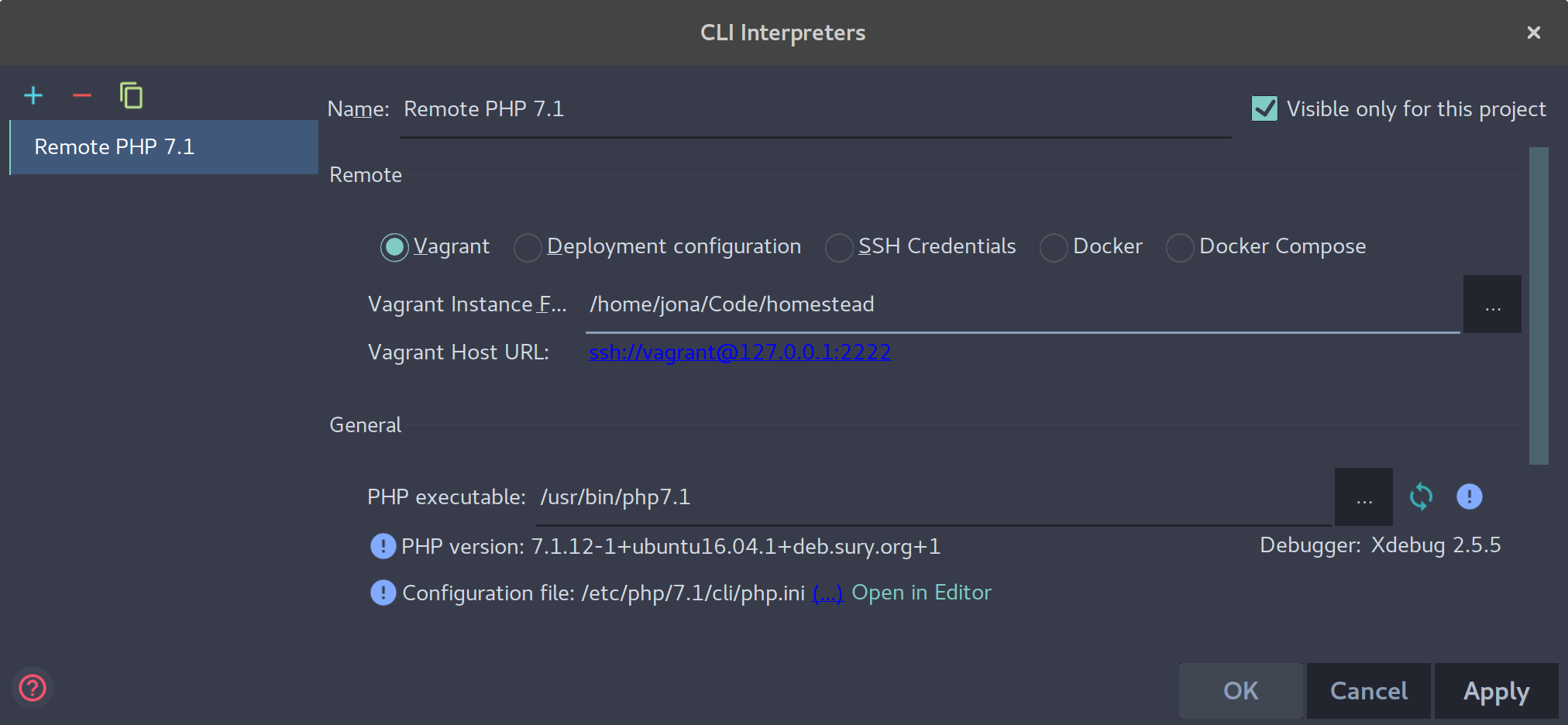
but no matter what I do, I'm not able to stop the session and start debugging... I have set phpstorm to always stop at first php line of code but still nothing is stopping...
jonagoldman
on 4 Jan 2018
You're configuring a remote CLI debugger there. not a remote HTTP debugger.
PhpStorm -> Run -> Edit Configurations -> Plus Sign -> PHP Remote Debug
Here is a screenshot of the config I use for all my projects:
svpernova09
on 4 Jan 2018
Did the same here:
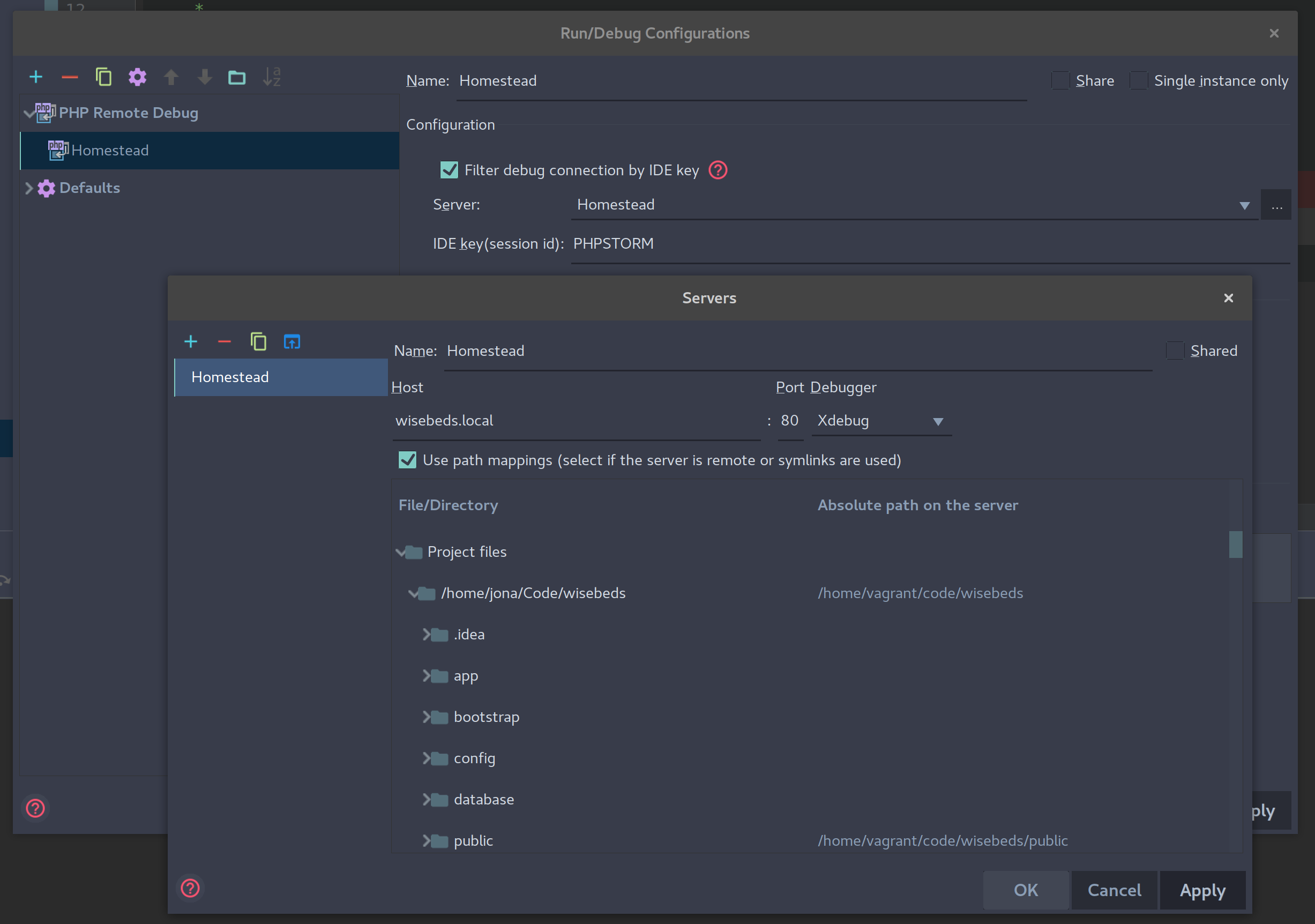
still not able to stop session.
jonagoldman
on 4 Jan 2018
What is your host OS?
Post your Homestead.yaml
svpernova09
on 4 Jan 2018
So I finally managed to make it work, after making all the changes you pointed out earlier,
I modified /etc/php/7.1/cli/conf.d/20-xdebug.ini like this:
zend_extension=xdebug.so
xdebug.remote_enable=1
xdebug.remote_autostart=1
xdebug.remote_host=10.0.2.2
I think remote_host made it work, or maybe remote_autostart (took it from here).
Thank you very much for your help!
jonagoldman
on 4 Jan 2018
In my case, I managed to get Xdebug working with php7.2 by creating the symlink from /etc/php/7.2/mods-available/xdebug.ini to /etc/php/7.2/fpm/conf.d/20-xdebug.ini. For some reason such symlink was not there for php7.2 (it's there for 7.1).
Reproducible steps:
- Install and configure
xdebug-2.6.0beta1(any method from here) - Execute
sudo ln -s /etc/php/7.2/mods-available/xdebug.ini /etc/php/7.2/fpm/conf.d/20-xdebug.ini - Restart the server with
sudo service php7.2-fpm restart
 amadeann
on 7 Jan 2018
amadeann
on 7 Jan 2018
Hi @amadeann!
How did you get installed xdebug-2.6.0beta1 via pecl install xdebug?
On my system it tries to (re-) install xdebug-2.5.5 which does not support PHP 7.2 :-(
Is there a param or something to get the 2.6-beta instead of the stable 2.5.5?
 giginos
on 8 Jan 2018
giginos
on 8 Jan 2018
solved - "pecl install xdebug-2.6.0beta1" did the job :-) @amadeann
giginos
on 8 Jan 2018
@amadeann you saved my time, I install xdebug-2.6RC2 but I can't found /etc/php/7.2/fpm/conf.d/20-xdebug.ini.
Your cmd help me a lot:
sudo ln -s /etc/php/7.2/mods-available/xdebug.ini /etc/php/7.2/fpm/conf.d/20-xdebug.ini
 henryonsoftware
on 25 Jan 2018
henryonsoftware
on 25 Jan 2018
Had the same issue with PHP 7.2 and PHPStorm. Added the extra config as stated by @jonagoldman then ran:
sudo service php7.2-fpm restart
and not the 7.1 version given in the post he mentioned and
BOOM! :-)
 andyscraven
on 30 Oct 2018
andyscraven
on 30 Oct 2018
Related issues
 yazeed
·
3Comments
yazeed
·
3Comments
 Quix0r
·
4Comments
Quix0r
·
4Comments
 cschoeni
·
4Comments
cschoeni
·
4Comments
 bironeaj
·
3Comments
bironeaj
·
3Comments
 leandroruel
·
4Comments
leandroruel
·
4Comments
Most helpful comment
In my case, I managed to get Xdebug working with php7.2 by creating the symlink from
/etc/php/7.2/mods-available/xdebug.inito/etc/php/7.2/fpm/conf.d/20-xdebug.ini. For some reason such symlink was not there for php7.2 (it's there for 7.1).Reproducible steps:
xdebug-2.6.0beta1(any method from here)sudo ln -s /etc/php/7.2/mods-available/xdebug.ini /etc/php/7.2/fpm/conf.d/20-xdebug.inisudo service php7.2-fpm restart