Homebridge-xiaomi-roborock-vacuum: Stop
Hi,
when I stop the vacuum with the HomeKit switch the robot stops and don't go to the dock.
is there a solution that due robot go to the dock?
 matzZz
All 15 comments
Hi @matzZz, do you have the Pause switch enabled?
 afharo
on 13 Nov 2019
afharo
on 13 Nov 2019
I tried with pause switch enabled and disabled.
But when I switch off the vacuum stops in the room and don’t go back to the dock.
matzZz
on 13 Nov 2019
It happens to me as well with the Pause switch enabled (haven't tried it without it). Ever since iOS13, apparently the combined view gets both switches mixed up and I can hear the robot saying "Paused". If I see the individual accessories and turn the robot off in that view, it successfully stops and goes back to the dock. I have the roborock.vacuum.s5 model though.
afharo
on 13 Nov 2019
I has the Xiaomi 1s.
Now I tried a little. When I switch off the fan-switch says the robot „paused“, when i paused with the pause-switch and then switch off the fan-switch the robot goes back to the dock...?!
matzZz
on 13 Nov 2019
So same issue as I have... I’ll try to find out a way to workaround the iOS13 new behaviour
afharo
on 13 Nov 2019
+1 same issue as matzZz
 rellinger
on 12 Dec 2019
rellinger
on 12 Dec 2019
Hi, I have the same issue with Roborock S6... Would it be possible to add a "Go Home" Button?
Great work so far, thanks a lot
 pelo76
on 22 Jan 2020
pelo76
on 22 Jan 2020
Sorry for the wait! This is my next planned task. I'll get there :)
afharo
on 1 Feb 2020
I’ve been playing around with the current behaviour in iOS13 and it looks like, if the speed is dropped to 0%, it goes back to the dock.
Can you please confirm on your end? And, if not, what versions are not doing so?
afharo
on 2 Feb 2020
I've tried converting the Pause switch to the Fan RotationDirection.
It looks like:
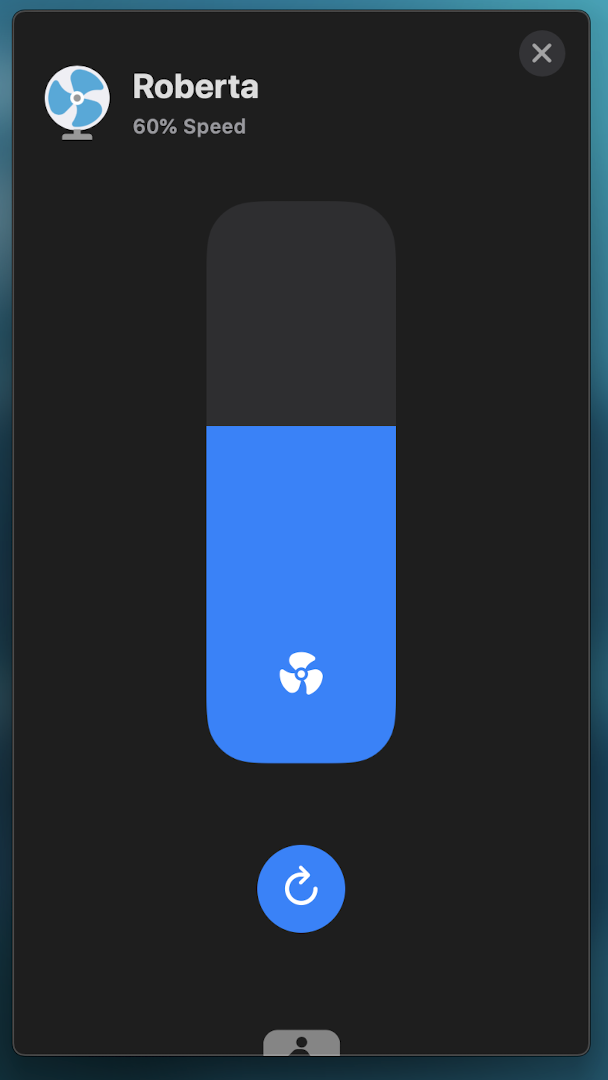
Instead of
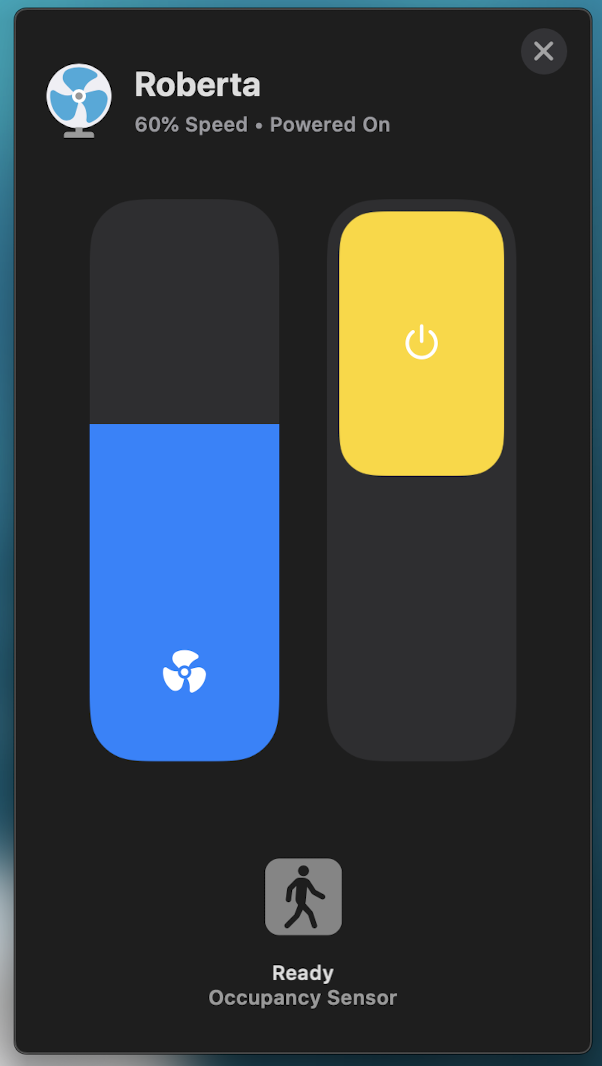
This only confirms that the ON-OFF _switch_ in a fan in the new iOS13 is actually presented as 0% speed or the actual fan speed. So, in order to "stop" the cleaner and call it to go to the dock, we simply need to slide the _speedometer_ down to 0%.
Another option is to see the options of the device
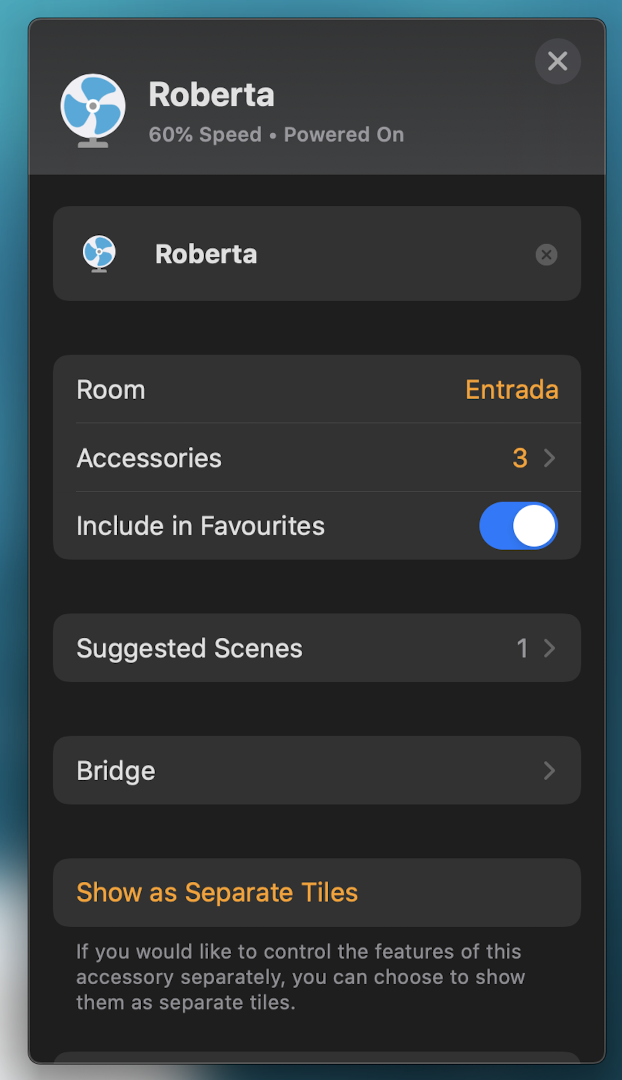
And tap on "Accessories", leading to this view:
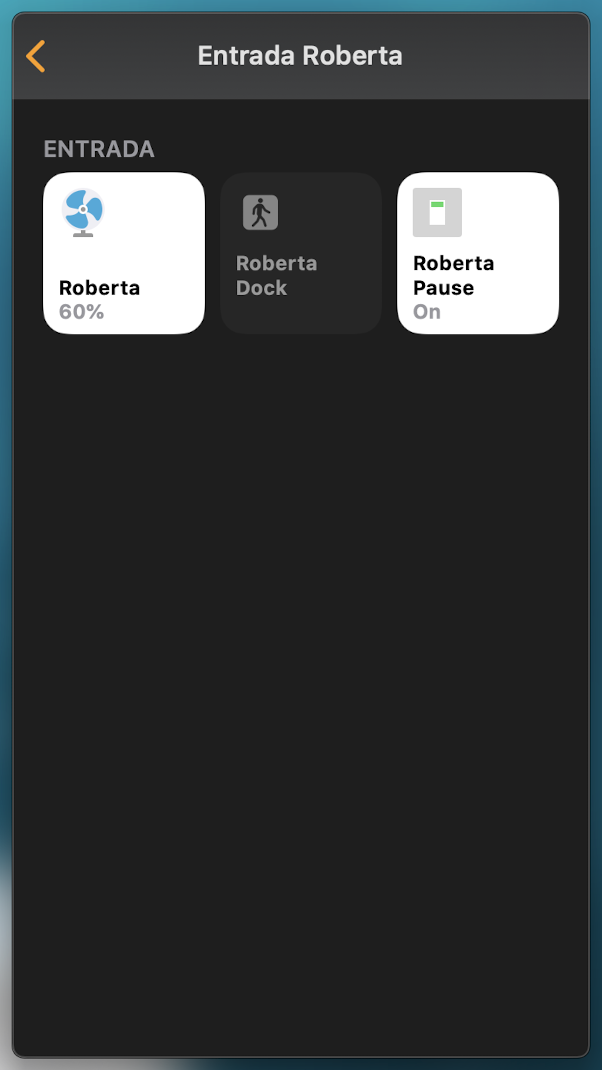
Then tapping on the actual "fan" will stop the robot and send it to the dock for charging.
If you want to have an accessible button to stop the cleaning you can either choose to "Show as Separate Tiles" so you can control it the pre-iOS13 way (it will look like the "Accessories" view) or you can create a scene that turns off the device.
I'm closing this issue. Please, feel free to reopen it if I got the issue wrong or there's any misbehaviour in some other model (tested on my end for roborock.vacuum.s5)
afharo
on 3 Feb 2020
Hi. Zero fan, stop the vacuum in my case. I can't get it back to the charging base.
 serbasan
on 6 Feb 2020
serbasan
on 6 Feb 2020
The bug still exist with the S6
if you set the speed to 0% the robot stop and say "spot cleaning"
if you first pause the robot and then set to speed 0% to robot is going back to the dock
 Tim2309
on 6 Feb 2020
Tim2309
on 6 Feb 2020
Please, follow the updates on the issue @Tim2309 just created and the linked PR #106
afharo
on 6 Feb 2020
Thanks, that way it works
serbasan
on 6 Feb 2020
Successfully published [email protected]
sudo su -
npm -g install homebridge-xiaomi-roborock-vacuum@latest
 nicoh88
on 7 Feb 2020
nicoh88
on 7 Feb 2020
Related issues
 elfive
·
9Comments
elfive
·
9Comments
 cyberralf83
·
7Comments
afharo
·
8Comments
cyberralf83
·
7Comments
afharo
·
8Comments
 0Bu
·
3Comments
0Bu
·
3Comments
 bedrin
·
4Comments
bedrin
·
4Comments
Most helpful comment
So same issue as I have... I’ll try to find out a way to workaround the iOS13 new behaviour