Homebrew-core: Unable to load dynamic library '/usr/local/opt/php71-intl/intl.so'?
I used to have php71 and php71-intl installed with brew. Now that everything PHP is being moved into homebrew-core, brew update screwed up a bunch of things with my PHP installation.

I've tried uninstalling everything PHP related, then I ran:
brew install [email protected]
brew link --overwrite --force [email protected]
Here's my brew gist-log for [email protected]
While it seems to link fine (see above screenshot), I can't get rid of that php71-intl.so warning, and now I can't run Valet to serve up sites anymore.
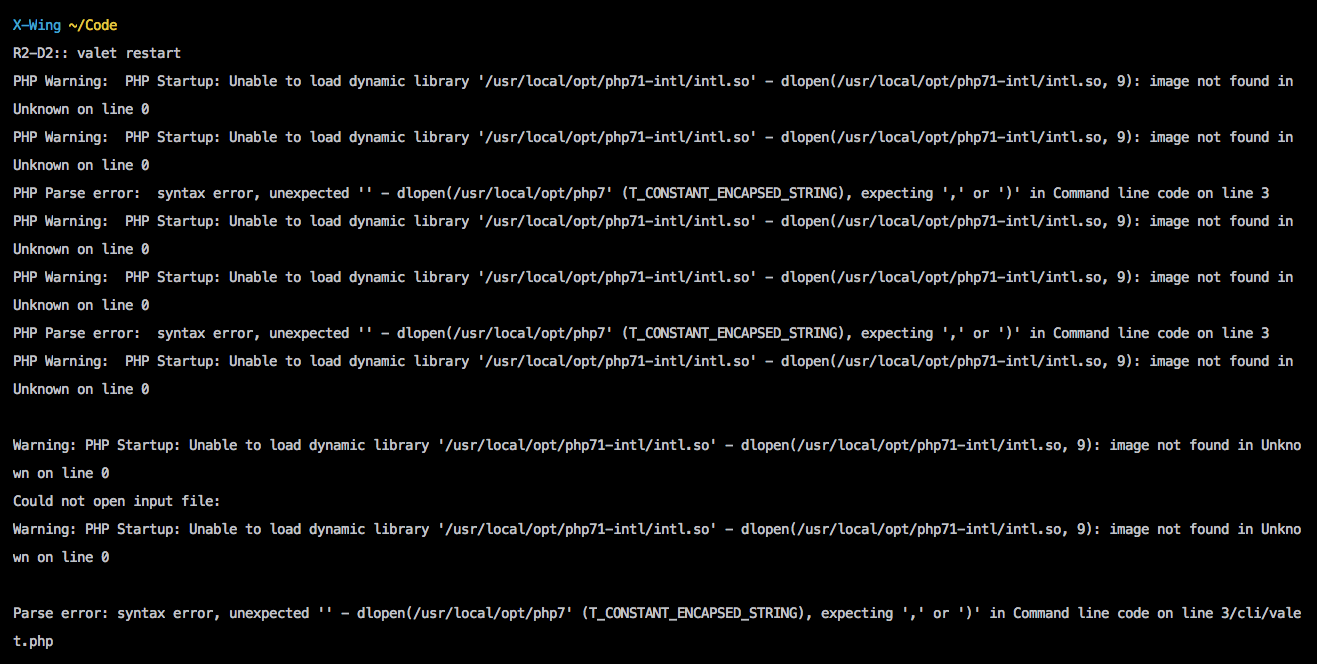
Anyone else having this issue? Kinda stuck here without a fully working version of PHP 😢
 jesseleite
All 10 comments
same problem(
 riverway-developer
on 2 Apr 2018
riverway-developer
on 2 Apr 2018
I've been fighting the same issue all morning.
 jasongroulx
on 2 Apr 2018
jasongroulx
on 2 Apr 2018
Remove the old config files.
 ilovezfs
on 2 Apr 2018
ilovezfs
on 2 Apr 2018
The fix is actually quite easy. Since the library is now in the core of PHP and should be managed using pecl. One should delete the include in the conf.d directory of the PHP version you're running. E.G: For PHP 7.1 I would remove the following:
/usr/local/etc/php/7.1/conf.d/ext-intl.ini
 Neodork
on 2 Apr 2018
Neodork
on 2 Apr 2018
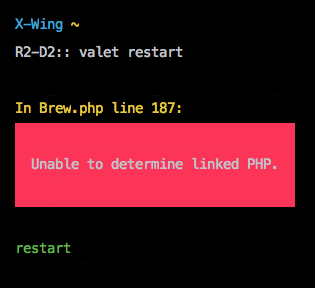
Nice, that fixed the intl error, thank you! Now I'm getting this, though maybe it's unrelated.
jesseleite
on 2 Apr 2018
That is actually a valet+ error which does not belong to the homebrew repository. I will soon open a new issue within the valet-plus repository. Valet-plus is currently still using the old tap and needs to be rebuild for the new kind of PHP management provided by homebrew/core.
A quick fix to that would be:
brew link [email protected] --force
And then restarting your terminal.
Neodork
on 2 Apr 2018
Not using valet+, I'm using laravel/valet, they are different. 100% though, at this point it's not homebrew's problem, thank you sirs!
jesseleite
on 2 Apr 2018
I'm having the same error. From when moved repo from homebrew/php to homebrew/core my dev enviroment no longer works! Two days of search to fix all the issues and no solution right now!!!
 mistre83
on 12 Apr 2018
mistre83
on 12 Apr 2018
@mistre83 You could fix your PHP installation by following the instructions in https://github.com/weprovide/valet-plus/issues/127#issuecomment-378914908.
Neodork
on 12 Apr 2018
@Neodork you saved my day.. thanks.
 aginanjar
on 24 Apr 2018
aginanjar
on 24 Apr 2018
Related issues
 jakepetroules
·
3Comments
jakepetroules
·
3Comments
 tglawless
·
3Comments
tglawless
·
3Comments
 daviderestivo
·
4Comments
daviderestivo
·
4Comments
 kiendang
·
3Comments
kiendang
·
3Comments
 jyutzler
·
4Comments
jyutzler
·
4Comments
Most helpful comment
The fix is actually quite easy. Since the library is now in the core of PHP and should be managed using pecl. One should delete the include in the conf.d directory of the PHP version you're running. E.G: For PHP 7.1 I would remove the following: