Holoviews: PNG export / unwanted rotation of y label
I think there is a bug in the PNG export option of bokeh
While the inline plot is showing the name of the axis nicely:
import numpy as np
import holoviews as hv
hv.extension('bokeh')

test_array = np.random.rand(100,100)
hv.Image(test_array).redim.label(y='AXIS')
the png export of the plot does very weird things to the label:
%%output filename="view_plot.png" fig="png"
hv.Image(test_array).redim.label(y='AXIS')
So far I didnt find any plot option to solve this.

 LEMUEGGE
All 8 comments
I suspect this is a bug in bokeh so would likely have to be raised there. Could you create a pure bokeh example and file an issue with bokeh? I'm also happy to do it but won't get to it immediately.
 philippjfr
on 16 Nov 2017
philippjfr
on 16 Nov 2017
Personally, I would guess that's a problem in font support on your system, not bokeh itself, because it works fine on my Mac OS X system:
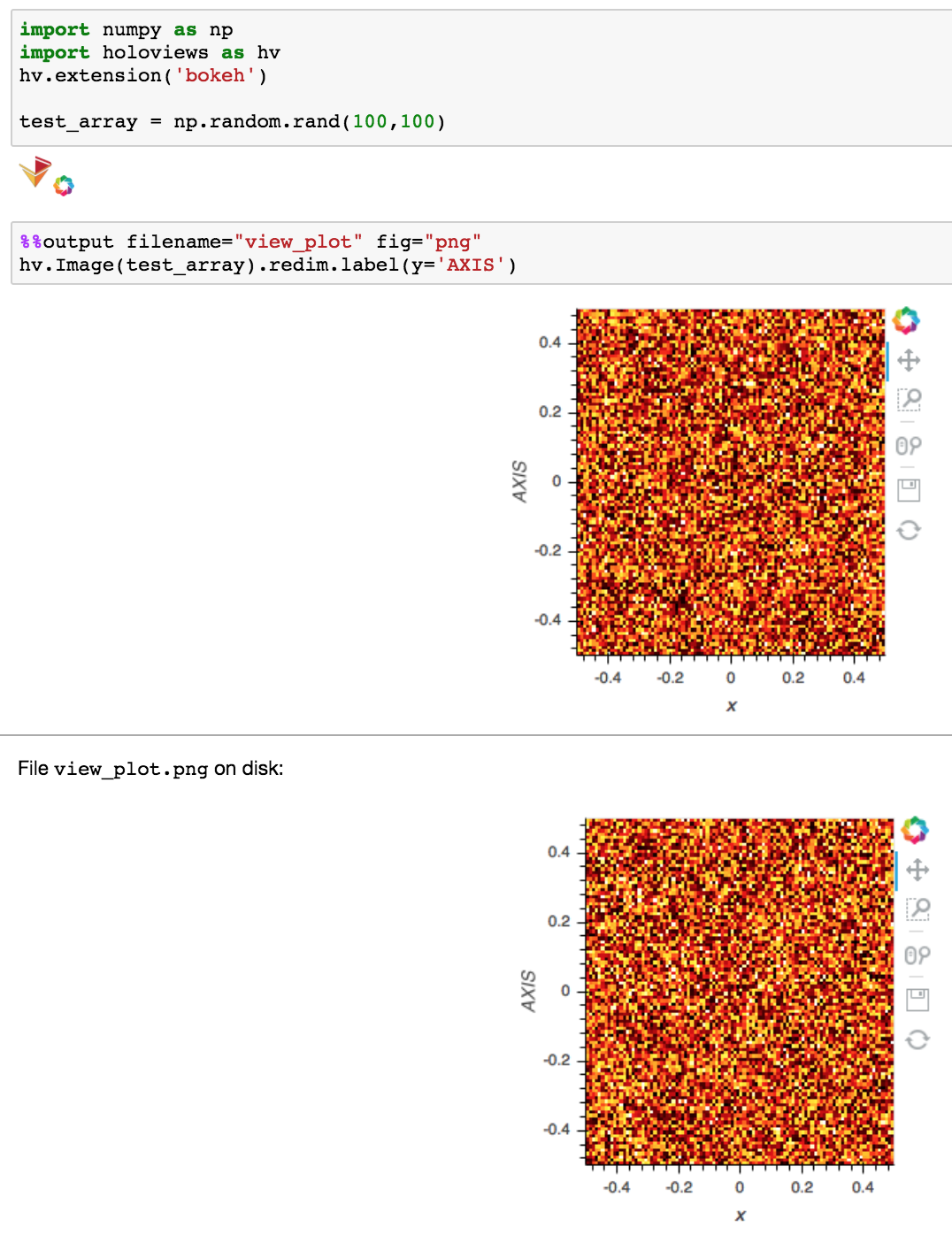
Given that the fonts in your example are also poor quality even for the bits that are working, I'd suspect that the system is falling back to some less-capable font renderer that can't rotate letters. I'll ask Bokeh devs if they know which libraries might be involved. What kind of machine is this (OS and version)?
 jbednar
on 16 Nov 2017
jbednar
on 16 Nov 2017
Okay thats interesting! Its Debian GNU/Linux 8 (jessie)
Thank you!
LEMUEGGE
on 16 Nov 2017
Best guess from Bokeh devs is that the underlying PhantomJS headless-browser library that Bokeh uses to render its PNGs is failing to find the right fonts on your system. I'm not sure how to debug that on your system, though. The fonts Bokeh is expecting to use are specified in this file, so maybe there is some font package on Debian that can be installed to make them available to PhantomJS.
jbednar
on 16 Nov 2017
There are known issues with fonts in phantomjs, and the behavior is platform dependent. I can't reproduce this locally, but I recall seeing this on travis ci. The short term solution is to do a google search for "phantomjs fonts linux" (or "debian" or something similar) and follow one of the tutorials that are supposed to help with this (I don't know if they actually do; use at your own risk). Alternatively you can modify bokeh(.min).css to use a different font from the default Helvetica, and if this doesn't work, provide a font on your own (using CSS' @font-face syntax). In the long term we will switch from phantomjs to chrome headless to resolve this and many more issues we have with phantomjs.
 mattpap
on 16 Nov 2017
mattpap
on 16 Nov 2017
And if you do figure out something that works on your system, please post it here for others to follow if they encounter the same problem!
jbednar
on 16 Nov 2017
Thank you for the quick answers! I'll report if I fix it!
LEMUEGGE
on 16 Nov 2017
Since this is an upstream issue and there is nothing we can do about it at the holoviews level I'm going to close.
philippjfr
on 10 Oct 2018
Related issues
 rjp23
·
4Comments
rjp23
·
4Comments
 mansenfranzen
·
5Comments
mansenfranzen
·
5Comments
 obust
·
5Comments
obust
·
5Comments
 lrdsouza
·
3Comments
lrdsouza
·
3Comments
 nbren12
·
5Comments
nbren12
·
5Comments
Most helpful comment
There are known issues with fonts in phantomjs, and the behavior is platform dependent. I can't reproduce this locally, but I recall seeing this on travis ci. The short term solution is to do a google search for "phantomjs fonts linux" (or "debian" or something similar) and follow one of the tutorials that are supposed to help with this (I don't know if they actually do; use at your own risk). Alternatively you can modify
bokeh(.min).cssto use a different font from the default Helvetica, and if this doesn't work, provide a font on your own (using CSS'@font-facesyntax). In the long term we will switch from phantomjs to chrome headless to resolve this and many more issues we have with phantomjs.