Hls.js: Can MSE be implemented even if the browser doesn't supports it natively?
What do you want to do with Hls.js?
Play videos in iOS.
Hi guys, I've read the docs and some questions that says Hls.js can't be used in iOS because the browser in those devices doesn't supports Media Source Extensions (MSE). My questions is: can MSE be implemented by ourselves with some engineering or it is definetly impossible?
 64J0
64J0
All 13 comments
It's impossible.
 phillipseamore
on 28 Jan 2021
phillipseamore
on 28 Jan 2021
@phillipseamore why? It really depends of something like browser engine or shadow DOM to be implemented?
64J0
on 28 Jan 2021
MSE is one of the lowest level API's you'll find exposed in browsers.
phillipseamore
on 28 Jan 2021
But maybe there is a way to reproduce it's behavior in a browser that doesn't supports it natively. I don't have the knowledge to say that this is impossible neither that it's possible. Do you know any material dealing with this and exposing technical details and information about? Actually I've read only the MDN page about this feature.
64J0
on 28 Jan 2021
Feel free to look at MSE implementation in Chromium for instance: https://github.com/chromium/chromium/tree/99314be8152e688bafbbf9a615536bdbb289ea87/media/base
phillipseamore
on 28 Jan 2021
Lol, this is far above my technical knowledge at this time. But as I can see in the extension of the files those archives have been added to the engine right? I thought that it would be possible only with some javascript, haha. Thanks @phillipseamore
64J0
on 28 Jan 2021
Yep. You're time would be better spent on lobbying Apple to enabling MSE in iOS. The code is mostly/all there since MSE works on iPads and Macs.
phillipseamore
on 28 Jan 2021
You're right, hope that they implement this feature soon. See ya.
64J0
on 28 Jan 2021
It's been done in IE11 by assigning a Blob URL to the media element (was it THEO player that did this)? That was one of the original proof of concept for MSE. But that's out of scope for this project, and unlikely to work for playback where you would want it or for anything other than short-form VOD.
 robwalch
on 28 Jan 2021
robwalch
on 28 Jan 2021
I was thinking in this approach @robwalch , but don't know if in a live stream that the buffer would be incremented by time the player would continue to work as expected. In the next days I'll try this, thanks.
64J0
on 28 Jan 2021
@robwalch if you have other ideas please write here. I'll look for this THEO player too.
64J0
on 29 Jan 2021
Maybe it worked. I've made some initial tests and it opened an OD video in iPhone. I'll show the project test code so you can tell me if I'm doing something wrong.
To run those codes you need to have Node.js and NPM/Yarn installed.
Project structure
|-node_modules/
|-pages/
    |-index.html
|-videos/
    |-example.mp4
|-index.js
|-package.json
Components
The example.mp4 file is just a video I've downloaded from WEB to execute some tests.
The index.js is the main script that must be executed so we can have a server listening for requests. Its code is:
const express = require("express");
const cors = require("cors");
const path = require("path");
const fs = require("fs");

const server = express();
server.use(cors());

const exampleVideoPath = path.join(__dirname, "/videos/example.mp4");

server.get("/video", (req, res) => {
  const page = fs.readFileSync("./pages/index.html");
  res.status(200).write(page);
  res.end();
});

server.get("/", (req, res) => {
  const stat = fs.statSync(exampleVideoPath);
  const fileSize = stat.size;
  const range = req.headers.range;

  const userAgent = req.headers["user-agent"];
  const isIPhone = /iPhone/g.test(userAgent);

  if (range && isIPhone) {
    const parts = range.replace(/bytes=/, "").split("-");
    console.log(parts);
    const start = parseInt(parts[0], 10);
    const end = parts[1] ? parseInt(parts[1], 10) : fileSize - 1;

    if(start >= fileSize) {
      res.status(416).send('Requested range not satisfiable\n'+start+' >= '+fileSize);
      return
    }

    const chunksize = (end - start) + 1;
    const file = fs.createReadStream(exampleVideoPath, { start, end });
    const head = {
      'Content-Range': `bytes ${start}-${end}/${fileSize}`,
      'Accept-Ranges': 'bytes',
      'Content-Length': chunksize,
      'Content-Type': 'video/mp4',
    };
    res.writeHead(200, head);
    file.pipe(res);
  } else {
    const head = {
      'Content-Length': fileSize,
      'Content-Type': 'video/mp4',
    };
    res.writeHead(200, head);
    fs.createReadStream(exampleVideoPath).pipe(res);
  }
});

server.listen(7879, () => {
  console.log("send-video running on port 7879");
});
This server is adapted to handle requests from conventional browsers like Chrome and special browsers like Safari iOS that requests the bytes range in the header of the request.
It has two routes configured, one to send the video file and the other to send the HTML page.
Finally, the HTML page is where the magic happens.
<!DOCTYPE html>
<html lang="en">
<head>
  <meta charset="UTF-8">
  <meta name="viewport" content="width=device-width, initial-scale=1.0">
  <title>Video Test - 64J0</title>

  <style>
    .video-styles {
      border: 1px solid red;
      background-color: #000;
    }
  </style>
</head>
<body>
  <video controls class="video-styles"></video>

  <script>
    class VideoController {
      constructor() {
        this.videoElement = document.querySelector('video');
        this._fetchSrc();
      }

      _fetchSrc() {
        fetch('http://192.168.25.95:7879')
          .then((res) => {
            console.log('res:\n', res);
            return res.blob(); // sync
          })
          .then((blob) => {
            console.log('blob:\n', blob);
            return window.URL.createObjectURL(blob);
          })
          .then((blobURL) => {
            console.log('blobURL:\n', blobURL);
            this.videoElement.src = blobURL;
          })
          .catch((err) => {
            console.error(`[FETCH ERROR]\n${err}`);
          });
      }
    }

    window.onload = () => new VideoController();
  </script>
</body>
</html>
And the latest important information is the package.json:
{
  "name": "send-video",
  "version": "1.0.0",
  "description": "",
  "main": "index.js",
  "scripts": {
    "start": "nodemon index.js"
  },
  "keywords": [],
  "author": "64J0",
  "license": "ISC",
  "dependencies": {
    "cors": "^2.8.5",
    "express": "^4.17.1"
  },
  "devDependencies": {
    "nodemon": "^2.0.6"
  }
}
The result (in Chrome - Ubuntu):
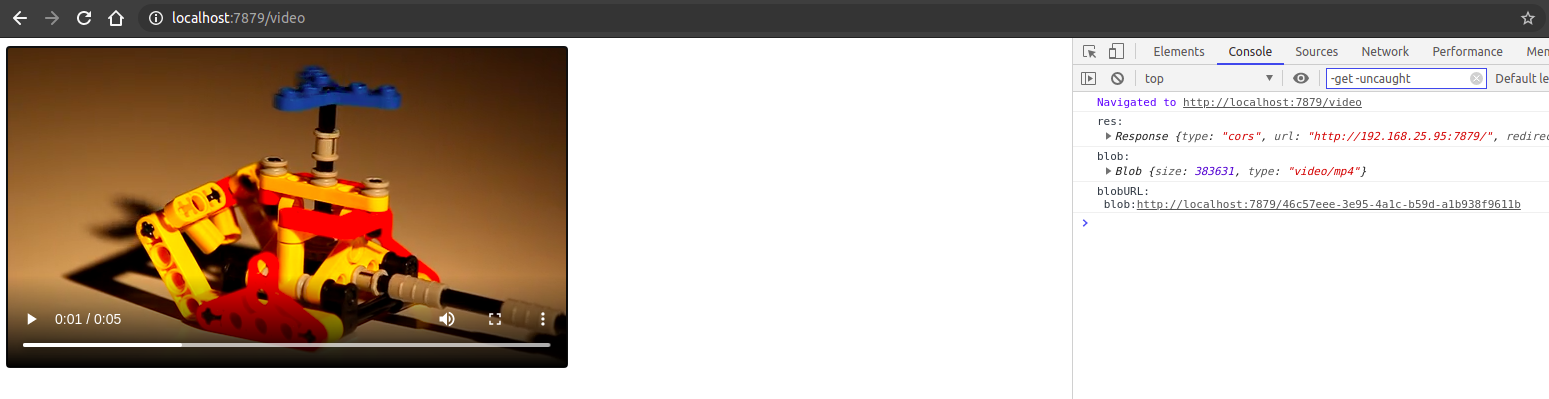
It worked with a .mp4 file but when I tried with .m3u8 file it doesn't loads.
64J0
on 29 Jan 2021
Well, now I'm thinking that this repo could not be the best place to put those information because it doesn't uses hls.js in this example. If this is the case please tell me.
64J0
on 29 Jan 2021
Related issues
 harbinha
·
3Comments
harbinha
·
3Comments
 sbrez
·
3Comments
sbrez
·
3Comments
 crazytoad
·
3Comments
crazytoad
·
3Comments
 shalommeoded
·
3Comments
shalommeoded
·
3Comments
 dan-ziv
·
4Comments
dan-ziv
·
4Comments
Most helpful comment
Yep. You're time would be better spent on lobbying Apple to enabling MSE in iOS. The code is mostly/all there since MSE works on iPads and Macs.